


 Log In

Free gifts available with your purchase
Space Age Double Phaser
An all-encompassing phaser that oozes retro sci-fi charm. Modeled on one of the most coveted guitar pedals in history, Phaser BI-TRON features 2 sweep generators, dual 12-stage phaser circuits, mind-bending routing options and a sound that’s set to stun. Phaser BI-TRON comes from a simple concept, multiplied, expanded, and pushed to the outer limits.
More than Just a Phase
A definitive sound that was ahead of its time, yet remains hypnotic and otherworldly to this day. Phaser BI-TRON encapsulates the transcendent quality of an undisputed trailblazer of the modulation world. Soft 2-pole flutters, wild asynchronous movement, resonant swirls suspended in orbit - there’s nothing quite like it.
2 Sweep Generators
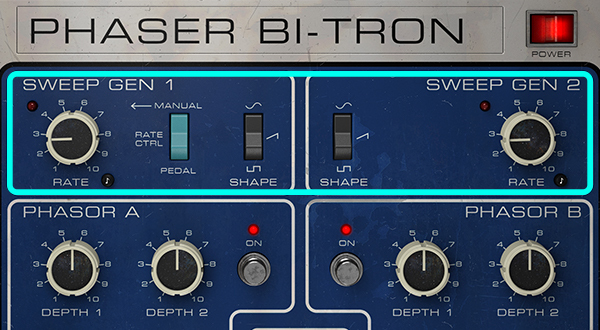
It all starts with 2 Independent LFOs, featuring switchable waveforms and rates that can be tempo synced. Tweak both in tandem for unpredictable interplay, resulting in all manner of animated sounds.
Dual 12-Stage Phasor Circuits
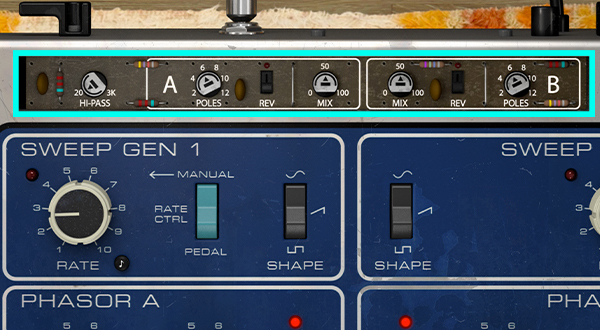
As well as 2 LFOs, you get 2 ‘Phasor’ circuits to play with, with independent depth, feedback and modulation source controls.
Analogue Character
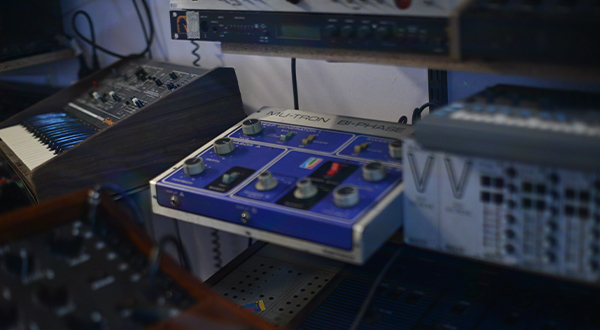
Arturia analysed the much-loved tonal nuances of the original pedal, taking extra care to emulate them in great detail for a perfectly authentic response.
Manual Pedal Control
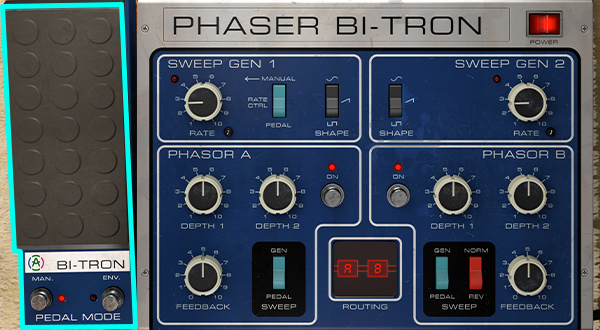
The expression pedal feature lets you manipulate both LFO rates and both Phasor circuits, with the additional option of envelope control.
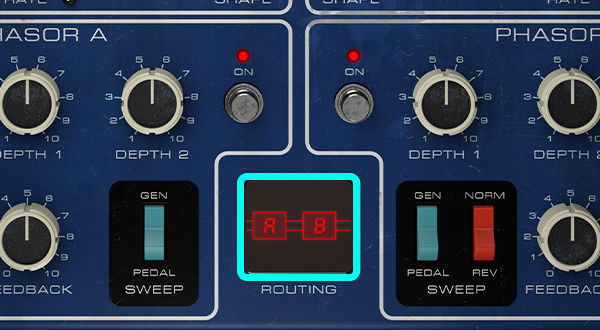
Choose Your Route
Phaser BI-TRON can be run in mono or stereo, series or parallel. This results in an unprecedented stereo modulation palette, each mode offering a distinct sonic character.
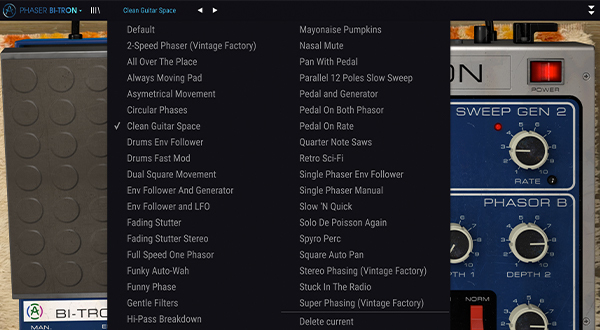
Presets
A curated selection of 37 presets, giving you instant access to the double-barrelled energy of Phaser BI-TRON.
Rebuilding a Legend
The humble phaser was one of the first widely-available guitar effects on the market. Achieved by the relatively simple means of modulating all-pass filters on an input signal, it’s a sound that’s as recognisable as it is divisive. No modulation collection is complete without a phaser - and as the world’s first dual phaser, the Mu-Tron Bi-Phase stood out from the crowd. Popularised by everyone from Smashing Pumpkins to Prince, Kraftwerk to Chromeo, it’s evident that the pull of stereo functionality, interweaving modulation, and analogue charm was impossible to resist.
Arturia set about studying, remaking, and enhancing this prized handmade effect. Using Arturia's proprietary TAE® technology (True Analogue Emulation), Arturia wanted to replicate every subtle detail, every sonic trait - even the control panel and expression pedal functionality. Phaser BI-TRON is every bit an analogue dream, primed for your virtual studio.
The Power of Duality
The key to Phaser BI-TRON’s colorful sound is the fact that everything is doubled.
Independent sweep generators (LFOs) offer 3 waveforms each, tempo sync, and the option of pedal control. These can be used to modulate both (or either) of the 2 Phasor circuits, each with their own LFO depth, feedback and pedal controls. The pedal can even be switched from manual control to an envelope follower, for a responsive sidechain effect.

Analogue Enhanced
The magic of the dual LFO & dual Phasor setup really comes into its own with the elaborate routing options. Rather than simply behaving like 2 phaser pedals stuck together, Phaser BI-TRON’s emulated circuits can be rerouted in mono or stereo, series or parallel - unlocking the nuances of analogue pedal behavior and giving you total control over the spatial character of the effect.
Analogue effects are sought-after not just for their specific purposes; there’s charm in the warm dynamic response of their components. No emulation of an analogue effect would be truly complete without it. Phaser BI-TRON has been tirelessly modeled to preserve the subtle nuances of vintage circuitry - authentic to its core.
Up to Speed
A timeless guitar effect, reimagined to cater to the modern producer, the adventurous musician, the contemporary audiophile. Phaser BI-TRON doesn’t just capture the allure of the old-school - it ventures beyond to bring you something entirely new and wholly inspiring. Beneath the surface, you’ll find additional controls for further manipulation.
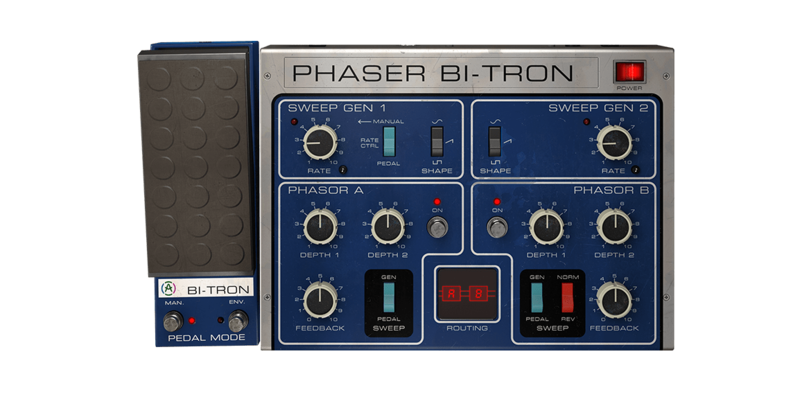
- 12 Poles: Arturia doubled the poles, or stages, of Phaser BI-TRON’s hardware predecessor. Instead of 6 poles, you can enjoy up to 12 for deeper, more dramatic phase sweeps.
- Individual Phasor Bypass: Toggle both Phasor circuits on and off individually, great for going from subtle to extreme at the flick of a switch for real-time dynamics.
- Dual Depth Controls: Each Phasor circuit has 2 depth controls - one relating to each sweep generator. This allows for interesting interweaving sweeps.
- Phasor Dry/Wet Controls: The phaser effect is often upfront, at the risk of sounding intrusive - take control of how Phaser BI-TRON sits in your mix.
- Input Hi-Pass Filter: Simultaneously soften the constructive interference on low frequencies and enhance the harmonic feedback with a 12dB Hi-pass filter.
Animate your DAW with Colourful Modulation
Whether you're going for psychedelic sound design, warm analogue response, or straight-up stereo richness, this modulation FX will fit seamlessly into any setup or mix. These plugins are designed to integrate with all major DAWs, on both Windows and macOS.
Features
- All-encompassing dual phaser with glorious stereo sound and enhanced controls.
- Circuit-accurate sound emulation for rich analogue response.
- 2 sweep generators (LFOs), each with 3 waveforms to choose from.
- 2 independent 12-pole 'Phasor' circuits with depth, feedback and mod source controls.
- Dual depth controls on each 'Phasor' circuit, corresponding to both sweep generators.
- Arturia's advanced features enhancing the original unit:
- Advanced routing for mono, stereo, series or parallel operation.
- 12dB/oct Hi-pass filter on input signal.
- ‘Phasor’ poles increased from 6 to 12.
- Expression pedal/envelope feature can control LFO rates, ‘Phasor’ circuits.
- Stereo reverse option on each ‘Phasor’ module.
- Sweep generators can be tempo sync'd.
- Individual 'Phasor' circuit bypass and dry/wet controls.
- A selection of 37 curated presets for instant iconic modulation sounds.
System Requirements
- Works in Standalone, VST, AAX, Audio Unit, NKS (64-bit DAWs only).
Mac
- Mac OS 10.13+
- 4 GB RAM
- 4 cores CPU, 3.4 GHz (4.0 GHz Turbo-boost) or Apple Silicon CPU
- 1GB free hard disk space
- OpenGL 2.0 compatible GPU
Windows
- Win 10+ (64bit)
- 4 GB RAM
- 4 cores CPU, 3.4 GHz (4.0 GHz Turbo-boost)
- 1GB free hard disk space
- OpenGL 2.0 compatible GPU
- ARM processors not supported on Windows
Protection
All Arturia software is protected by the Arturia Software Center.
Tim Bazell
Mercury Prize-nominated Producer
"There have been numerous attempts to emulate these classic units that have fallen short of the vibe of the originals. Arturia have nailed it with this latest release, which has managed to capture the depth and musicality of some of the hardware in incredible detail. An absolute joy to use."
Thiago Baggio
5x Latin Grammy Nominated and Music Pro Award Winner Recording & Mixing Engineer
"I used to think that these are 3 very peculiar effects that you either love or hate: Chorus, Phaser and Flanger. However, after using them for a while I can say I changed my mind about it. Been using Dimension-D every single day and I have been experimenting with Phaser and Flanger a lot lately which is something that I would never do."
Emre Ramazanoglu
Engineer / Mixing Engineer | Noel Gallagher / Carly Rae Jepsen / Sia
"The 3 new Arturia Modulators blew me away, providing the classic sound and feel of the units I'd expect, but with the option of deep diving into the expanded control section and fine-tuning them beyond the parameters of the original units. Class acts!"


