


 Log In

Free gifts available with your purchase

Nostalgic Pitch Warping
In analogue audio formats, playback speed isn’t always perfectly consistent, and replicating this effect can lend a warm, nostalgic feel to lifeless digital audio.

Lifeline Mod brings back the magic of pitch variations as experienced with Tape, Vinyl and Cassette, reintroducing the sound-warping character of these media, but with precise control over their properties.
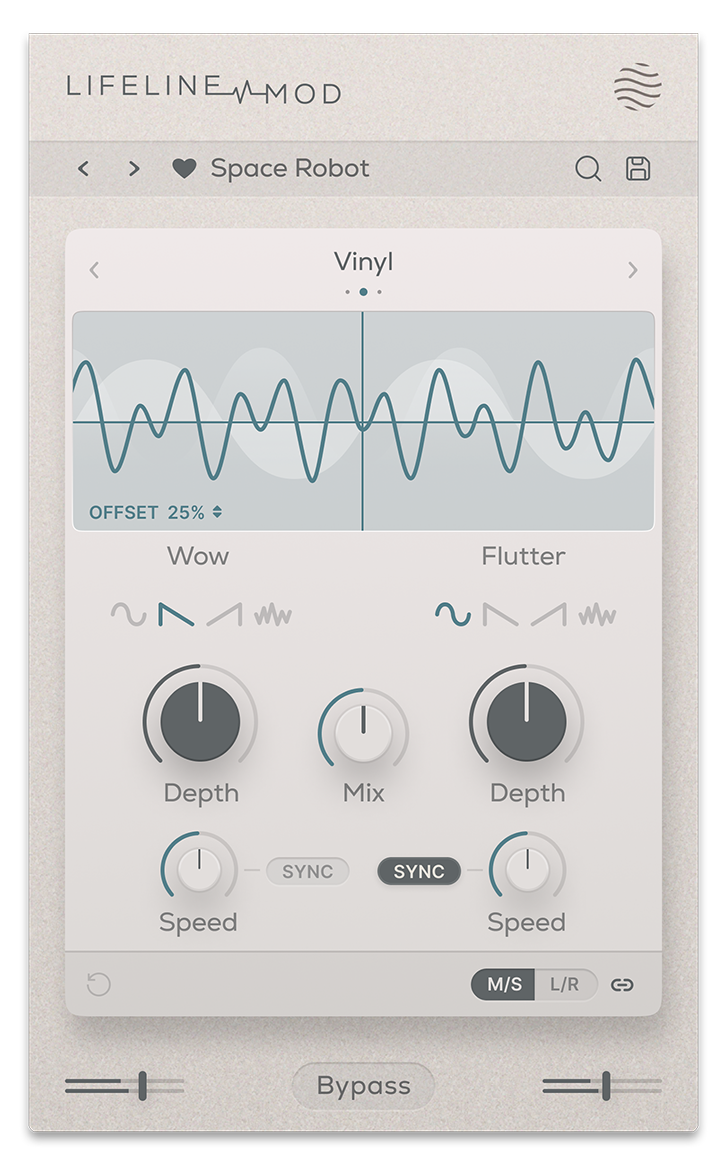
Tape mode introduces subtle pitch modulation where the speed and depth are compensated – an increase in speed is countered by a corresponding decrease in depth. Vinyl simulates the warping of a record, lending a moderate pitch modulation with some speed and depth compensation. Cassette achieves a more extreme pitch modulation effect as heard on compact-style tapes, an effect which is left untamed by keeping speed and depth independent.
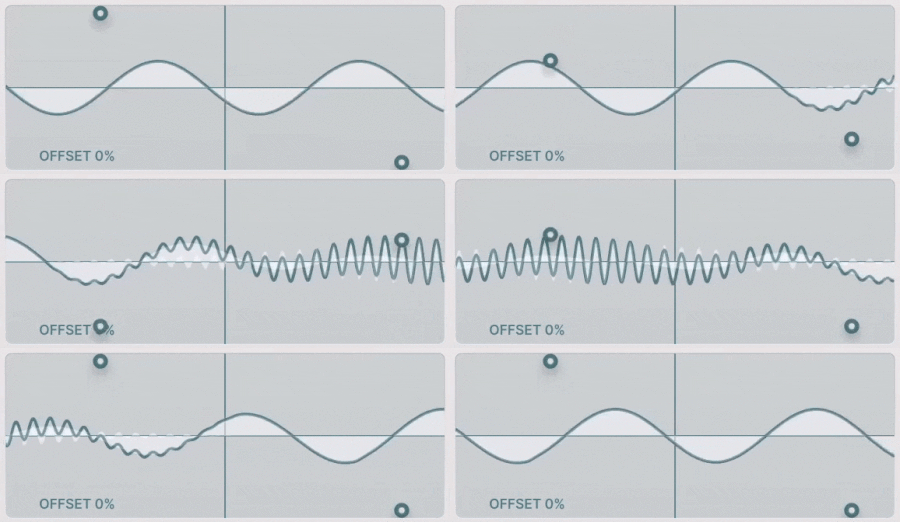
The Modulation section’s dual X/Y pads give you graphical control over two parameter combinations: Wow Speed and Depth, plus Flutter Speed and Depth.
Wow and Flutter is found in all three modulation modes, and can even be synced to your DAW’s tempo. Their Waveform Shape can be set to Sine, Linear or Random, and a Dry/Wet control lets you blend pitch modulation into an analogue flanging or chorus-style effect.
Features
- 3 Pitch-Modulating Algorithms
- Realistic Speed-Depth compensation
- Wow and Flutter control
- Dual X/Y pad control
- Tempo Sync functionality
- Dry/Wet Mix
- Input/Output Gain Controls
- Global Bypass
- Resizeable UI
- Zero Latency
- 50 Presets
System Requirements
macOS
- macOS 10.15 or higher (Intel / Native Apple Silicon supported).
- Plugin Formats: VST, VST3, AU, AAX, Standalone
- DAW's Supported: Ableton Live, Pro Tools, Logic Pro, FL Studio, Cubase, Nuendo, Reaper, Reason + more.
- Compatibility: 64-bit compatible only.
Windows
- Windows 7 or higher
- Plugin formats: VST, VST3, AAX, Standalone
- DAWs supported: Ableton Live, Pro Tools, FL Studio, Cubase, Nuendo, Reaper, Reason + more.
- Compatibility: 64-bit compatible only.


