Buy reTune, get a free gift with purchase:
Real-Time Multi-Pitch Modification

reTune gives you full access to the pitch content of your audio samples and enables you to map each input pitch to any other pitch of the chromatic scale – all in realtime.
This allows you to re-tune your audio to any target key (e.g. from D major to C# minor), or to use it as a creative tool to modify the pitch content in any way you like. If you are unsure about the key of your input audio, you can let reTune estimate the key for you.
In addition, reTune can act as a pitch correction tool that quantizes pitches to the nearest semitone. Additional controls include the sensitivity of the pitch corrections, the treatment of transients as well as a smoothing of the pitch contours.
Features
- Real-time processing
- Automatic input key detection using zplane's TONART V2
- Fully configurable input-to-output pitch mapping
- Presets for major/minor scales, church modes, gypsy and chromatic scales
- Controls for pitch detection sensitivity, transient levels and pitch contour smoothing
- Automatic pitch correction to the nearest semitone
System Requirements
Windows
- Windows 10 - 11
- VST2, VST3 and AAX formats
- Minimum CPU - 2GHz
Mac
- macOS 10.15 Catalina - macOS12 Monterey (Intel & M1 Apple Silicon supported)
- VST2, VST3, AU and AAX formats
- Minimum CPU - 2GHz
Additional Requirements
- Audio Format - 1-2 channels (I/O), 44.1-192kHz sample rate
- Plugin Latency - 140ms
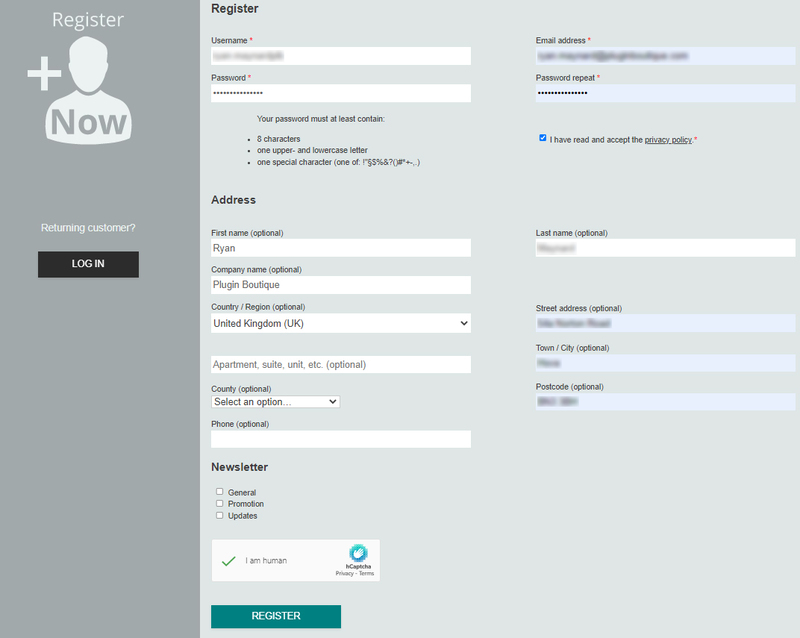
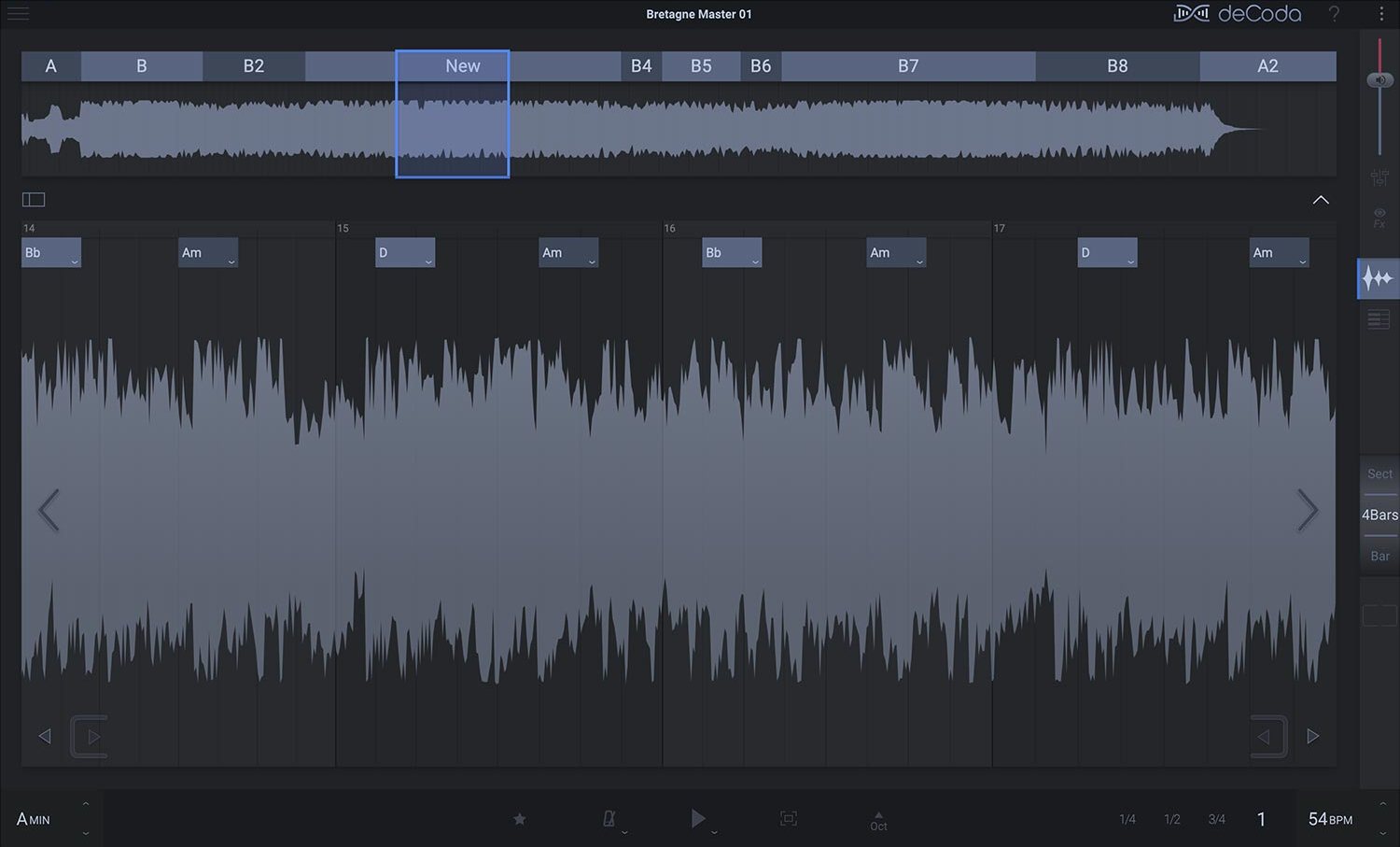
Please note: deCoda is used as an example.
Registration
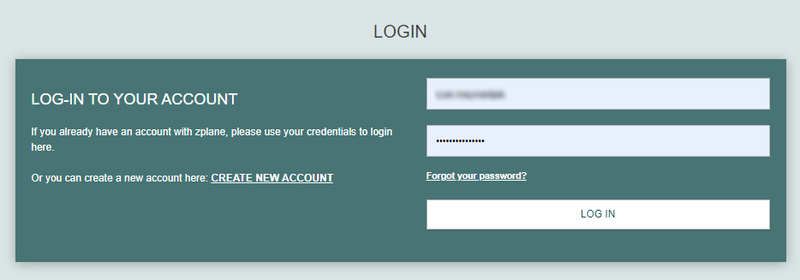
1. Go to the zplane registration page > Enter your details (make sure to select the privacy policy tick box and select 'I am human') > Click Register. If you already have an account, log in to your zplane account and skip to step 4.

2. Click the link you were sent via email from zplane to confirm your account > Click LOG IN.

3. Enter your username and password > Click LOG IN.

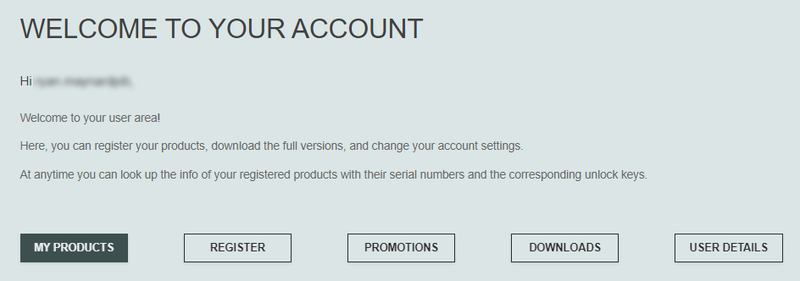
4. Click Register.

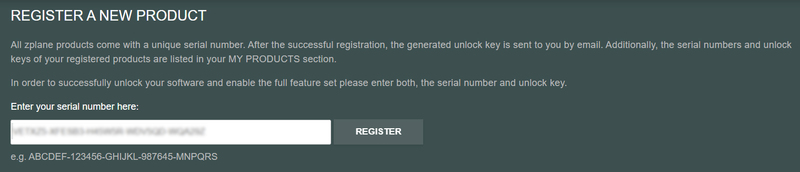
5. Copy the serial number from your Plugin Boutique account > Enter in the box on this page > Click REGISTER.

Your software is now registered.
Mac Installation
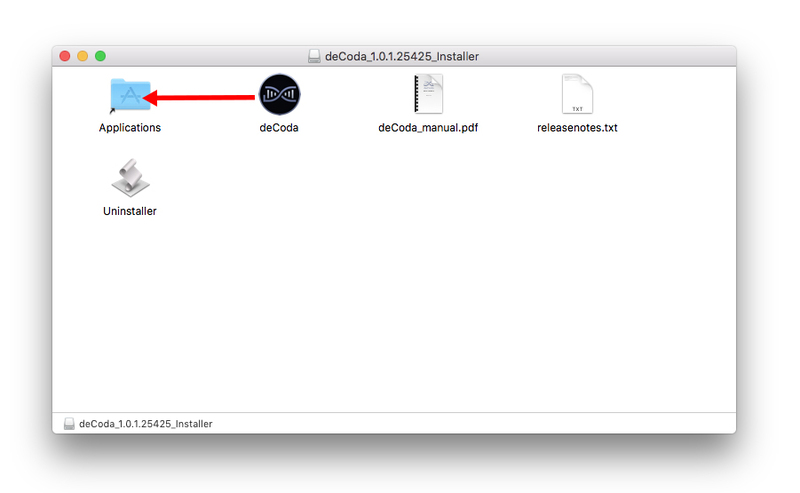
1. Download the .dmg installer file from your Plugin Boutique account > Double-click to open it.
2. Drag 'deCoda' into your Applications folder.

Activation
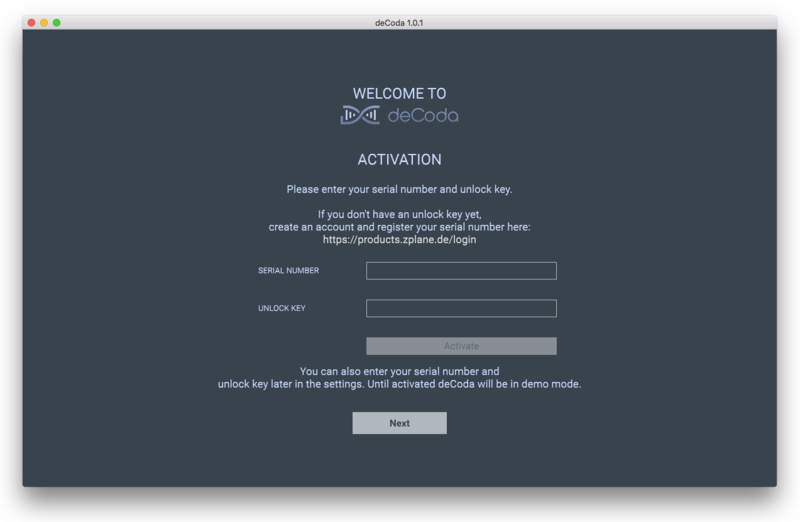
1. Open up the recently installed software from your Applications folder.

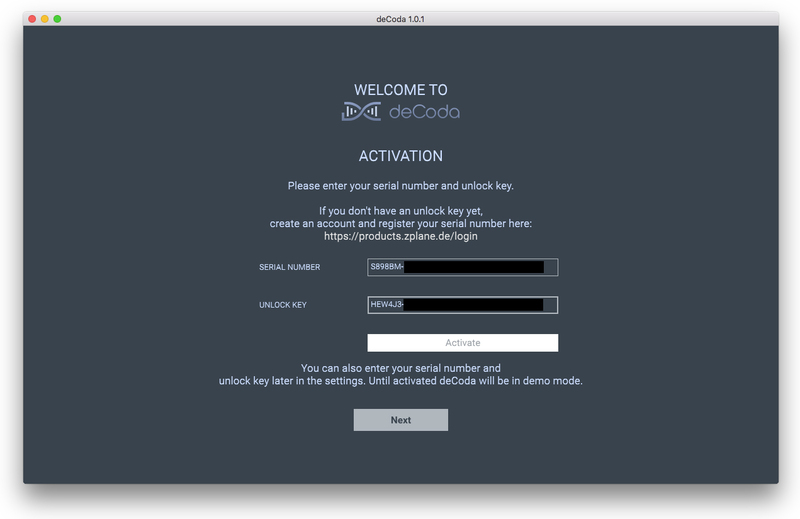
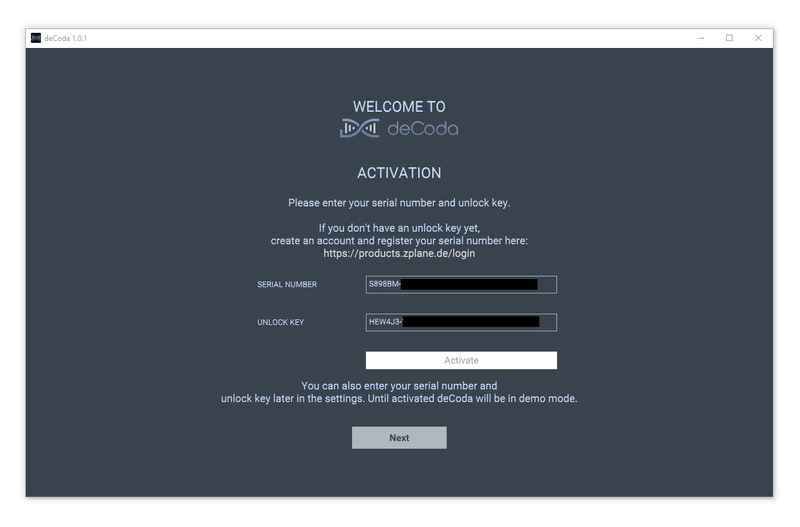
2. Enter your serial number found in your Plugin Boutique account and your Unlock Key sent to your Email > Click Activate.

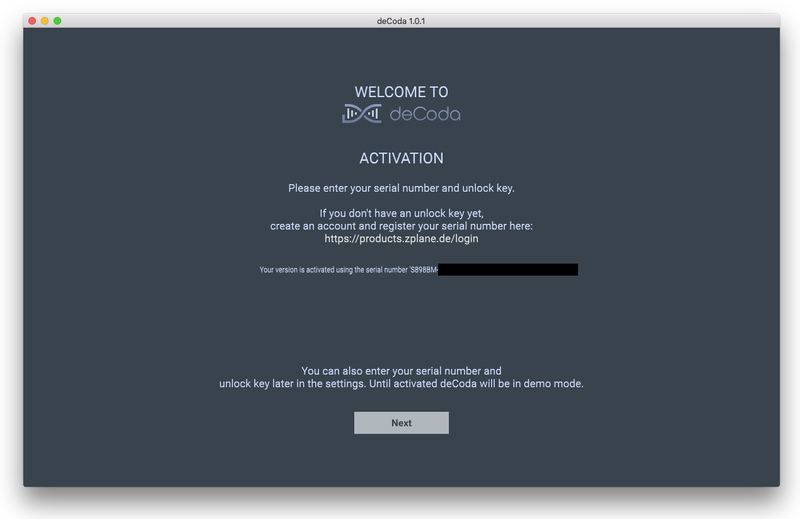
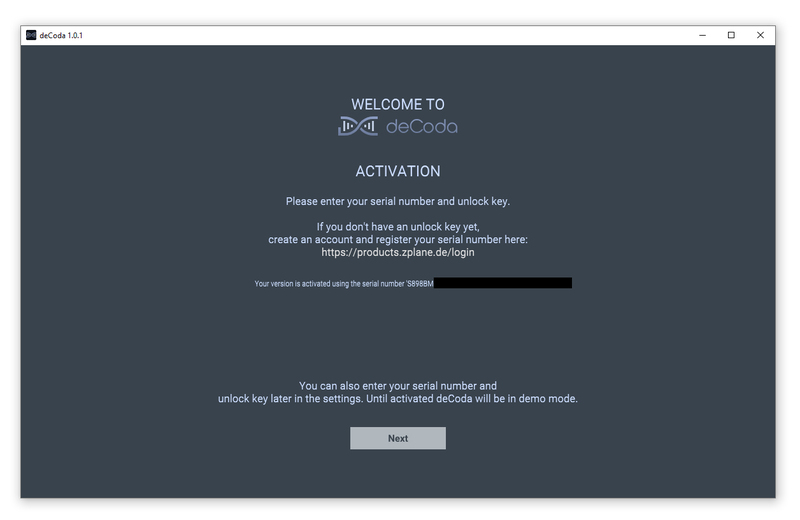
3. Click Next.

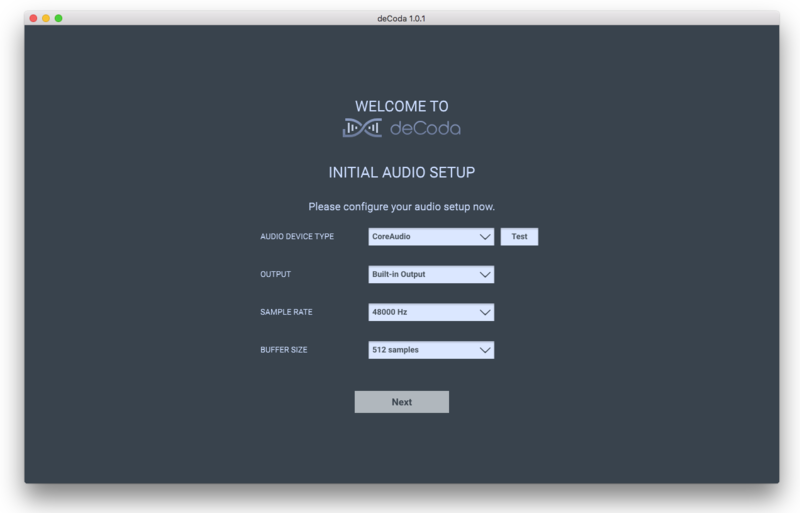
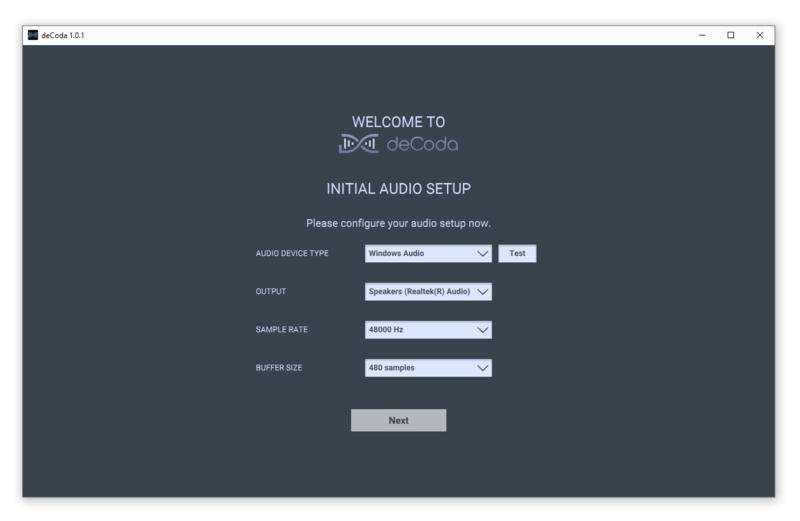
4. Confirm your audio setup is correct > Click Next.

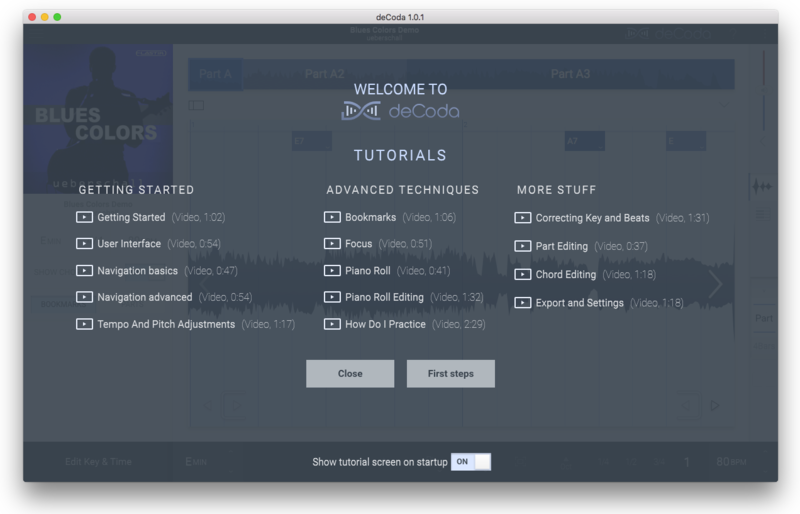
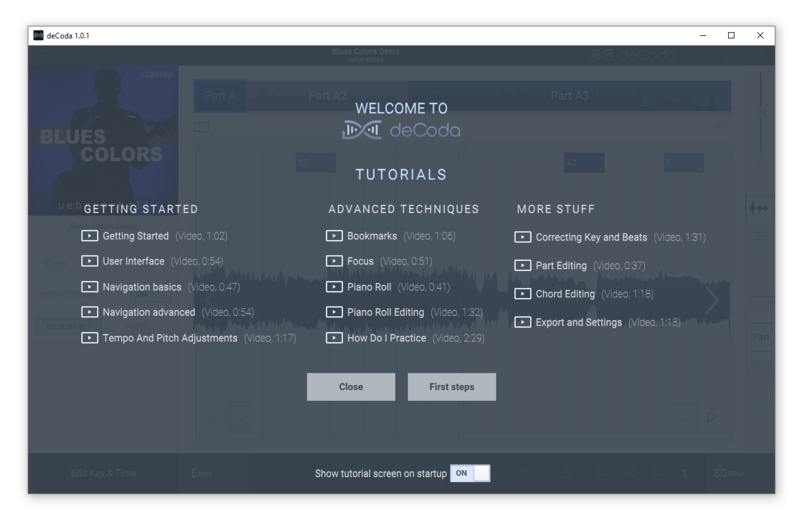
5. Start the interactive tutorial by clicking 'First steps', watch a tutorial video, or click Close.

Your software is now activated and ready to use!

Windows Installation
1. Download the .zip file from your Plugin Boutique account > Double-click to extract its contents.
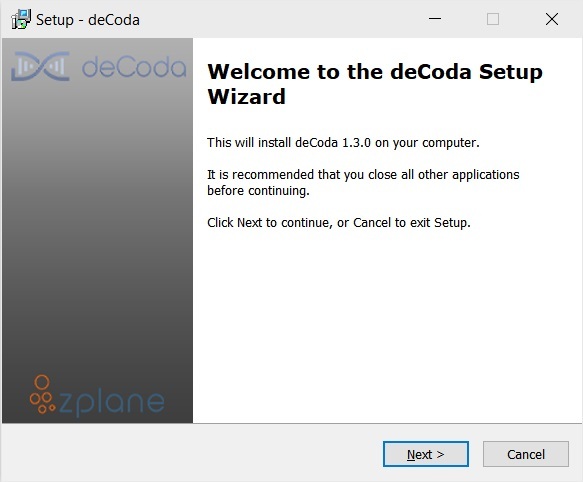
2. Double click the .exe file to run the installer > Click Next.

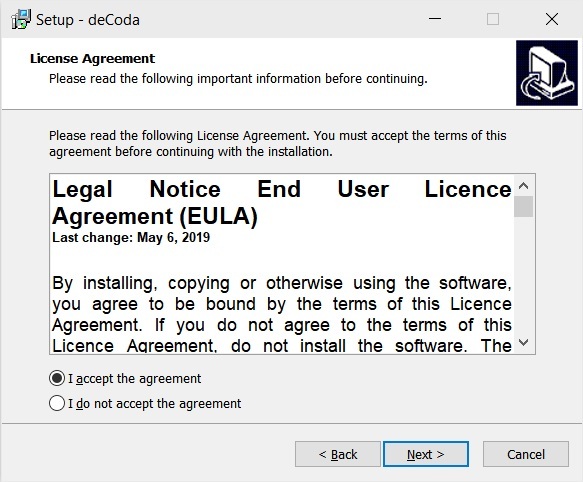
3. Read the License Agreement > Select 'I accept the agreement' > Click Next.

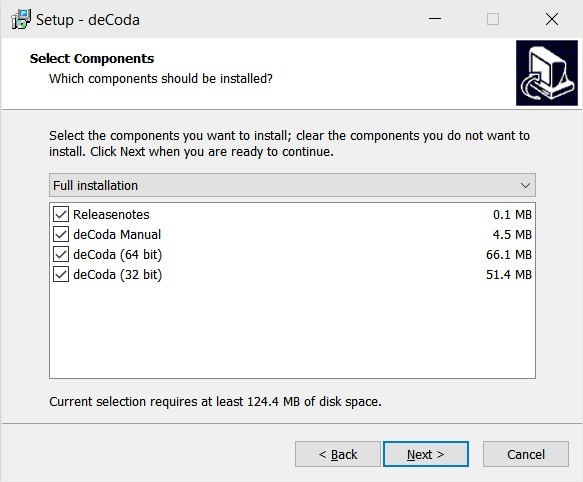
4. Select which components you would like to install > Click 'Next'.

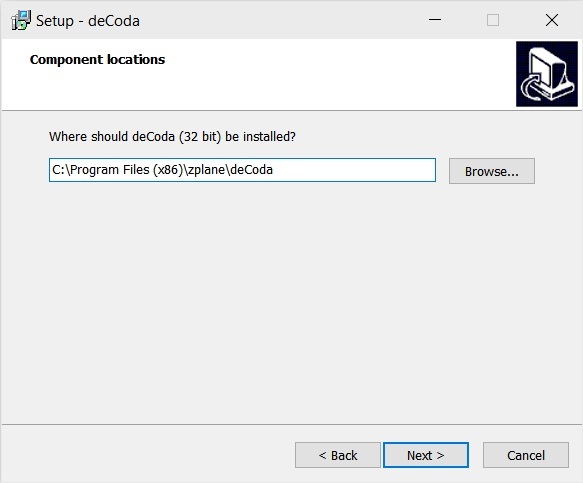
5. Select where deCoda should be installed > Click Next.

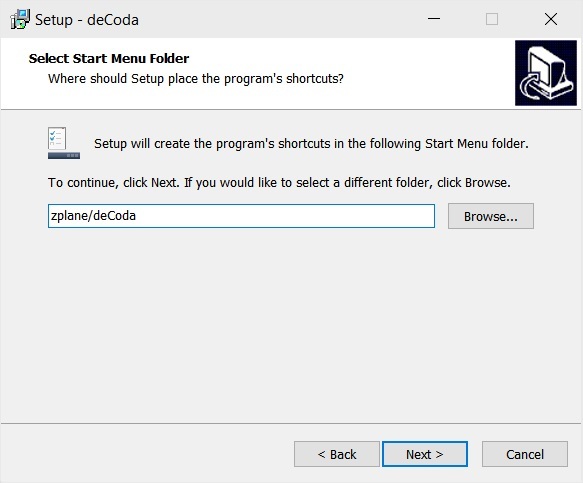
6. Select the start menu folder > Click Next.

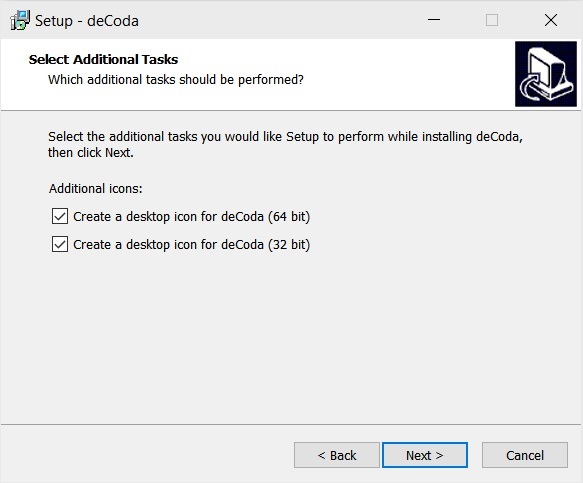
7. Select whether you would like a desktop shortcut to be created > Click Next.

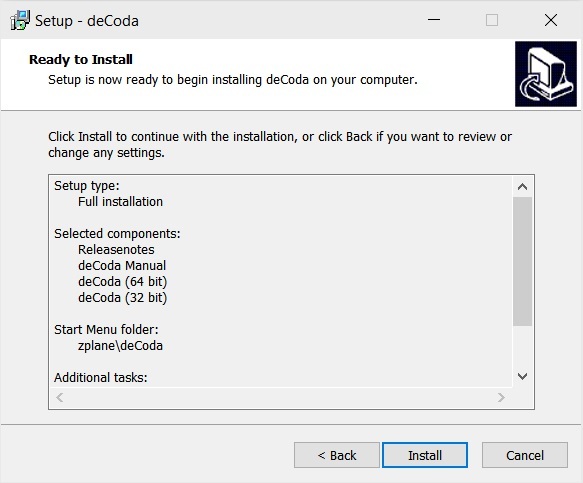
8. Check all details are correct > Click Install.

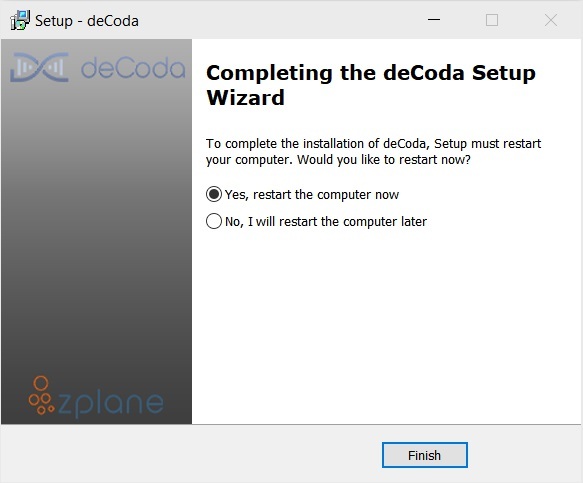
9. Your install is complete > Make sure you have saved any data > Select 'Yes, restart the computer now' > Click Finish.

Activation
1. Open up the recently installed software from your Start Menu or desktop.

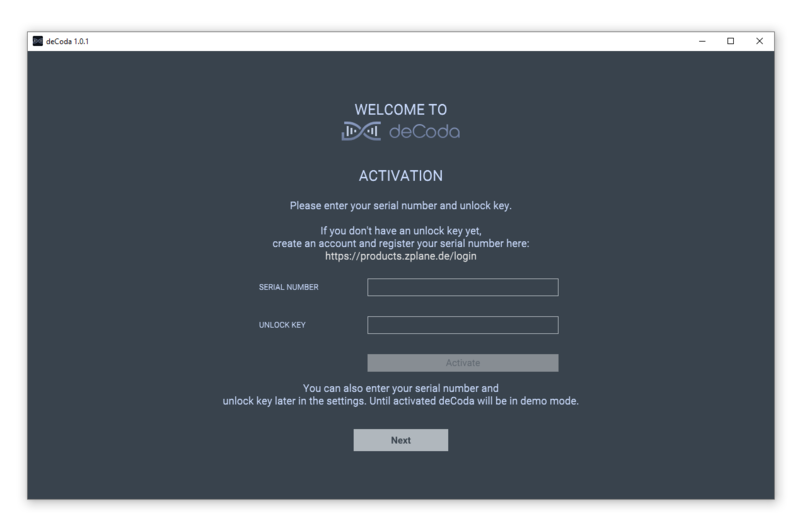
2. Enter your serial number found in your Plugin Boutique account and your Unlock Key sent to your Email > Click Activate.

3. Click Next.

4. Confirm your audio setup is correct > Click Next.

5. Start the interactive tutorial by clicking 'First steps', watch a tutorial video, or click Close.

Your software is now activated and ready to use!