/ Enhancer / LoAir
Waves

LoAir

5.0 (1 Reviews)
$29.99 $79.00

62% off until Dec 07

Waves LoAir
Waves LoAir
Waves LoAir
Waves LoAir gallery thumbnail
Buy Now
Product information

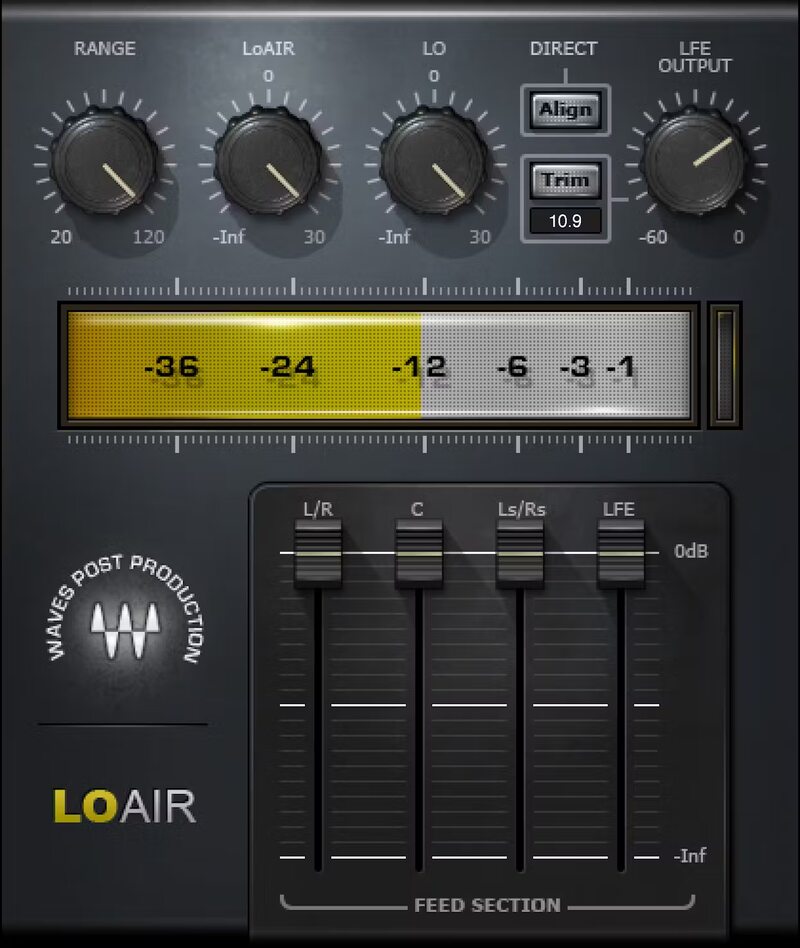
LoAir

Create Earth-Rumbling Lows

Go to any movie, and you’ll experience the power of low frequencies. Whether giant dinosaurs pound the ground, or an alien ship explodes, an intense low end adds drama to the visuals, and helps propel the plot. Now, the secret is out: this popular post-production tool is great for music.

Whether making drums and bass more forceful, adding body to thin vocals, adding depth to masters, or pushing out the power in live shows, LoAir lays down the lows—with quality sound.

Features

  • Includes mono, stereo, 5.0 and 5.1 surround components
  • Subharmonic generation for sound design, post-production, and music
  • Filters polyphonic material, and lowers it by one octave
  • Add subs to synths, kick, bass in both film and music production
  • Restore the low end often lost in field recordings
  • Increase depth, power, and low-end authority

System Requirements

Mac

  • macOS Monterey 12, Ventura 13, Sonoma 14, Sequoia 15
  • VST / AU / AAX

PC

  • Windows 10+
  • VST / AAX
Installation Instructions

1. Head to https://www.waves.com/create-account

2. Enter your email and choose a password to create an account (if you already have a Waves account, choose Log in, enter your details and head to Step 5) > click 'Submit'

3. Open your email inbox > click the activation link in the email from Waves

4. Click 'Log in here' > Log in to your Waves account

5. Click 'Register New Products'

6. Enter the Serial Number found in your Plugin Boutique user account > click 'Submit'

7. Click download in your Plugin Boutique user account or head to https://www.waves.com/downloads/central > download the Waves Central app for your operating system

8. Install Waves Central > Open Waves Central

9. Click 'Log in' > enter your log in details

10. Click the 'Install Products' tab

11. Tick the blue dot on all products you wish to install or click the top dot to install all products > click 'Install & Activate'

12. Click 'OK'

13. Open your DAW > open the Waves plugin

Your Waves plugins are installed and ready to use, enjoy!

Plugin Boutique Rewards

Discover the most rewarding loyalty programme among all plugin retailers.

  • Free Loopmasters Samplepacks
  • Discounts on products and courses
  • Extra Virtual Cash claimed immediately at checkout
Find out more

Follow us:

X (Twitter) Facebook YouTube Instagram
Logo Logo

Plugin Boutique Limited, Part of the Beatport Group LLC.

Copyright © 2011-2025 Plugin Boutique. All rights reserved