Buy ORANGE VOCODER NANO, get a free gift with purchase:
Orange Vocoder Nano
Awesome Vocoding, Streamlined
Add pristine vocoder sounds to your projects quickly and easily with ORANGE VOCODER NANO, the streamlined sibling of our legendary ORANGE VOCODER IV. Packaging a selection of its bigger brother's plethora of excellent sounding algorithms and functions into a straight-forward and cost-effective solution, ORANGE VOCODER NANO sounds fat and beefy, crystal clear, butter smooth, and anything in-between.
Features
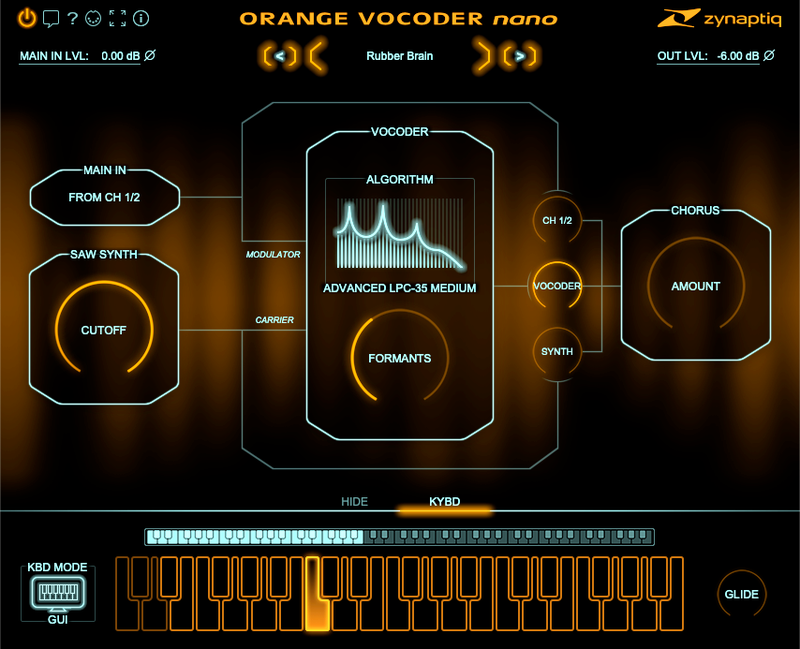
- Four cutting-edge vocoding algorithms from ORANGE VOCODER IV: Advanced LPC-35 Medium, Online ICA Butter, Speech Model Detailed, and the zero latency Analog Model Live Tight.
- Formant shifter with +- 12 semitones range.
- Monophonic sawtooth synthesizer as carrier, with 24db low-pass filter, legato glide and vibrato via mod-wheel. Controllable via MIDI or on-screen keyboard.
- 3-way mixer for input, vocoder and synthesizer.
- Super-subtle chorus effect for sweetening.
- Supports AU (Mac only), AAX Native, VST 2.4 and VST 3 on macOS and Windows.
- Awesome sound & lightning fast operation.
- Upgrade path to ORANGE VOCODER IV available.
System Requirements
Mac
- macOS 10.15.x or newer, 64 bit
- Apple Silicon CPU, or Intel CPU with at least 2 Cores (i7 or better recommended)
- Apple AU (AudioUnits), Steinberg VST 2.4, VST 3 or Avid AAX Native compatible host software, processing audio as 32 bit float
Windows
- Windows 10 or newer
- Intel CPU with at least 2 Cores; i7 or better recommended
- Steinberg VST 2.4, VST 3 or Avid AAX compatible 64-bit host software, processing audio as 32 bit float
Important Notes:
- An iLok account or iLok 2/3-based activation is required in order to register this product
- An internet connection is required for software activation
Copy Protection
Zynaptiq products use the latest PACE copy protection, which allows you to place your activation on your machine or on an iLok 2* (not included). You will need a free iLok.com account to use our software, even for the demos - but you do not necessarily need the iLok 2 dongle if your machine has internet access (activation of a system without internet connectivity requires an iLok 2 device). All required software is installed along with our plugins, but we generally recommend downloading the latest versions directly from iLok.com.
Please Note: The older, first-generation iLok is not supported!
CPU Load
While they are highly optimized, Zynaptiq plugins use a LOT of CPU due to the complex nature of the magic they perform. Please use the free trial to evaluate whether your system has sufficient resources to utilize the software effectively!
Zynaptiq recommends setting your playback buffer size to at least 512 or ideally 1024 samples for optimum performance.
As Zynaptiq plugins sport unique features not found in any other software, Zynaptiq highly recommends reading the User Manuals to ensure that you get the most out of them!
Installation Instructions
Windows/ PC:
1. Log into your Plugin Boutique account (My Account > My Products), to obtain your serial code.
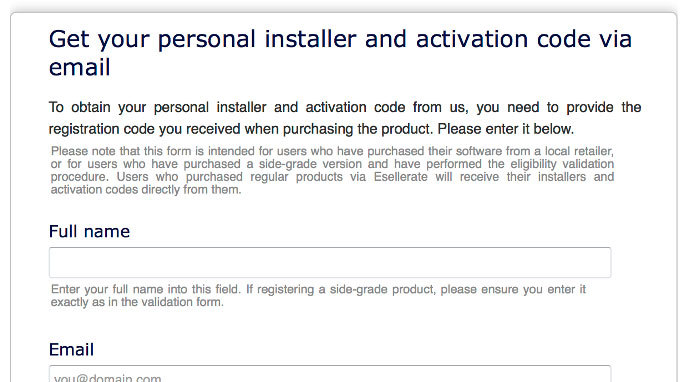
2. Click the link HERE, to register your personal details and serial (registration code). Click 'Submit.'

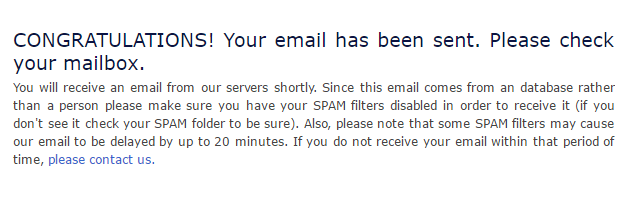
3. Your email has been sent to the email address you used to register with.

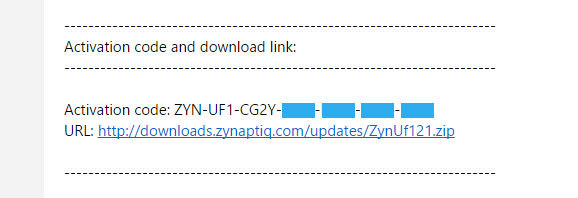
4. Log into your email account, where you can access your activation code and download link.

5. Click the URL hyperlink to begin downloading your installer zip folder.
6. On a Windows computer you will want to right-click on the downloaded file and select 'Extract Here.' Once extracted, the individual installer (format) files will be shown.
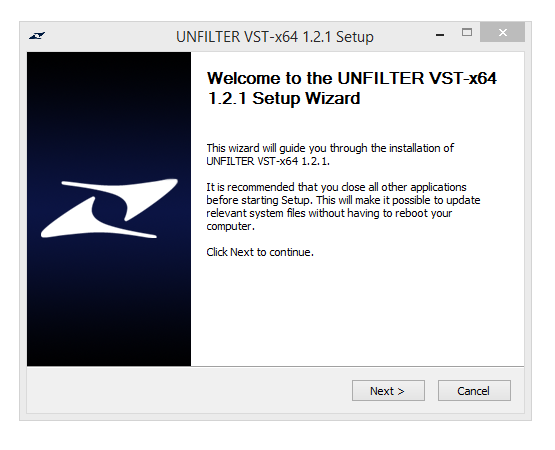
7. Select the relevant format installer setup file, 'UNFILTERVST-x64Setup' is used in this instance. Double click on the setup file.
8. Double click on the setup file. Click 'Next.'

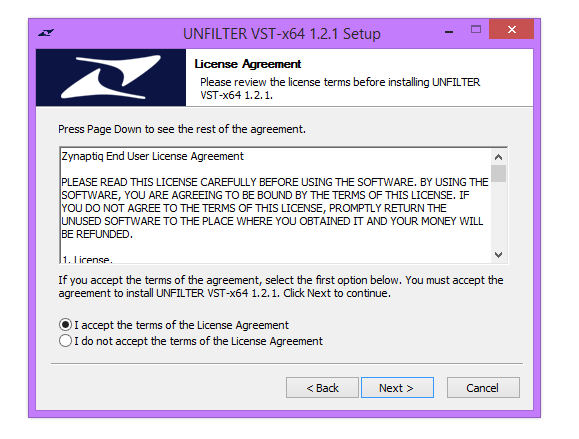
9. Accept the Agreement and click 'Next.'

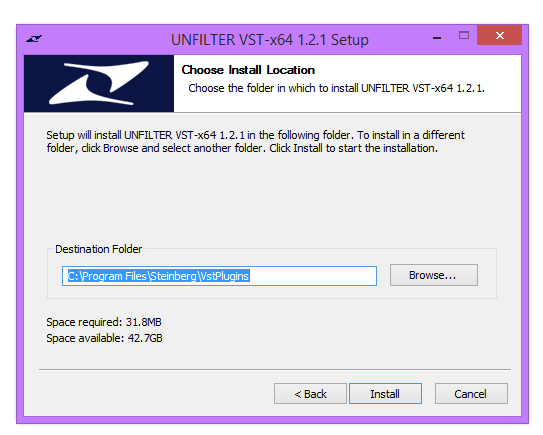
10. Select a folder in which you prefer you place / install UNFILTER in. Click 'Install.'

Authorization
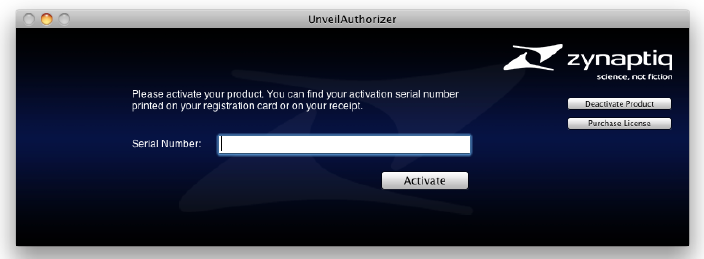
11. To be able to use your new software, it needs to be activated. During installation of UNFILTER, the UnfilterAuthorizer app, will automatically be launched.

12. Enter your serial number received in your email inbox and click “Activate”. If your machine has access to the internet, you’ll be shown a confirmation of the successful authorization and you’re good to go. If the machine byou’re activating on has no internet connection, you will be guided through the process.
13. Generally, our copy protection mechanism will allow you to have two machines authorized at the same time. It is essentially a challenge-response type system that takes specifics of your computer into account anonymously. However, unlike most other challenge-response systems, the Zynaptiq copy protection allows the user to de-activate a system at any time, and reactivate it later - without contacting us. So essentially, you can pretty much move your authorizations around as needed. The only limitation is that in order to de-activate a machine, it needs to be connected to the internet.
14. Your software is now ready for use in your DAW!
Apple Macintosh:
1. Log into your Plugin Boutique account (My Account > My Products), to obtain your serial code.
2. Click the link HERE, to register your personal details and serial (registration code). Click 'Submit.'

3. Your email has been sent to the email address you used to register with.

4. Log into your email account, where you can access your activation code and download link.

5. Click the URL hyperlink to begin downloading your installer zip folder.
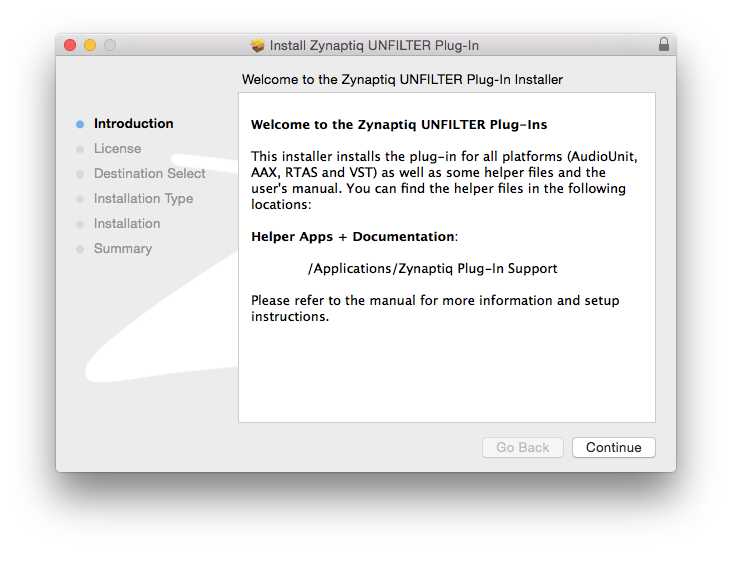
6. Select the installer setup file, 'Zynaptiq UNFILTER Plug-In.pkg.' Double click on the setup file.
7. Double click on the setup file. Click 'Continue.'

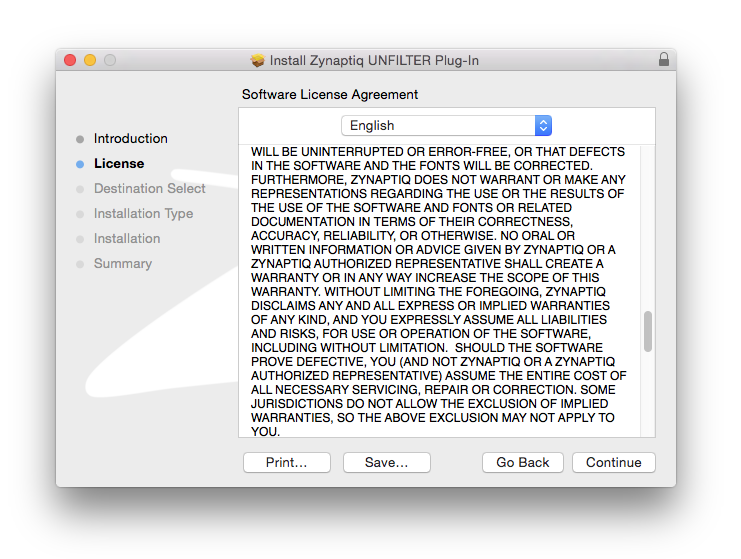
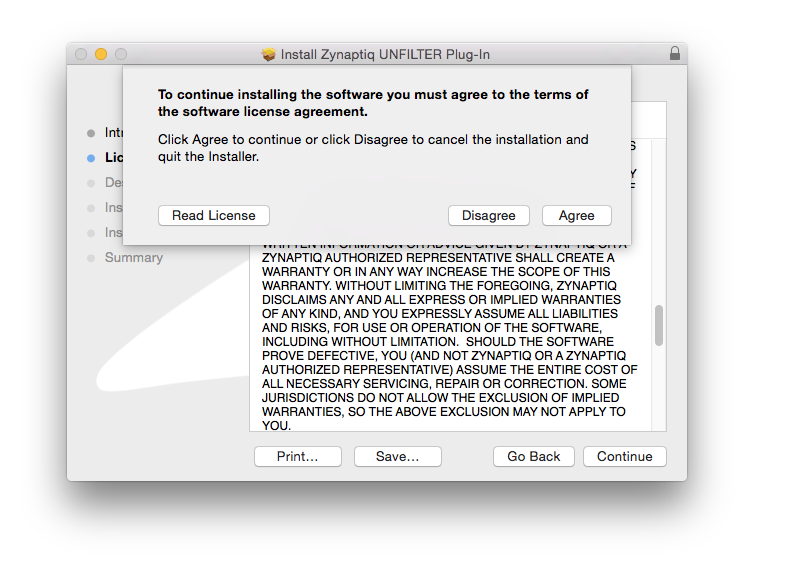
8. Read the Licence Software Agreement and click 'Continue.'

9. To continue installing the software. click 'Agree.'

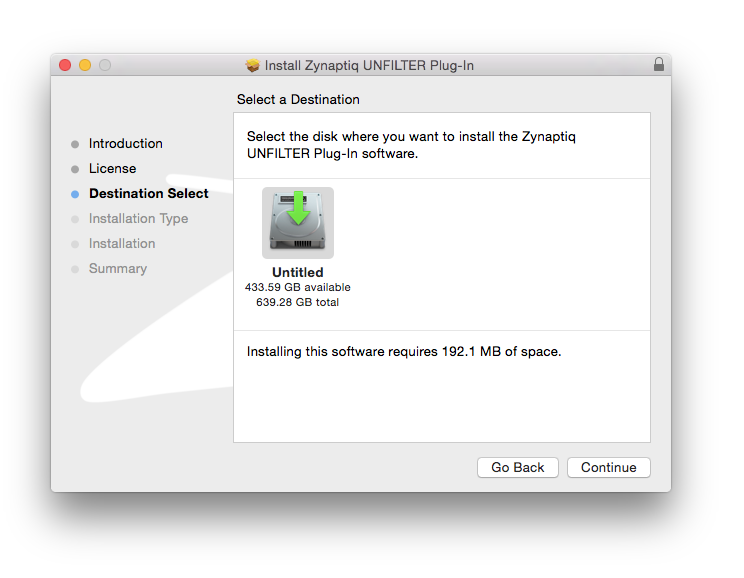
10. Select a desination in which to install UNFILTER. Click 'Continue.'

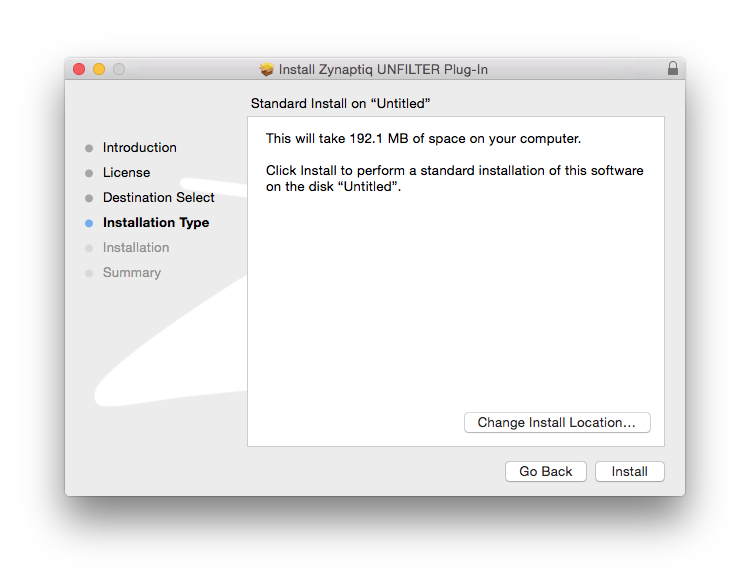
11. Click 'Install.'

Authorization
12. To be able to use your new software, it needs to be activated. During installation of UNFILTER, the UnfilterAuthorizer app, will automatically be launched.

13. Enter your serial number received in your email inbox and click “Activate”. If your machine has access to the internet, you’ll be shown a confirmation of the successful authorization and you’re good to go. If the machine byou’re activating on has no internet connection, you will be guided through the process.
14. Generally, our copy protection mechanism will allow you to have two machines authorized at the same time. It is essentially a challenge-response type system that takes specifics of your computer into account anonymously. However, unlike most other challenge-response systems, the Zynaptiq copy protection allows the user to de-activate a system at any time, and reactivate it later - without contacting us. So essentially, you can pretty much move your authorizations around as needed. The only limitation is that in order to de-activate a machine, it needs to be connected to the internet.
15. Your software is now ready for use in your DAW!
De-Activating a Machine
To free up an activation, you can de-activate a machine. To do this, please launch the UnfilterAuthorizer app, and click “Deactivate Product”. You will be presented with a confirmation message and you’re done. Please note that the machine to be de-activated needs to be connected to the internet!