


 Log In

Free gifts available with your purchase
Product information
Abbey Road Saturator
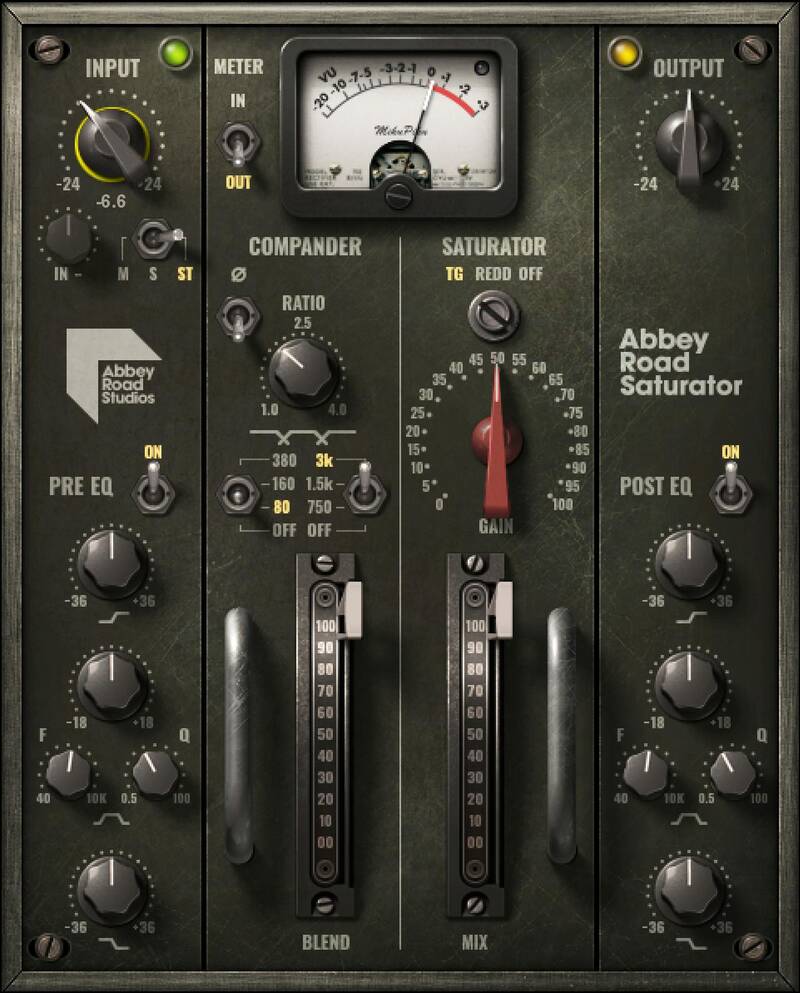
Classic Tube & Solid-State Console Saturation: Subtle to Extreme
From light saturation for an exquisite vocal or synth edge, to heavier saturation that gives bass and drums palpable punch, to industrial-grade mayhem and everything in between—this isn’t about ordinary saturation. It’s about the color and power unleashed by Abbey Road’s saturation signal chain.
Choose the REDD console’s tube sound, or the TG12345’s round, solid-state tone. Add pre- and post-saturation EQ, and then excite it all through the ultra-rare TG12321 “secret weapon” compander—nothing sounds like this.
Features
- Designed and calibrated with Abbey Road Studios
- Choose from tube and solid-state console saturation characters
- Excite your signal with the rare EMI TG12321 Compander
- Shape saturation character with detailed pre- and post-gain EQ
- Dramatically alter the distortion sound with the Phase control
- Sculpt your saturation effects with M/S processing
- Mix/Dry control to blend the saturated and original signal
- Artist presets by top mixers Joe Barresi, Dave Pensado, Lu Diaz
System Requirements
Mac
- macOS Monterey 12, Ventura 13, Sonoma 14, Sequoia 15
- VST / AU / AAX
PC
- Windows 10+
- VST / AAX
Installation Instructions














