


 Log In

Free gifts available with your purchase
Greg Wells ToneCentric
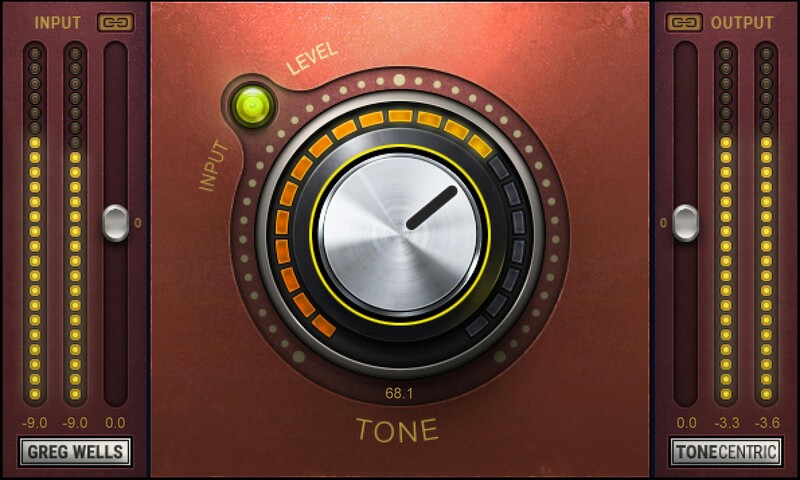
Enhance Tracks and Entire Mix with Rich Analog Tone
ToneCentric is all about the sweet, “singing” overtones of tube-based analog gear. Simply turn the one knob to wrap your mix bus in warmth—or put it in small amounts on every individual track, for a beautiful cumulative effect.
ToneCentric captures the analog studio chain of Grammy®-winning producer/mixer Greg Wells (Adele, Dua Lipa, John Legend): “I’m always on the hunt for ways to pull more music out of the speakers,” Greg says. “I get a beautiful effect when I run audio through healthy vacuum tubes and transformers wound the right way, and record it to a great tape machine.”
“There are certain pieces of gear in my studio that consistently do this for me without fail: a holy-grail 1950s mono tube compressor, a tape machine, a custom-made vacuum tube console. In developing ToneCentric, I aimed to capture that wonderful analog footprint, while keeping things very full sonically, with an added depth of field.”
“There is an enormous amount going on behind the simple one knob. Different dial positions home in on variations of the basic process, so you’ll find multiple sweet spots as you turn the knob. I hope you like it as much as I do!”—Greg Wells
Features
- Add analog warmth and fullness to digital tracks, while preserving a bright high end
- Created with Grammy®-winning producer/mixer Greg Wells (Dua Lipa, Ariana Grande, John Legend)
- Based on Greg’s favorite tube-based vintage analog gear
- Input/output linking and makeup gain control for easy gain staging
System Requirements
Mac
- macOS Monterey 12, Ventura 13, Sonoma 14, Sequoia 15
- VST / AU / AAX
PC
- Windows 10+
- VST / AAX














