Log In
Free gifts available with your purchase
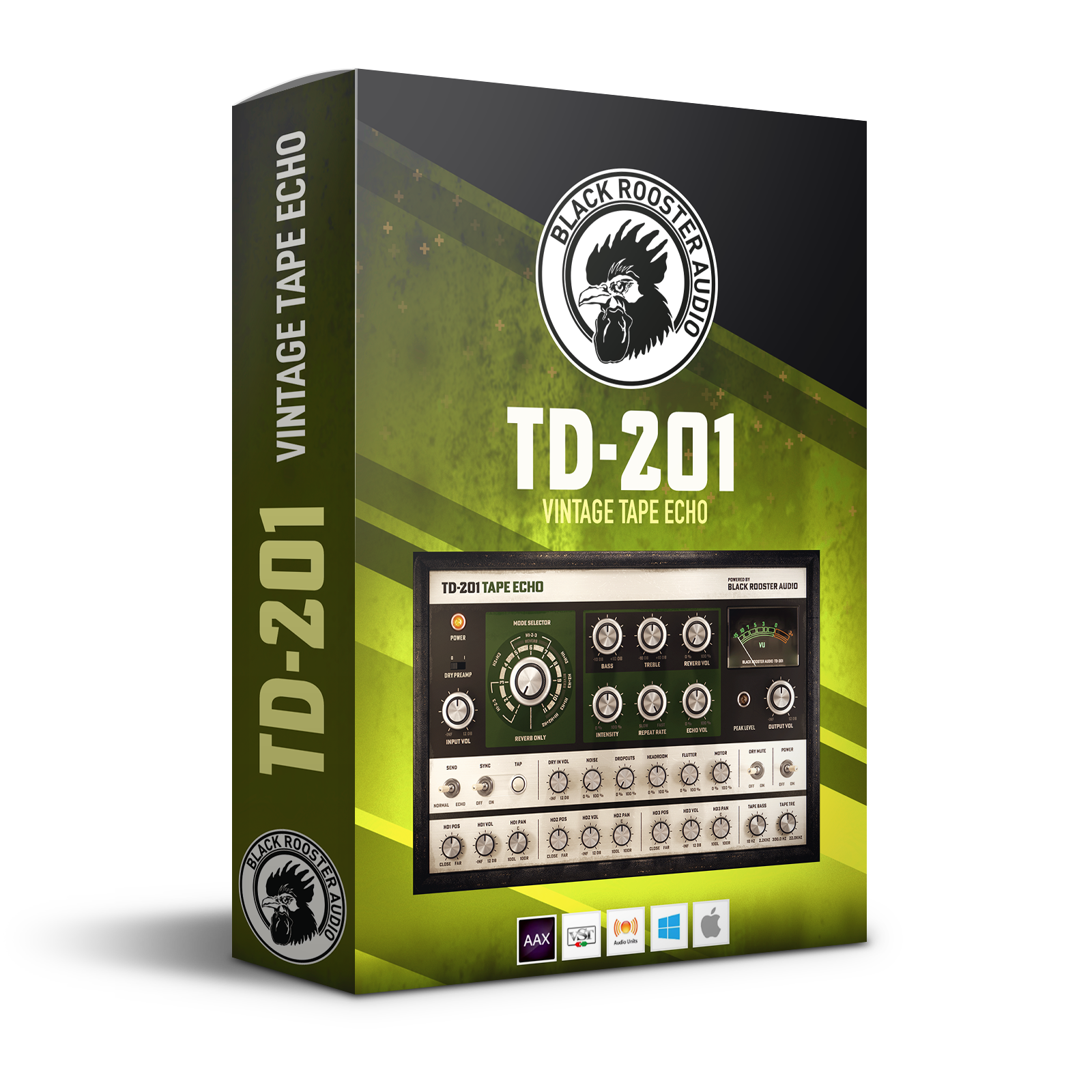
Vintage Tape Echo
The TD-201 vintage tape echo plug-in brings the unmistakable sound of the classic analog delay into the 21st century. This intuitive unit offers a wide variety of detailed parameters, making it highly customizable yet simple to operate.
As a part of the 1950s revolution in music production, musicians, producers, and engineers were busy creating the foundation of the modern-day workflow, introducing countless technical innovations - from guitar amps to electric organs, as well as an incredible amount of studio effects. This period also marked the birth of electric reverberation & delay units.
Early-day tape delays such as the Echoplex or Copicat - the first attempts at echo generators - have a history of being technically unreliable and prone to damage when transported, yet their sound was so captivating that further attempts inevitably ensued.
It was in the late 1960s when Japanese engineer Ikutaro Kakehashi and Hammond started experimenting with multi-head tape echos. One of these featured a free-floating 1⁄4-inch tape & spring reverb housed in a rock-solid tape chamber, ready for touring and more stable and reliable than anything on the market at the time.
The Roland Space Echo RE-201 became a best-seller for the brand. It further evolved into a range of delay effects that are still extensively used in music productions and in sound design today. The famous delay sound has stayed consistent ever since the RE-201 was born.
For many tape delay aficionados, there is nothing like the sound of a legendary vintage unit. Still, many struggle with their unpredictability, not to mention that they can be time-consuming to use and difficult to access. This is why they have created the TD-201 - a highly customizable in-the-box tape delay that offers all of the vintage character of the classics, as well as countless customization options for maximum usability.
Features
Multi-Head Mode Selector
They have implemented a complex mode selection that allows for seamless transitioning between the play- back heads so that you can dial in your perfect room setup. Effortlessly mix your reverberation and delay just like with the vintage original.
Per Head Fine Tuning
Fine-tune your perfect echo by adjusting the depth, volume, and stereo position per playback head in the lower panel. The nine parameters allow for surgical-level precision in your workflow.
Tap & Sync
Quickly synchronize the tape speed to your mix/ rhythm with the sync control. By using this feature, the echo will follow the impulse given by the tap knob.
Dial in Some Randomness
In order to go "full vintage", try to use our range of fine-tuning parameters to control the motor, flutter, headroom, dropouts, and noise – all of which are hardware tape machine features. Play around with these, and dial in some randomness to make your echo sound even more authentic.
Lo-Fi Cassette Effect
Here’s a little pro-tip: Set your echo to 0ms (HEAD 1 ONLY Mode Selector = 1 & HD1 Pos = 0) and solely manipulate the motor, flutter, headroom, dropouts and noise in the mid panel. This is your perfect lo-fi cassette effect.
Apple Silicon & SSE2 Optimized Code
DSP operations are pipelined using the latest Apple Silicon & SSE2 instruction sets. This ensures a high-performance operation despite our plug-ins’ very complex computations.
HighDPI/Retina Support
The user interfaces support high pixel density on both Windows and Mac OS systems, giving you the most enjoyable user experience on high DPI displays. Please refer to your DAW manual to learn whether it is HighDPI compatible if you're working on Windows.
System Requirements
Mac
- Mac OSX 10.9 or newer (M1/M2 supported)
- Intel Core CPU or Apple SIlicon M1/M2 Processor
- 1GB of RAM
- VST, VST3, AU or AAX compatible host (64bit)
- Display resolution of 1280x1024 pixels or more
PC
- Windows 7 or newer
- SSE2 compatible processor (Intel Core CPU recommended)
- 1GB of RAM
- VST, VST3 or AAX compatible host
- Display resolution of 1280x1024 pixels or more