Log In

Free gifts available with your purchase
TDR SimuLathe REF
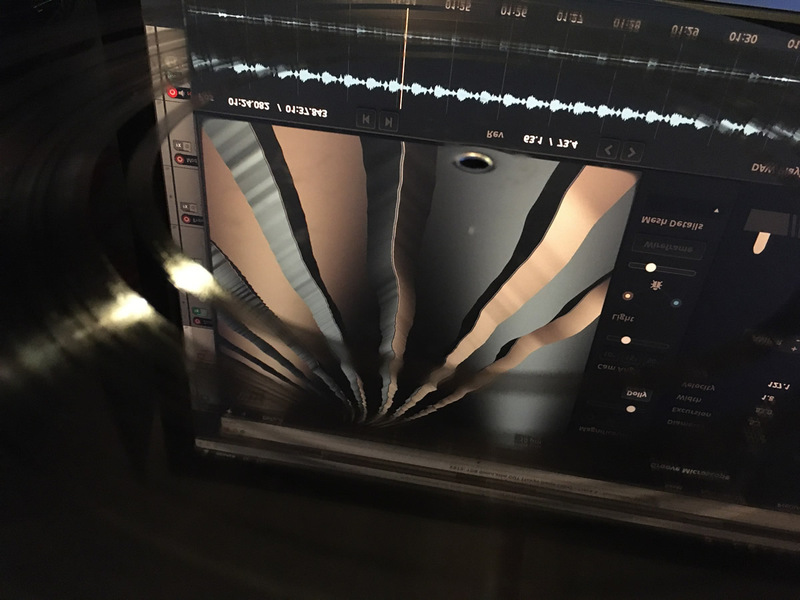
Take a first person walk into the fascinating world of vinyl record production, its technology, and the mysterious art of turning music into physical grooves! SimuLathe “Reference” Edition is a complete simulation of the disk mastering process. With its specialized preprocessors, a precise virtual disk cutting lathe, several turntable pickup models and extensive means of metering/analysis, this audio plugin offers hands on insight into disk cutting.
If you’re operating a disk mastering service, or cutting grooves in any other way, please take a look at SimuLathe CUT.
Using SimuLathe, audio producers gain qualified insight into the format, the compromises, consequences and the remedies. Curious minds, creatives and students use the plugin to mix and experiment “onto disk” without risking wasted lacquers or precious cutting styli. Record labels and artist can plan and sequence their disk projects ahead, test their material early to prevent costly pitfalls.
SimuLathe’s precise physical models and direct audio feedback give mastering engineers a most reliable reference to work against, helping deliver safe and consistent results to their customers. The technology has been developed in tight collaboration with professional disk mastering studios and specialised manufacturers.
The REF edition is tailored to audio engineers looking to get their hands on a disk cutting system (albeit a virtual one), and develop insight into the depths, beauties and subtleties of the vinyl record production process. Not a “vinyl auto mastering solution”, and certainly not meant to replace the engineer operating the lathe. But a laboratory inviting to learn, experiment with and enjoy the mystified world of disk production.
Features
- Precise virtual disk cutting lathe, with four representative configurations
- Classic disk mastering filter section with various highpass, lowpass and elliptical filtering options
- Extensive metering section: Groove excursion, width and velocity; Gain on disk, stereo width and more
- Three physically modelled turntable pickups for monitoring and creation of shareable test cuts
- A groove microscope allows for inspecting the “physical” groove with greatest accuracy, in all dimensions
- Detailed disk inspection via heatmaps for Excursion, Width, Velocity and Land
- Multi side/multi disk support
- HTML project report generation
- Support for imperial and metric units throughout the UI
Plugin Host Compatibility
Like any other disk cutting/playback system, SimuLathe’s function relies on the current playback position. This imposes some restrictions on compatibility. SimuLathe offers three playhead options:
- Host Sync
If supported by the plugin host and plugin format, SimuLathe synchronises with the active playhead position.
Hosts offering midi/instrument support will most likely synchronise to SimuLathe.
Exclusive to Reaper, SimuLathe can also take control of the playback position.
- Host Sync via Automation
If the host supports plugin parameter automation, SimuLathe can be synchronised by automating a specific parameter.
Useful if the native host sync doesn’t work right with given host.
- Manual Playhead
Playhead position is set Manually. This is particularly useful in creative applications, or when probing audio material “against a disk”. The manual mode is compatible with all hosts, but doesn’t support inspection of the Disk Statistics, and has only very limited space consumption prediction abilities.
The manual playhead is the right choice if the plugin host in use has no concept of playback position, or doesn’t support plugin parameter automation.
System Requirements
- VST2, VST3, Audio-Unit or AAX compatible plugin host.
- Win 7 or above, Mac OS X 10.9 or above.
- Modern OpenGL support.
- 64-bit only.
- Available in VST2, VST3, AAX, AU formats.