


 Log In
Free gifts available with your purchase
Important Note: This product is only compatible with Windows operating systems.
The Mini Mastering Bundle contains two of our flagship plugins from our established range. Included in this bundle are the MasterMix Buss Compressor and the Mastering Limiter. If you mix and master your own music and you are looking for the perfect plugin toolset to assist you in getting a fantastic quality sound then this package is for you.
MasterMix Buss Compressor
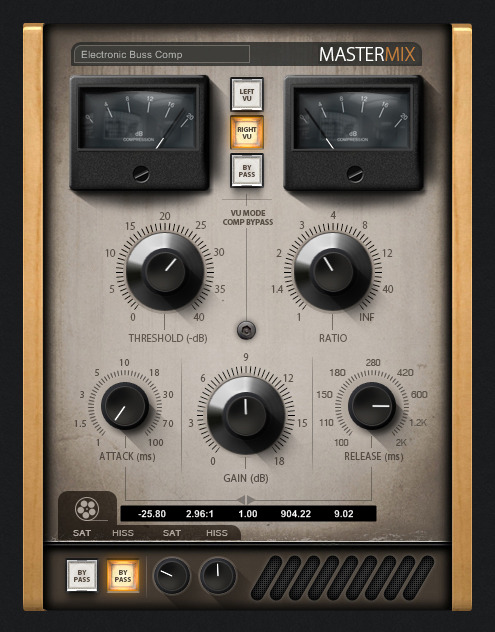
The MasterMix Buss Compressor is a has been a labour of love for us here at Minimal System Group and is designed for those producers looking to add the finishing touches to their latest masterpiece. Modelled on legendary buss compressors from classic analogue consoles the MasterMix Buss Compressor is a mixing and mastering powerhouse.
MasterMix Buss Compressor Features:
- Analogue Modelled Buss Compressor.
- The MasterMix Buss Compressor is designed for use on the Master Buss and also on sub-groups (Drum Groups etc).
- Tape simulator stage complete with tape hiss and saturation.
- Great visual feedback.
- Functional and easy to use GUI Design.
- Very low CPU usage.
Hints and Tips:
- Try placing the MasterMix Buss Compressor on the main output (Master Buss) early on in the mixing process using around 1-3dB of gain reduction.
- Buss compressors are often used on signals that display a variation of frequencies and transients such as drum kits and backing vocals.
- Try grouping all elements of you drums together into one group. Add the MasterMix Buss Compressor onto this group.
- Holding down the 'Shift' key whilst operating a parameter allows fine adjustments to be made. Holding down 'CTRL' and clicking on a parameter reverts it to its default position. (These two operations work on all Minimal System plugins).
Mastering Limiter
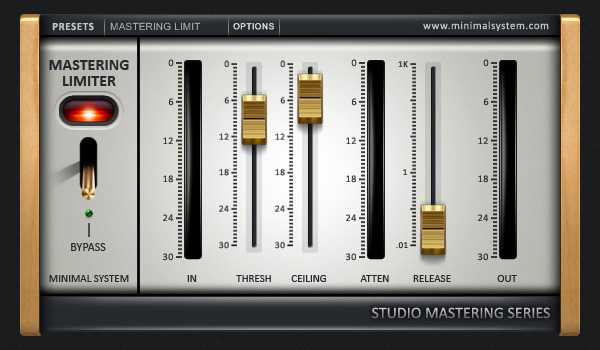
The Mastering Limiter is a high end audio processing advanced peak limiter designed to maximize both the level of the digital signal and the resolution of your final rendered file.
The Mastering Limiter's lookahead peak limiter algorithm provides the mixing and mastering engineer with the capability to increase resolution and production master levels with precise control. Specifically designed for mastering, digital editing, multimedia, and any application that requires limiting of the digital signal with highest quality; the Mastering Limiter is perfect addition to your mixing and mastering tool set.
In order to ensure the maximum possible resolution of a processed signal, it is very highly recommended that the Mastering Limiter be used last in the processing chain.
System Requirements
- PC running a Windows operating system. VST compatible DAW or VST hosting software.
- This plugin is 32bit but can be run on 64bit systems using jBridge.
- This plugin also operates within the 64bit versions of Cubase, Nuendo, Bitwig Studio, Reaper, Tracktion, Renoise, FL Studio, Sonar, Mixcraft and Samplitude using their inbuilt bridging.
- It is recommended that you always try out the demo before purchases to ensure that the plugin is compatible with your system.
Host Compatibility
- Minimal System Group Plugins run on Windows based PC's using a suitable VST host or DAW. Our plugins have been fully tested within Ableton Live, Adobe Audition, Cakewalk Sonar, FL Studio, Energy XT, Presonus Studio One, Renoise, and Cubase.
Please Note: This plugin is 32bit but can be run on 64bit systems using jBridge.


