


 Log In

Free gifts available with your purchase
Creative Movement Shaper
Efx MOTIONS is a software effect that combines musical movement, mix dynamics, and creative audio tools into a powerful effect plugin to give your music the momentum, variety, and pure sonic excitement it deserves.
Make your sound unstoppable
Turn the simplest idea into music that evolves and captivates; bring boring, static stems to life with moving filters, distortion, beat repeating, and more; make mixes feel more spacious, responsive, and alive.
Bring your music to life
Draw curves and envelopes to animate any sound, create automations and polymetric motion to change the feel of your music, and move from stutter to riser to mix widener in a few clicks.
Interactive Components
Efx MOTIONS takes the idea of adding movement and energy to your music, and transforms it into easy-to-use components that react and co-operate with each other, turning any audio source into gold.
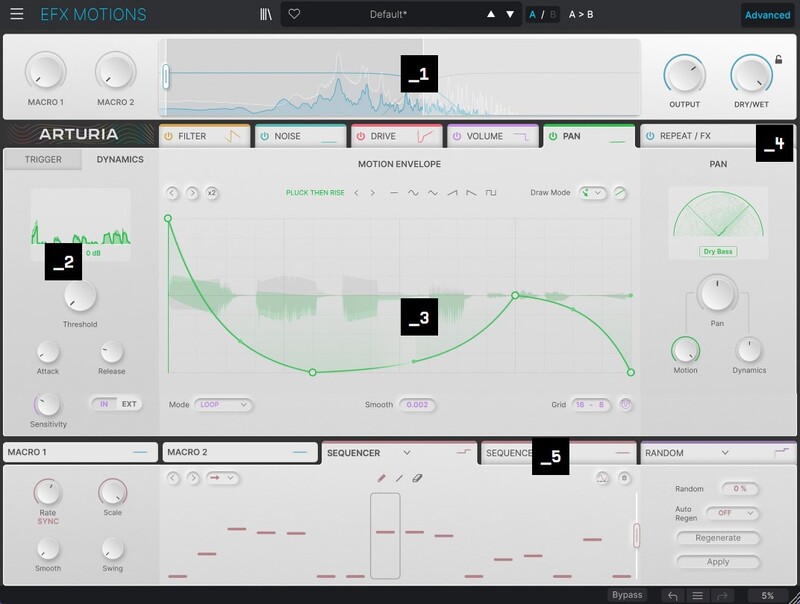
- Dashboard - Your main dashboard for quickly tweaking Efx MOTIONS’ output. Adjust macros for single-click sound alterations, tailor the frequency band that’s being affected, and adjust the output level & balance.
- Trigger & Dynamics - Get your sound reacting to Efx MOTIONS in any way by customizing how each module triggers and responds. Clock sync, Euclidian gates, transient detectors… This is where the fun begins.
- Motion Envelope - Your front-row view and blank canvas for adjusting Efx MOTIONS’ sound processing in real-time. Draw envelope shapes, choose presets, customize your grid, and more.
- Beat Repeat & FX - Here you’ll find the Beat Repeat grid, running independently but always in sync, plus Efx MOTIONS’ 2 FX sends for final customization of your signal chain.
- Advanced - Go under the hood to customize your macros and introduce a whole extra layer of movement and automation with 3 customizable modulation generators. More is more!
5 Motion Modules
At the center of Efx MOTIONS are its 5 main audio modules, each providing a different type of sound alteration. Toggle them on & off, switch up their order, and dig into unique parameters for each one for a near limitless range of motion-based processing.
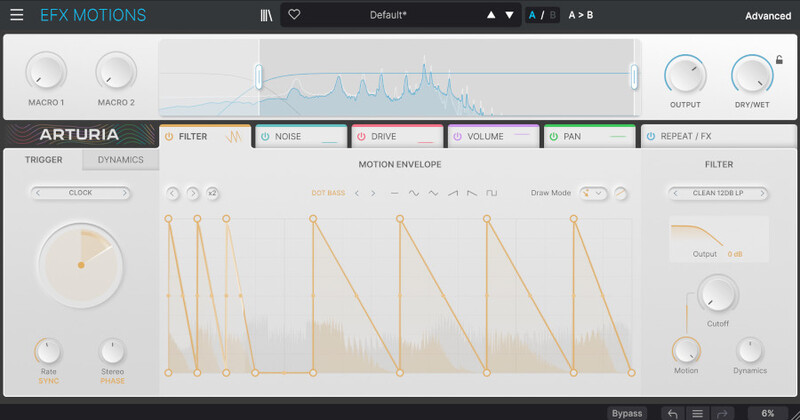
Filter
Open and close the frequencies of your incoming audio with 5 types of filtering for bubbly swells, pumping resonant risers, and subtle analog transient emphasis.
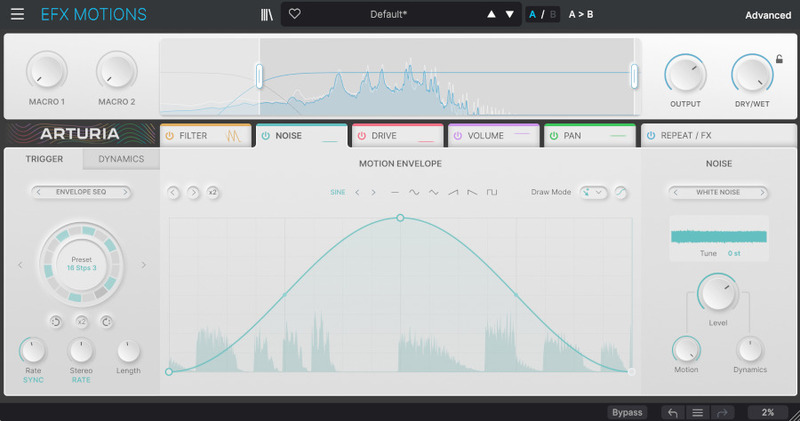
Noise
Embellish & texturize any sound with a layer of noise, with dozens of sampled noise types to explore - from analog white noise to computer keyboard mashing to cicadas chirping.
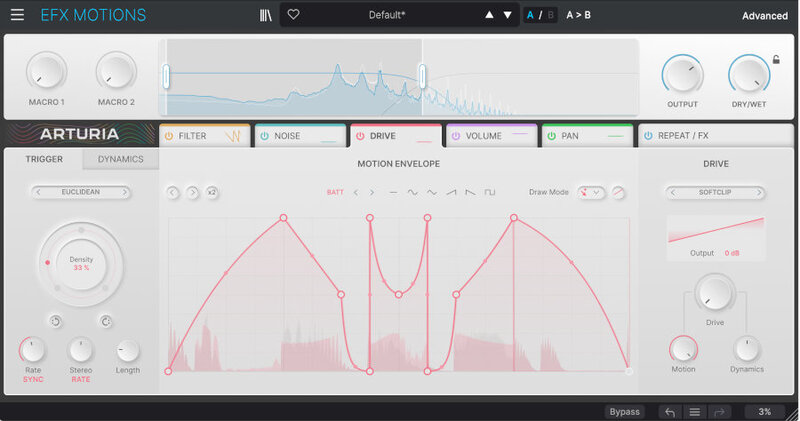
Drive
Saturate, degrade, and destroy incoming sound with 10 varieties of crunch to choose from, including Tape, Softclip, and the fuzzy Germanium.
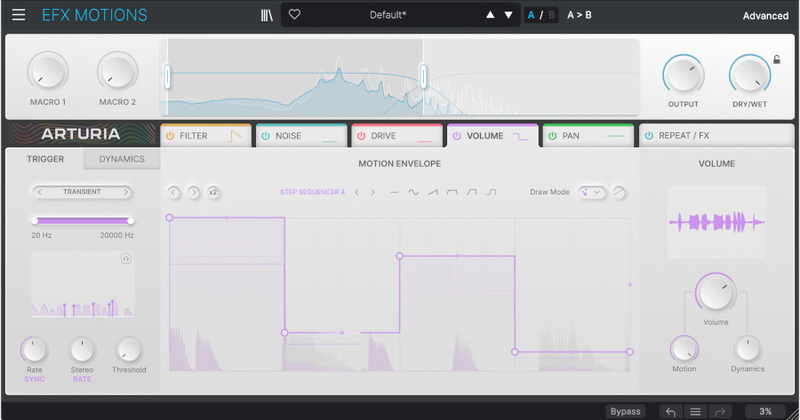
Volume
Create variations in level for stuttering percussion, tremolo-like movements, and more.
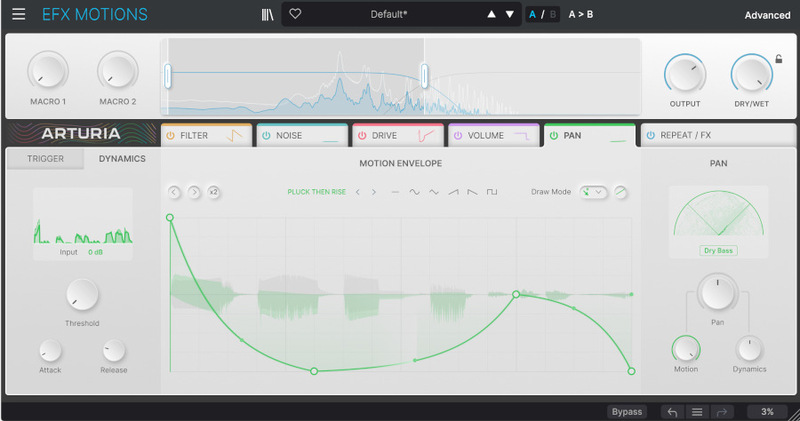
Pan
Make full use of the stereo field by manipulating the movement of panning in sync with your projects.
Beat Repeat
Chop, resample, and transform incoming audio into punchy rhythmic ideas, from subtle repeating fills to glitchy Aphex Twin-esque mayhem.
Efx MOTIONS’ Beat Repeater and FX module gives you 5 more ways to get creative with the movement of your tracks, plus 2 FX slots with 14 FX types for a sprinkle of sonic coloration.
Real-time creative mixing
Use movement to make different elements in your project interact and bounce off each other, making things sit better, evolve dynamically, or dramatically alter your sound.
Sound design deep dive
Stack and weave multiple FX together, trigger beat repeats, and modulate parameters all at once; Efx MOTIONS is somewhere between a full FX chain and an instrument in itself.
Presets
Great for quick inspiration, Efx MOTIONS comes with over 330 expertly-crafted presets.
Need some quick-fire movement, variety, or texture? Efx MOTIONS’ preset library contains everything from mix enhancements to pure chaos in motion - all you need to do is click.
Features
- Effects plugin for stepped & movement-based audio processing
- 5 audio processing modules with unique controls: Noise, Distortion, Filter, Volume, Pan
- Trigger: customize how each audio module is triggered (Trance Gate, Euclidean, Clock, MIDI, Transient)
- Motion editor: customize the movement of each audio module (Draw your own envelope shapes, Choose from envelope shape presets)
- Dynamics customizer: Threshold, attack, release controls, Switch to external for sidechaining
- 16-step Beat Repeater
- 2 FX sends with 10 FX algorithms
- 2 assignable multi-destination Macro controls
- Crossover module to define the frequency band to process
- 3 multi-destination modulation generators (Step sequencer, function, random, and env follower)
- Preset library with 330 presets
- A/B comparison
System Requirements
Windows
- Win 10+ (64bit)
- 4 GB RAM
- 4 cores CPU, 3.4 GHz (4.0 GHz Turbo-boost)
- 1GB free hard disk space
- OpenGL 2.0 compatible GPU
- ARM processors not supported on Windows
Apple
- Mac OS 10.13+
- 4 GB RAM
- 4 cores CPU, 3.4 GHz (4.0 GHz Turbo-boost) or Apple Silicon CPU
- 1GB free hard disk space
- OpenGL 2.0 compatible GPU
Required configuration
- VST, AAX, Audio Unit, NKS (64-bit DAWs only).


