


 Log In
Free gifts available with your purchase
Your Essential FX Rack Plug-in
SSL Module8 is your new go-to modulation FX rack plug-in for audio production. Featuring six modulation effects (Phaser, Flanger, Chorus, Tremolo, Vibrato and Pan) and two creative FX returns (Lo-Fi and Space), Module8 provides producers, sound designers, and engineers with a versatile toolset for adding texture, depth, and movement to their mixes.
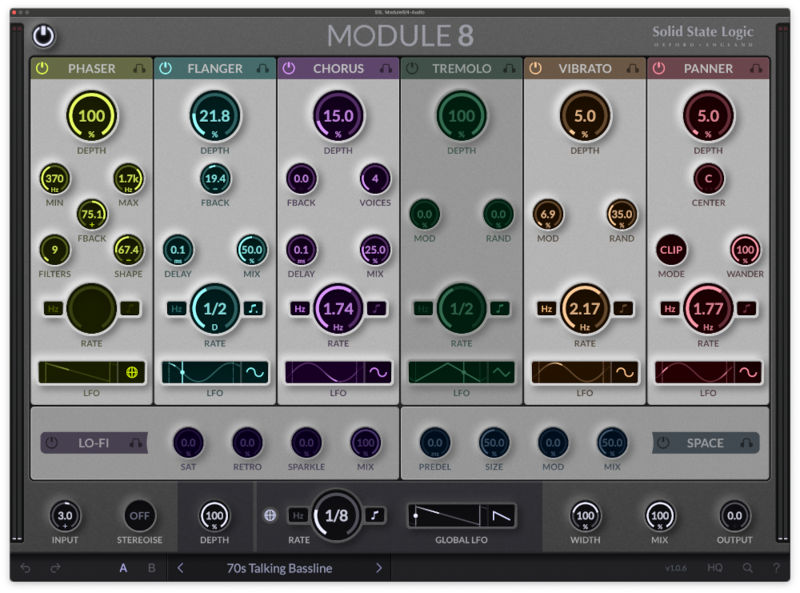
Alongside a huge range of brilliant sounding presets, Module8 combines classic modulation effects with modern functionality, allowing users to add dimension to vocals, enrich the texture of instruments, or create unique soundscapes with ease and efficiency.
- 6 classic LFO-driven modulation effects
- Lo-Fi and Space modules
- Drag-and-drop module re-ordering
- Global mix and width controls
- 5 LFO shapes and sync and manual LFO options
- Endless sound design possibilities
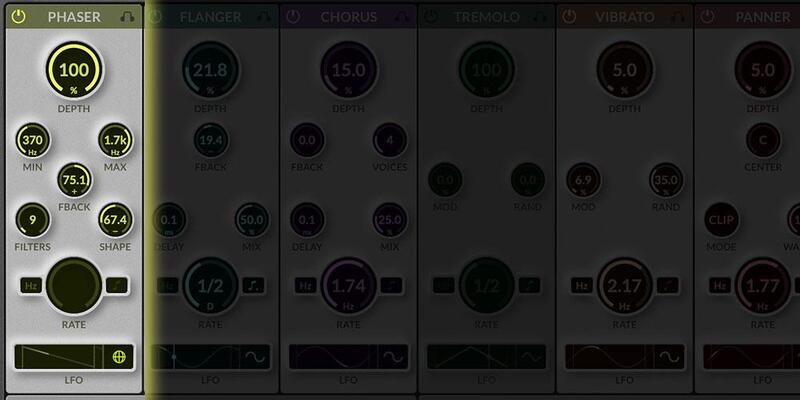
Phaser
The Phaser module creates a sweeping effect by modulating the phase of the input signal. This effect is achieved through the use of all-pass filters, creating peaks and troughs in the frequency spectrum that move over time, giving the sound a dynamic, swirling character.
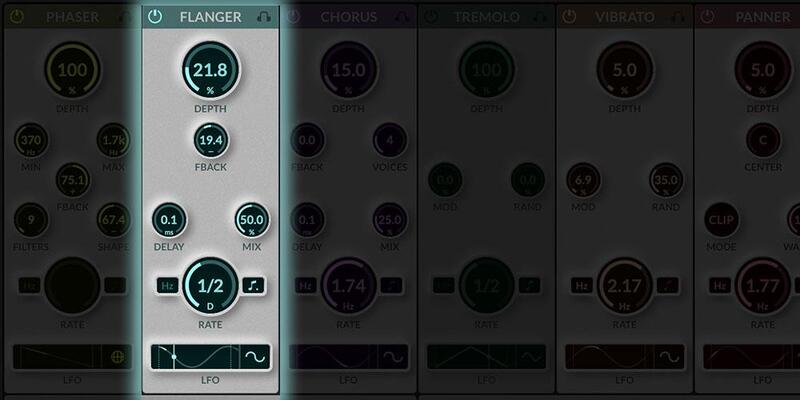
Flanger
The Flanger module creates a unique 'whooshing' sound by mixing the input signal with a delayed version of itself. This delay is modulated, creating comb-filtering effects that vary over time, enriching the sound with a distinctive swirling character.
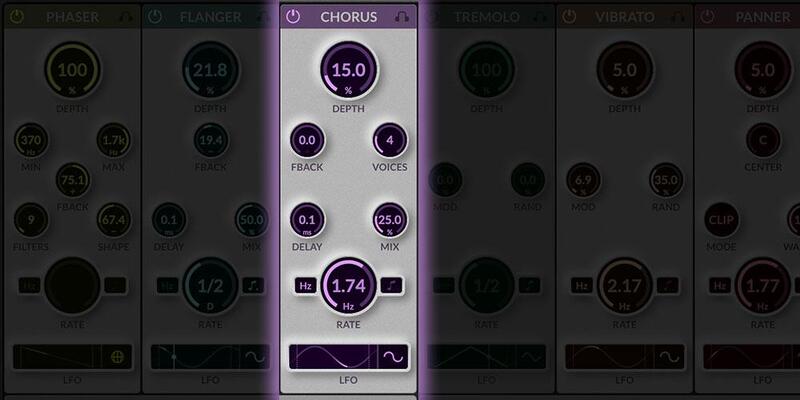
Chorus
The Chorus module thickens and enriches the sound by duplicating the input signal and modulating the pitch of the duplicates. This creates a shimmering effect that adds depth and movement, simulating the sound of multiple instruments playing in unison.
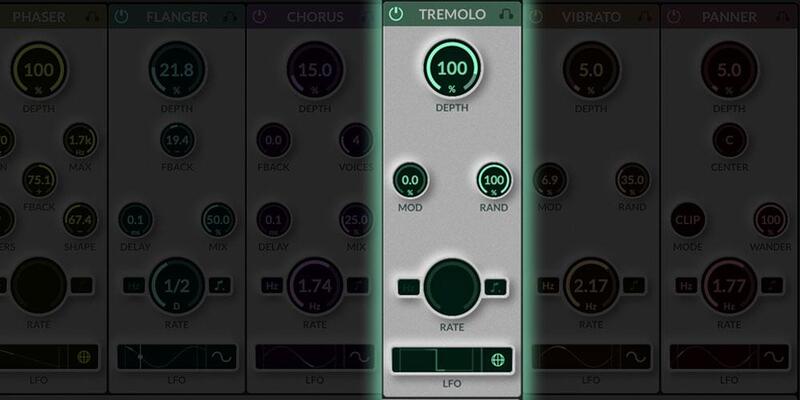
Tremelo
The Tremolo module modulates the amplitude of the input signal, creating rhythmic variations in volume. This effect can add motion and pulsation to the sound, ranging from subtle dynamic fluctuations to dramatic amplitude shifts.
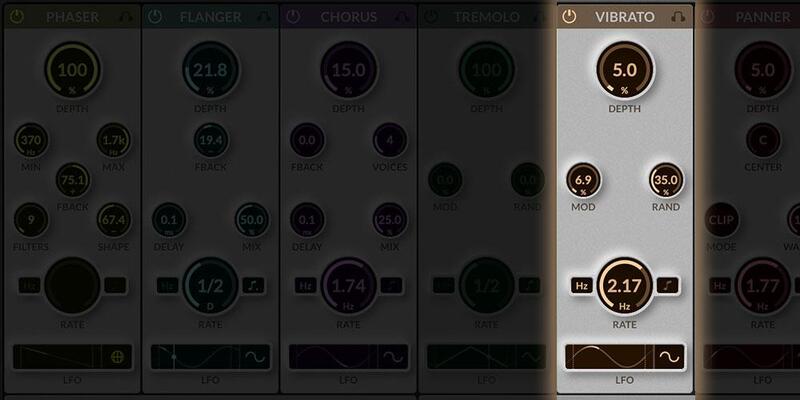
Vibrato
The Vibrato module modulates the pitch of the input signal, creating fluctuations that vary the pitch up and down. This effect adds a quivering, animated quality to the sound, reminiscent of vocal vibrato or string instrument techniques
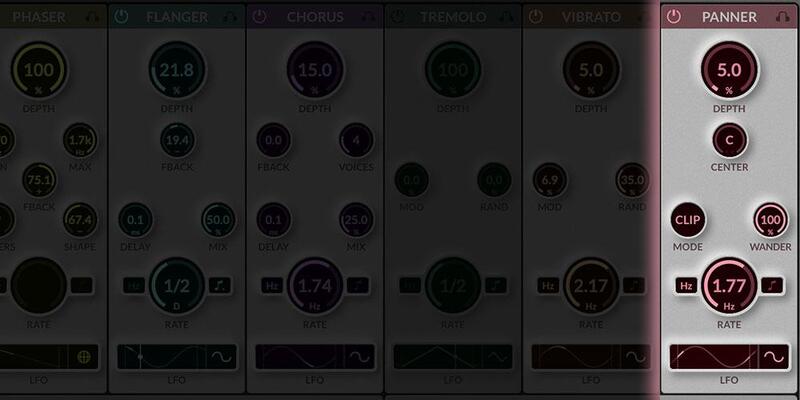
Panner
The Pan module automates the stereo positioning of the input signal, moving it across the stereo field. This creates a dynamic spatial effect, making the sound appear to move from side to side.
System Requirements
Windows
- Windows 10 - Windows 11 (64-bit only)
Mac
- macOS 11 Big Sur - macOS 13 Ventura (64-bit only) (M1 Mac supported)
Reviews Summary
While it aims to provide a helpful overview, it may not capture every perspective or detail. We encourage you to read individual reviews to make an informed decision.
Users widely praise this SSL multi-effects plugin as an intuitive and well-designed all-in-one tool for sound design. It is frequently commended for its clean interface, fast workflow, and ability to easily add motion and space to static tracks, synths, and samples using built-in LFO and modulation controls. Reviewers also highlight the quality effects, effective panning features, and decent preset selection, recommending it as a versatile and convenient alternative to chaining multiple individual plugins.


