


 Log In

Free gifts available with your purchase
Space Rider
Transform Audio Tracks from Ordinary to Magical—On the Fly
Creating changes, surprises, and special moments in your tracks can be challenging. Setting up multiple effect buses and many lanes of automation can take a long time—but not with Space Rider.
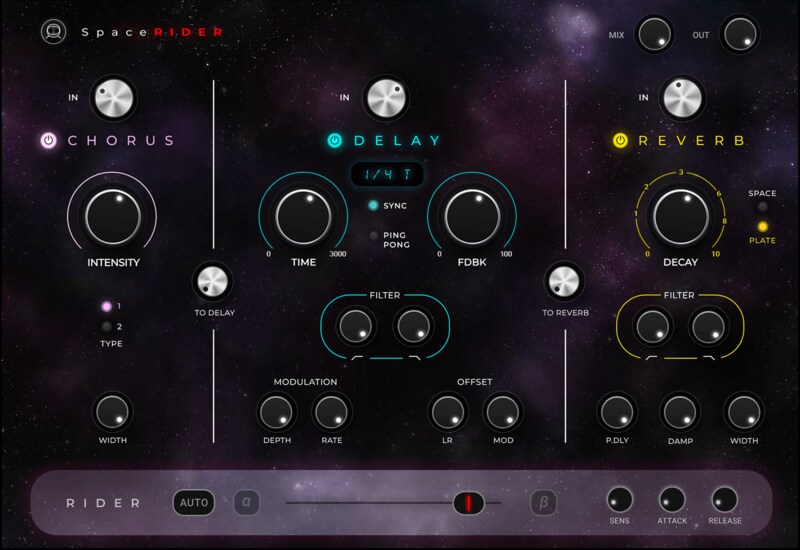
Space Rider combines three high-quality effects—reverb, delay, chorus—in one streamlined interface built for speed. You can send the chorus to the delay, and the delay to the reverb, at the click of a button, for deep spatial effects that will liven up your tracks.
But that’s just the beginning:
Space Rider’s secret weapon is its dynamic Rider, assignable to any parameter. Engage the Rider to morph the different effects, instantly creating movement and interest. You can also engage the built-in envelop shaper and have the Rider dynamically respond to the incoming audio signal, for effects that would normally take ages to set up.
No more complex automations, routing, and send/return hassles: Deep results that used to require engineering backflips are now achievable with a few clicks.
Features
- Reverb, delay, and chorus in one user-friendly UI
- Dynamic Rider saves you time on complex automation and routing
- Morph between the different effects using the Rider
- The Rider’s envelope shaper responds dynamically to the incoming signal
- New reverb/delay/chorus algorithms crafted from the ground up
- Easily send chorus to delay, delay to reverb
- Presets by the Grammy-winning producers and mixers for Dua Lipa, Kendrick Lamar, Doja Cat & more
System Requirements
Mac
- macOS Monterey 12, Ventura 13, Sonoma 14, Sequoia 15
- VST / AU / AAX
PC
- Windows 10+
- VST / AAX














