/ Multi-Effect / Greg Wells MixCentric
Waves

Greg Wells MixCentric

$29.99 $149.00

79% off until Dec 07

Waves Greg Wells MixCentric
Waves Greg Wells MixCentric gallery thumbnail
Buy Now
Product information

Greg Wells MixCentric

Finalize Your Mixes with One-Knob Magic

Grammy®-winner Greg Wells’ sound can be heard on billions of streams by today’s biggest artists: Dua Lipa, Taylor Swift, John Legend, Keith Urban, Adele, Katy Perry… the list goes on.

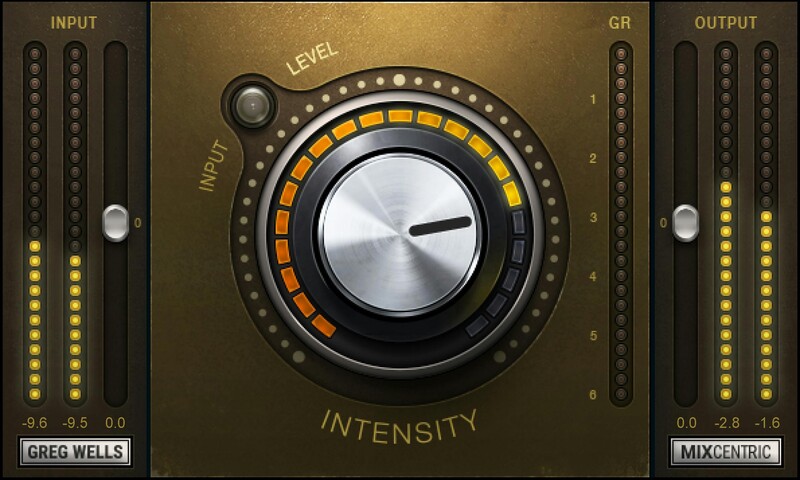
Now you can benefit from Greg’s expertise with a plugin that packs his entire mix bus chain into a single knob. Give your mixes that ‘finished’ sound—instantly: With a powerful chain under the hood—EQ to provide a gentle lift in the upper mids, a bit of extra low end, compression, and subtle harmonic distortion—you’ll hear an improvement within seconds of turning the knob.

“I’ve put much thought and experimentation into this plugin. It will turn your track into an expertly EQed and compressed mix, very quickly. There is an enormous amount going on behind the simple knob, including many different settings that come in and out and change as you move the knob position. It’s a real time saver, too—I wish I had this plugin 20 years ago!”—Greg Wells

Features

  • Give your mix bus a finished pro sound—instantly
  • Glues your mix together and adds final brightness and sheen
  • Combines EQ, compression and harmonic distortion in one knob
  • Ideal for full mixes, or on groups such as drum buses
  • Pair with your limiter of choice to create an effective mastering chain
  • Created with Grammy®-winning producer/mixer Greg Wells

System Requirements

Mac

  • macOS Monterey 12, Ventura 13, Sonoma 14, Sequoia 15
  • VST / AU / AAX

PC

  • Windows 10+
  • VST / AAX
Installation Instructions

1. Head to https://www.waves.com/create-account

2. Enter your email and choose a password to create an account (if you already have a Waves account, choose Log in, enter your details and head to Step 5) > click 'Submit'

3. Open your email inbox > click the activation link in the email from Waves

4. Click 'Log in here' > Log in to your Waves account

5. Click 'Register New Products'

6. Enter the Serial Number found in your Plugin Boutique user account > click 'Submit'

7. Click download in your Plugin Boutique user account or head to https://www.waves.com/downloads/central > download the Waves Central app for your operating system

8. Install Waves Central > Open Waves Central

9. Click 'Log in' > enter your log in details

10. Click the 'Install Products' tab

11. Tick the blue dot on all products you wish to install or click the top dot to install all products > click 'Install & Activate'

12. Click 'OK'

13. Open your DAW > open the Waves plugin

Your Waves plugins are installed and ready to use, enjoy!

Plugin Boutique Rewards

Discover the most rewarding loyalty programme among all plugin retailers.

  • Free Loopmasters Samplepacks
  • Discounts on products and courses
  • Extra Virtual Cash claimed immediately at checkout
Find out more

Follow us:

X (Twitter) Facebook YouTube Instagram
Logo Logo

Plugin Boutique Limited, Part of the Beatport Group LLC.

Copyright © 2011-2025 Plugin Boutique. All rights reserved