


 Log In

Free gifts available with your purchase

Deep & Defined
The bass line… it's the heartbeat of your music - the foundation stone that supports everything else. But let's be honest, getting that low-end working correctly can be a real struggle. You might be battling muddy frequencies, weak sub-bass, or flabby 808s that leave your mix feeling lifeless.
BassShaper is here to rescue your low-end and cement its place in your track. Developed by seasoned audio engineers who've wrestled (and won) against countless bass lines, this innovative plugin boasts cutting-edge algorithms designed to tame the beast and cut through the busiest mix.
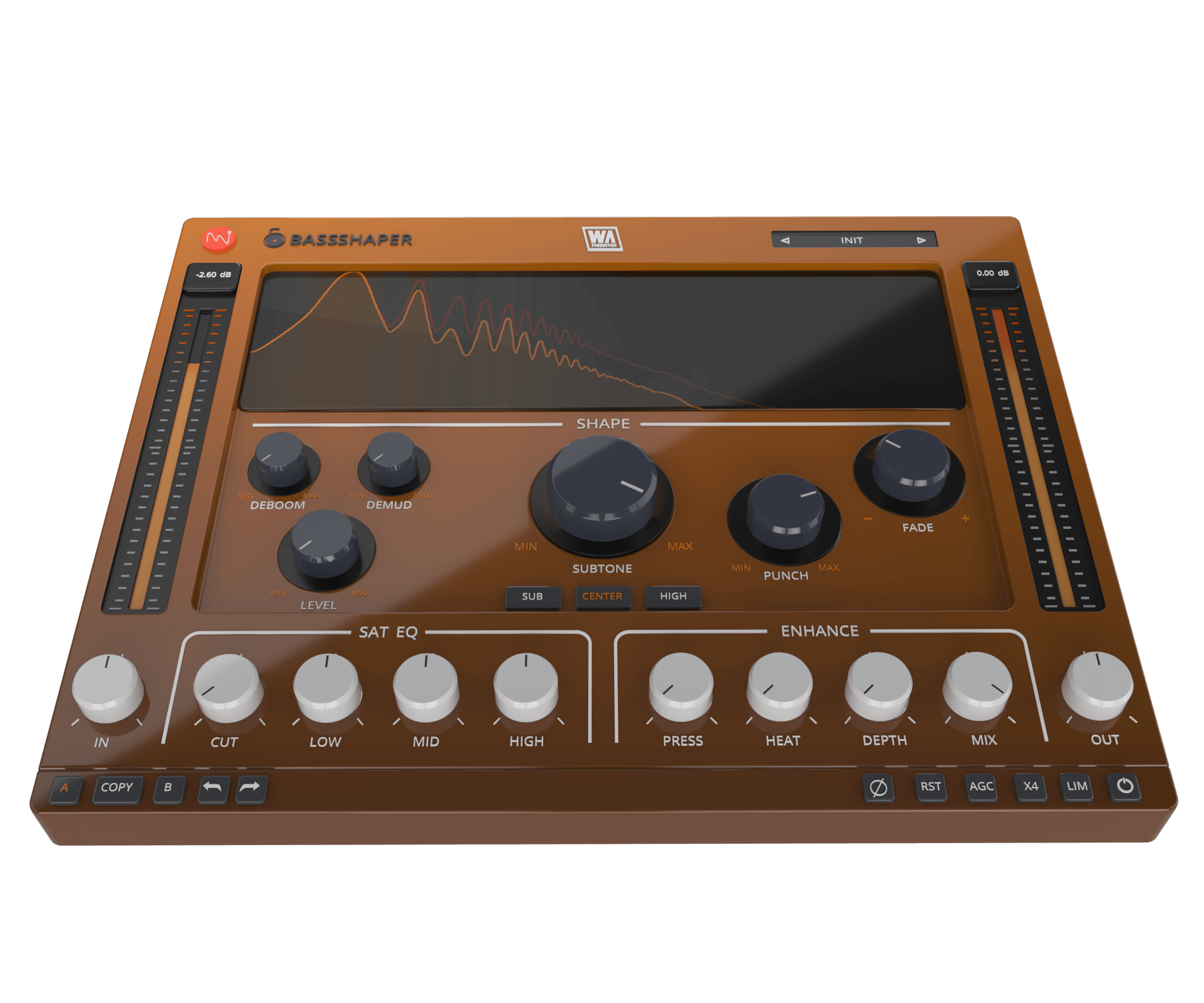
Forget hours spent tweaking EQs and compressors - BassShaper delivers unparalleled control with an intuitive interface. Features include subtone generation, musical saturation, surgical transient shaping, and controls specifically designed to clean and polish your bass sounds. Achieve that elusive blend of warmth and clarity, maximising the impact of your low-end.
The streamlined interface and intuitive workflow means that bass editing has never been simpler. Start with expertly designed presets and tweaking from there. Even if you're new to mixing and mastering, you’ll be producing expertly mixed bass lines in seconds.
Deboom, Demud & Level
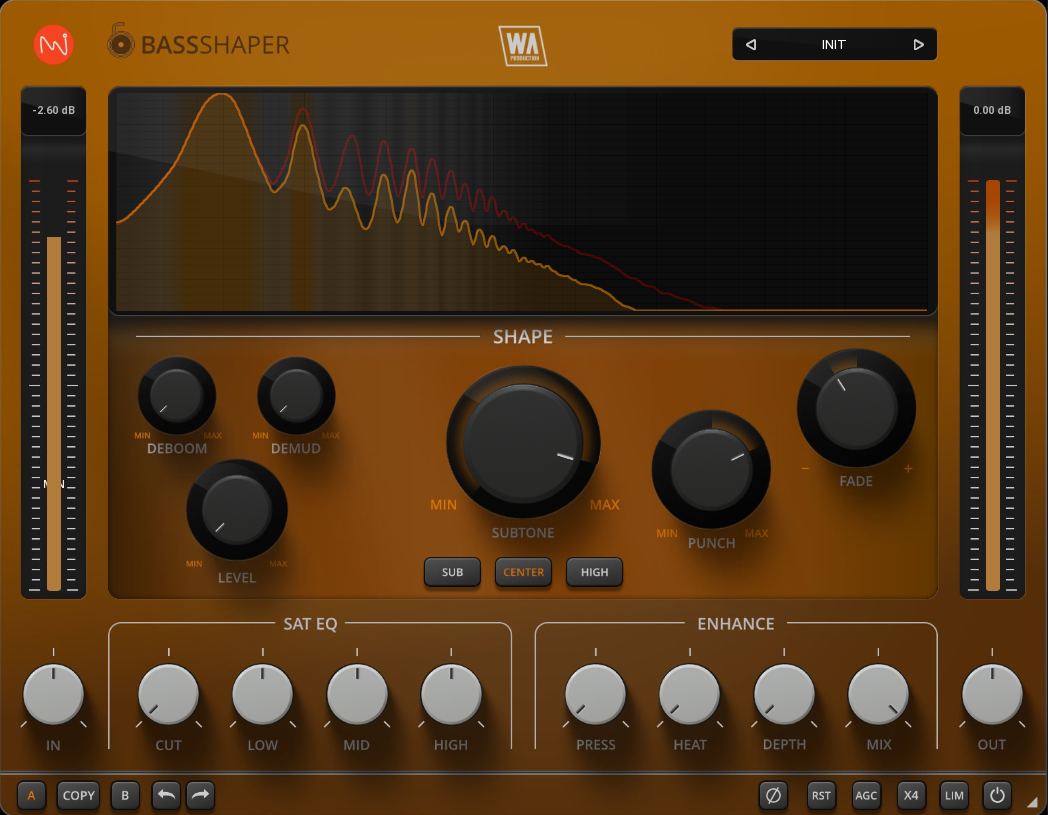
Those who are familiar with BassShaper’s sister plugin “Kickshaper” will remember the Deboom dial. Although sharing a name, the algorithm is entirely different and this time designed specifically for bass information. Activated by amplitude, boominess is tamed, resulting in a cleaner tone.
Using a special pitch tracking system, the Demud control dynamically reduces muddiness caused by note transitions and resonances, making individual pitches more pronounced.
Traditional bass-riding plugins crudely alter the volume level of bass lines. BassShaper’s Level control is far more refined, driven by a pink noise signal, specially tuned to tame amplitude fluctuations and produce a consistently audible bass throughout your track.
Punch & Fade
Sadly, bass compression tends to uniformly compress the entire bass line. However, BassShaper’s Punch knob works differently. Targeting only the transient-heavy portions of the bass line, it applies precise compression or expansion, focussing on the initial milliseconds of each note for a super-defined reproduction.
The Fade control works inversely to Punch, by compressing or expanding only the tail portion of the audio. This allows you to shorten long bass notes or lengthen short ones, giving you another creative way to integrate bass lines with your other instrumentation.
Subtone
This section of the interface truly brings your audio to life. Unlike transient kicks, bass notes are often more sustained, demanding a deeper presence. Enter Subtone, our low-frequency generator. After cleansing your bass with the Deboom and Demud dials, Subtone injects life back in. It doesn't just add low-end; this function enriches the tone by generating complementary frequencies. Dive an octave below with SUB, or soar an octave above with HIGH, sculpting bass lines that translate to sound systems from club setups to home audio.
EQ & Enhance
Going beyond traditional EQ processing, this control panel splits audio into 3 linear bands and applies broad-range band gain, together with proportional saturation. Boost or cut bands for a fuller, more pronounced bass mix that translates even on small speakers. Alternatively, use the gentle Cut control for minimal phase interference with a 6dB/octave slope.
Enhancement controls include Press, a 670-style compression algorithm with bags of character. Depth control applies analog hardware convolution, making your bass larger, adding deep interest whilst taming excessive highs. Heat brings the meat, introducing characterful saturation. Mix acts as a dry / wet control for parallel processing adventures.
Visual Feedback & Comparison
BassShaper is built on vector graphics with a resizable interface. The live audio is displayed on the central window, showing exactly what’s happening to the signal as it travels through the plugin in real time. This allows for accurate monitoring at every step of the chain. For those who like to experiment, contrast different processing chains with AB comparison, and use the undo / redo buttons to revert any changes. With auto gain compensation, oversampling and limiting options, it’s easy to analyse your changes.
Presets
BassShaper includes a huge number of factory presets, suitable for all kinds of flavours of bass processing in multiple genres. Use the provided parameters as starting points for your own bass sculpting adventures.
W. A. Production are real-life producers making creative plugins to help you achieve studio quality processing quickly and easily. Enjoy!
Features
- Bass designer plugin with advanced features
- Unique processing modules
- Subtone control
- Surgical shaping: Punch, Fade, Deboom, Demud & Level
- Tonal Control with bespoke algorithms
- EQ & Enhancement features
- AB comparison & Undo / Redo
- Resizable interface
- Responsive & CPU friendly
- Genre-spanning factory presets
- Full PDF Manual & Tutorial video
System Requirements
- Windows 8 or higher (64 bit)
- macOS 10.10 or higher (64 bit)
- AAX - ProTools 11 or higher
Important Note for Mac Apple Silicon users: Before purchasing, please review the current compatibility status of this plugin on your system here.
Reviews Summary
While it aims to provide a helpful overview, it may not capture every perspective or detail. We encourage you to read individual reviews to make an informed decision.
Overall, users highly praise BassShaper as a fast, powerful, and versatile plugin for shaping and tightening low-end frequencies, 808s, and bass lines. Key features like Deboom, Demud, and Subtone are commended for saving time on surgical EQ and adding clean weight without muddiness, making it valuable for both corrective mixing and creative sound design across individual tracks and busses. While one user found the knobs slightly tricky and another suggested using standard EQ instead, the vast majority recommend it for both beginners and experienced producers seeking cleaner, more defined bass dynamics.


