Log In

Free gifts available with your purchase
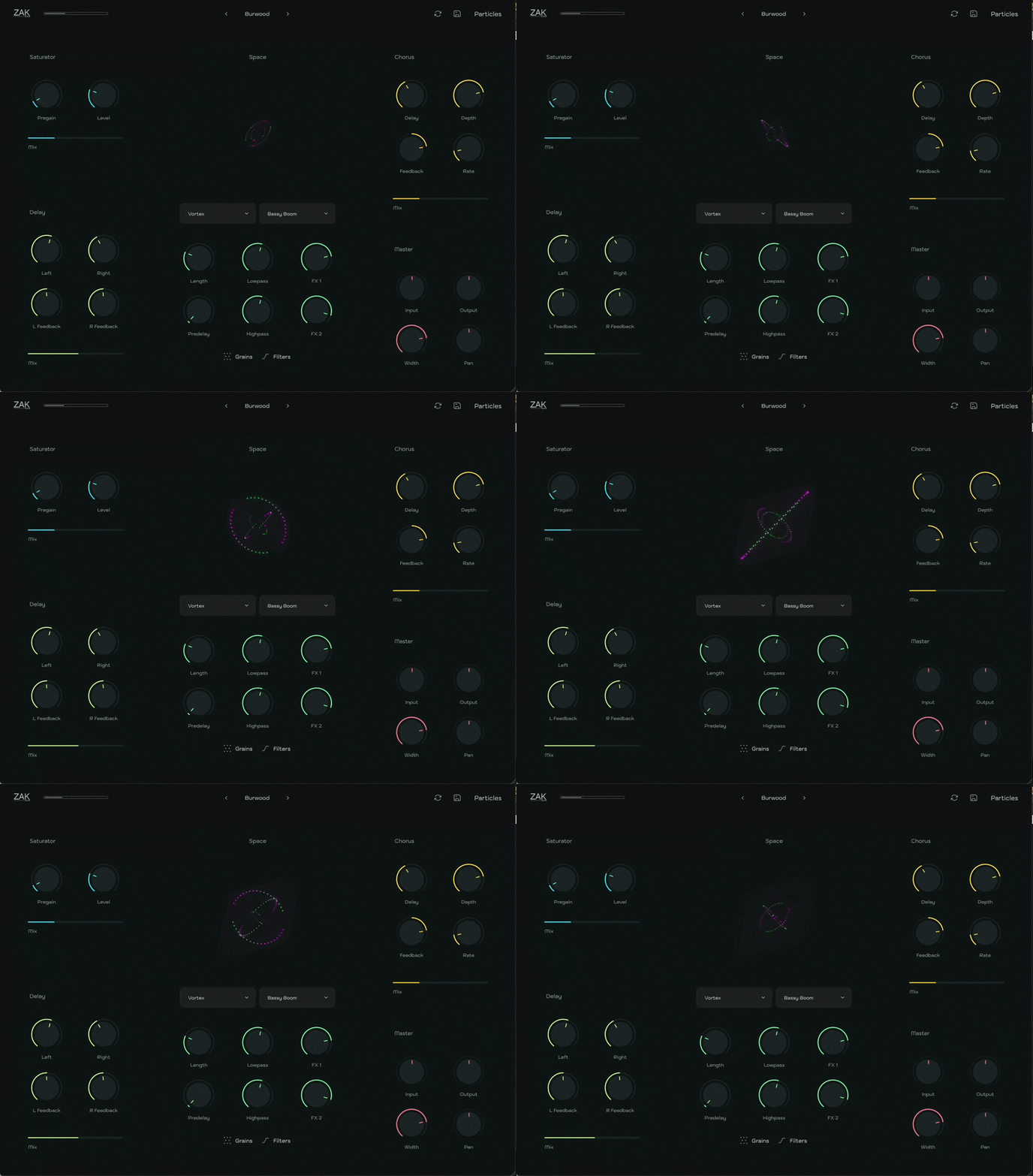
Particles is a multi-effect plugin designed to turn any sound into immersive soundscapes and unique spatial textures. With an intuitive interface and powerful tools, Particles empowers you to explore new creative dimensions in your music.
The Core: The Space Effect
At the heart of Particles lies the Space effect, capable of processing two effects simultaneously from a selection of 37 unique types. Fine-tune your reverb with controls for length, predelay, lowpass, and highpass filters to achieve the perfect fit for your sound.
Enhance your tracks further with:
- Grains Module: Adds granular-style textures and depth to your sound.
- Filters Module: Provides advanced tonal shaping with lowshelf, highshelf, peak, lowpass, and highpass filters, all with adjustable Q curves.
More Than a Reverb: A Multi-Effect Powerhouse
Particles offers more than just spatial reverb. Its additional effects include:
- Stereo Delay with independent left and right controls.
- Soft Saturation for subtle warmth and harmonic enhancement.
- Chorus for lush modulation.
With 98 presets, a Randomizer function, and a resizable GUI, Particles is designed to inspire creativity and exploration in every session.
Features
- Dual-engine spatial reverb with 37 effect types.
- Grains module for textural and atmospheric enhancements.
- 2 filter modules with lowshelf, highshelf, peak, lowpass, and highpass options.
- LFO modulation for dynamic filter movement.
- Stereo delay, saturation, and chorus effects.
- 98 factory presets and Randomizer function.
- Resizable GUI for workflow customization.
System Requirements
Windows
- Compatible with Windows 7 or higher (64 bit only)
- VST3
- 110 MB of free disk space
macOS
- Compatible with macOS 10.11 or higher (native Apple Silicon support)
- VST3/AU
- 110 MB of free disk space