/ Multi-Effect / ENRAGE
Boom

ENRAGE

4.1 (23 Reviews)
$257.95 $385.00

33% off until Dec 04

Boom EnRage - Main Image
Boom EnRage - Video Demo 1 gallery thumbnail
Boom EnRage - Video Demo 2 gallery thumbnail
Boom EnRage - Video Demo 3 gallery thumbnail
Boom EnRage - Video Demo 4 gallery thumbnail
Boom EnRage - Video Demo 5 gallery thumbnail
Boom EnRage - Video Demo 6 gallery thumbnail
Boom EnRage - GUI 1
Boom EnRage - GUI 2
Boom EnRage - GUI 3
Boom EnRage - GUI 4
Buy Now
Product information

One Effect Plugin To Rule Them All

Important note:  A FREE account at ilok.com is required (a physical USB iLok is not required)

For Sound Designers & Music Producers - The One Effect Plugin to Rule Them All

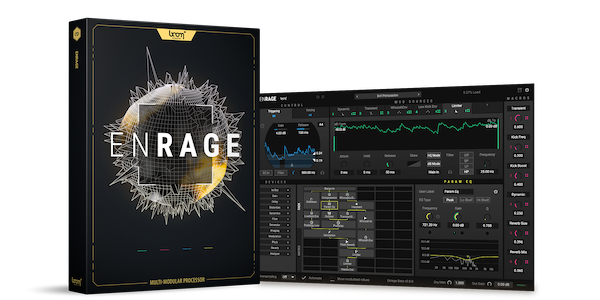
ENRAGE is a highly addictive multi-modular FX processing tool that opens up unlimited possibilities in how you tweak and process your sounds. It will easily handle your daily FX plug-in needs but will also introduce you to a world of insanely wicked sound processing. ENRAGE is super responsive and extremely precise. To put it simply: ENRAGE will change the way you experience sounds.

Create Your Own Effects!

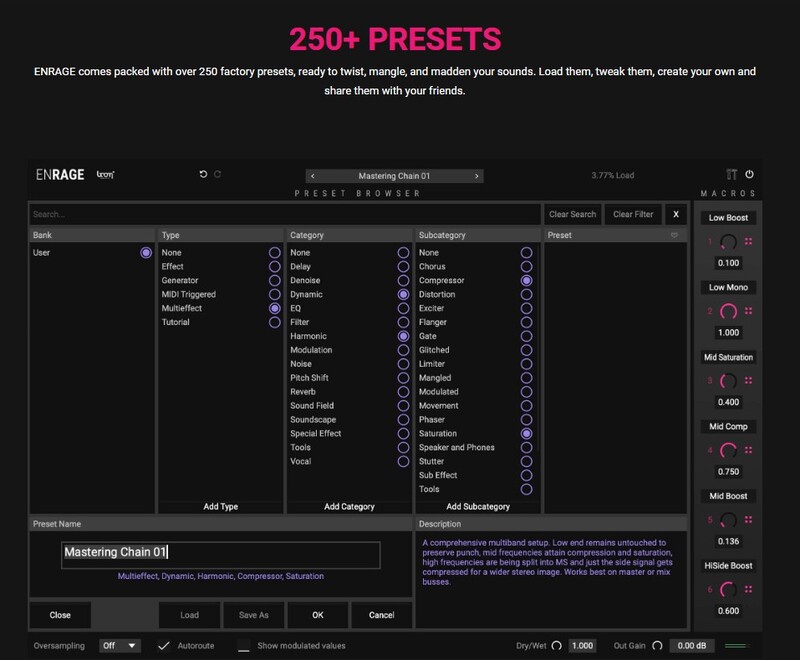
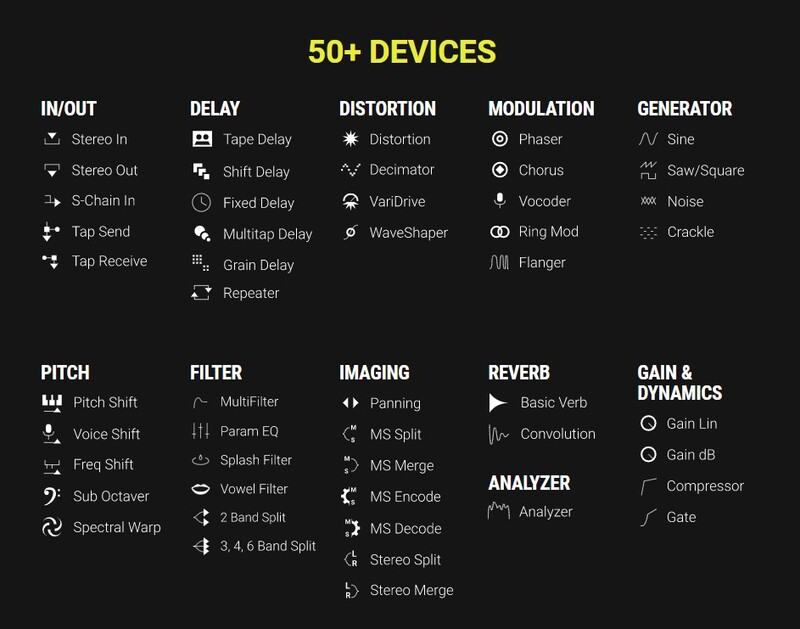
ENRAGE is an FX processing plug-in with more than 50 different devices waiting for you to chain them together and send your audio signal on a thrilling digital journey. Always remain in full control by modifying a multitude of parameters or let go and get inspired by ENRAGE’s more than 250 presets.

Unlimited possibilities

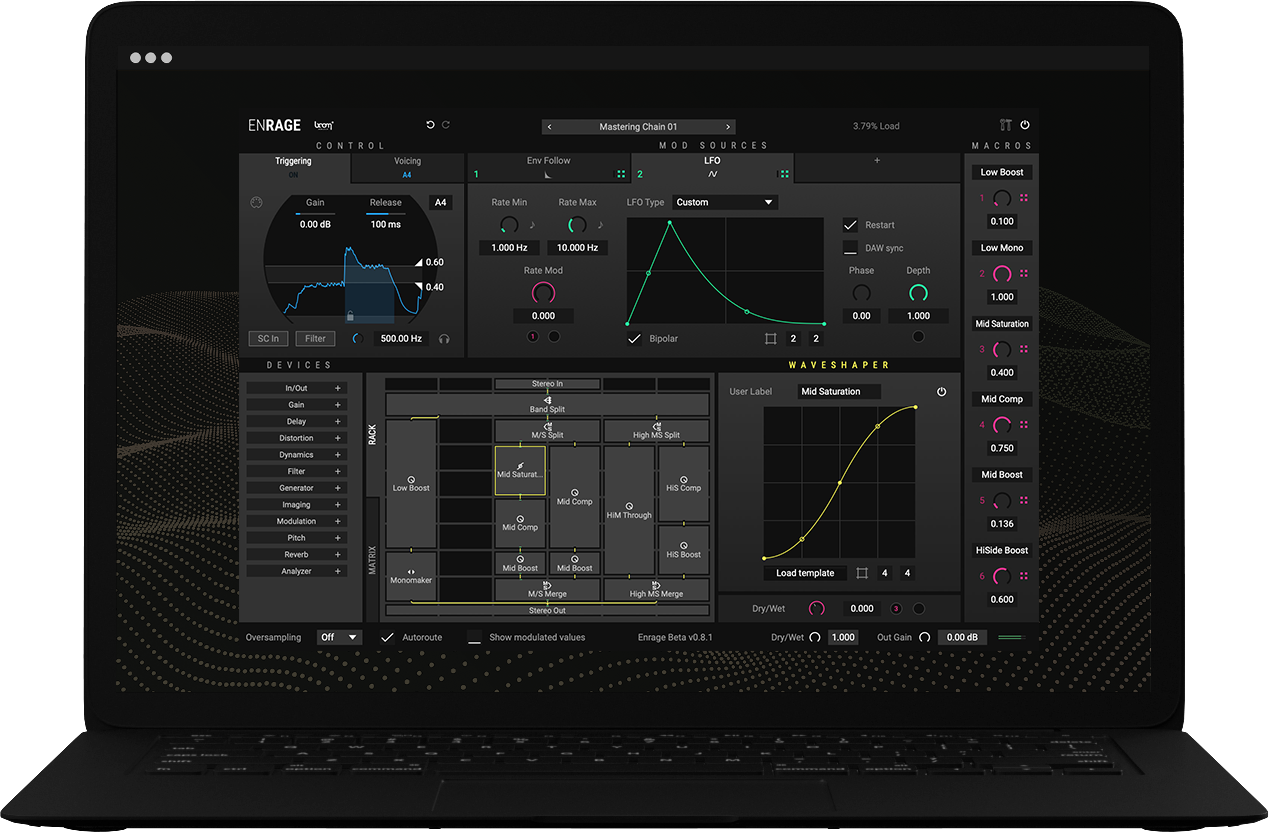
Unlimited options. A wide range of devices. Extraordinary mod sources. The only barrier is your imagination. Combine any effects, and create routing chains as simple or complicated as you need. Choose from over 50 devices, click and drag them into the rack, and change the parameters. ENRAGE’s modularity allows interacting and interwoven effect structures that cannot be achieved with typical serial effect chains. Expand the possibilities by simply dragging and dropping macro assignments to take further control.
Features

  • Create your own effects
  • Over 50 different devices
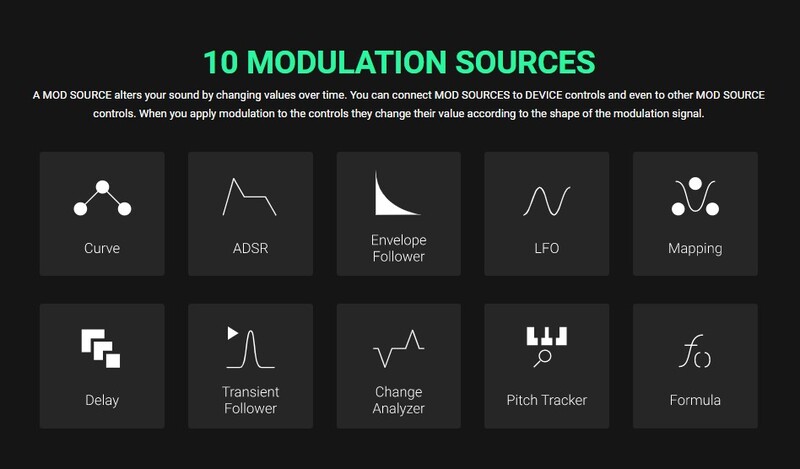
  • 10 different mod sources
  • Over 250 factory presets
  • Save and share user presets

System Requirements

Mac

  • macOS 10.13 and later (64-bit only)
  • 8 GB RAM, M1 Apple Silicon or Intel® Core™ i5
  • OpenGL 2.1 capable GPU
  • VST2, VST3, AU, AAX

Windows

  • Windows 8 and later (64-bit only)
  • 8 GB Ram, Intel® Core™ i5
  • OpenGL 2.1 capable GPU
  • VST2, VST3, AAX

Important Notes:  

  • A FREE account at ilok.com is required (a physical USB iLok is not required)
  • ENRAGE requires an audio host software. It does not work as a standalone application.

DAW Compatibility

ENRAGE works with the most common audio host software apps that support VST 2.4 and VST 3, AU or AAX plugins:

  • Logic Pro
  • Pro Tools (11+)
  • Cubase
  • Nuendo
  • Ableton Live
  • Reaper
Installation Instructions

Please Note: ENFORCER is used as an example.

Mac

iLok Registration

1. Go to the iLok website and create a new account if you are not currently registered and do not have the iLok Licence Manager installed on your computer.

Note: Skip to the 'Activation' procedure if you are already an iLok registered user.

2. Download and install the iLok License Manager.

Mac Software Installation

1. Download the installer file from your Plugin Boutique User Account, double click it to extract the contents, and open the .pkg file to begin the installation.

2.Click 'Continue'.

2. Click 'Continue'.

3. Click 'Agree'.

4. Select the disk you wish to install the plugin to and then click 'Continue'.

5. Select the plugin formats you wish to install and then click 'Continue'.

6. Select the destination you wish to install the plugin to and then click 'Install'.

7. Click 'Install Software'.

8. Click 'Close'.

Activation

1. Open your iLok license manager application > click 'Sign In'.

2. Enter your iLok registered User ID and password > click ‘Sign In'.

3. Once you are signed in, click the ‘Redeem’ icon which is located at the top-right corner of the iLok Licence Manager’s interface.

4. Copy and paste/manually enter the 30-digit code from your Plugin Boutique User Account into the available Activation Code boxes, and then click ‘Next'.

5. Select your activation destination > Click 'Activate'.

6. Click 'Ok'.

7. Open your newly installed software in your DAW.


Windows

iLok Registration

1. Go to the iLok website and create a new account if you are not currently registered and do not have the iLok Licence Manager installed on your computer.

Note: Skip to the 'Exponential Audio Software Installation' procedure if you are already an iLok registered user.

2. Download and install the iLok License Manager.

Windows Software Installation

1. Download the installer file from your Plugin Boutique User Account > Double click it to extract the contents and open the .exe file to begin the installation. Click 'Next' to begin the setup. 

2. Select 'I Accept the Agreement' and then click 'Next'.

3. Select the directory you wish to install the plugin to 'Next'.

4. Select the plugin formats you wish to install and then click 'Next'.

5. Click 'Next'.

6. Click 'Install'.

7. Click 'Finish'.

Activation

1. Open your iLok license manager application > click 'Sign In'.

2. Enter your iLok registered User ID and password > click ‘Sign In'.

3. Once you are signed in, click the ‘Redeem’ icon which is located at the top-right corner of the iLok Licence Manager’s interface.

4. Copy and paste/manually enter the 30-digit code from your Plugin Boutique User Account into the available Activation Code boxes, and then click ‘Next'.

5. Select your activation destination > Click 'Activate'.

6. Click 'Ok'.

7. Open your newly installed software in your DAW.

Plugin Boutique Rewards

Discover the most rewarding loyalty programme among all plugin retailers.

  • Free Loopmasters Samplepacks
  • Discounts on products and courses
  • Extra Virtual Cash claimed immediately at checkout
Find out more

Follow us:

X (Twitter) Facebook YouTube Instagram
Logo Logo

Plugin Boutique Limited, Part of the Beatport Group LLC.

Copyright © 2011-2025 Plugin Boutique. All rights reserved