


 Log In

Free gifts available with your purchase
Highly Creative and Infinitely Powerful Delay and Modulation
Other Desert Cities, named after a famous sign on the I-10 highway leaving Los Angeles, is a workshop for creativity. As its namesake implies, there are many strange and wonderful things lurking inside. With six algorithms, each with its own unique personality, and extensive modulation capabilities, Other Desert Cities can fill multiple niches, from basic stereo dual delays to never-before-heard granular pitch-shifting chaos.
Algorithms
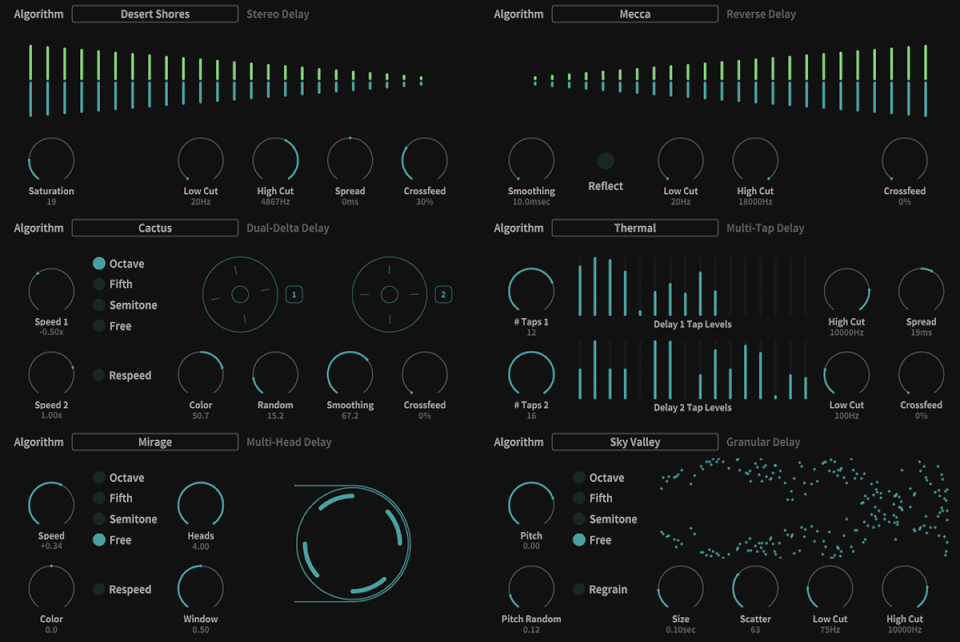
- Desert Shores Stereo Delay. This is a standard dual delay, with basic EQ, saturation, crossfeed, and spread.
- Mecca Reverse Delay. A normal dual delay, except the repeats, play backward.
- Cactus Dual-Delta Delay. This is more like a pair of tape delays in use, with individual speed controls and pitch quantizing.
- Thermal Multi-Tap Delay. A dual multi-tap, with spread, crossfeed, and basic EQ.
- Mirage Multi-Head Delay. Imagine if you had a tape delay, but the head was like the rotating head in a VCR. Experimental, strange, and wonderful.
- Sky Valley Granular Delay. A pitch-shifting granular delay, with control over grain size and scatter, and with EQ.
Modulation
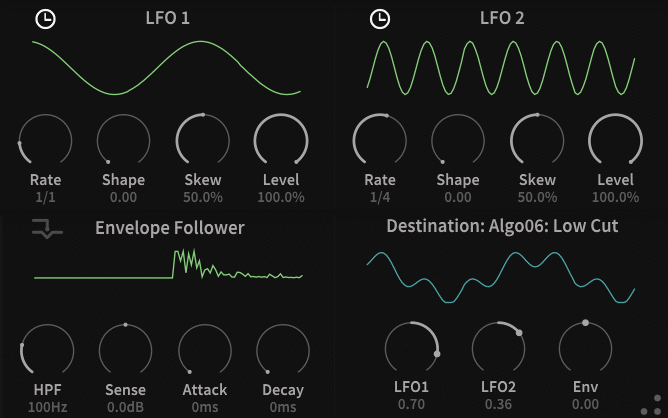
Other Desert Cities includes a full suite of modulation. Using two tempo-synced variable waveshape LFOs and an envelope follower sourced by either the main inputs or a sidechain input, nearly every control in the entire user interface can be modulated extensively, opening up new dimensions of sonic possibility.
Diffusor
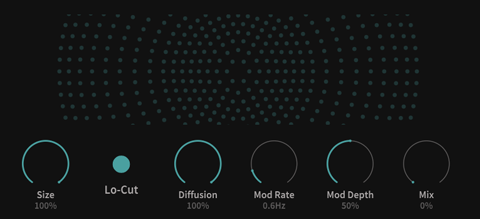
Other Desert Cities also includes a diffusor, for "smearing" the feedback path, and bringing ODC near the realm of reverb (especially with the Thermal multi-tap algorithm.)
Levels
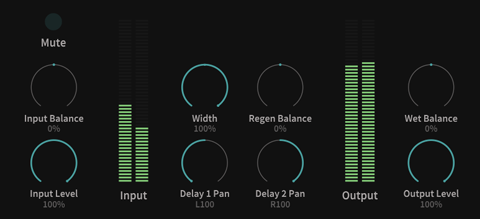
Other Desert Cities' secret superpower is its I/O control. Every aspect of the signal chain's gain structure can be controlled and modulated. You don't have to wish for ducking in this delay. Anything can be ducked, panned, oscillated, enveloped, and controlled to your heart's content. Note that the Mute and Input Level controls are input levels to the delay block and do not affect the dry signal; this enables "tails" behavior, and the ability to use an insert effect like a send.
Additional Features
- Cross-platform XML-based preset manager.
- Hi-Dpi/Retina capable resizable user interface.
- Fully operational demo version (times out after 20 minutes.)
Windows
- Windows 8.1 or newer and a 64-bit DAW.
- VST, VST3, AAX compatible host (64-bit only)
Mac
- macOS 10.12 or newer and a 64-bit DAW (Apple Silicon compatible).
- VST, VST3, AAX, AU compatible host (64-bit only)
Ubuntu
- Ubuntu 18 or newer and a 64-bit DAW.
- VST, VST3 compatible host (64-bit only)
- Version 1.0.9 is built against a later glibc than included in Ubuntu 18.
- Audio Damage was made aware of this error late in the process for 1.0.9 and was not able to remedy it.
- v1.0.10 will be built against Ubuntu 18, and this should alleviate the problems that some users are experiencing.
Important note: This product is available as 64-bit only.


