


 Log In

Free gifts available with your purchase
Product information
Doubler
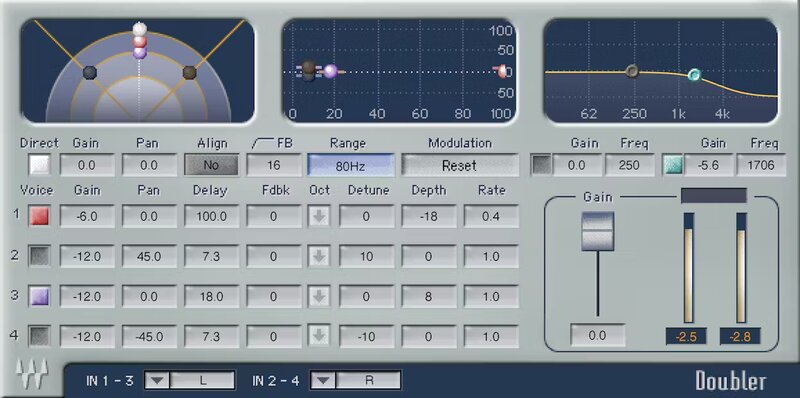
Vocal Doubling that Dazzles
Thicken voices, spread mono instruments, suffuse space in mixes, beautify background vocals, augment acoustic guitar parts, do stunning sound design—then go even further.
The secret to Doubler’s sound is that it can reinforce doubling with another layer of doubling. With 4 voices, up to 100 ms of delay, and modulation, Doubler is a classic vocal doubling solution.
Features
- 4 independent delays, each with the same flexible set of controls
- Create delays for each voice—up to 100 ms, with feedback
- Pitch modulation for each voice, with depth and rate
- Pan voices in the stereo field for creative imaging
- Detune ±100 cents, with one-octave-down switch
- Drag-and-drop gain and pan in the graphic display
- Output filtering, with high- and low-frequency shelf responses
- Over 50 stellar artist and factory presets
System Requirements
Mac
- macOS Monterey 12, Ventura 13, Sonoma 14, Sequoia 15
- VST / AU / AAX
PC
- Windows 10+
- VST / AAX
Installation Instructions












Customer Reviews
(3)


