/ Vocal Processing / Greg Wells VoiceCentric
Waves

Greg Wells VoiceCentric

4.6 (5 Reviews)
$29.99 $149.00

79% off until Dec 07

Waves Greg Wells VoiceCentric
Waves Greg Wells VoiceCentric gallery thumbnail
Buy Now
Product information

Greg Wells VoiceCentric

The Vocal Chains of Adele, Dua Lipa, Taylor Swift Producer/Mixer—On Your Vocals

Greg Wells has worked with the world’s finest vocalists: Adele, Ariana Grande, John Legend, Dua Lipa, Taylor Swift, Pharrell Williams, to name a few. Now, you can access his techniques with a few simple controls—and instantly improve your vocals.

“I’m always asked how I make a vocal recording sound like a polished hit vocal mix. This is where VoiceCentric takes you. I’ve put all my studio experience into chains that react how and when I want them to—and captured that in one main control.”

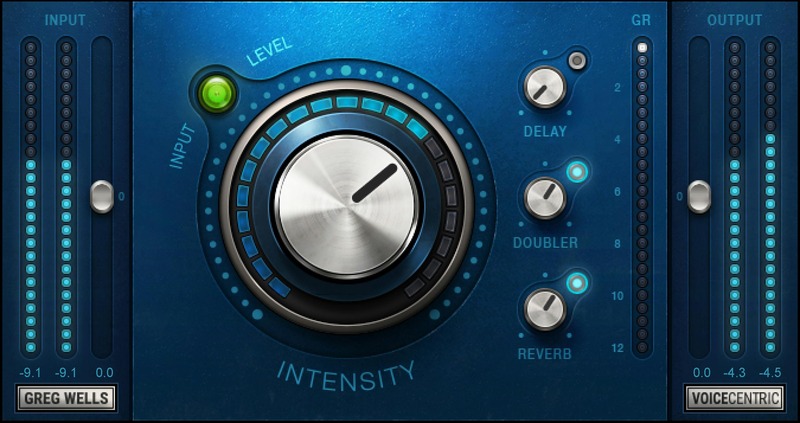
“There’s a lot going on behind the main Intensity knob: certain elements kick in only once you reach 60% or even 80%. This means you get many different flavors just by playing with that one knob. This is my take on a world-class mixed vocal sound—I hope you like it!”—Greg Wells

Features

  • Give any vocal track a polished mixed sound—instantly
  • Created with Grammy®-winning producer/mixer Greg Wells
  • Intensity knob combines complex EQ and compression chains
  • Added Delay, Reverb, and Doubler effects
  • Ideal for both lead and backing vocals in all genres
  • Enhance videos and podcasts with superior voice quality
  • Control gain staging easily with simple input/output gain control and metering

System Requirements

Mac

  • macOS Monterey 12, Ventura 13, Sonoma 14, Sequoia 15
  • VST / AU / AAX

PC

  • Windows 10+
  • VST / AAX
Installation Instructions

1. Head to https://www.waves.com/create-account

2. Enter your email and choose a password to create an account (if you already have a Waves account, choose Log in, enter your details and head to Step 5) > click 'Submit'

3. Open your email inbox > click the activation link in the email from Waves

4. Click 'Log in here' > Log in to your Waves account

5. Click 'Register New Products'

6. Enter the Serial Number found in your Plugin Boutique user account > click 'Submit'

7. Click download in your Plugin Boutique user account or head to https://www.waves.com/downloads/central > download the Waves Central app for your operating system

8. Install Waves Central > Open Waves Central

9. Click 'Log in' > enter your log in details

10. Click the 'Install Products' tab

11. Tick the blue dot on all products you wish to install or click the top dot to install all products > click 'Install & Activate'

12. Click 'OK'

13. Open your DAW > open the Waves plugin

Your Waves plugins are installed and ready to use, enjoy!

Plugin Boutique Rewards

Discover the most rewarding loyalty programme among all plugin retailers.

  • Free Loopmasters Samplepacks
  • Discounts on products and courses
  • Extra Virtual Cash claimed immediately at checkout
Find out more

Follow us:

X (Twitter) Facebook YouTube Instagram
Logo Logo

Plugin Boutique Limited, Part of the Beatport Group LLC.

Copyright © 2011-2025 Plugin Boutique. All rights reserved