/ Vocal Processing / Vocal Prep
Antares

Vocal Prep

4.5 (22 Reviews)
$50.00 $100.00

50% off until Jan 02

Vocal Prep - GUI - Prepped Audio - With Top bar
Introducing Vocal Prep by AutoTune gallery thumbnail
How To: One-Click Clean Vocal Tracks with Vocal Prep by AutoTune gallery thumbnail
Vocal Prep - GUI - Drag Audio Here - With Top Bar
Buy Now
Product information

Professional vocal cleanup, made simple.

Vocal Prep is a standalone 1-click AI-powered vocal cleanup application that automatically removes unwanted hum, buzz, room noise and ambient clutter from your vocal recordings. Anyone from bedroom producers to professional studios will achieve professional studio-quality vocals anywhere, without technical expertise or expensive gear.

Record Anywhere With Confidence

Your recording environment no longer limits your creative potential. Capture ideas in hotel rooms, backstage, or on the road, and transform them into clean studio-quality performances instantly. Vocal Prep removes the barriers between inspiration and professional results.

Clean Studio-Quality Vocals

Get the sound of a professional vocal booth regardless of your recording environment. The standalone Vocal Prep app removes buzzing, computer fans, air conditioning, your neighbor's dog, and other unwanted distractions that compromise your recordings.

Intelligent Vocal Cleanup

Powered by cutting-edge artificial intelligence, Vocal Prep analyzes your vocal recordings and removes unwanted noise while preserving the natural character and dynamics of your performance. 

Save Hours of Editing Time

Transform noisy recordings into professional-grade vocals with a single click. No complicated settings, steep learning curve, or DAW required. Just instant results that sound amazing every time.

Use Vocal Recordings Captured From Any Device

Use recordings from smartphones, tablets, computers, or any professional audio equipment. Vocal Prep imports all standard audio formats (mp3, wav, aiff, flac) making it perfect for any workflow or recording situation.

Versatile Performance

Vocal Prep works as a standalone application. No complicated audio recording software needed. Perfect for content creators, podcasters, press reporters and musicians who want professional results without the technical complexity.

Apple Silicon Native

Experience enhanced performance and improved plug-in efficiency with our Apple Silicon Native support. Our plug-ins are specifically tailored to seamlessly integrate with the latest Apple hardware, providing faster processing and peak efficiency.


System Requirements

Mac

  • Formats: VST3, AU, AAX Native (Pro Tools 2018.1 or later)
  • macOS 11 and higher as required by your host

Windows

  • Formats: VST3, AAX (Pro Tools 2018.1 or later)
  • Windows 10 and 11

Important Note

  • No iLok dongle is required to run this software - only a FREE iLok account/Manager is required for authorisation.
Installation Instructions

Note: Before starting the installation, you are required to create a FREE iLok user ID and install the iLok License Manager.

Please take a look at this Help Centre Guide for more information.

Note: Auto-Tune Slice is used as an example.

Mac

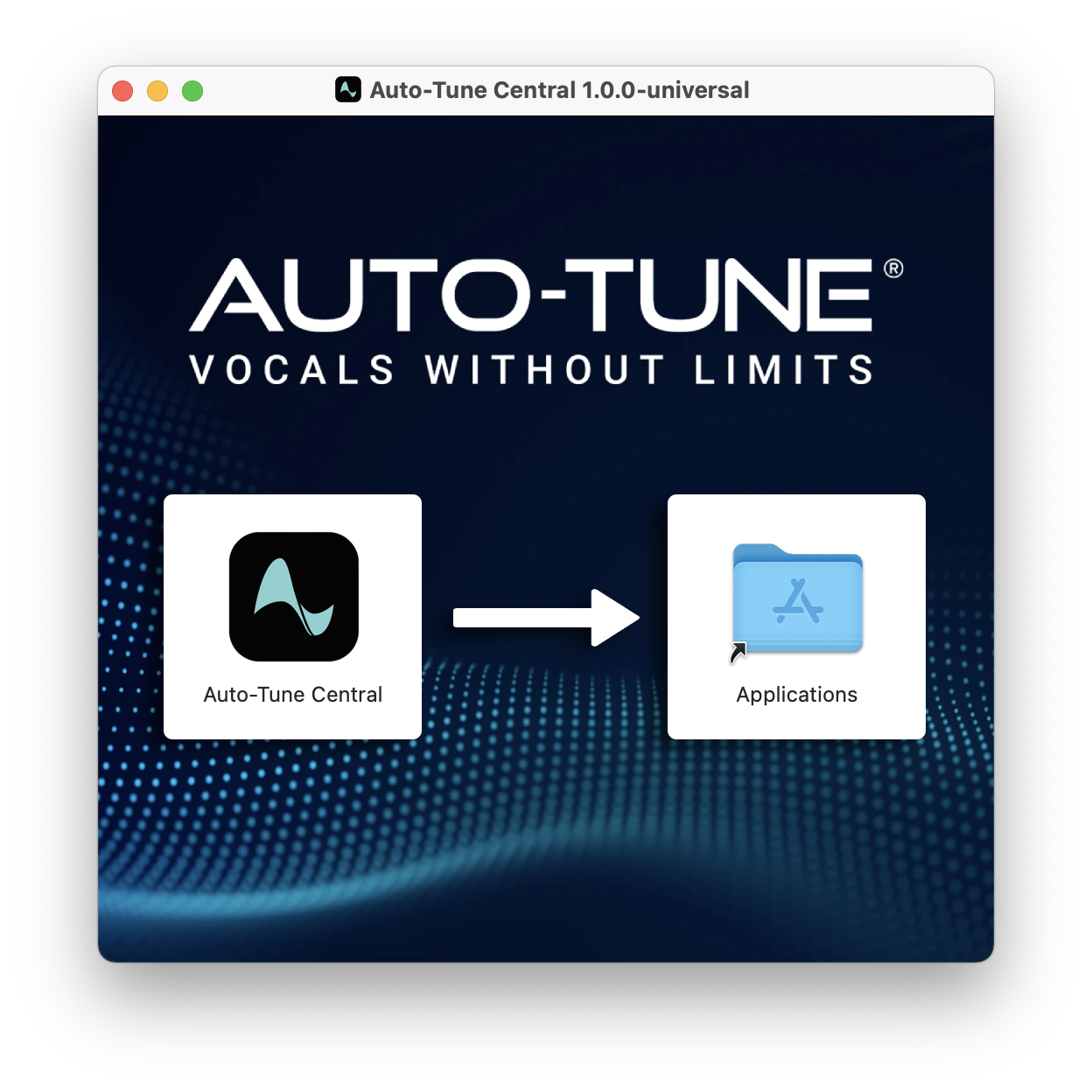
1. Download the .zip file from within your Plugin Boutique account and double-click it to extract the contents > Double-click the .dmg file to launch the installer > Drag Auto-Tune Central into your Applications folder > Auto-Tune Central will now automatically install.

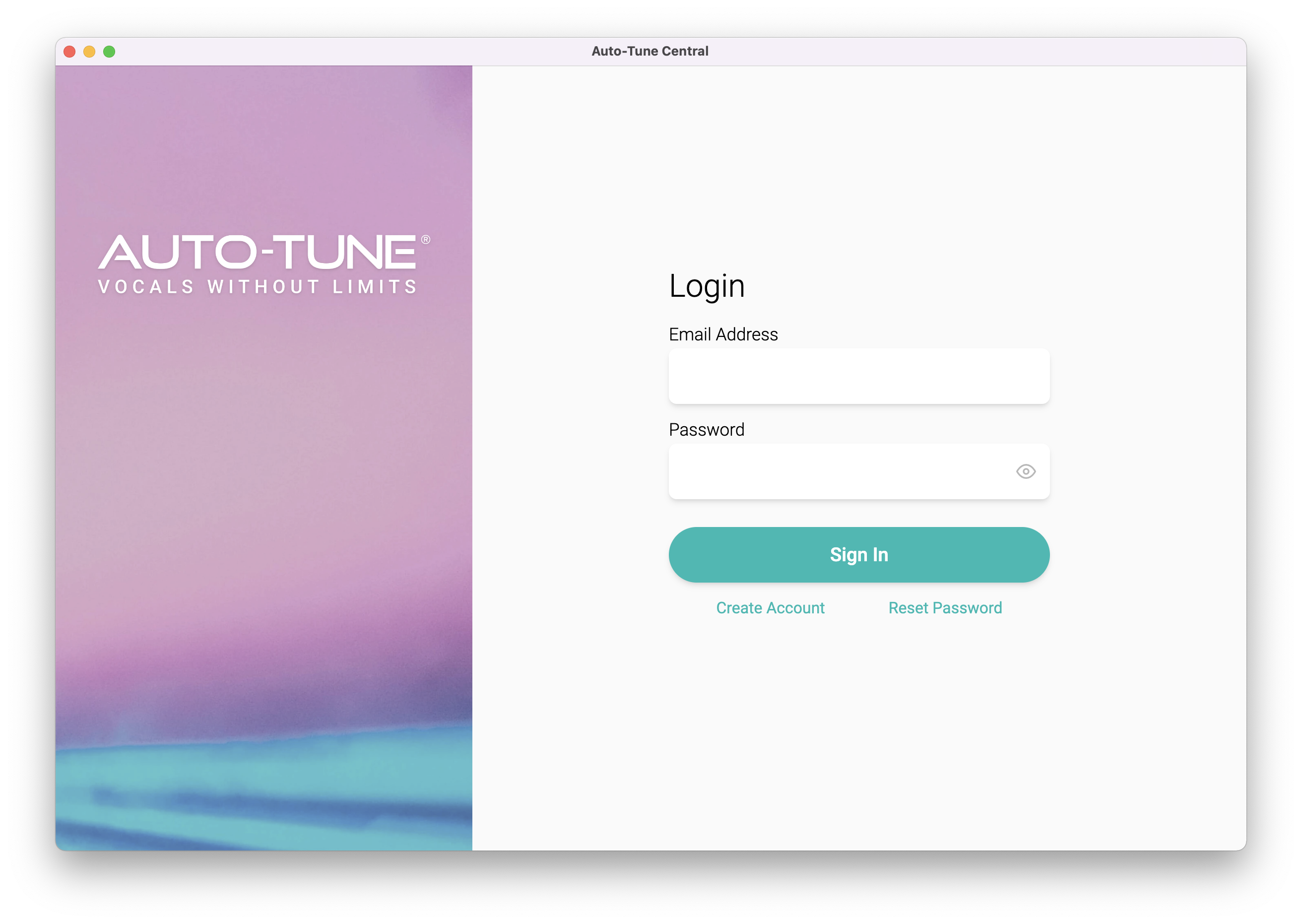
2. Launch Auto-Tune Central > Either create a new account by clicking 'Create Account' or if you already have an account, enter your Antares registered Email Address and Password > Click 'Sign In'.

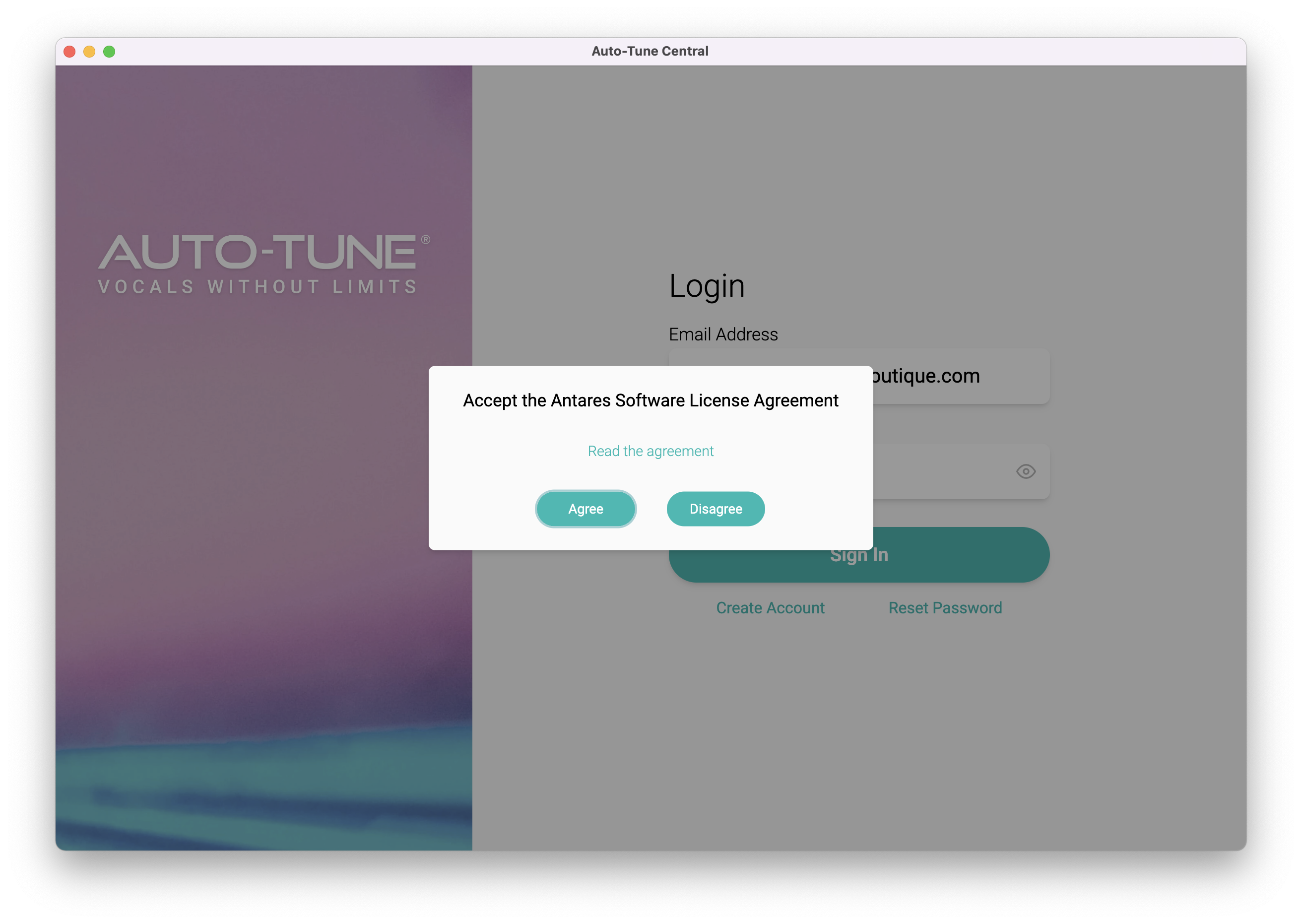
3. Click 'Agree'.

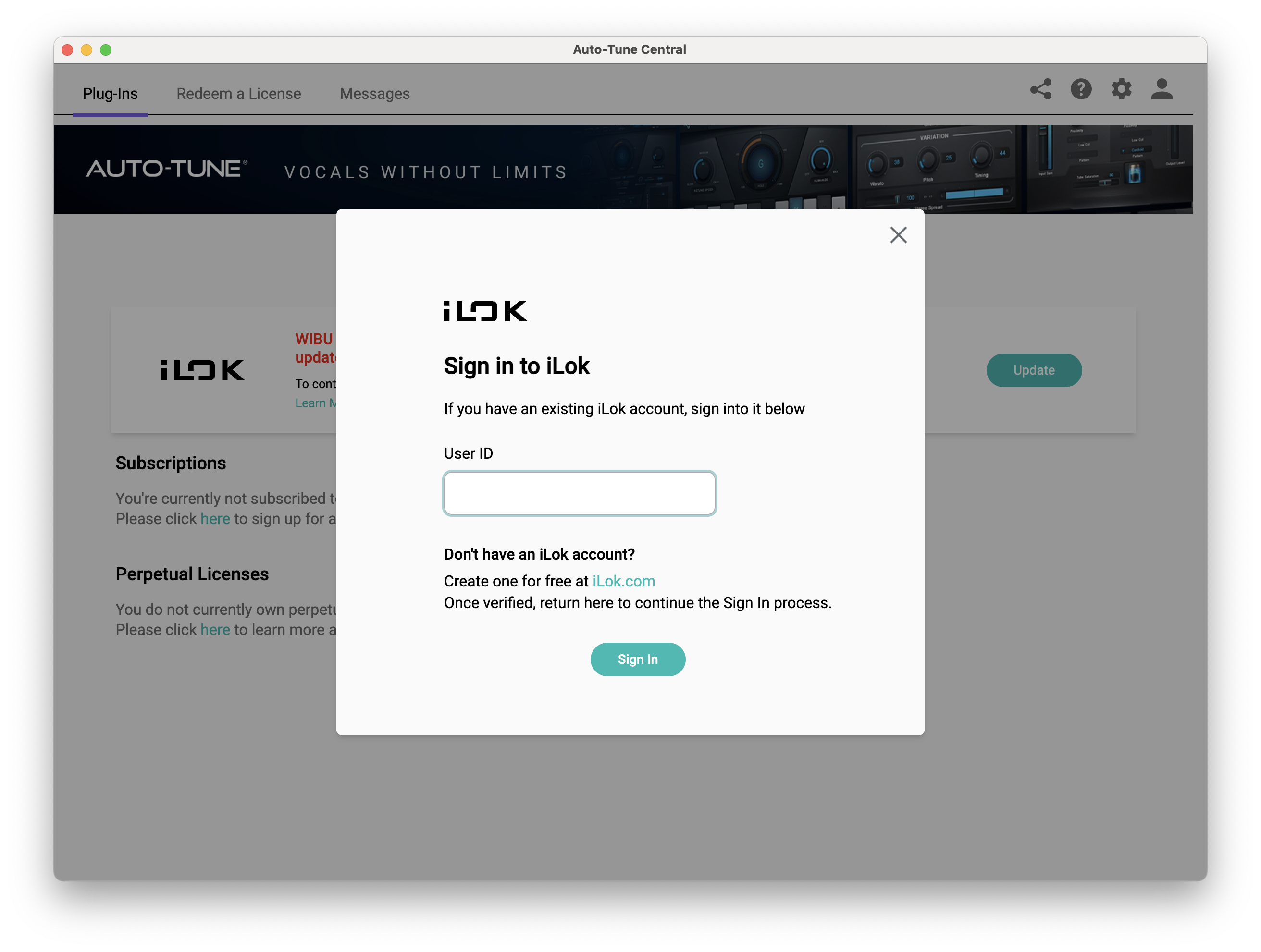
4. Enter your iLok User ID and click 'Sign In'.

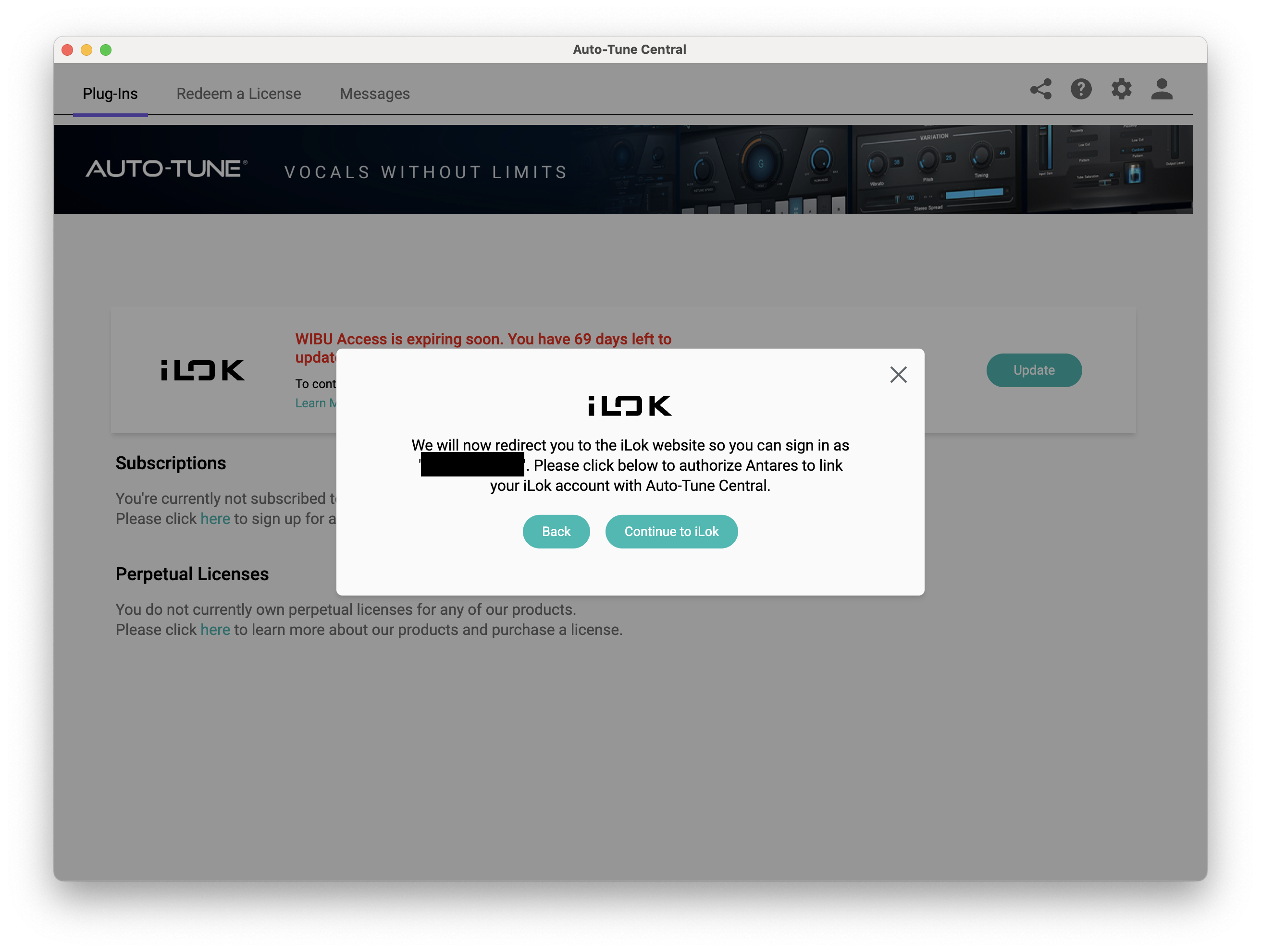
5. Click 'Continue to iLok'.

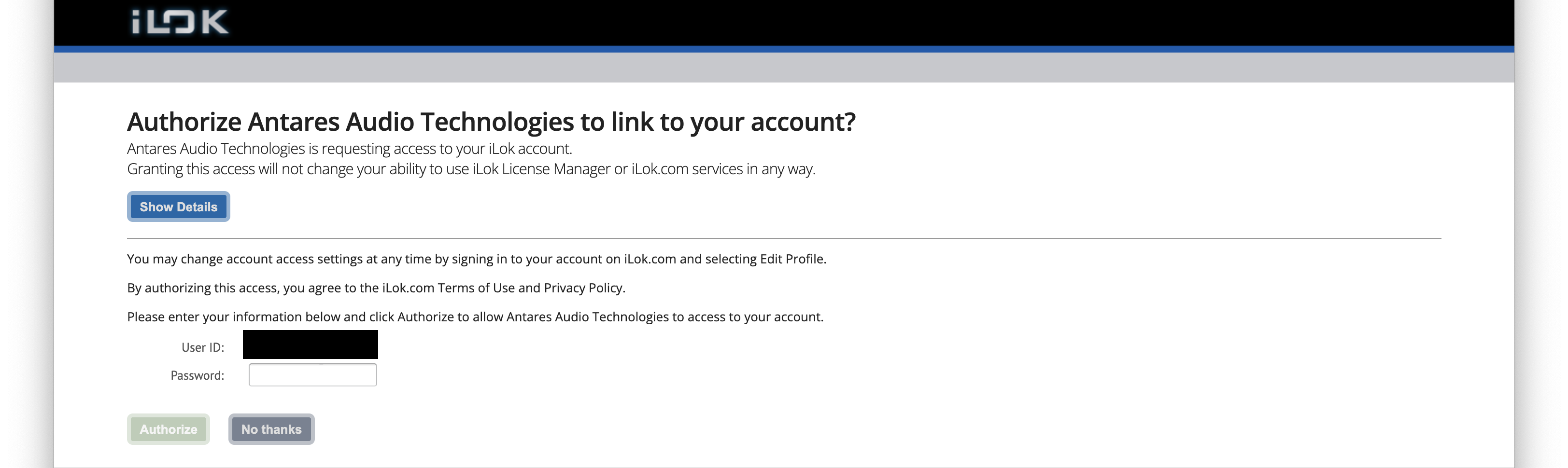
6. Enter your iLok User ID and Password then click 'Authorize'.

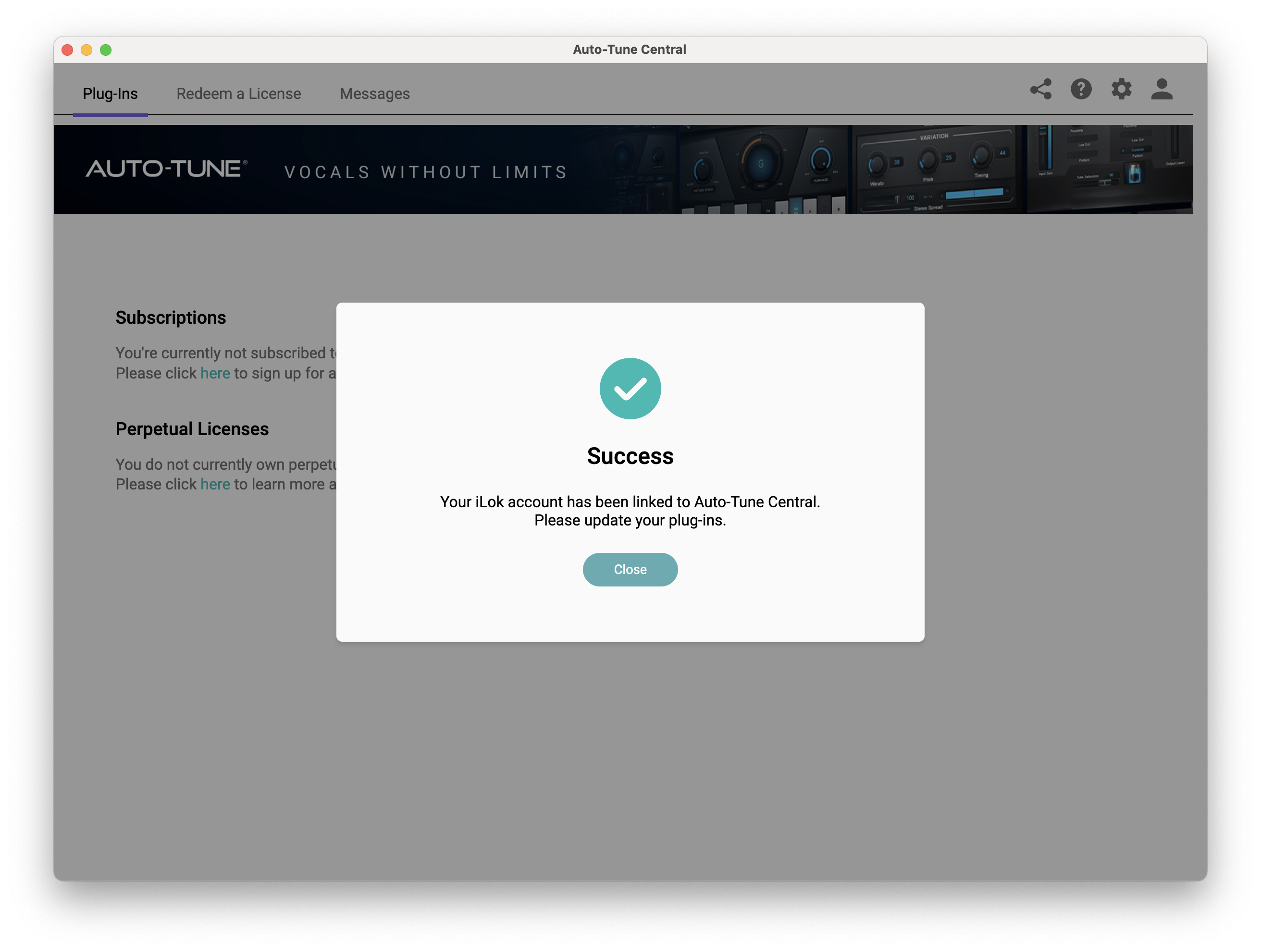
7. Your iLok account is now linked > Click 'Close'.

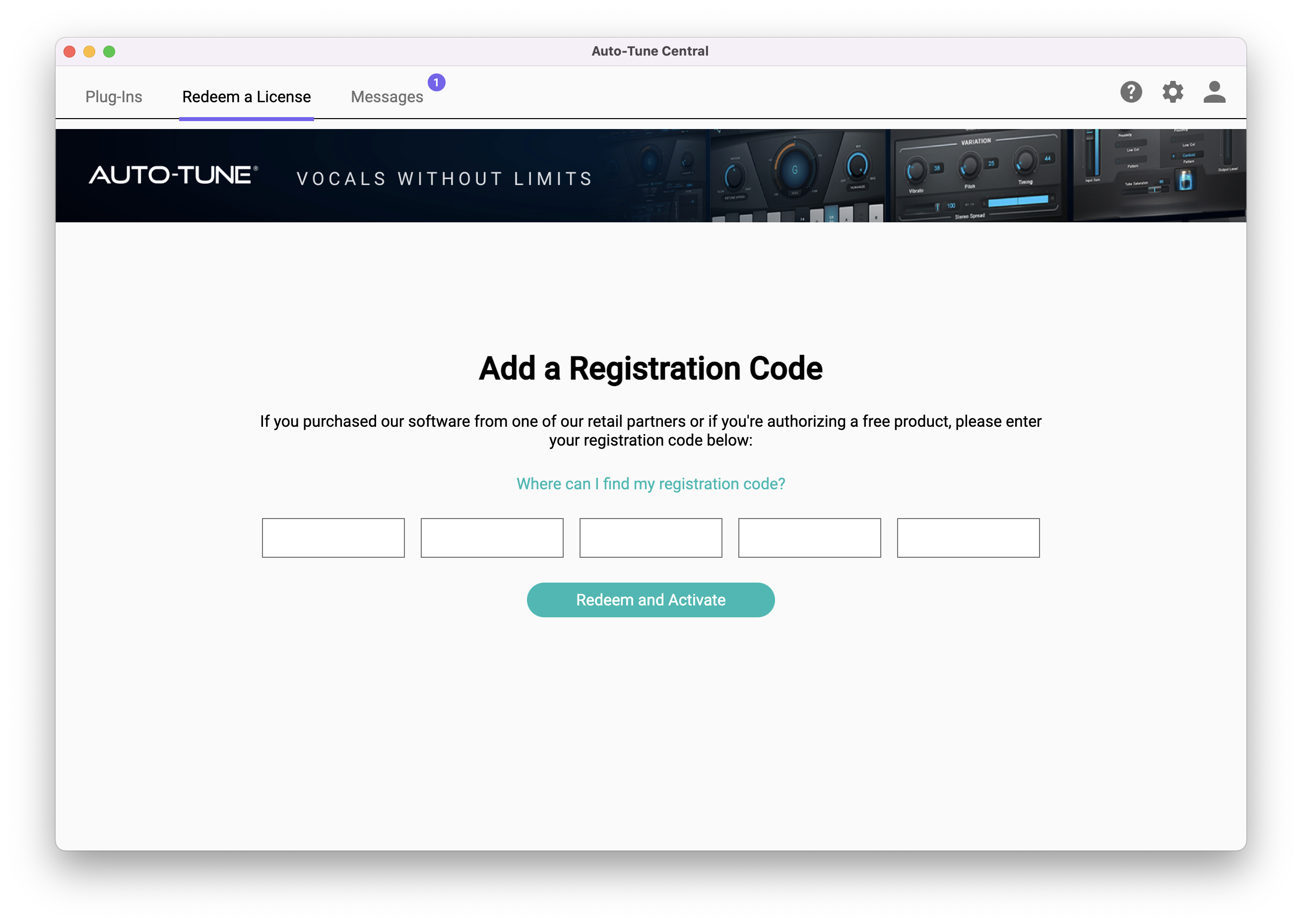
8. Click on the 'Redeem a License' tab > Enter the 25-digit Registration Code, found in the serial number section of your Plugin Boutique account > Click 'Redeem and Activate'.

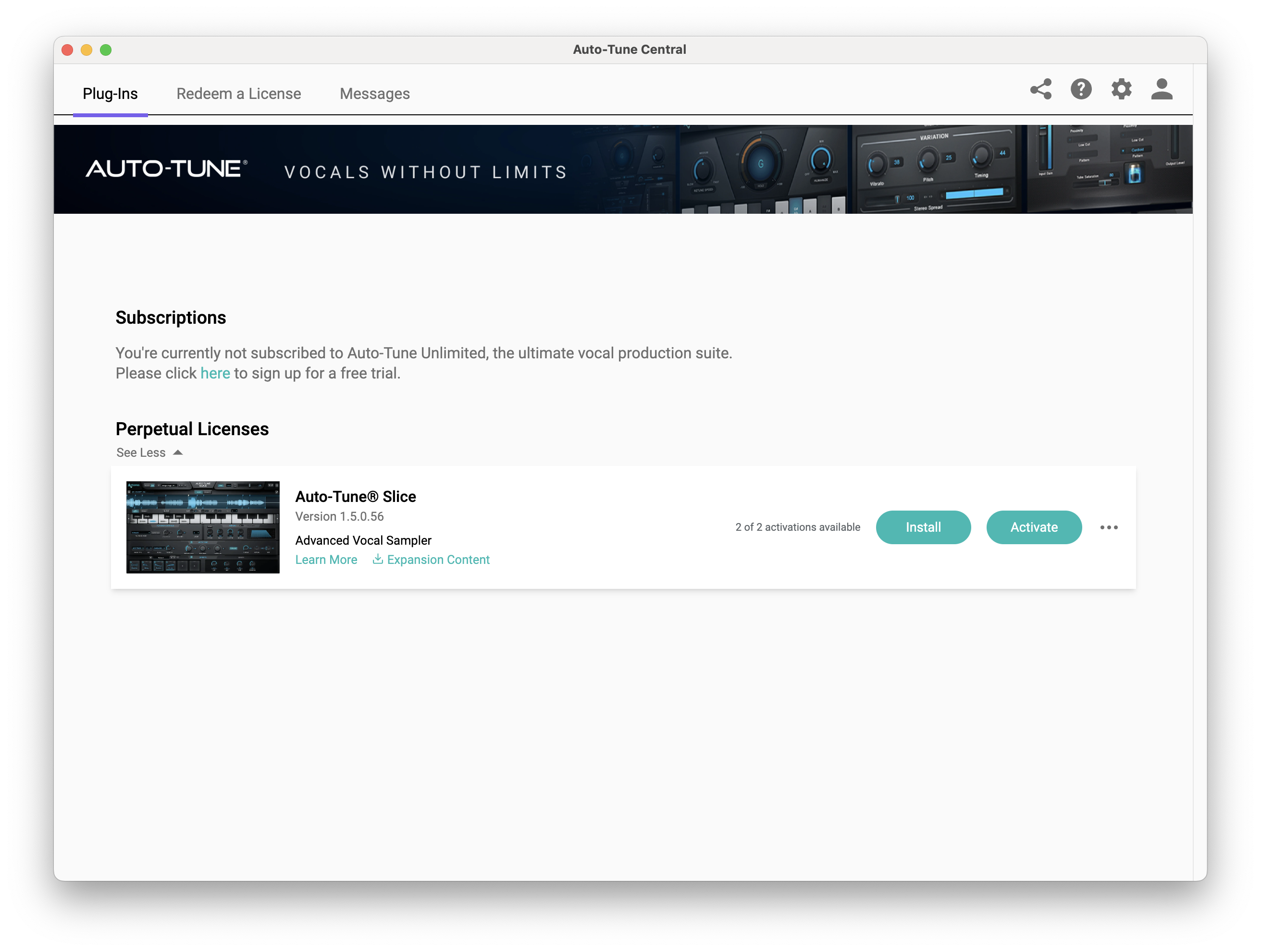
9. Navigate back to the 'Plug-Ins' tab > Click 'Install' to install your plugin.

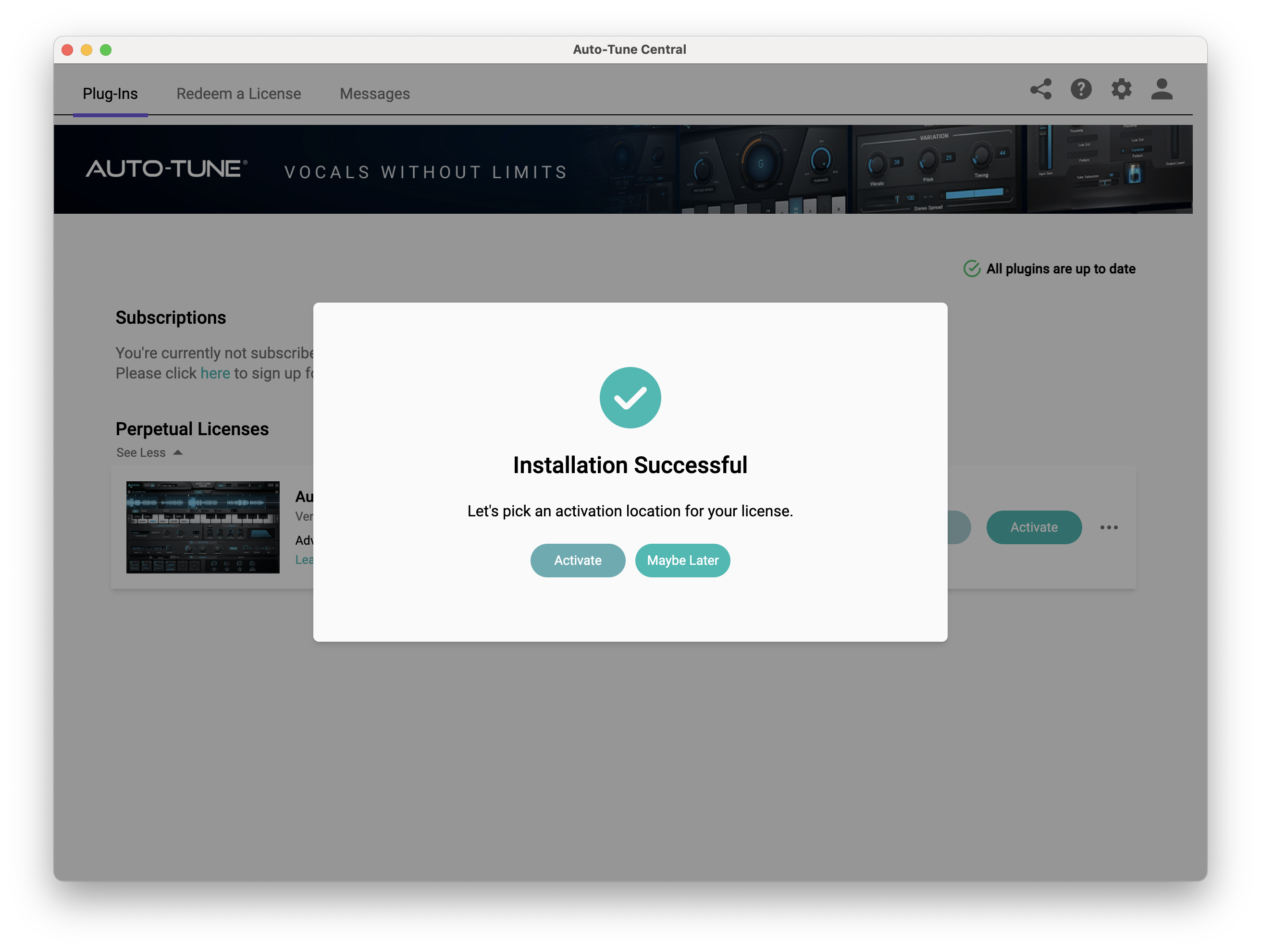
10. Click 'Activate'.

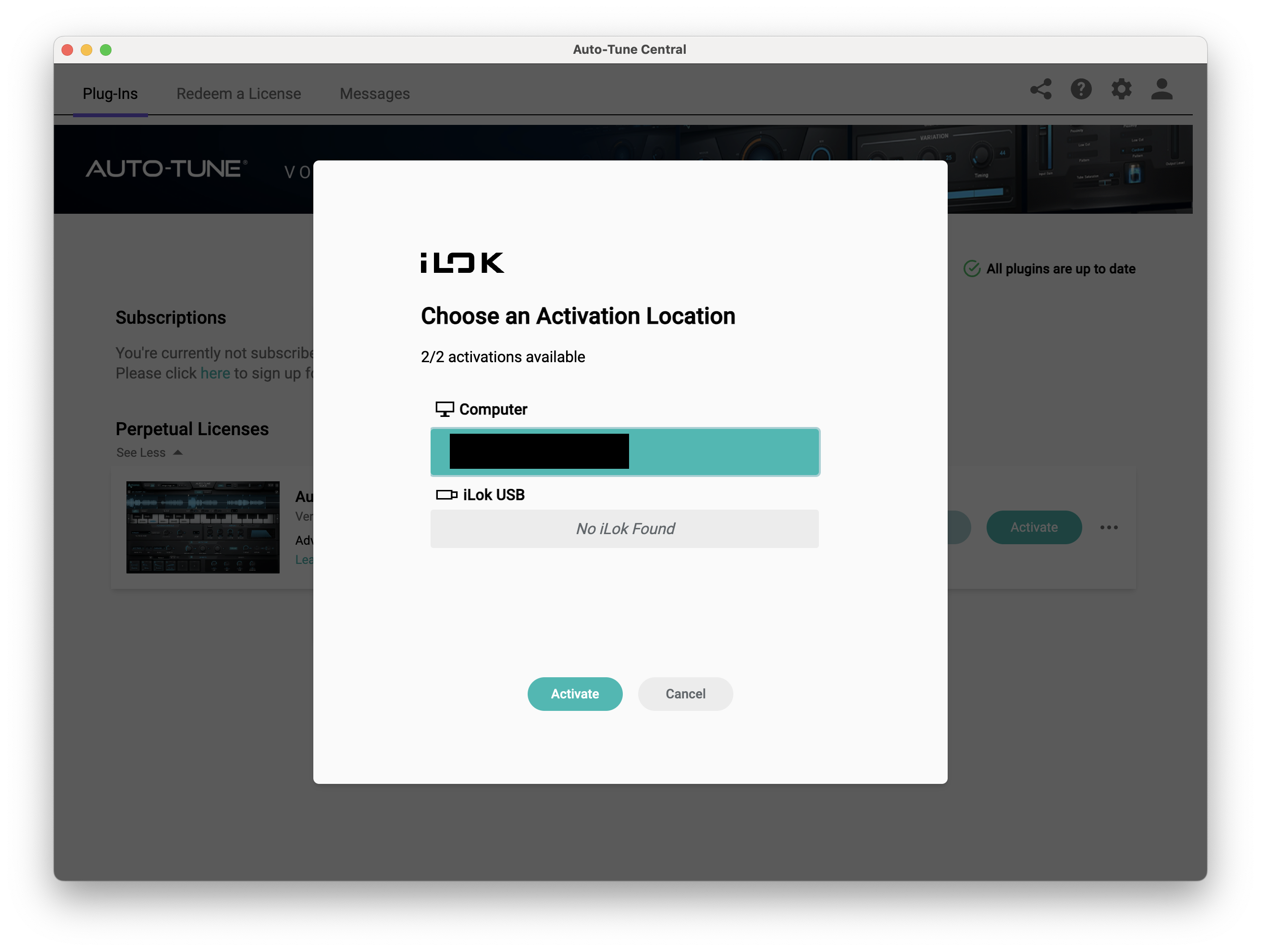
11. Select whether you want to activate the license to your Computer or iLok USB > Click 'Activate'.

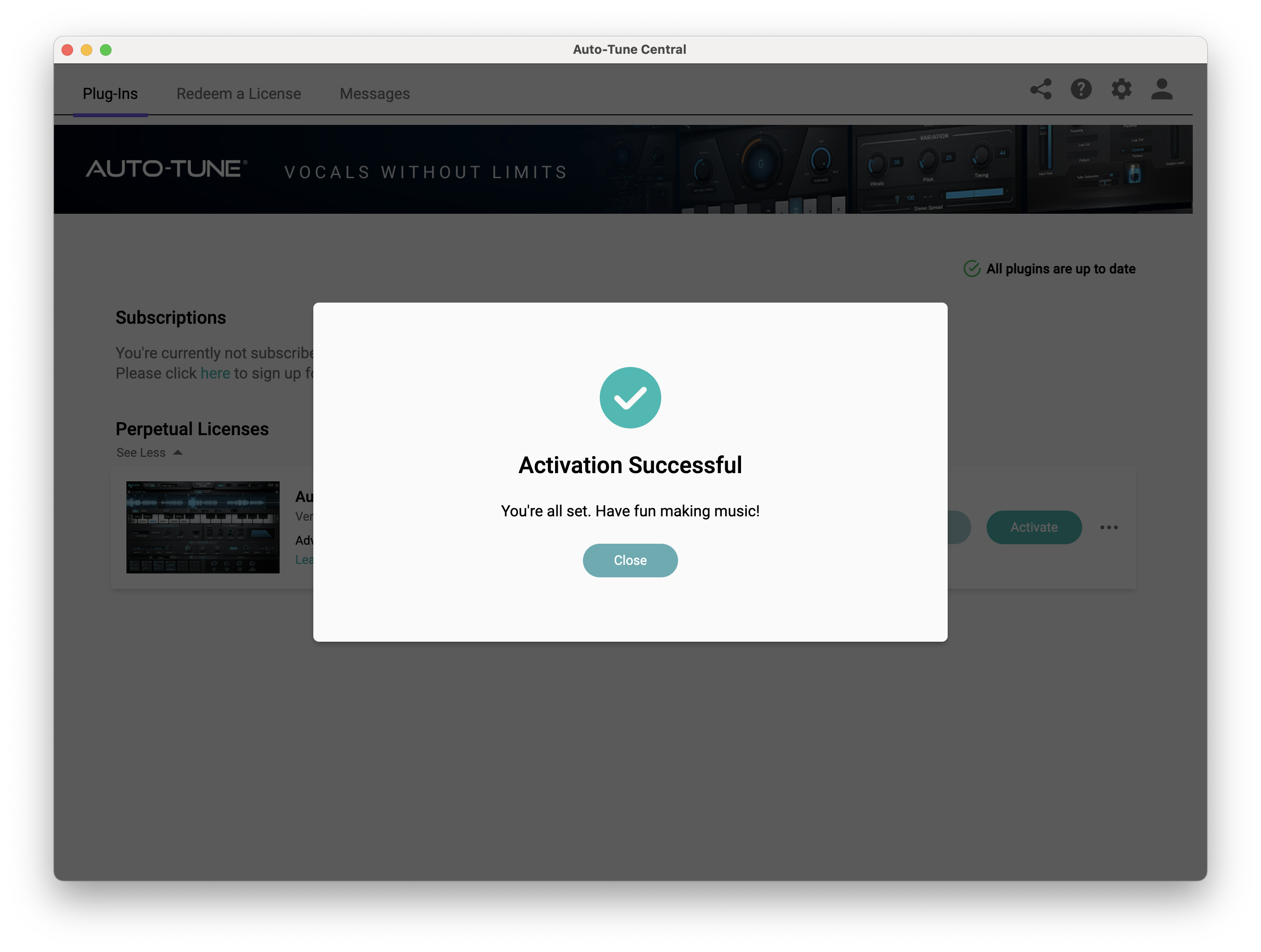
12. Click 'Close'.

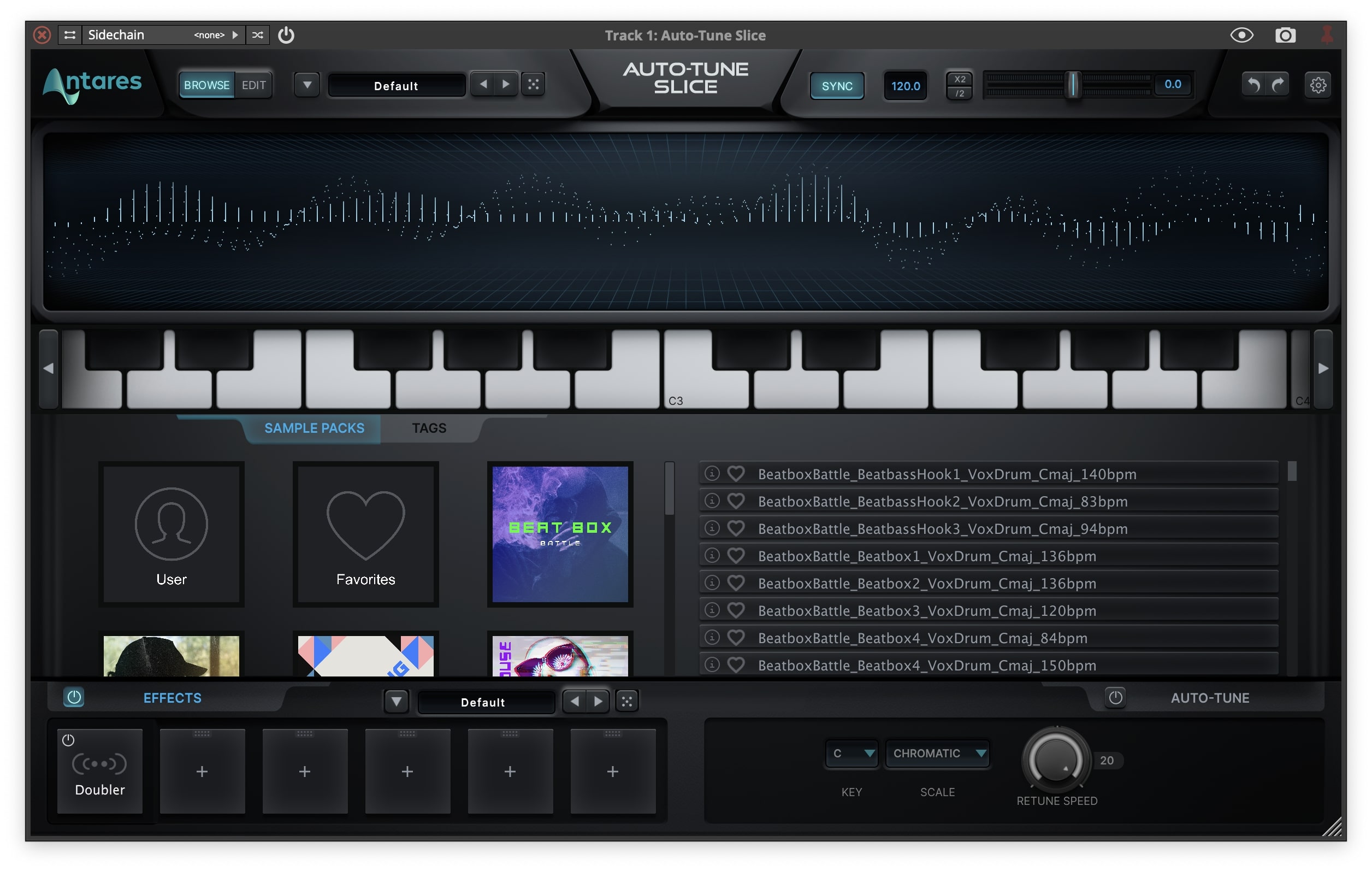
Your software is now activated and ready to use within your DAW.

PC

Windows

1. Download the .zip file from within your Plugin Boutique account and double-click it to extract the contents > Open the .exe file > Auto-Tune Central will now automatically install.

2. Launch Auto-Tune Central > Either create a new account by clicking 'Create Account' or if you already have an account, enter your Antares registered Email Address and Password > Click 'Sign In'.

3. Click 'Agree'.

4. Enter your iLok User ID and click 'Sign In'.

5. Click 'Continue to iLok'.

6. Enter your iLok User ID and Password then click 'Authorize'.

7. Your iLok account is now linked > Click 'Close'.

8. Click on the 'Redeem a License' tab > Enter the 25-digit Registration Code, found in the serial number section of your Plugin Boutique account > Click 'Redeem and Activate'.

9. Navigate back to the 'Plug-Ins' tab > Click 'Install' to install your plugin.

10. Click 'Activate'.

11. Select whether you want to activate the license to your Computer or iLok USB > Click 'Activate'.

12. Click 'Close'.

Your software is now activated and ready to use within your DAW.

Bundle & Save

Antares AutoTune Unlimited (Annual Subscription) + FREE Vocal Prep
$210.00
$310.00 (32% off)

Plugin Boutique Rewards

Discover the most rewarding loyalty programme among all plugin retailers.

  • Free Loopmasters Samplepacks
  • Discounts on products and courses
  • Extra Virtual Cash claimed immediately at checkout
Find out more

Follow us:

X (Twitter) Facebook YouTube Instagram
Logo Logo

Plugin Boutique Limited, Part of the Beatport Group LLC.

Copyright © 2011-2025 Plugin Boutique. All rights reserved