/ Vocal Processing / LANDR VoxTune
LANDR

LANDR VoxTune

5.0 (1 Reviews)
$23.00 $39.00

41% off until Dec 07

LANDR VoxTune - UI 1
LANDR VoxTune - UI 2
LANDR VoxTune - UI 3
LANDR VoxTune - UI 4
Buy Now
Product information

Real-time vocal tuning

Correct pitch instantly with zero latency and natural sound. Choose transparent or robotic tuning, shape tone with vibrato and formants, and stay in key live or in the studio—with streamlined, plug-and-play tuning.

Stay in perfect pitch across every session or stage with natural, expressive tuning that keeps your vocal performance intact. With zero latency and powerful creative controls, VoxTune helps you sound pro without breaking your flow.

Pitch perfection, instantly

Keep vocals in tune with transparent or robotic correction—delivered in real time with zero latency and no artifacts.

Live-ready & latency-free

Track or perform without delay or setup. VoxTune is built for speed, stage use, and creative momentum.

Flexible vocal character control

Shape tone and emotion using real-time vibrato and formant tools for expressive, personalized vocal character.

Features

  • Transparent & modern modes

Choose between natural correction or robotic styling.

  • Formant shaping

Chop samples, play them chromatically across your keyboard, and add texture with Similar Sound Swap.

  • Tune speed control

Smooth, expressive tuning or fast, stylized transitions.

  • Built-in vibrato

Instantly enhance expression and emotion.

System Requirements

macOS

  • MacOS X 11 or higher
  • Apple Silicon Native or Intel
  • (VST3, AU, AAX)

Windows

  • Windows 10 (64 bit) or higher
  • (VST3, AAX)
Installation Instructions

Registration

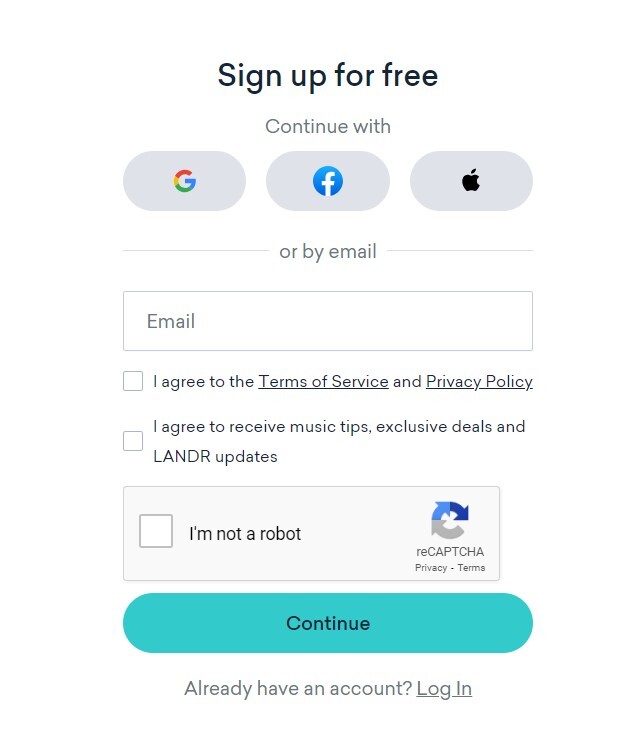
1. Head to THIS LINK, and fill in your details to create your LANDR account.

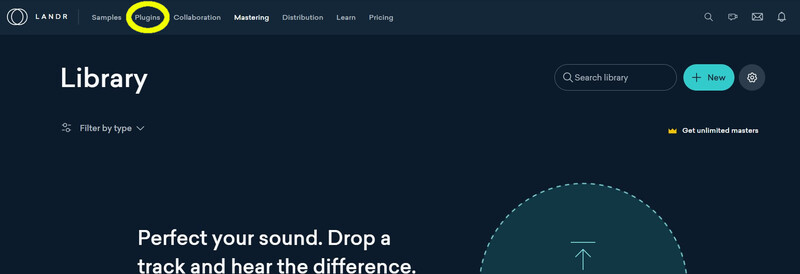
2. Click the 'Plugins' tab within your LANDR library.

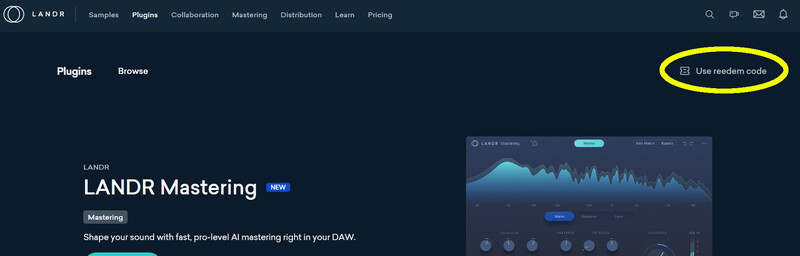
3. Click 'Use Redeem Code'.

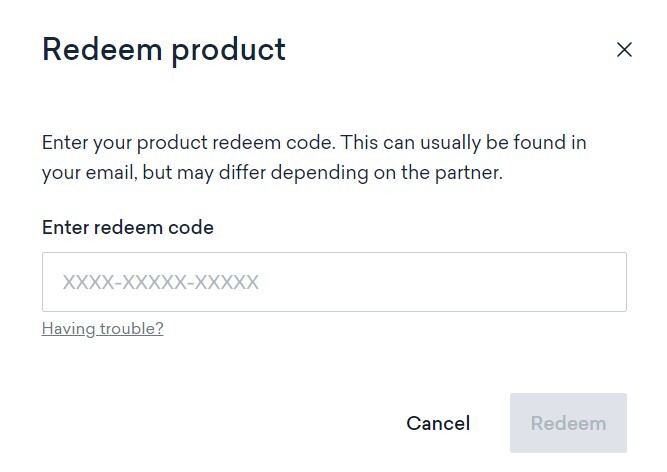
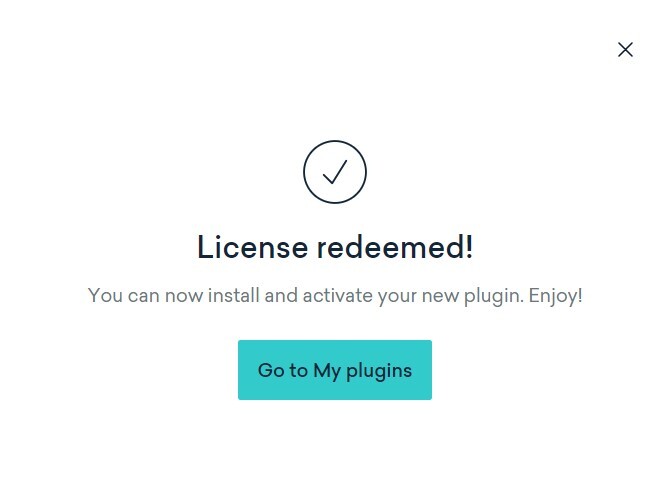
4. Use the code from within your Plugin Boutique User Account to fill in the redeem code field. Click 'Redeem'.

5. Click 'Go to My plugins'.

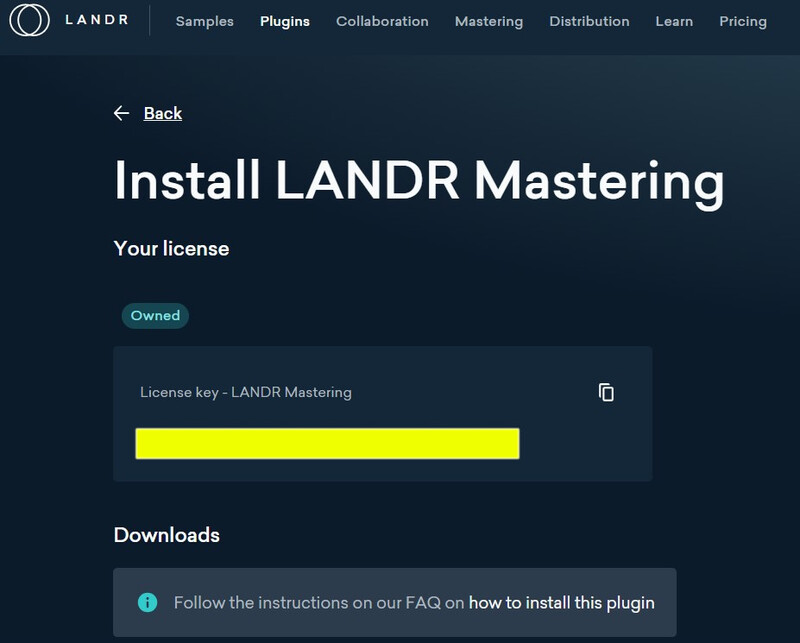
6. Click 'Install' next to the LANDR Mastering plugin.

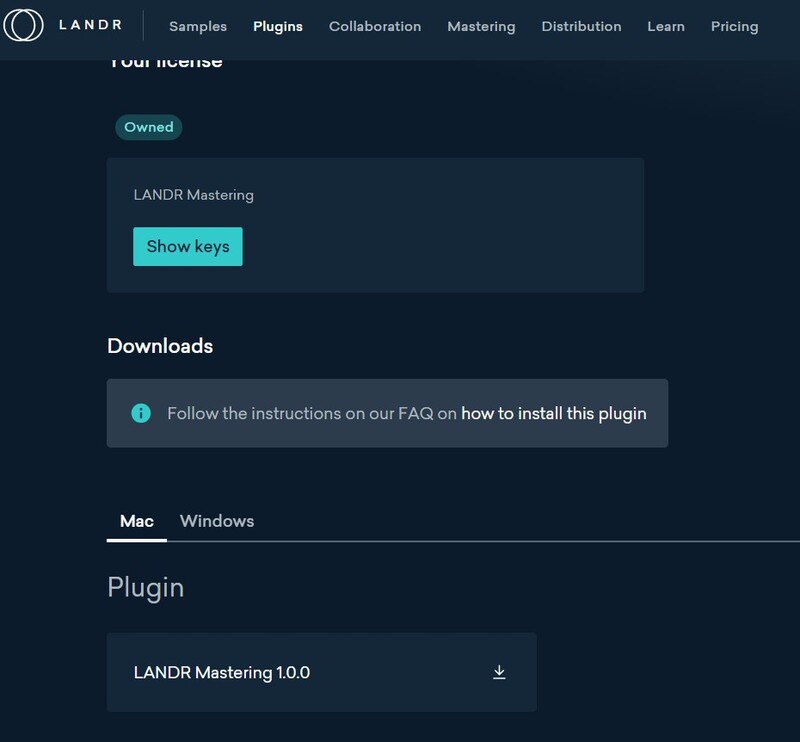
7. Click 'Show keys', and take note of your license key number.

8. Below this, you will find your download items. Ensure you select the correct operating system, and click the Download button.

Installation and Activation

Windows

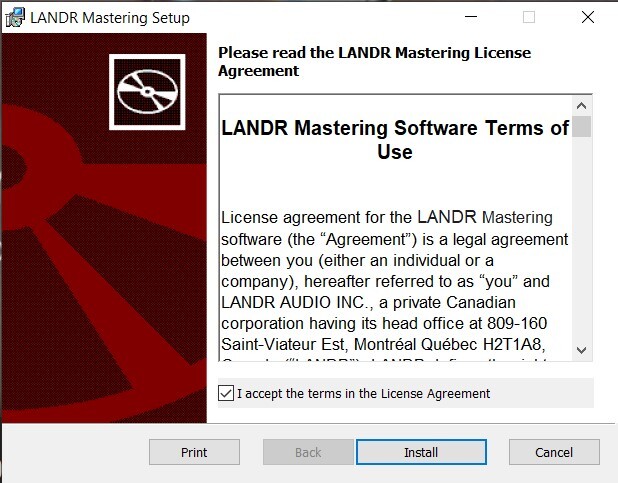
1. Launch the downloaded installer file.

2. Check 'I accept the terms in the License Agreement', and click 'Install'.

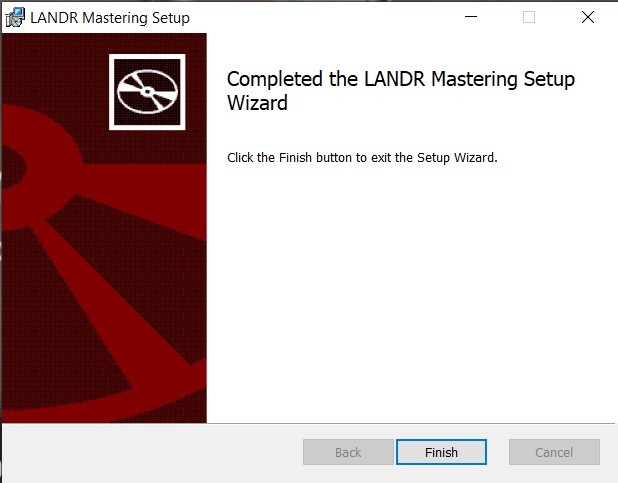
3. Once installation has completed, click 'Finish'.

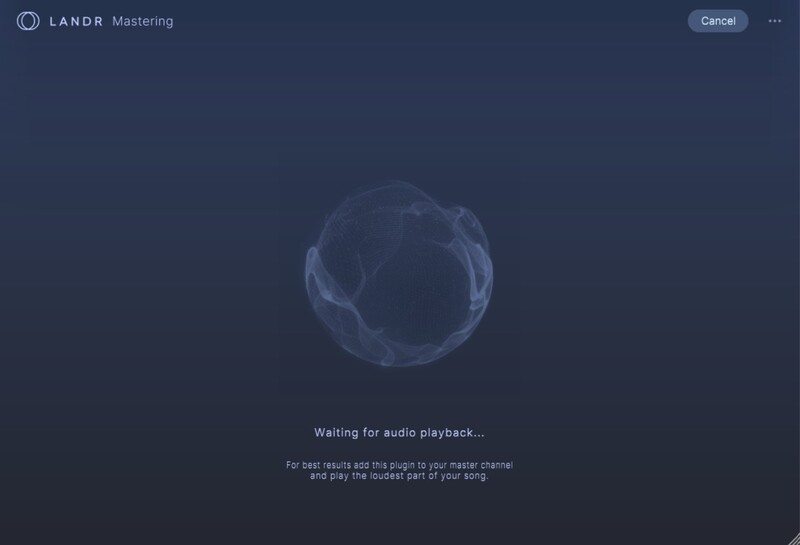
4. Launch LANDR Mastering Plugin within your DAW.

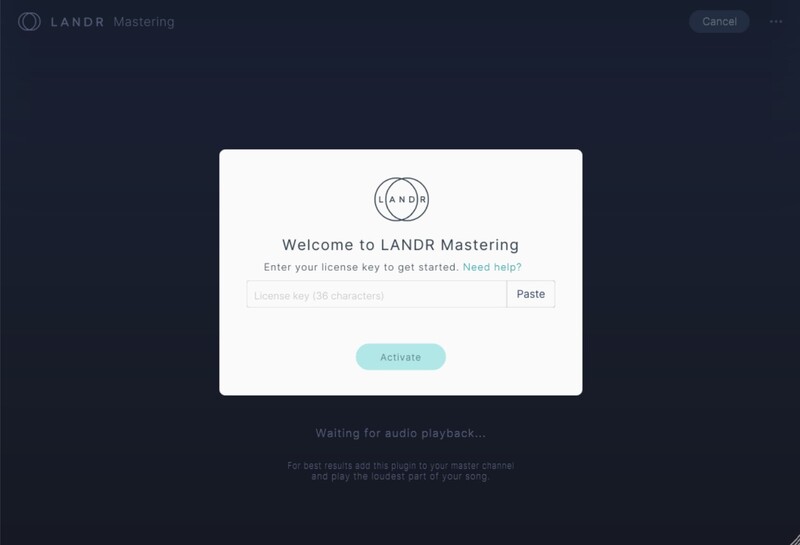
5. Enter the License Key number obtained in step 7 of the Registration process to the form. Click 'Activate'.

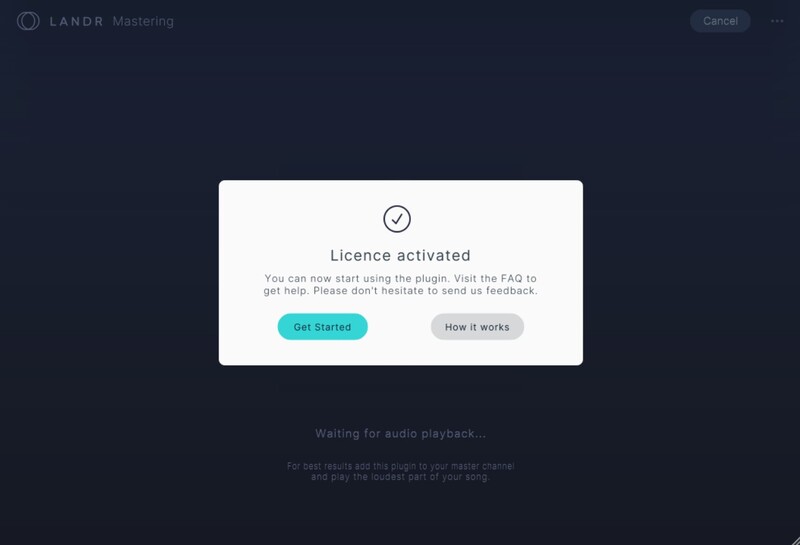
6. Click 'Get Started'.

Your plugin is now activated and ready to use!

Mac

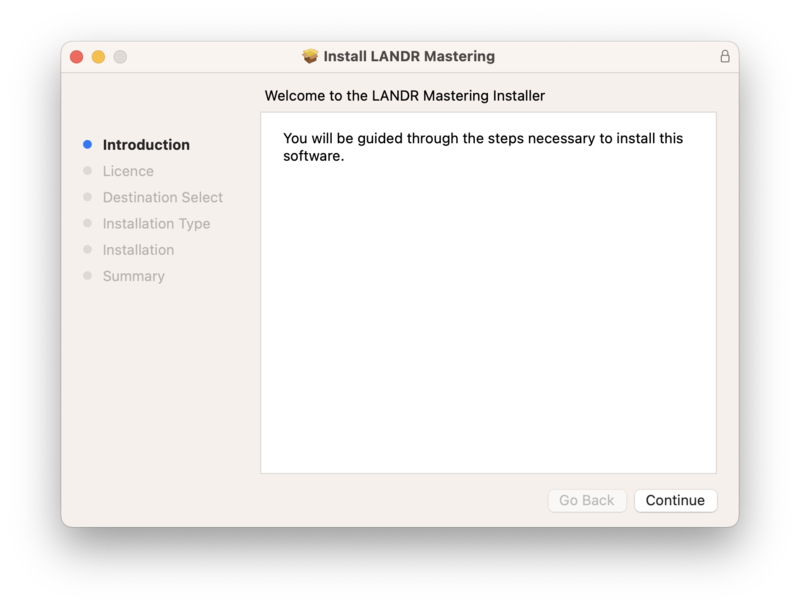
1. Launch the downloaded installer file, and click 'Continue'.

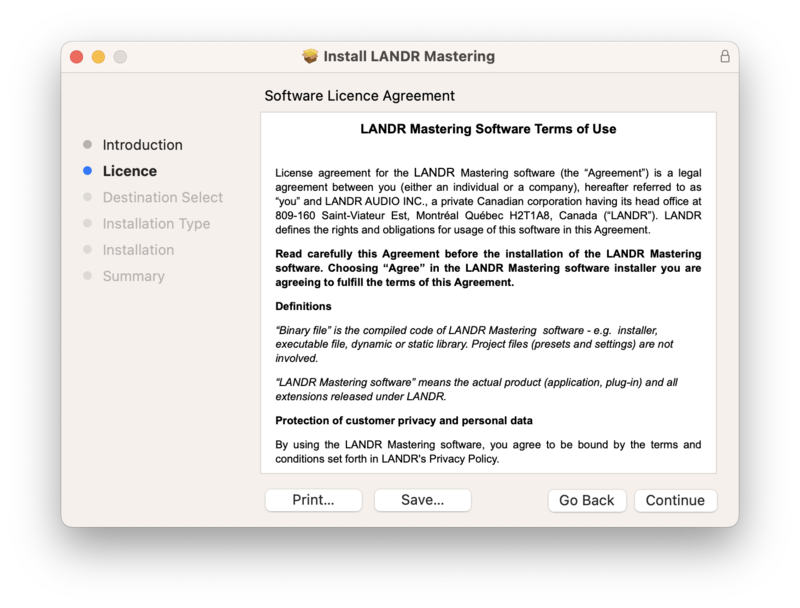
2. Click 'Continue'.

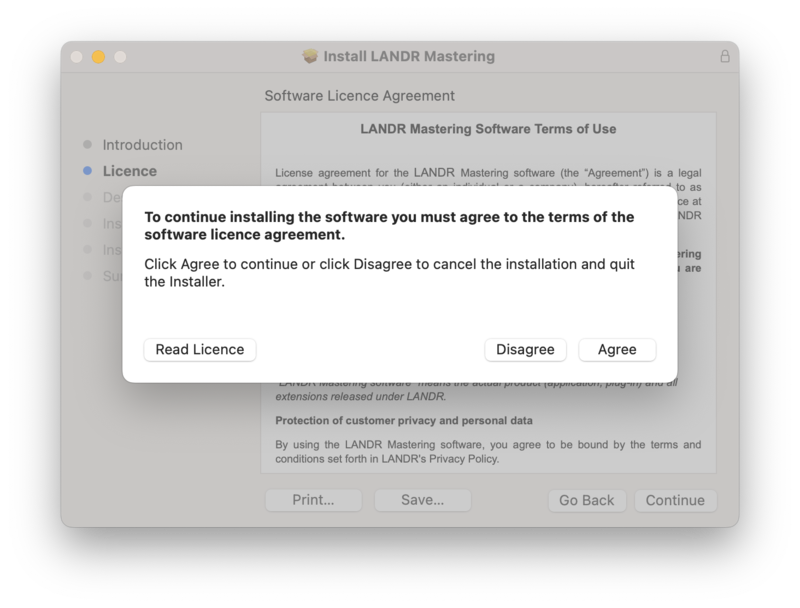
3. Click 'Agree'.

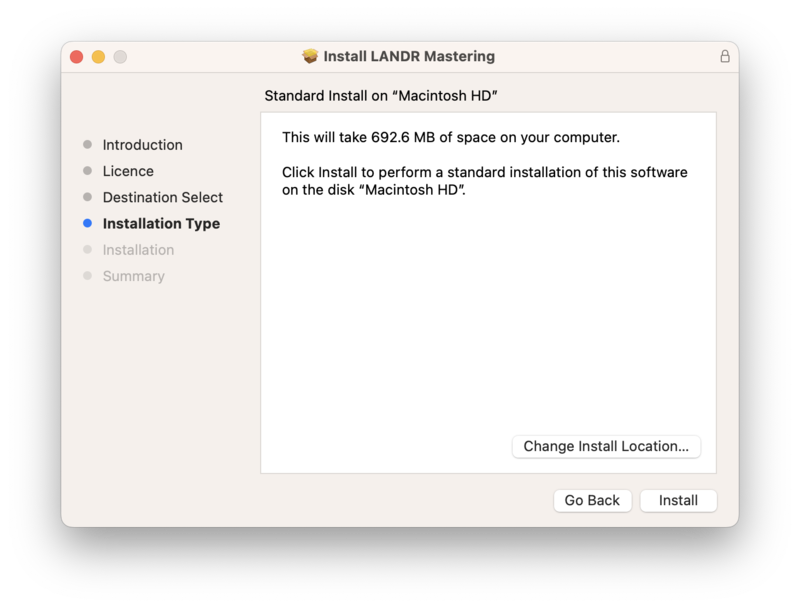
4. Click 'Install'.

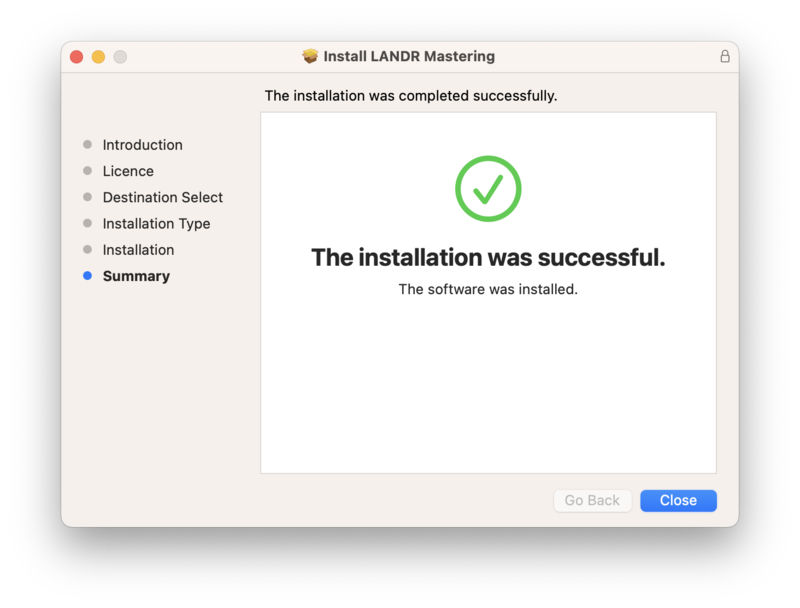
5. Once installation has completed, click 'Close'.

6. Launch LANDR Mastering Plugin within your DAW.

7. Enter the License Key number obtained in step 7 of the Registration process to the form. Click 'Activate'.

8. Click 'Get Started'.

Your plugin is now activated and ready to use!

Plugin Boutique Rewards

Discover the most rewarding loyalty programme among all plugin retailers.

  • Free Loopmasters Samplepacks
  • Discounts on products and courses
  • Extra Virtual Cash claimed immediately at checkout
Find out more

Follow us:

X (Twitter) Facebook YouTube Instagram
Logo Logo

Plugin Boutique Limited, Part of the Beatport Group LLC.

Copyright © 2011-2025 Plugin Boutique. All rights reserved