/ Vocal Processing / AutoTune Slice
Antares

AutoTune Slice

4.8 (20 Reviews)
$90.00 $180.00

50% off until Jan 02

Auto-Tune Slice - Main Image
 Auto-Tune Slice - 5 Minute Quick-Look gallery thumbnail
Auto Tune Slice - Tutorial Video gallery thumbnail
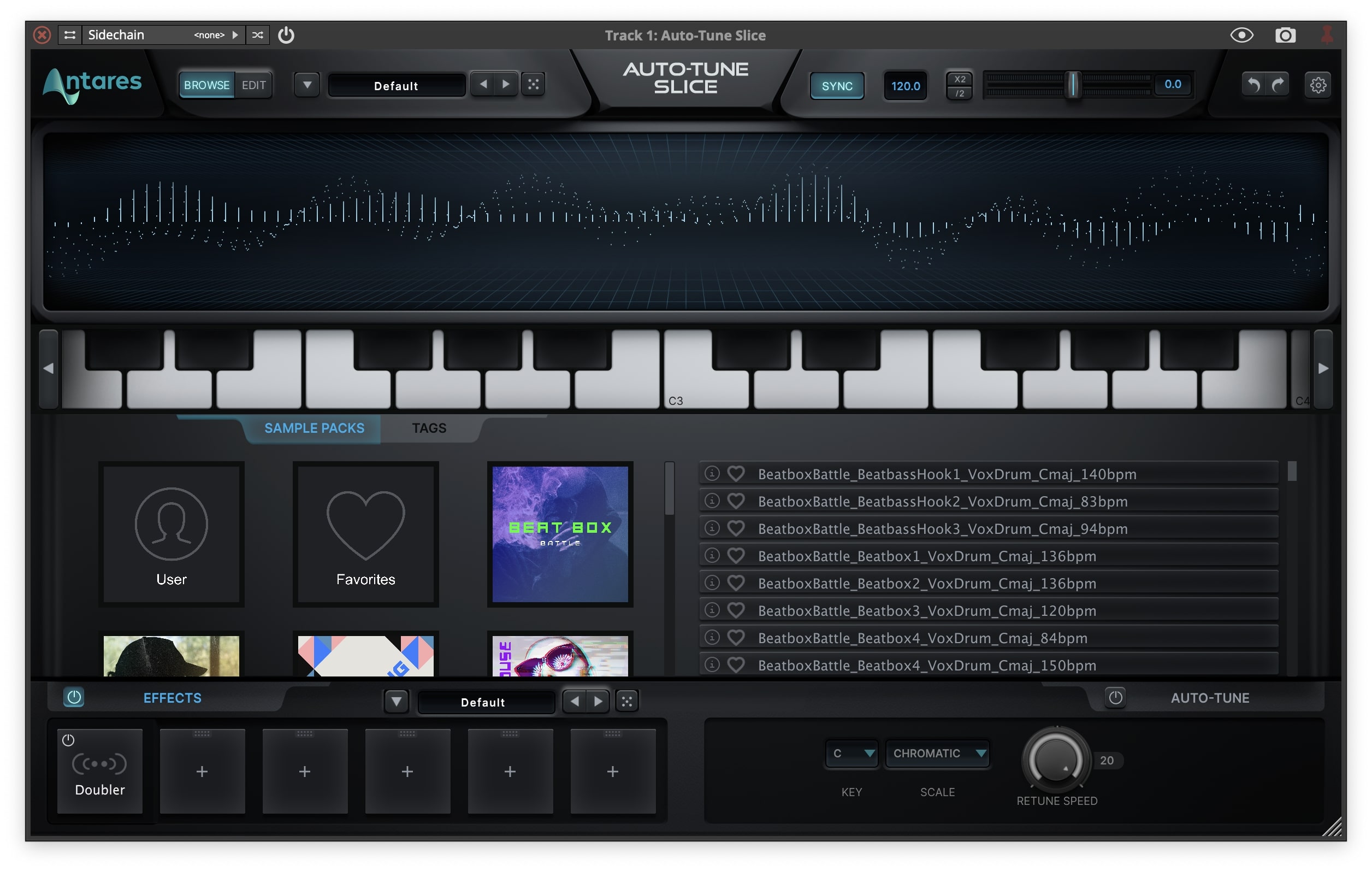
Auto Tune Slice - UI
Main Image
Buy Now
Product information

The World’s Most Advanced Vocal Sampler

A hybrid of a precision sampler and flexible synthesizer, AutoTune Slice is more than just a sampler. It’s a dimension of infinite musical expression where you can play voices like instruments and turn endless samples into songs.

Introducing AutoTune Slice

When everything becomes an instrument, anything is possible.

Altered States of Sound

14 onboard effects including vintage analogue tube saturation, lush Chorus, mutative Ring Modulation, and Vocal Doubling enable endless possibilities for manipulating samples.

Create With the Best

Explore a comprehensive and constantly updated library of exclusive vocal presets and samples from A-List producers and cutting-edge artists like Aaron Dessner (Taylor Swift, The National) and Bon Iver.

Many Choices For Many Voices

Optimized for vocals—but equally powerful for beats and instruments—turn any sample into a playable instrument that automatically maps to your controller.

Moving Music to Make Moving Music

Automagically slice up vocals with advanced transient detection that could only come from the creators of AutoTune. Play slices in order or rearrange them to create new phrases and patterns.

Features 

  • Precision vocal sampling instrument and flexible synthesizer hybrid
  • Optimized for vocals, powerful for beats and instruments
  • 14 onboard effects
  • Advanced transient detection
  • Constantly updated library of exclusive vocal presets
System Requirements

macOS 


AAX Native

  • Pro Tools 2018.1 or later
  • macOS 11 and higher as required by your version of Pro Tools

VST3

  • A compatible VST host program that supports VST3 format
  • macOS 11 and higher as required by your host

Audio Units

  • A compatible host program that supports the AU format
  • macOS 11 and higher as required by your host

Windows

AAX Native

  • Pro Tools 2018.1 or later
  • Windows 10 or higher

VST3

  • A compatible host program that supports the VST3 format
  • Windows 10 or higher

Important Note

  • No iLok dongle is required to run this software - only a FREE iLok account/Manager is required for authorisation.
Installation Instructions

Note: Before starting the installation, you are required to create a FREE iLok user ID and install the iLok License Manager.

Please take a look at this Help Centre Guide for more information.

Note: AutoTune Slice is used as an example.

Mac

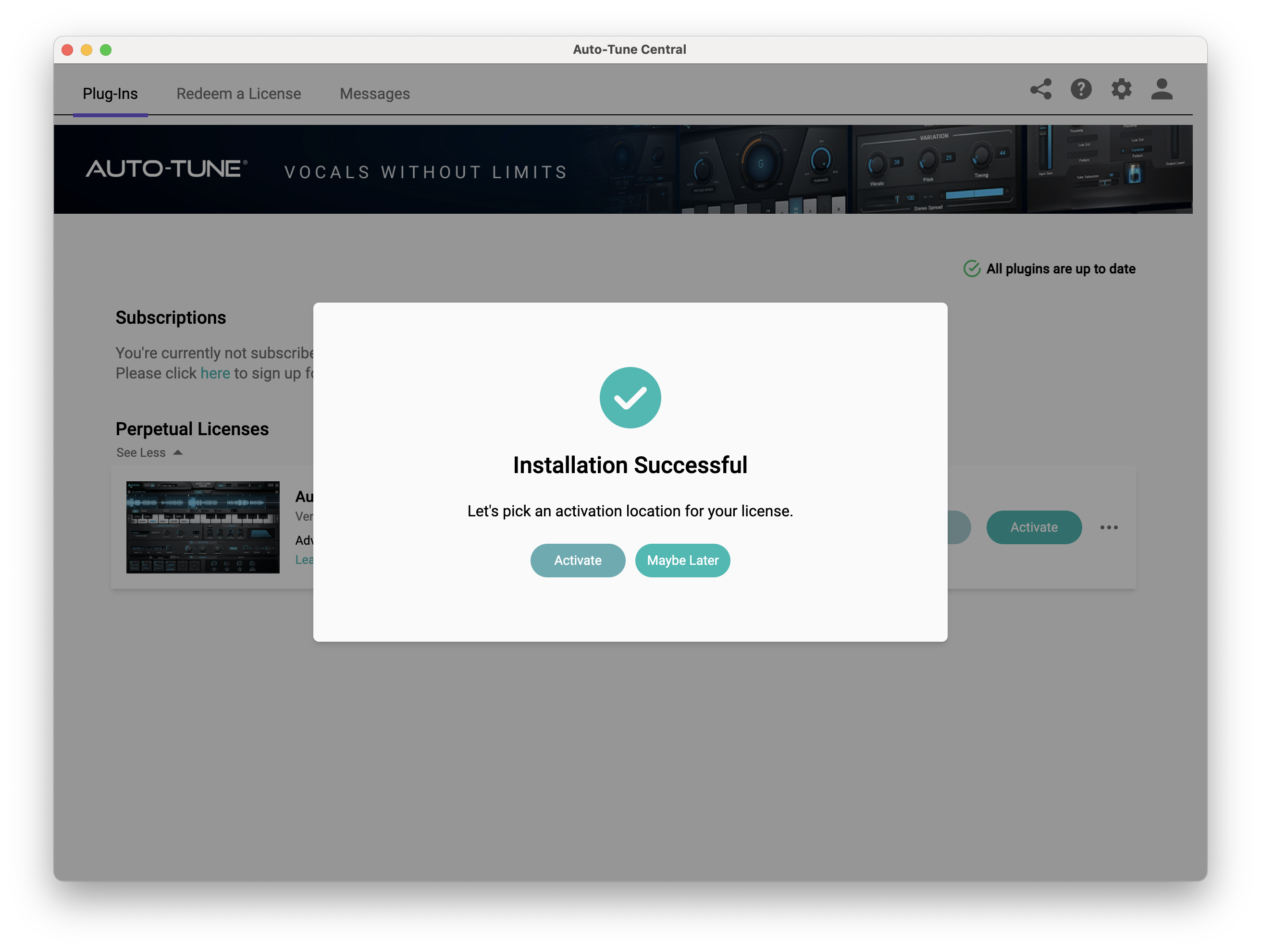
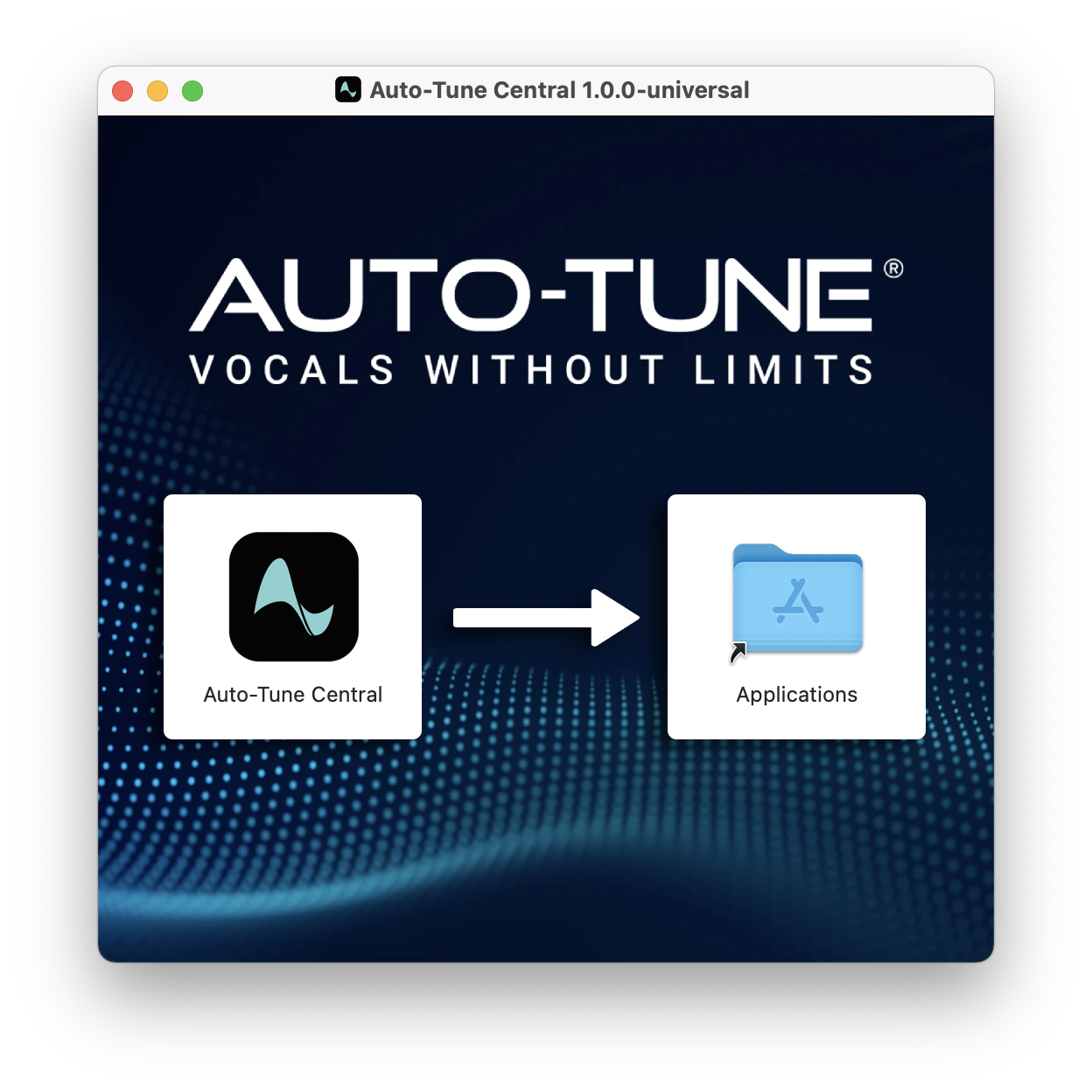
1. Download the .zip file from within your Plugin Boutique account and double-click it to extract the contents > Double-click the .dmg file to launch the installer > Drag Auto-Tune Central into your Applications folder > AutoTune Central will now automatically install.

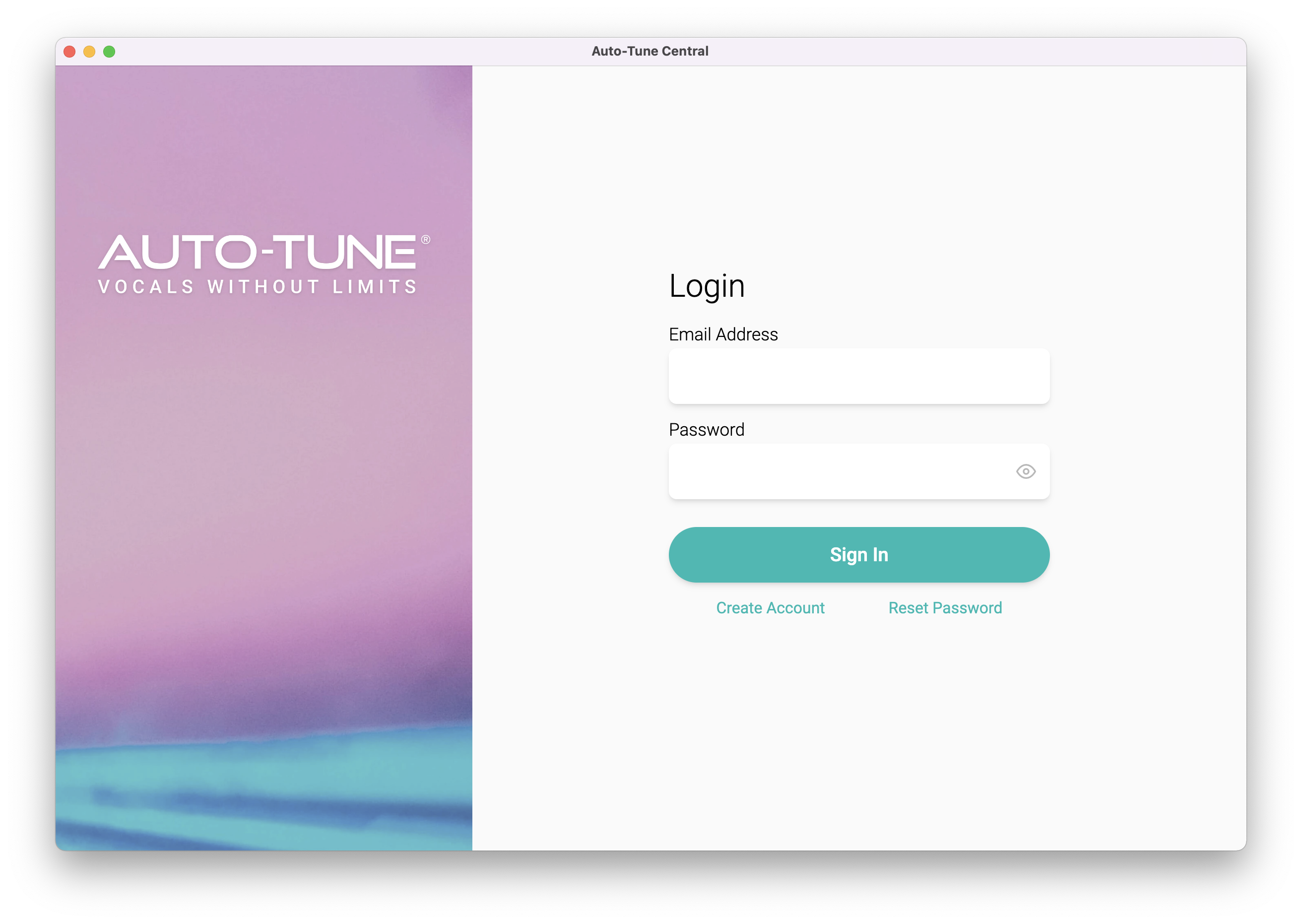
2. Launch Auto-Tune Central > Either create a new account by clicking 'Create Account' or if you already have an account, enter your Antares registered Email Address and Password > Click 'Sign In'.

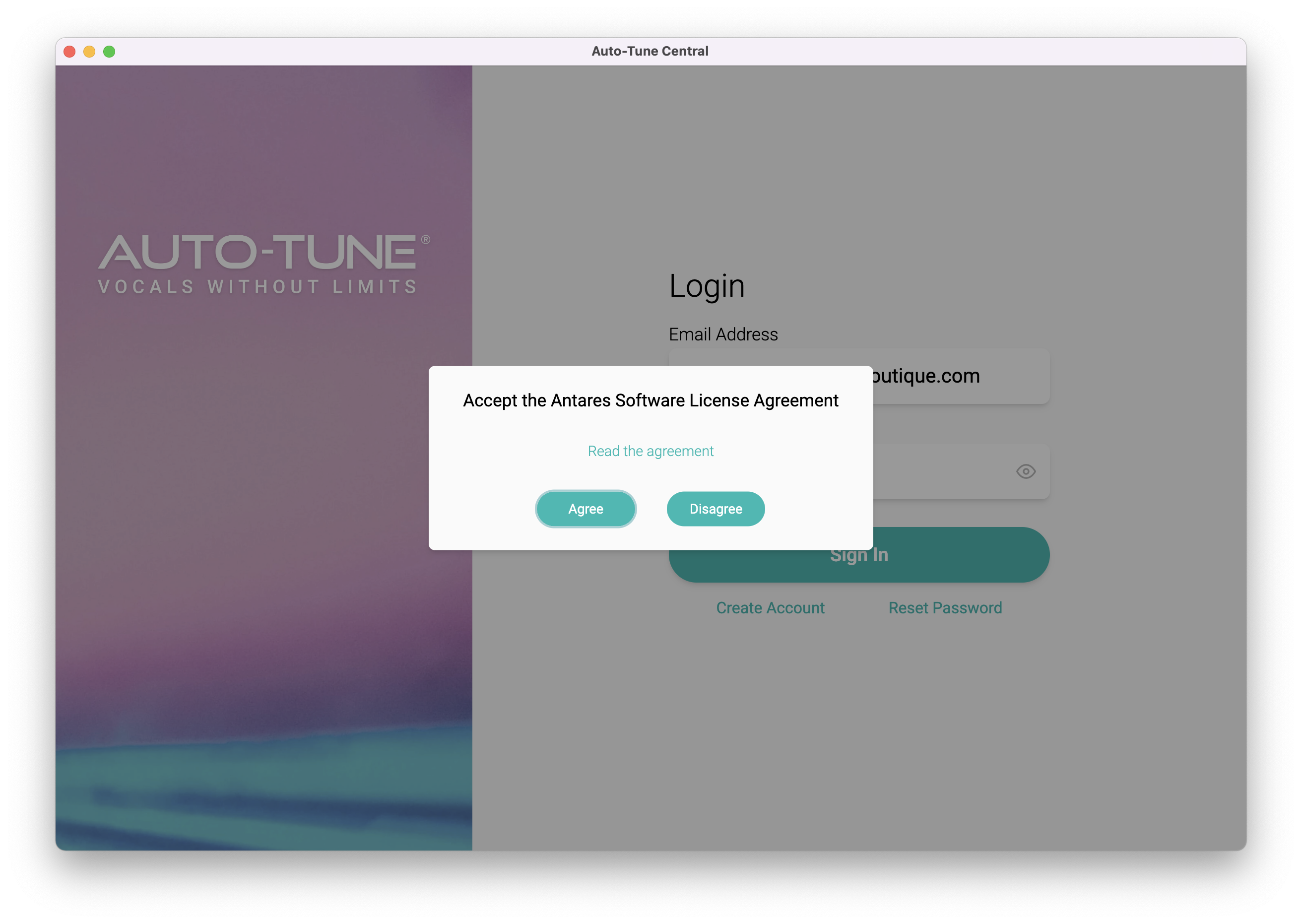
3. Click 'Agree'.

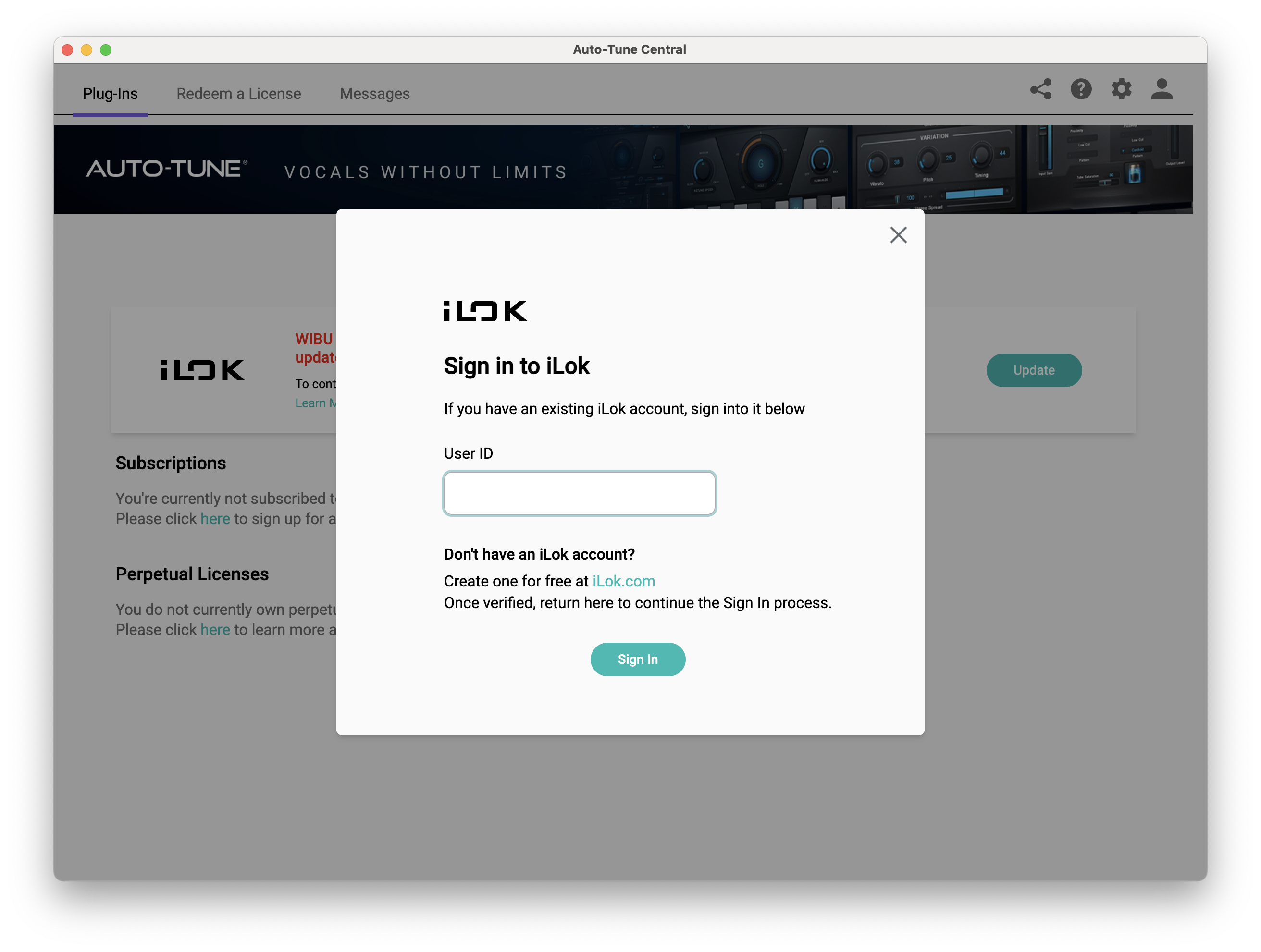
4. Enter your iLok User ID and click 'Sign In'.

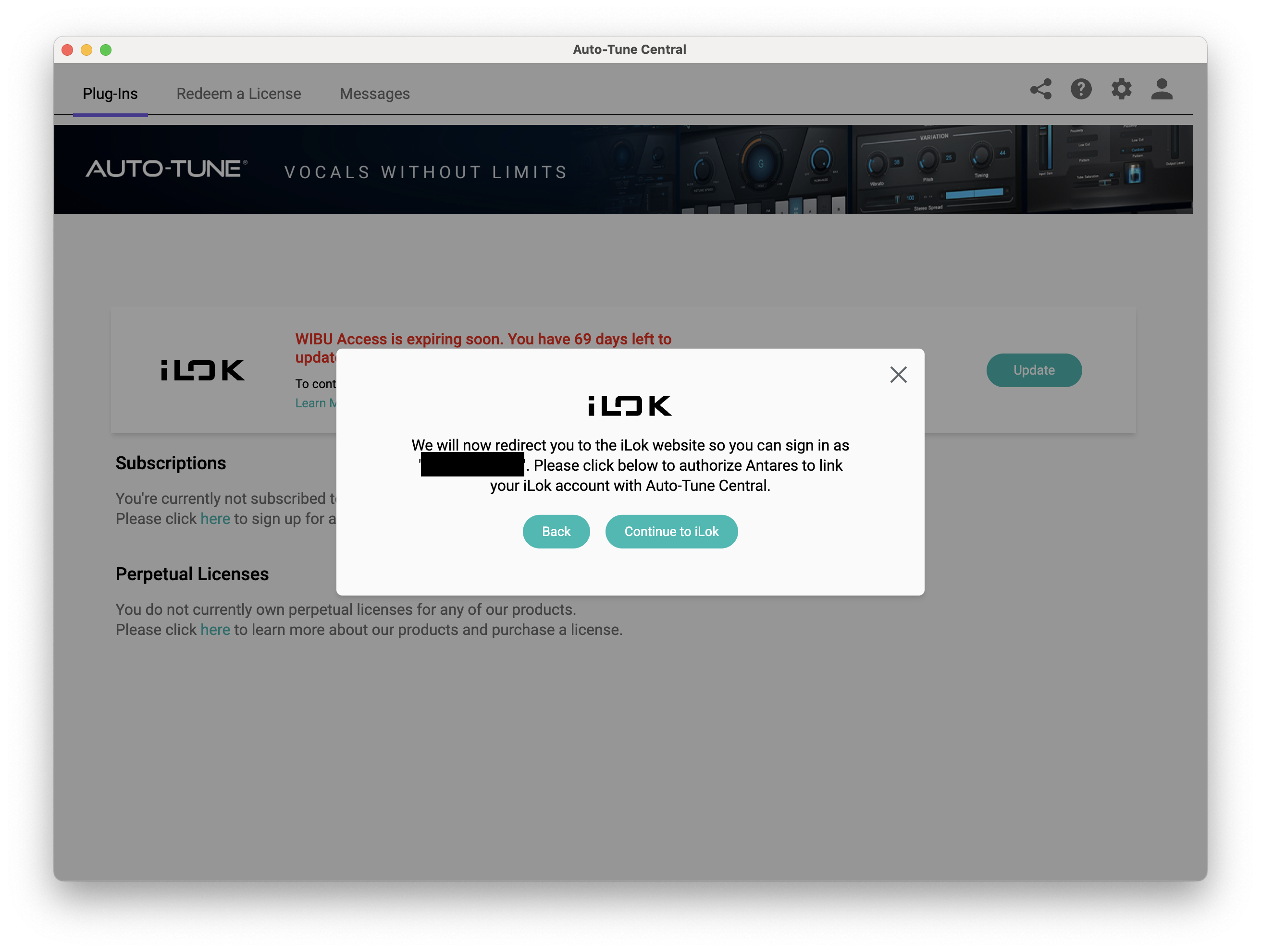
5. Click 'Continue to iLok'.

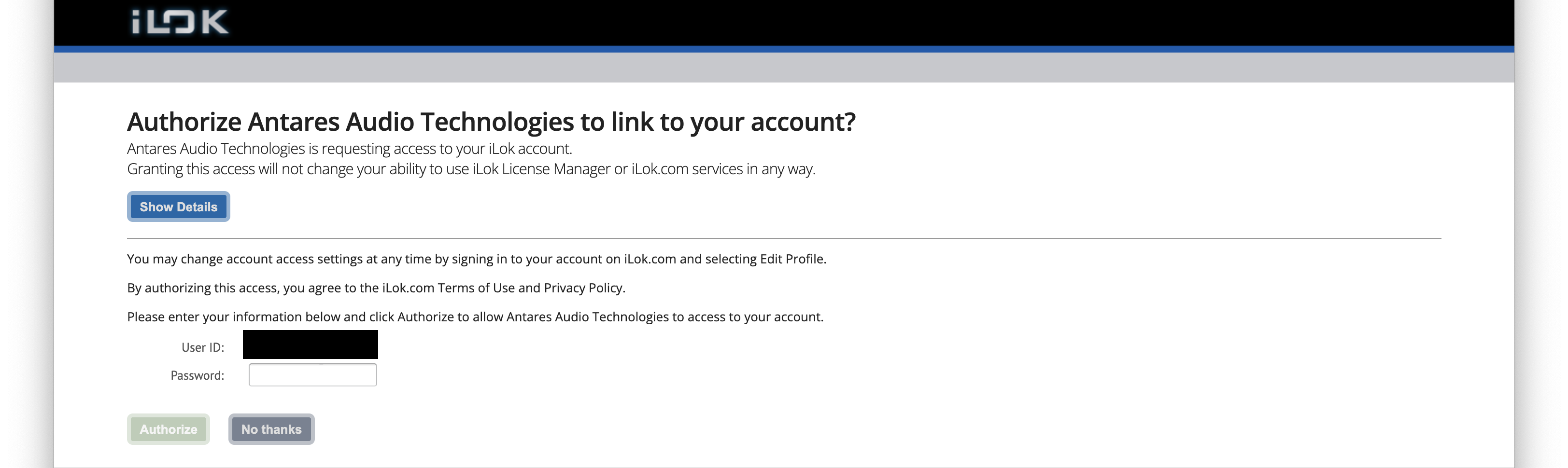
6. Enter your iLok User ID and Password then click 'Authorize'.

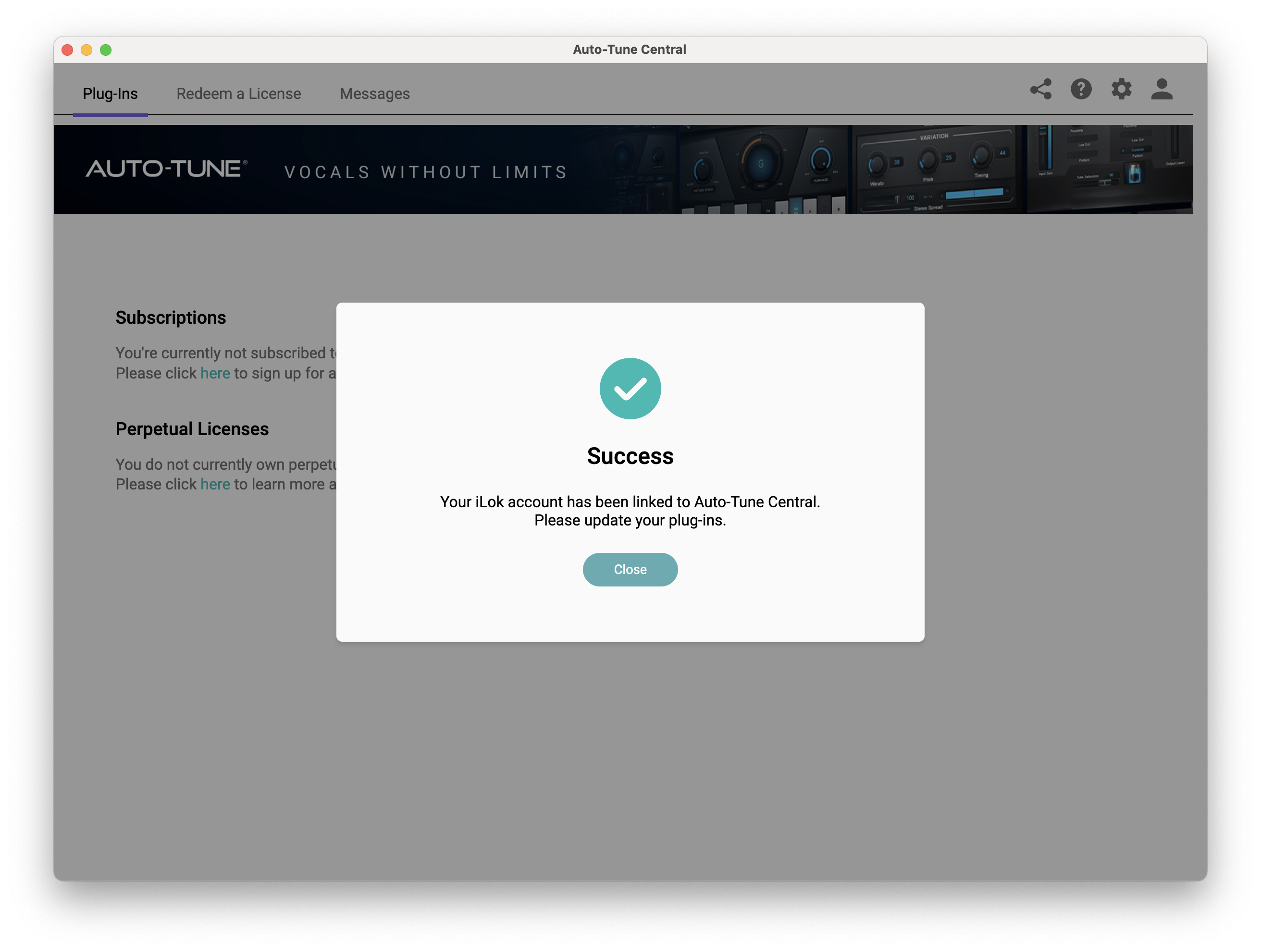
7. Your iLok account is now linked > Click 'Close'.

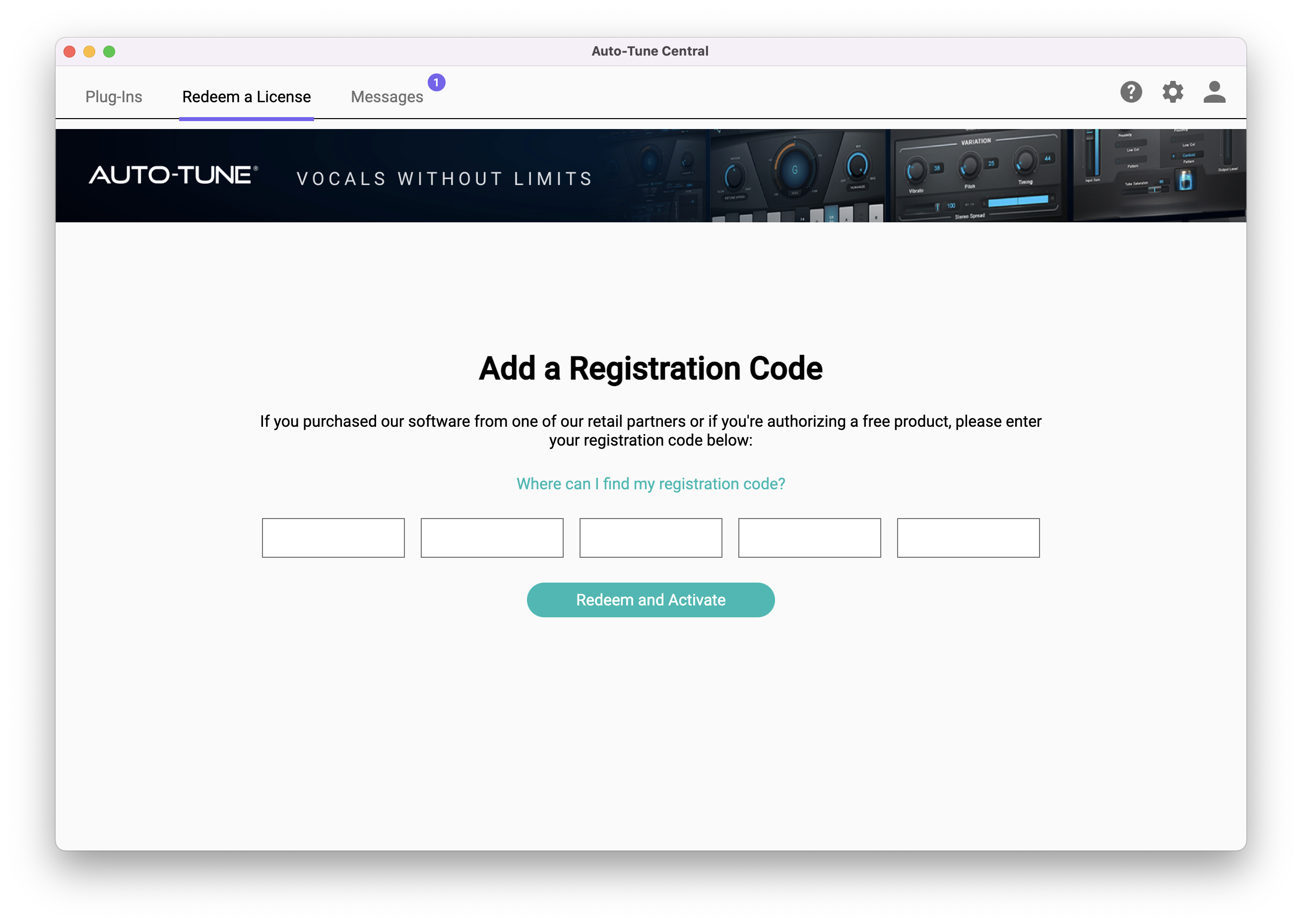
8. Click on the 'Redeem a License' tab > Enter the 25-digit Registration Code, found in the serial number section of your Plugin Boutique account > Click 'Redeem and Activate'.

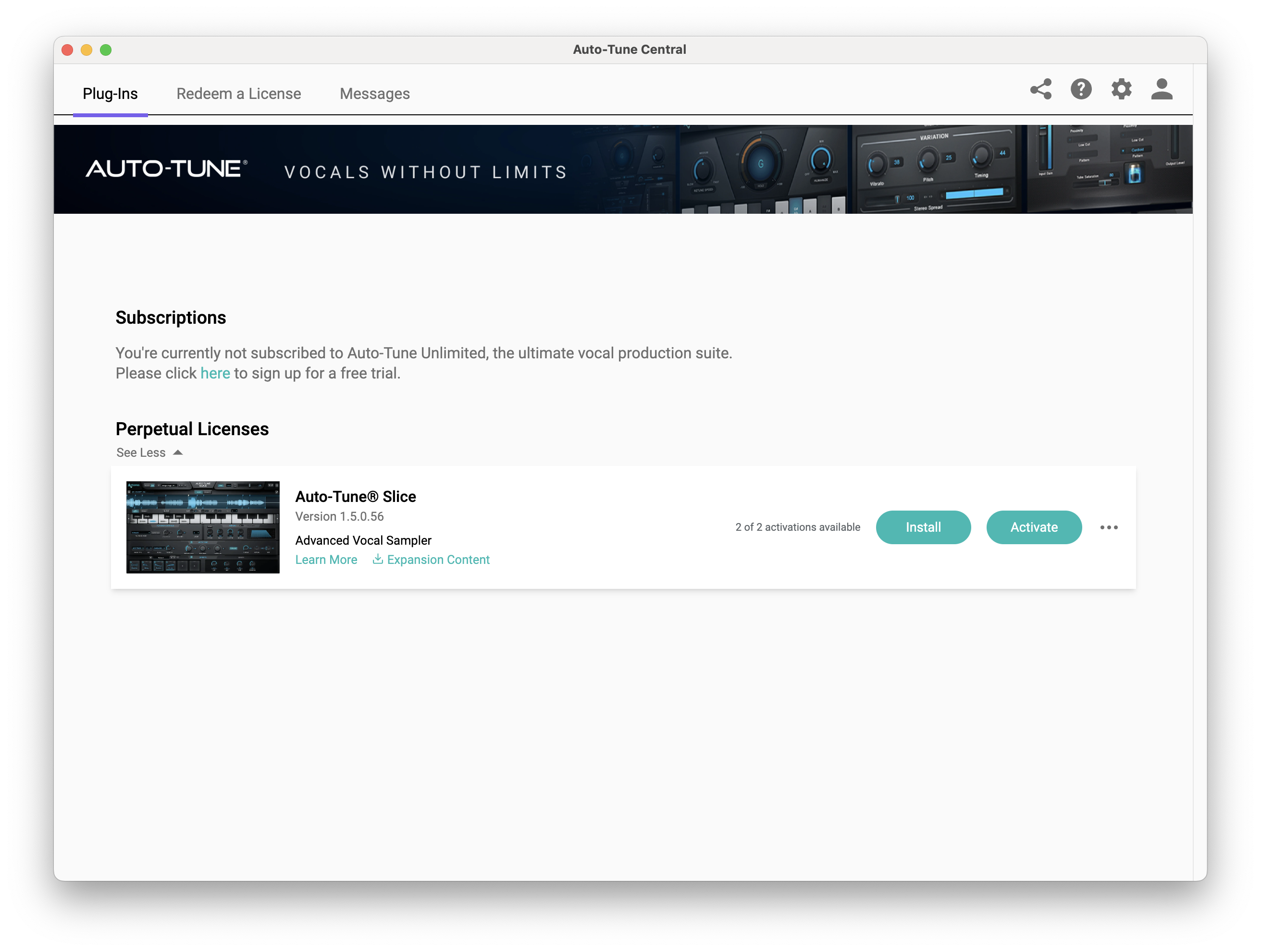
9. Navigate back to the 'Plug-Ins' tab > Click 'Install' to install your plugin.

10. Click 'Activate'.

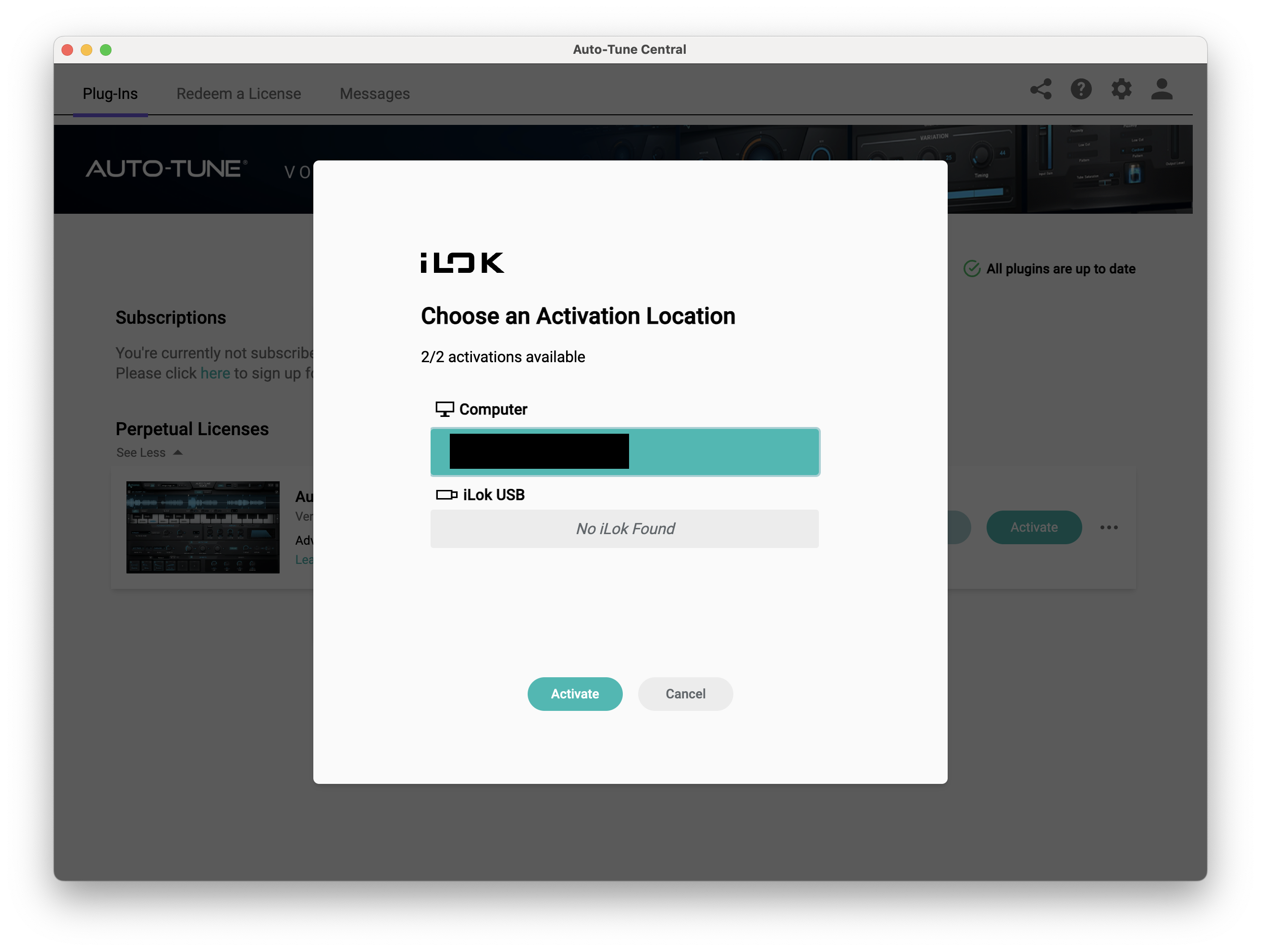
11. Select whether you want to activate the license to your Computer or iLok USB > Click 'Activate'.

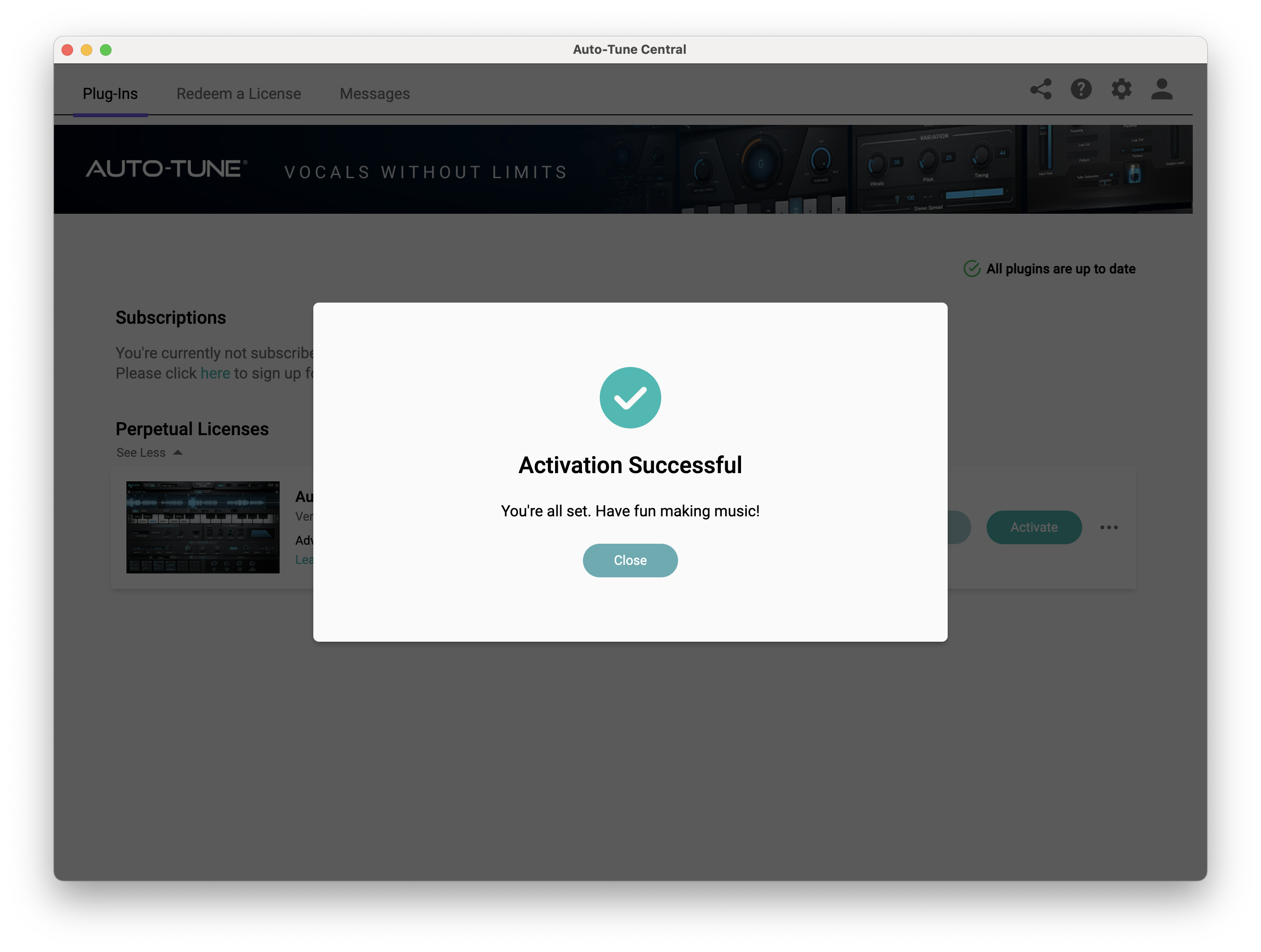
12. Click 'Close'.

Your software is now activated and ready to use within your DAW.

PC

Windows

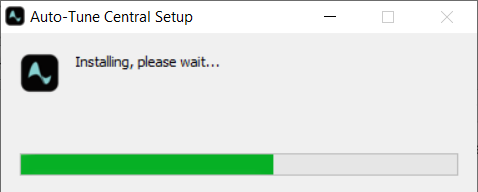
1. Download the .zip file from within your Plugin Boutique account and double-click it to extract the contents > Open the .exe file > Auto-Tune Central will now automatically install.

2. Launch Auto-Tune Central > Either create a new account by clicking 'Create Account' or if you already have an account, enter your Antares registered Email Address and Password > Click 'Sign In'.

3. Click 'Agree'.

4. Enter your iLok User ID and click 'Sign In'.

5. Click 'Continue to iLok'.

6. Enter your iLok User ID and Password then click 'Authorize'.

7. Your iLok account is now linked > Click 'Close'.

8. Click on the 'Redeem a License' tab > Enter the 25-digit Registration Code, found in the serial number section of your Plugin Boutique account > Click 'Redeem and Activate'.

9. Navigate back to the 'Plug-Ins' tab > Click 'Install' to install your plugin.

10. Click 'Activate'.

11. Select whether you want to activate the license to your Computer or iLok USB > Click 'Activate'.

12. Click 'Close'.

Your software is now activated and ready to use within your DAW.

Plugin Boutique Rewards

Discover the most rewarding loyalty programme among all plugin retailers.

  • Free Loopmasters Samplepacks
  • Discounts on products and courses
  • Extra Virtual Cash claimed immediately at checkout
Find out more

Follow us:

X (Twitter) Facebook YouTube Instagram
Logo Logo

Plugin Boutique Limited, Part of the Beatport Group LLC.

Copyright © 2011-2025 Plugin Boutique. All rights reserved