


 Log In

Free gifts available with your purchase
Back in Silver
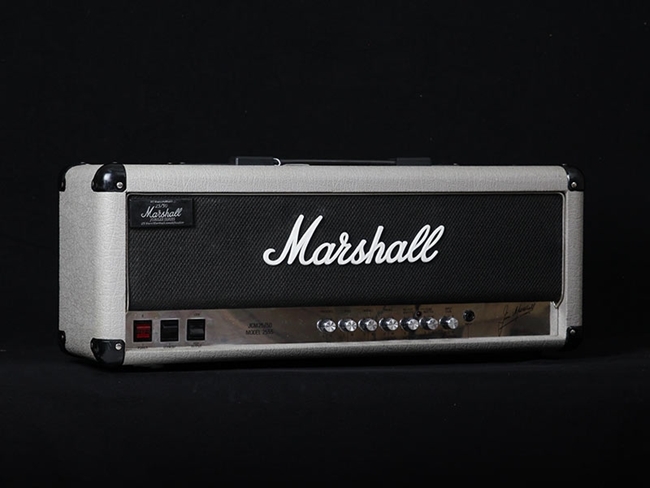
- A careful emulation of the legendary Marshall Silver Jubilee 2555 from the Marshall museum, a very special and highly collectable amp, mostly used in music with higher gain.
- Cabinet speakers expertly recorded by acclaimed engineer/producer Tony Platt.
- Amp Room Ready: works as a native plug-in and as a module in Amp Room, Softube's pro audio guitar platform.
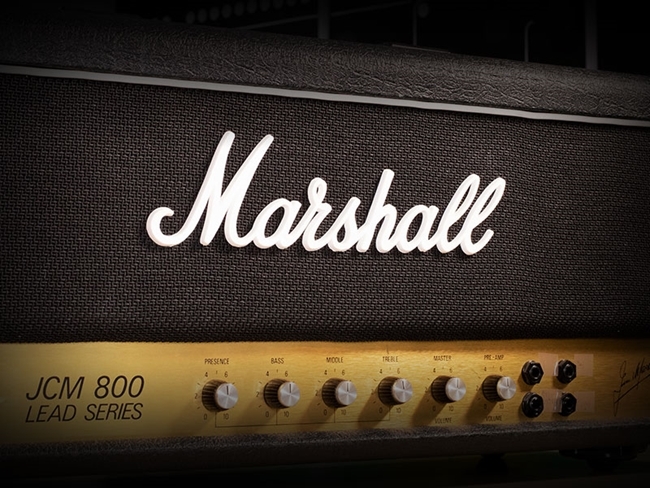
In 1987, Jim Marshall celebrated 25 years as a guitar amp manufacturer with the very limited release of the Silver Jubilee series of amps. The Silver Jubilee 2555 amp became a big hit among high-profile rock guitarists and quickly became a rare collector's piece.
Marshall Silver Jubilee 2555 is a super accurate component modelled plug-in version of the real thing, produced in partnership with Marshall from the reference 2555 amp in the Marshall museum. The plug-in version was component modelled down to the smallest details, resulting in flawless sound quality that will take you down to paradise city.
This plug-in is can also be used within Amp Room, Softube's pro audio guitar & bass platform.
A Rare and Special Amp With Marshall Heritage
The amps in the Silver Jubilee series were based on the 2203 and 2204 models of the JCM800 series but with a variety of clever new features. The Silver Jubilee 2555 had an innovative and unusual preamp section that gave it higher gain and a somewhat darker and smoother sound than the JCM800. The preamp circuit had three gain modes: Clean, Rhythm Clip, and Lead.
The EQ section also set the Silver Jubilee apart from other Marshall amps with its much wider range of tonal variety. It was the first Marshall amplifier with power amp tubes that could be switched from their normal pentode operation mode into triode mode. The power amp's output was cut in half with the power amp tubes working as triodes, making the power amp distortion silkier and less aggressive. All of this has been modelled with the highest precision in the plug-in.
Engineered by a Legend
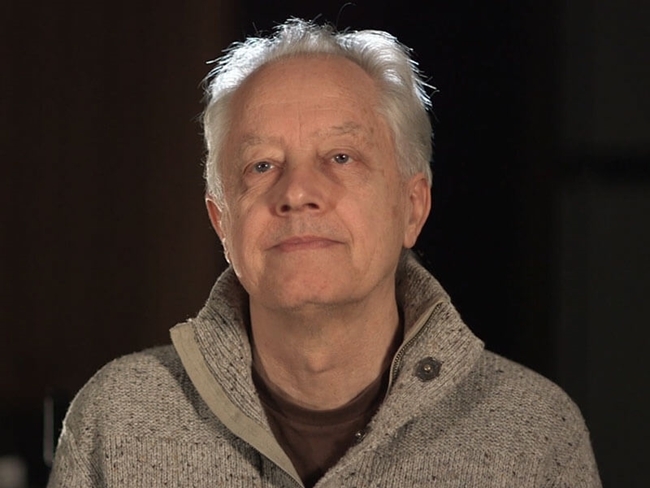
Producer and engineer Tony Platt, who recorded some of the best Marshall tones ever committed to tape on some of the most rocking albums of all time – AC/DC’s Highway to Hell and Back in Black – masterfully captured the sound of the 2551AV Silver Jubilee series cabinet equipped with 4X12” Celestion Vintage 30 speakers.
Platt recorded the cabinet with classic dynamic and condenser microphones, all carefully selected to give a wide variety of tones and positioned to sound fantastic when used in combination with each other. Nothing comes close to the mix-ready magic of these sounds. Softube built a world-class engineer right into the plug-in.
A Complete Workflow for Mix-Ready Guitar Tones
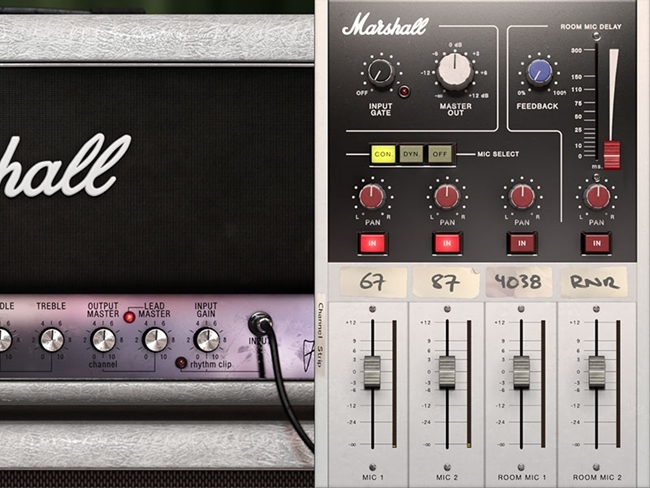
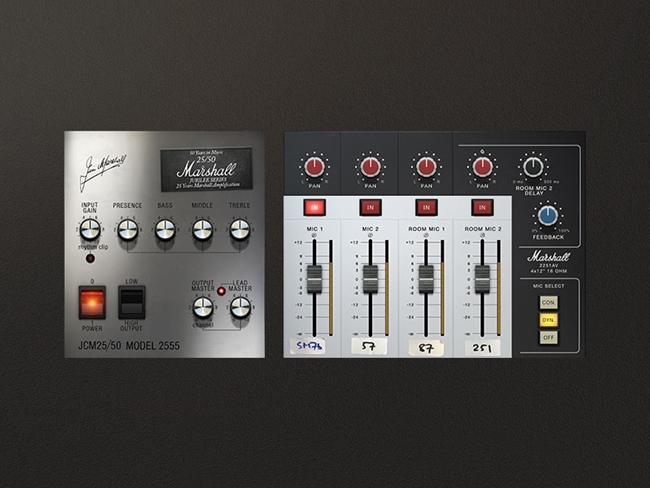
Open the side panel of the plug-in, and a channel strip appears with options to help you blend and tweak your sounds until they’re mix-ready. The Input Gate, which you can adjust to suit your playing style and your guitar’s output, reduces unwanted noise and gives a cleaner and tighter recording. Use the Master Out to set the overall output level of the plug-in without affecting the sound.
Choose between condenser or dynamic mics with Mic Select and use In to activate or deactivate each microphone channel. Use Pan to place the microphone channel where you want it in the stereo panorama. A delay line has been added to Room Mic 2 so that the sound from this microphone can be delayed more than it was in real life, and the Room Mic Delay fader sets the time of this delay.
There is also feedback loop in the delay line that sends the signal from the microphone back through the cabinet where it’s picked up again by the microphone and so on, and you can set the volume in this feedback loop with the Feedback knob. With all of these options, you can mix your ideal sound right there in the plug-in.
Perfect for Amp Room
Silver Jubilee comes with modules that are fully integrated into the Amp Room ecosystem and sound exactly the same as the native version of the plug-in. If you already own Amp Room, you definitely need this amp.
Amp Room is the pro audio guitar and bass platform, designed with sound quality as top priority. It’s just like having a real amplifier with a miked-up speaker cabinet in a high-end studio – with the added convenience of more options to patch in any kind of studio tool you need anywhere in the chain.
Softube & Marshall: A Partnership Based on Sound Quality
Softube’s first prototype was a hardware DSP box running a Marshall amp model and a loudspeaker model. This attracted Marshall’s interest and led to a successful long-term partnership between Softube and Marshall. Softube is Marshall’s exclusive software partner, and Amp Room comes with the only amps and cabs available in software form that are officially licensed and endorsed by Marshall.
In Short
- A careful emulation of the legendary high-gain Marshall Silver Jubilee 2555 amp.
- A very special and highly collectable amp, mostly used in music with higher gain.
- Cabinet speakers recorded by engineer/producer Tony Platt of AC/DC fame.
- Both a native plug-in and a module for Amp Room, the pro audio guitar and bass platform.
- Component modelled down to the smallest details.
- Flawless, authentic sound quality.
- Numerous options for setting up the mics to your specifications.
- Endless creative possibilities in Amp Room.
- A rare collectable with Marshall legacy, now available as software.
- Use the channel strip to mix your sound right there in the plug-in.
- Officially licensed and endorsed by Marshall.
Features
- Super accurate component modelled software version of Marshall’s own museum specimen of the Marshall Silver Jubilee 2555.
- Developed by Softube in partnership with Marshall.
- Comes as a Native plug-in and Amp Room modules in one package.
- Speaker cabinet produced by the legendary Tony Platt who is known for having recorded some of the best Marshall tones ever committed to tape.
- Choose between Dynamic and Condenser each with 2 sets close mics and 2 sets of condenser and ribbon room mics.
- Both the amplifier and the matching cabinet are super rare and collectable.
- 50 presets by Tony Platt for both the native version and Amp Room.
System Requirements
- macOS Big Sur 11, Monterey 12, Ventura 13
- Windows 10 (64-bit), Windows 11
- Softube account
- iLok account
- Computer with AU, VST, VST3, and/or AAX-compatible DAW host software
- Internet access (for downloading installers and managing licenses)
Supported CPU Families
- Apple macOS computers with Intel Core i3/i5/i7 or Apple silicon (M1 or newer) CPU. Apple silicon is supported natively.
- Windows computers with quad-core Intel Core i3/i5/i7 or AMD quad-core processors with SSE 4.2 support.
- Other Intel processors (Celeron, Pentium, and Xeon) are compatible if they support SSE 4.2 instructions.
Supported Host Software (DAW)
Any 64-bit VST, VST3, AU, or AAX (Pro Tools 11.0.2 or higher) compatible host application should work. However, due to plug-in host differences between DAWs—and our rigorous standards—Softube only officially test their plug-ins and instruments in the most recent versions of Pro Tools, Logic Pro, Cubase, Ableton Live, Studio One, and Reaper. Softube plug-ins are not tested regularly in non-listed systems. They will likely work if the system requirements are met. However, the manufacturer cannot guarantee a solution for issues in unsupported systems.
Softube strongly recommend using VST3, as some of their plug-ins have features that are not present in the older VST format. Supported sample rates: 44.1, 48, 88.2, 96, 176.4, and 192 kHz, in both mono and stereo. The most recent maintenance release of your DAW application is recommended. AAX DSP is not currently in active development. TDM/VENUE/RTAS are no longer supported. See Legacy Installers.
Important Note: Make sure that you always use the latest iLok License Manager. It is not included in the Softube installer but can be downloaded from www.ilok.com
Tony Platt
Producer/Engineer (AC/DC, Iron Maiden, Motörhead, Foreigner)
"The Silver Jubilee is an important amplifier in the Marshall range because it enables such a wide range of sounds from relatively clean through to downright nasty."
Chris George
International product demonstrator and new product co-ordinator, Marshall Amplification.
"Its original design, distinct tone and hugely versatile EQ make it one of the most loved Marshall amps ever made, all of which has been perfectly replicated for this plug-in."


