/ Compressor / KC-1 Tube Compressor
Kiive Audio

KC-1 Tube Compressor

4.7 (3 Reviews)
$139.00
Main Image
Main Image
KC1 | Tube Compressor (New Plugin From Kiive Audio) gallery thumbnail
KC1 - Tube Comp | Complete Overview | New Plugin from Kiive Audio gallery thumbnail
Buy Now
Product information

The KC1 Tube Comp brings to you one of the most coveted vocal compressors on the market. With its opto-style compression and streamlined UI, this compressor makes it foolproof to achieve professional results on pretty much any source!

From enhancing the subtlest nuances in a vocal to slamming a drum kit, KC1 handles it all with flawless precision.

Download it today and see for yourself why it's the go-to compressor for so many producers!

Introducing KC1

Experience unparalleled warmth and silky-smooth compression with the all-new KC1 Tube Comp!

Inspired by a legendary studio staple loved by producers worldwide, KC1 brings classic tube warmth and an insanely musical sounding compression that sounds great on just about every source.

With its intuitive interface and meticulously modeled circuit, KC1 allows you to sculpt your mix with precision!

System Requirements

macOS

  • OS X 10.7 or higher (macOS 10.14 or higher recommended) 
  • Processor: 1 GHz Intel Dual Core or higher
  • Screen resolution: 1024 x 768 or higher
  • Formats: VST, AU, AAX
  • 64-bit DAW support only

Windows

  • Windows 7 and above
  • Processor: 1 GHz Intel Dual Core Processor or AMD equivalent
  • Screen resolution: 1024 x 768 or higher
  • Formats: VST, AAX
  • 64-bit DAW support only
Testimonials

Joe Begalla

"WOAH! Kiive's KC1 has been a godsend for that first stage of compression on lead vocals."
Installation Instructions

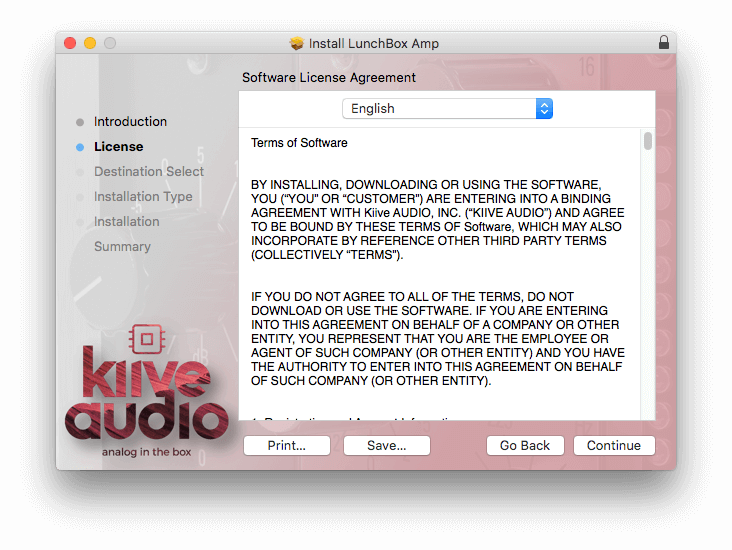
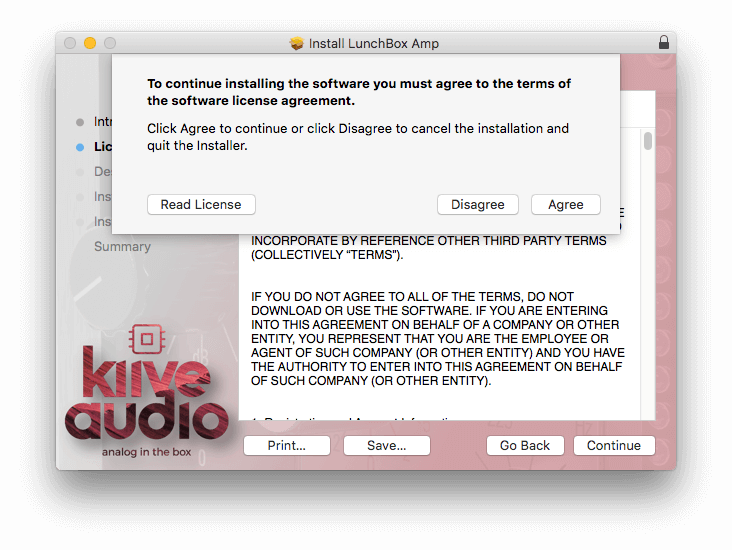
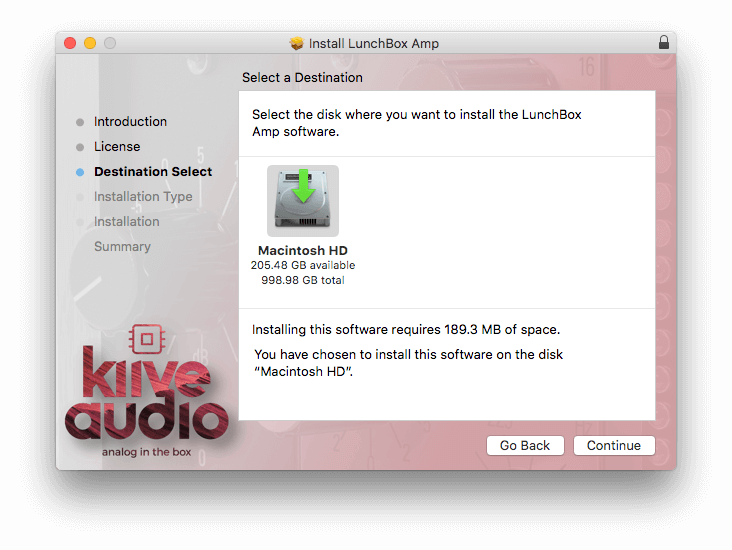
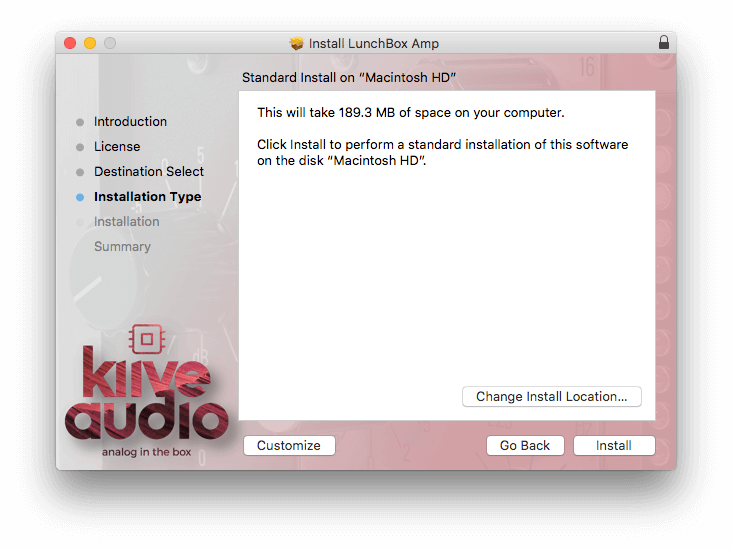
Please note: Lunchbox Amp Sim is used as an example.

Mac Installation

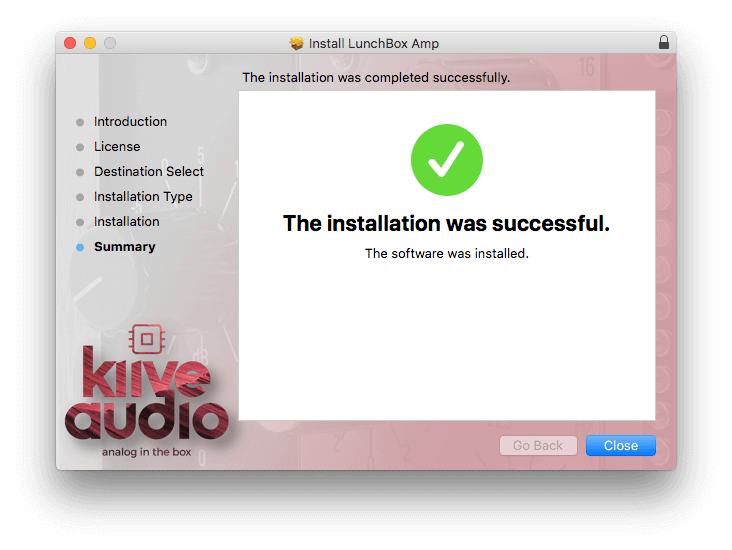
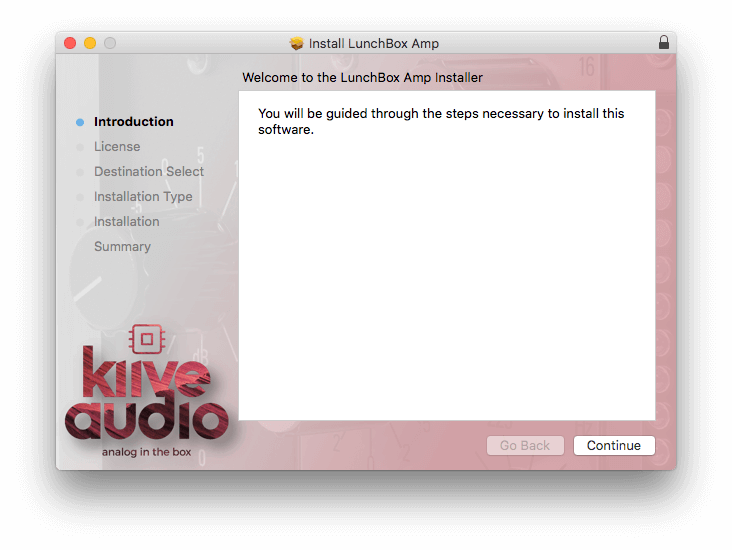
1. Download the .pkg file from your Plugin Boutique account > Open the .dmg installer > Click Continue.

2. Read the Software License Agreement > Click Continue.

3. Click Agree

4. Select the installation destination > Click Continue.

5. Click Install.

6. Click Close.

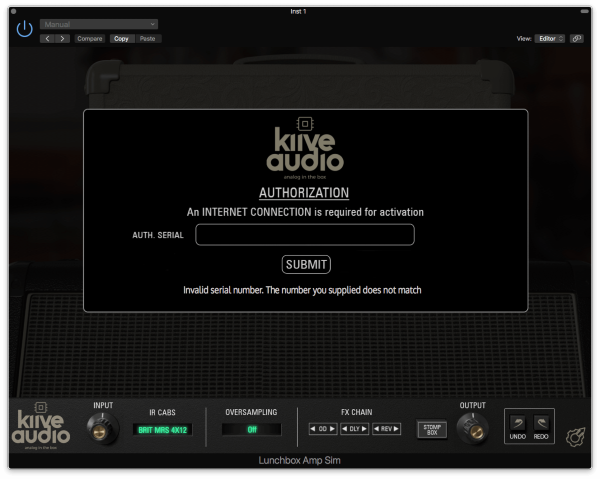
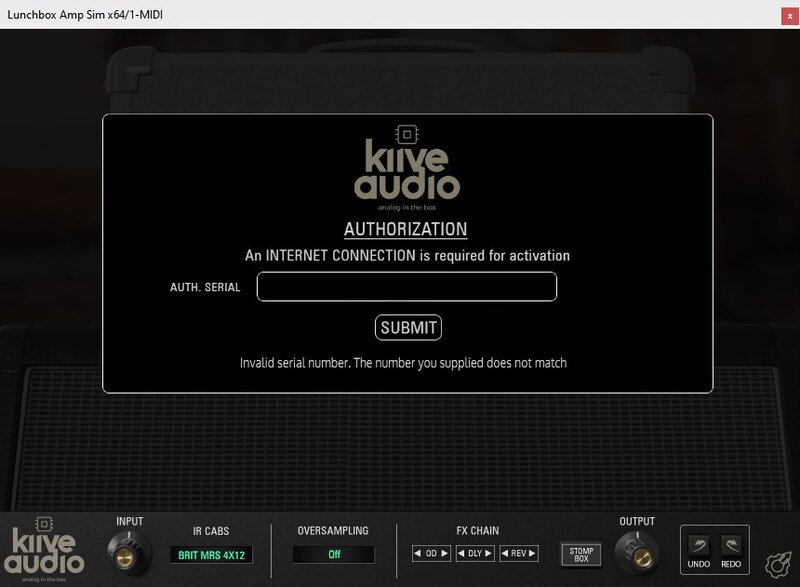
7. Open your new software in your DAW > Enter the serial number found in your Plugin Boutique account > Click SUBMIT.

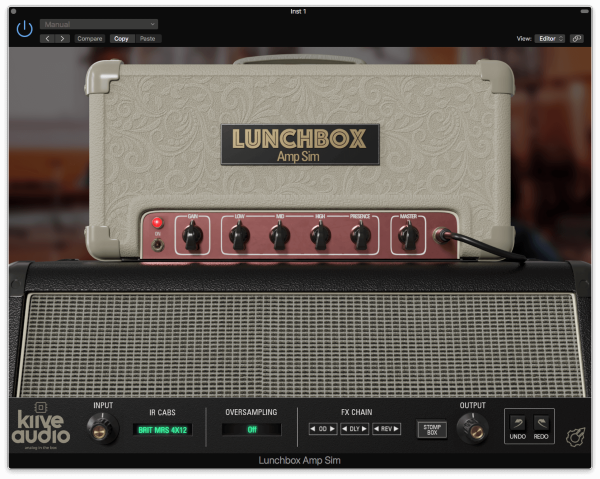
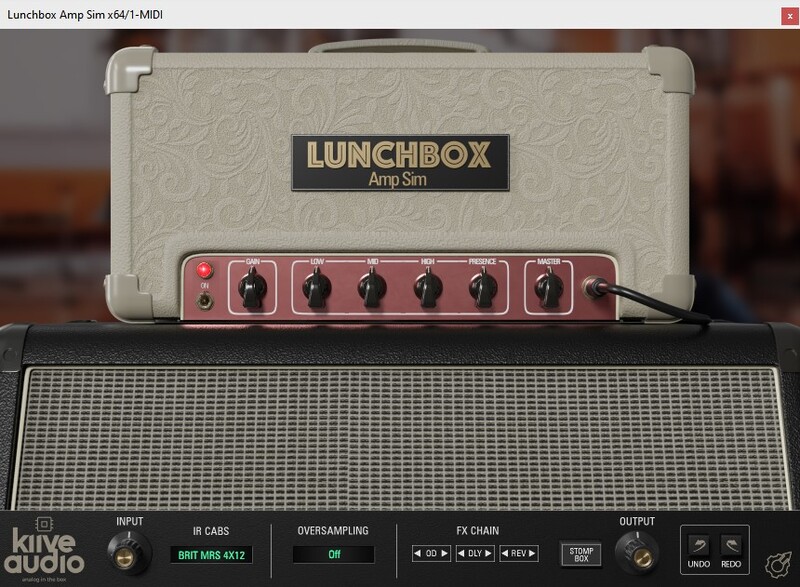
Your software is now activated and ready to use in your DAW.

Windows Installation

1. Download the .zip folder from your Plugin Boutique account.

2. Extract the contents of the folder.

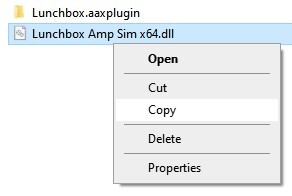
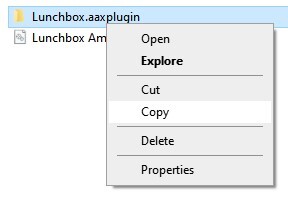
3. For VST, copy the .dll file > Paste it into your VST folder which could be one of the following:

  • C:\Program Files\VstPlugins
  • C:\Program Files\Steinberg\VstPlugins
  • C:\Program Files\Common Files\VST2
  • C:\Program Files\Common Files\Steinberg\VST2

For AAX, copy the AAX plugin folder > Paste it into your AAX folder which should be:

  • C:\Program Files\Common Files\Avid\Audio\Plug-Ins

4. Open your DAW and load your new software > Enter the serial number found in your Plugin Boutique account > Click SUBMIT.

Your software is now activated and ready to use in your DAW.

Plugin Boutique Rewards

Discover the most rewarding loyalty programme among all plugin retailers.

  • Free Loopmasters Samplepacks
  • Discounts on products and courses
  • Extra Virtual Cash claimed immediately at checkout
Find out more

Follow us:

X (Twitter) Facebook YouTube Instagram
Logo Logo

Plugin Boutique Limited, Part of the Beatport Group LLC.

Copyright © 2011-2025 Plugin Boutique. All rights reserved