


 Log In
_(1).png)
Free gifts available with your purchase
Product information
CLA-76 Compressor / Limiter
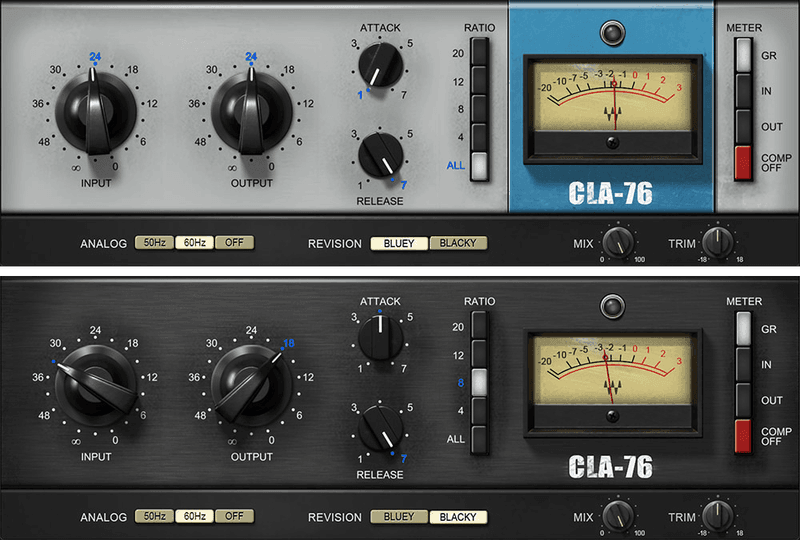
The Key to Hard-Hitting Dynamic Mixes
Unlike the smooth sound of optical control-based compressors, the CLA-76 models the ultra-fast response, and tube-like distortion, of FET control circuitry. This plugin models two CLA-76s, based on hand-picked hardware that represents the best of the many revisions that were produced.
Tight, aggressive, and with a big, bold character, the CLA-76 is a favorite of acclaimed mix engineer Chris Lord-Alge. We modeled his two most-prized hardware units, “Bluey” and “Blacky,” both perfectly maintained in his studio—so you can have their sound in your mixes.
Features
- Attack and release times track drum dynamics perfectly
- Exclusive ALL ratio mode delivers explosive compression sound
- Modeled preamp distortion gives that extra-aggressive edge
- Super-fast attack time keeps transients under control
- “Blacky” and “Bluey” models let you choose the ideal tonal color
- Leveling-amp design gives consistent control for vocals
- Presets created by Grammy-winning mixer Chris Lord-Alge
- Zero latency for both studio and live mixing
- Mix control for easy parallel compression
- Trim control for quick level adjustment
System Requirements
Mac
- macOS Monterey 12, Ventura 13, Sonoma 14, Sequoia 15
- VST / AU / AAX
PC
- Windows 10+
- VST / AAX
Installation Instructions














