


 Log In

Free gifts available with your purchase
Product information
BSS DPR-402
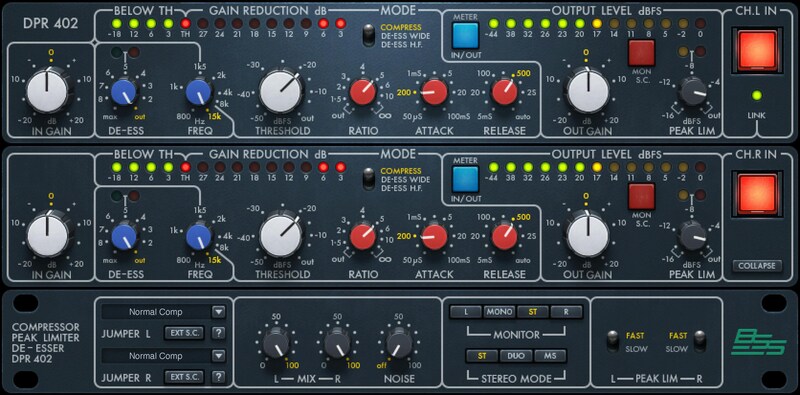
The Versatile Compressor that Ruled the 80s
In the later eras of hardware, this processing powerhouse was huge for live sound, broadcast, and studios—thanks to VCA compression, peak limiting, de-essing, side-chaining, and 11 frequency-dependent responses. In the studio, it was known for its explosive compression sound on drums and drum machines.
The meticulous modeling truly captures the acclaimed sound, but this rejuvenated plugin also embellishes the original hardware with more features, added versatility, and extra ease of use.
Features
- Provided the explosive signature sound for 80s drum machines
- Combine compression, limiting, and de-essing, or use separately
- Stereo, dual mono (with two sets of controls), or mid-side processing
- Rear-panel hardware jumpers are now a drop-down software menu
- Two de-essing modes—wideband, or high frequencies only
- Control dynamics separately for selected frequency ranges
- Two independent sidechains per channel
- Parallel processing with mix control, and added output limiter
- Designed in close cooperation with BSS Audio
System Requirements
Mac
- macOS Monterey 12, Ventura 13, Sonoma 14, Sequoia 15
- VST / AU / AAX
PC
- Windows 10+
- VST / AAX
Installation Instructions














