Log In

Free gifts available with your purchase
Blue Cat's MB-5 Dynamix is an extremely powerful all-in-one multiband dynamics processor: it can be used as a multiband compressor, limiter, gate, expander, waveshaper or all combined at once, on any part of the spectrum. The unique dynamics processing section of the Blue Cat's Dynamics plug-in has been streamlined and integrated in this plug-in to process each one of the 5 bands separately. The plug-in provides unique envelope detection capabilities that let one band trigger the dynamics response on others (internal side-chain). Combined with the advanced stereo features including mid/side processing and independent channels activation, it gives you full control over the dynamics of the signal for a wide range of effects. An additional brick wall limiter/clipper protects the output for complete control over the dynamics response.
The plug-in provides comprehensive visual feedback to let you know what's exactly going on at every step of the dynamics processor: for each channel, monitor the spectrum, the in/out levels, dynamics response, compression ratio and in/out level of each band... The user interface has been designed to streamline the workflow, and despite the wide range of functionalities offered by the plug-in, it is extremely easy to use. Inter-bands controls (copy/paste, link...) lets you create complex treatments with a few clicks. Thanks to its advanced MIDI and automation output capabilities, Blue Cat's MB-5 Dynamix is capable of advanced side-chaining features: you can control other plug-ins with the output of the dynamics processing stage for simple side chain dynamics effects or more advanced signal-dependent effects. Check out our MB-5 Dynamix Tutorials for more details. If you are looking for a broadband dynamics processor, check out the Blue Cat's Dynamics plug-in.
Features
- Full-featured multiband dynamics processor: compressor, gate, limiter, expander, waveshaper.
- Up to 5 bands, with crossover filters from 12 to 120 dB/Oct for optimal separation.
- Unique envelope routing capability for cross-band dynamics effects (one band may trigger another).
- Dry/wet control for parallel processing ("New York Compression").
- Stereo or mid-side processing with multiple channels linking options.
- Post-brick-wall limiter or waveshaper.
- Comprehensive Visual feedback with real-time response curves and levels display.
- Easy copy/paste settings between bands.
- Side chaining made easy: a unique way to perform multi-band side chain compression, ducking, gating and much more.
- Plug-in window transparency management.
- No latency.
What's New
- Fully redesigned algorithms with improved performance and precision.
- External side chain input.
- Control the maximum gain reduction or increase for each band using the new "Depth" parameter.
- Brand new GUI design, with improved usability and touchscreen support.
- The GUI can now be zoomed from 70% to 200%.
- Lock the GUI state to prevent changes when loading presets.
- Faster GUI loading / instantaneous GUI display after it has been opened once.
- Adjust contrast for spectrogram display.
- Spectrogram now keeps history when resized.
- Brand new presets manager with MIDI program and bank messages support, copy/paste.
- Added presets managers for individual bands and dynamics curve settings.
- Now supports retina displays on Mac (text and graphs using high resolution).
- VST3 plug-in format support.
- New installer on Mac.
- Changed demo limitations: up to 5 instances allowed, bypass time changed to half a second, and bypass parameter is not affected anymore.
- License is now shared between plug-ins types (register only once for all formats).
- Dropped support for Windows XP and Mac OS X 10.6 and earlier.
- Dropped support for legacy RTAS and DirectX plug-ins formats
System Requirements
- An Intel or Apple Silicon processor (M1)
- Mac OS 10.9 or newer
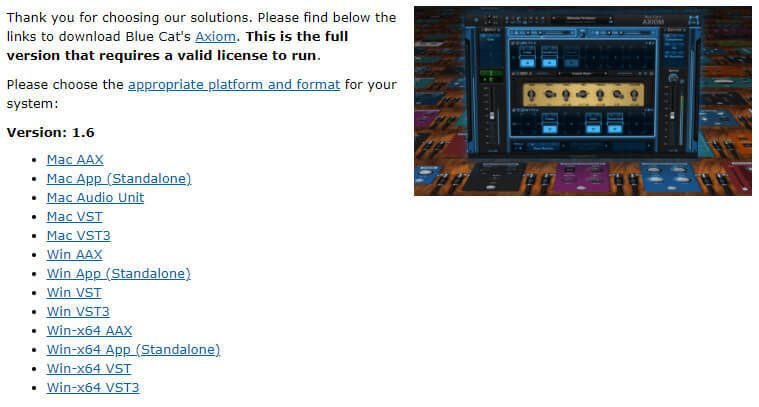
- Available as: Mac-AAX, Mac-AU, Mac-VST, Mac-VST3, Win-AAX, Win-VST, Win-VST3, Win x64-AAX, Win x64-VST, Win x64-VST3.
- Native DSP code for optimal performance.
- Full MIDI control and automation support with silent, zipper-free parameters update, advanced response control and MIDI Learn.
- No CPU load on idle: when the plug-in is fed with silence, the processing smoothly shuts down, to optimize the CPU usage of your Digital Audio Workstation.
- Customizable user interface with transparency management and zoom.
- Automation and MIDI output: record output parameters as automation curves or send MIDI CC messages to other plug-ins for powerful side chain effects.
- Smooth Bypass: activate/deactivate the plug-in with absolutely no noise.
- Undo/Redo.
- Full featured integrated presets manager.
- Copy/paste the state of the plug-in between instances using the system clipboard.
- Any sample rate supported.
Supported Platforms
- Mac-AAX
- Mac-AU
- Mac-VST
- Mac-VST3
- Win-AAX
- Win-VST
- Win-VST3
- Win x64-AAX
- Win x64-VST
- Win x64-VST3
Blue Cat Audio MB Dynamix Pack Five bands' worth of dynamic control and a multiband mixer Pros Clever ideas well implemented. Quality multiband processing. MB-7 linking options a nice touch. Cross-band internal sidechaining. Cons Sidechaining can be complex. MB-5 requires careful tweak...
Read MoreI’m back with a small review of the Energy Pack from Blue Cat audio. The plugins included in this bundle are Digital Peak Meter Pro, Dynamics, MB-5 Dynamix, MB-7 Mixer and Protector. Digital Peak Meter Pro The Digital Peak Meter Pro is an audio analysis tool that comes in mono and stereo format...
Read More