


 Log In

Free gifts available with your purchase

The King of Vari-Mu Compressors
FireChild includes 4 models of the Vari-Mu Compressor ranging from Tube Versions (A/B/C) to a transparent version accurately sampled and emulated from the originals of the 1950s.
Use this for the Master, or individual tracks, you will be pleasantly surprised!
What is FireChild?
FireChild aims to emulate the characteristics of the King of Compressors from the 1950s. The vintage units are variable-mu type compressors, which use the vacuum tubes for reduction of gain right in the audio signal path, (no re-routing to a compression circuit)
Given its primary purpose as a protective device in broadcast or vinyl cutting environments, in which the limiter was required to catch any unwanted signal peaks reliably, these fast attack times were one of the compressors most important features.
FireChild Plugin features not 1, but 4 models including a “clean version” – off mode for the convolution, which presents a “non-coloured” compression characteristics version as well.
Tube Models
The 3 Tube models A/B/C can be driven hard at the input stage without hitting any compression as well, and along with the Bias control, can give the user various Tube Saturation colours, each distinct from the other.
This is produced by actually sampling the real hardware units at multiple stages of gain and compression and implementing it using dynamic convolution technology.
Release Modes
Featuring 6 Release modes, each carefully emulated & sampled from 4 different units each with slightly different electrical components or tubes with different stages of tube life. A Knee control is also provided to further shape the compression characteristics.
Modern Features in the plugin take it way beyond the originals by add adding a full side-chain section with Hp/ Lp filters( 24db/oct) and side-chain gain, as well as a mix knob for mixing the compressed signal with the non-compressed signal. This gives the user a lot of choices in shaping and colouring the sound as they please.
FireChild sounds great on anything from the Mix Bus, Mastering, Drums & Instruments to Vocals, etc. The plugin comes with a selection of presets to get you started or design your own from scratch.
Features
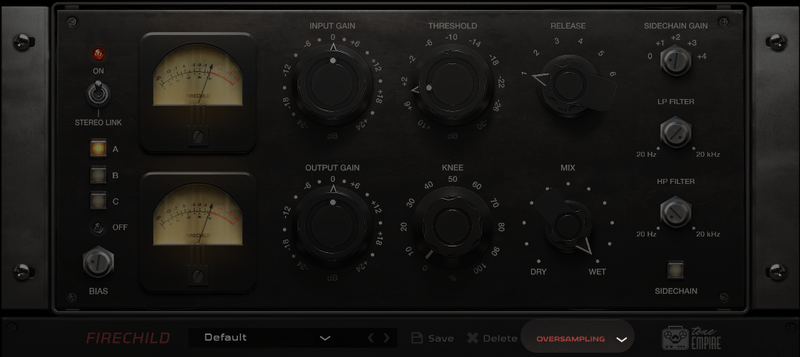
Stereo Link - This switch toggles between the Stereo compressor mode and 2 mono (L-R) compressor modes. Works for stereo channels only.
Model Selector A/B/C/off - The A/B/C models are emulations of 3 tube versions of the compressor with the tube colour and saturation characteristics and features real samples from 3 different hardware models with slightly different electrical components and different stages of Tube life. The 4 model (OFF) features a “transparent “ version of the compressor without the colouration created by tubes.
BIAS - This controls the bias of the compressor offering additional saturation for all 4 models.
VU Meters - These indicate the gain reduction for both channels (in stereo mode ) or for the mono channel.
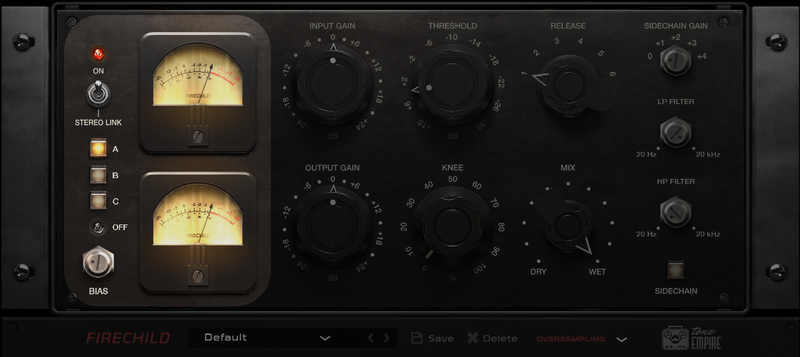
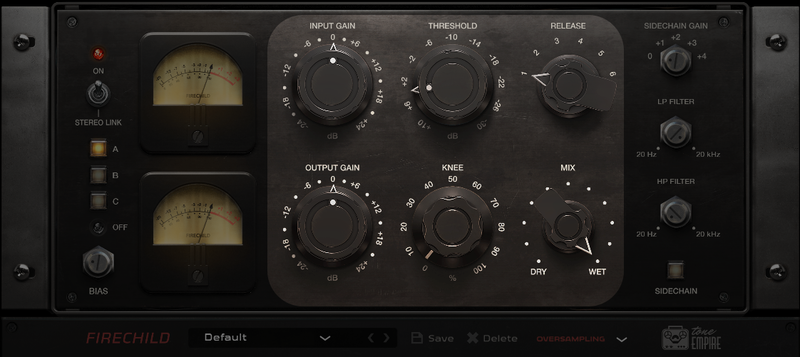
Input Gain - Ranging from -24dB to +24 dB, the input gain will also saturate the sound of driven hard just like its analog counterpart. Can be used to saturate the signal on models A/B/C with or without using the compression circuit at all.
Output Gain - This is the last stage of the signal path and will trim the output signal to -24dB or add gain up to 24dB.
Threshold - This controls the threshold for the compressor circuit.
Range - +10 to -30 dB.
Knee - Control the knee curve for the compressor with this control.
Release - 6 fixed release times from the original compressor from fast to slow times.
MIX - A control to balance the mix of the wet (compressed) signal and the (uncompressed) signal coming from the Model/Convolution Engine. The Dry signal will carry the processing from Models A/B/C, the off mode has no colour characteristics and will produce the absolute dry/original signal.
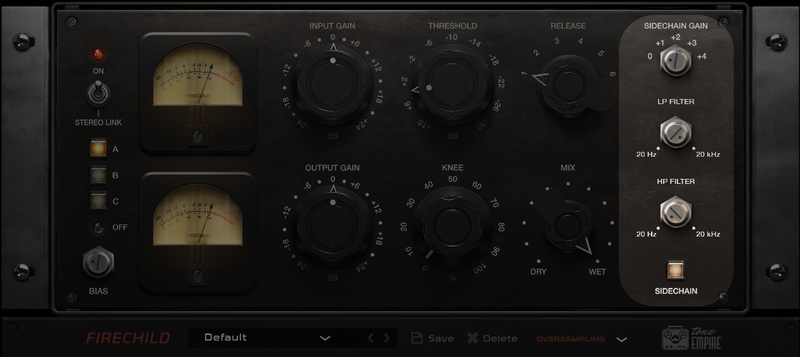
Sidechain and Filter Section
- Sidechain Gain - This controls the gain of the sidechain signal going into the side chain circuit of the compressor. More gain will cause more compression to occur.
- LP Filter - The Low Pass filter (range 20 Hz to 20 kHz) filters the side chain signal using a 24 dB / oct Low Pass Filter.
- HP Filter - The High Pass filter (range 20 Hz to 20 kHz) filters the side chain signal using a 24 dB / oct High Pass Filter.
- Sidechain Power - Toggle between on/off for the side chain circuit.
- Main Power - The bypass switch for the plugin, great from testing “before” and “after” processing.
Presets - This plugin comes with a good amount of presets for most applications. Choose these as a starting point, or create your own from scratch.
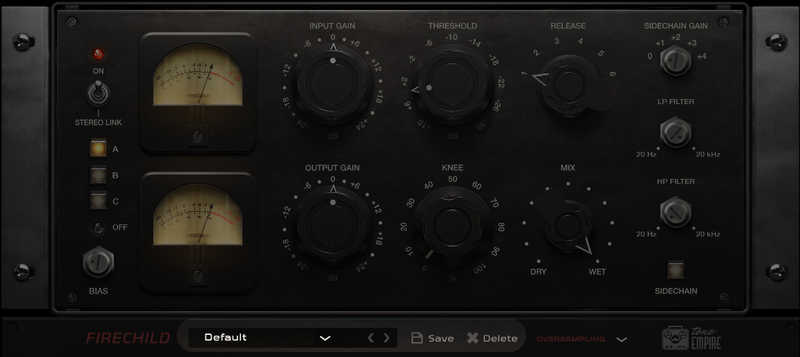
Oversampling - Oversample the signal to reduce aliasing and expand the resolution/quality of the processing with uptown 8x oversampling. Please use it carefully, this is CPU-heavy stuff!
System Requirements
Mac
- macOS 10.13 or later (Intel / M1 Mac Supported) (64-bit only)
- VST3 / AU / AAX (64-bit host required)
- Intel i3 / AMD Ryzen or equivalent
- 2 GB RAM / 300 MB HD Required
- Screen Resolution - 1024×768
Windows
- Windows 10 or later (64-bit only)
- VST3 / AAX (64-bit host required)
- Intel i3 / AMD Ryzen or equivalent
- 2 GB RAM / 300 MB HD
- Screen Resolution - 1024×768
Plugin Formats:

Tested On:

Important Notes:
- This software is 64-bit compatible only and will not function on 32-bit systems.
- Some anti-virus software might alert while installing/downloading the files, kindly ignore those warnings (Tone Empire has tested on Norton Anti-Virus, and the Installers are clean).













