Log In

Free gifts available with your purchase

Multi-Stage Dynamics Processor Plugin
Note: This product is the Surround version. The Stereo version of SKYE Dynamics is also available.
Its name derived from the beautiful, naturally sculpted Scottish isle, SKYE Dynamics is a multi-stage, three-in-one dynamics processor comprising an Expander, Compressor and Limiter designed for music production. Signum Audio’s Dynamics DSP Algorithms are intended to provide clean and transparent processing with exceptionally low levels of distortion and saturation for a natural sound. With adaptive auto-Release and selection of 5 preset envelopes, SKYE Dynamics makes mixing and mastering simpler.
SKYE Dynamics includes a comprehensive array of features for creative uses. Each effect in the chain can be individually bypassed, gain staging can be done at any point in the chain, and each effect has its individual side chain. All of this can be automated. A channel linking system allows further tailoring of the input and output of the plugin.
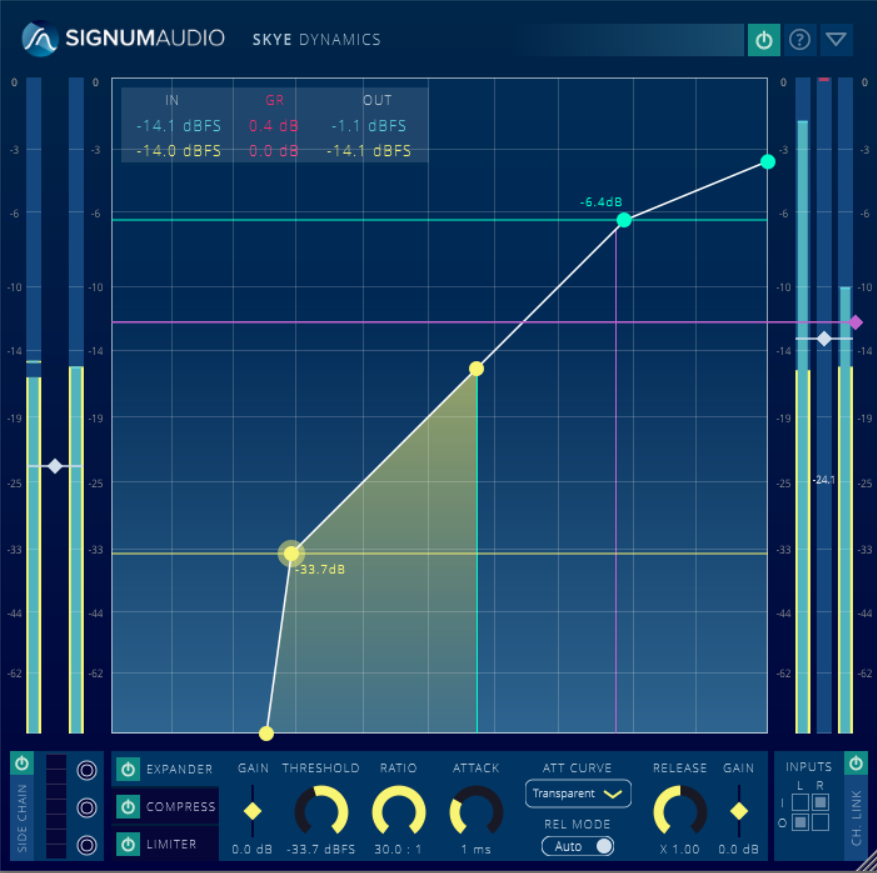
SKYE Dynamics focuses on workflow optimization and is completely interactive. The plugin boasts a unique user interface that lets the user configure the whole effect chain intuitively from one view. The dynamic range of the metering and effects configuration can be freely scaled for precision work, while the plugin window can be freely resized and offers a streamlined compact view.
Clean and Transparent
With algorithms specifically designed for transparency, SKYE Dynamics delivers exceptionally low levels of distortion and saturation. SKYE Dynamics also features an advanced adaptive auto release and a selection of 5 envelope presets for each processor, making it a standout tool for mixing and mastering music.
Get Creative
SKYE Dynamics includes a comprehensive array of features for creative uses. Each effect in the chain can be individually bypassed, gain staging can be done at any point in the chain, and each effect has its individual side chain. All of this can be automated. A channel linking system allows further tailoring of the input and output of the plugin. SKYE Dynamics opens up completely new creative possibilities.

Streamlined and Intuitive
The plugin boasts a unique user interface that lets the user configure the whole effect chain intuitively from a single view. Metering and configuration automatically update and switch to the selected processor.
SKYE Dynamics focuses on workflow optimization and is completely interactive. The dynamic range of the metering and the graphical effects configuration can be zoomed and out to cater for different material. The plugin window can also be freely resized and offers a streamlined compact view.
Ready For All Spatial Mixing
The Surround version of SKYE Dynamics is compatible with setups up to 7.1.4. With full surround support for the channel linking feature, you can also get creative with spatial mixing.
Features
- A plugin for multi-staged dynamics processing
- Three dynamics effects - Exander, Compressor, Limiter
- Ultra transparent processing
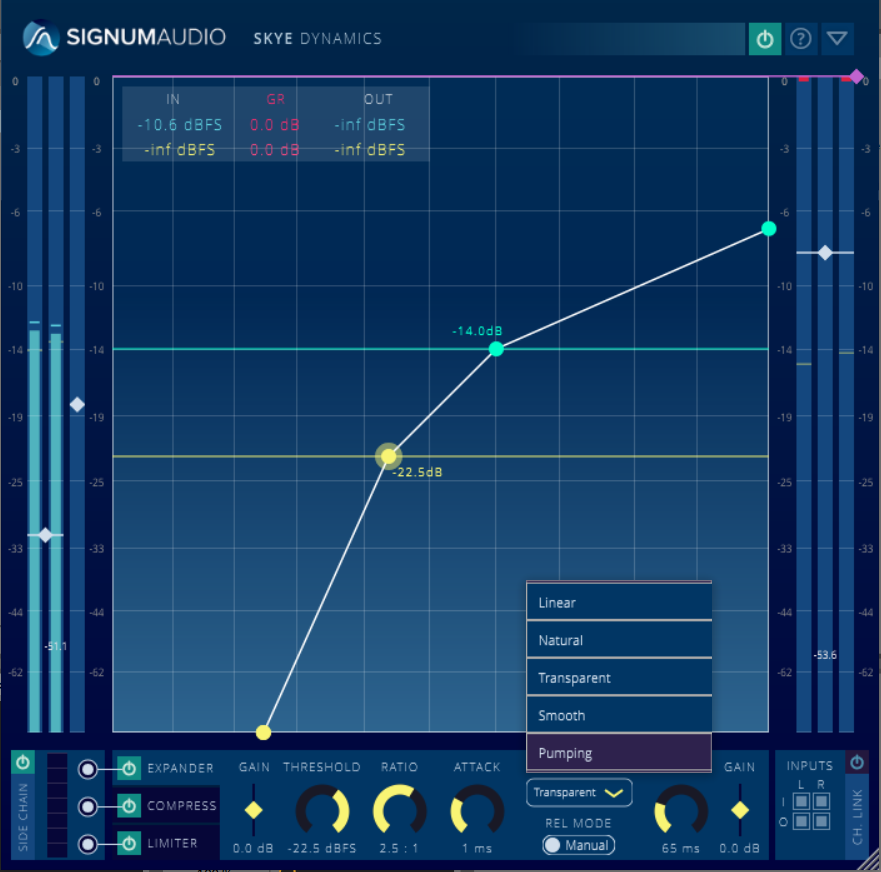
- Linear, Natural, Transparent, Smooth and Pumping envelopes
- Advanced adaptive auto-release
- Individual Side Chains to each processor
- Individual bypass for each processor
- Channel Linking (up to 7.1.4 configuration in the Surround version)
- Gain Stage at any point
- Intuitive node based UI to configure effects chain
- Dynamic range for metering and effects configuration can be freely scaled
- Full and compact view for optimising screen space
- Fully resizable/scalable plugin window
- Multichannel input/output metering for effects chain and individual effects (Surround version)
System Requirements
PC
- Windows 7 or higher
- VST / VST3 / AAX
- 64-bit only
- Available in 2 versions - Stereo or Surround (additional support up to Atmos 7.1.2 support)
Mac
- Mac OSx 10.9 Lion or higher
- VST / VST3 / AU / AAX
- 64-bit only
- Available in 2 versions - Stereo or Surround (additional support up to Atmos 7.1.2 support)