


 Log In

Free gifts available with your purchase
Product information
L3-16 Multimaximizer
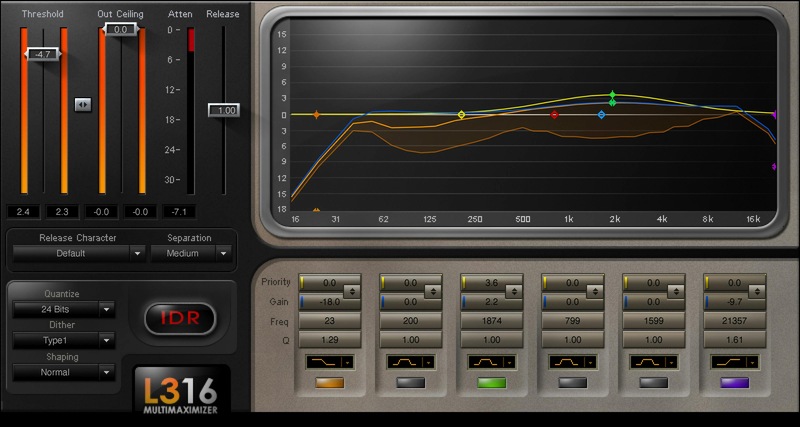
Multiband Level Maximization with Unparalleled Precision
There’s nothing like the L3-16. Fusing paragraphic EQ and dynamics control, the informative displays shows 16 virtual bands, with response represented by three discrete curves—attenuation, EQ, and priority. And it’s all under intuitive control, thanks to a familiar paragraphic EQ control set.
The result is an uncanny ability to shape masters beyond traditional dynamics—it’s almost like you’re getting inside the music, then re-balancing dynamics and frequency for the perfect mix.
Features
- Engineered from the ground up for maximum, yet transparent, impact
- No phase “smearing,” thanks to linear-phase crossover filtering
- 21 release characters, from warm classical to punchy modern
- Auto-release optimizes the response to changes in dynamics
- 3 different band slopes give broader or narrower control
- Linear-phase design reproduces transients with utmost clarity
- “Priority” option ensures key elements like vocals aren’t masked
- Includes sophisticated dithering and noise-shaping options
- 38 stellar presets, for all types of mastering applications
- Use bell EQ stage for precise focus, or shelf for broader changes
System Requirements
Mac
- macOS Monterey 12, Ventura 13, Sonoma 14, Sequoia 15
- VST / AU / AAX
PC
- Windows 10+
- VST / AAX
Installation Instructions














