


 Log In
Free gifts available with your purchase
True Peak Limiter: Smarter, Louder
Adaptive Limiting
Imagine a limiter that doesnít just make your audio louder- it also makes smarter decisions about when to limit and when to hold back. The OCELOT Limiter uses advanced psychoacoustic analysis to ensure your mix stays clean and punchy, while maximizing loudness. With its intelligent approach, it helps you push levels higher without the usual artifacts of traditional limiters.
Soft Clipper
A switchable soft clipper catches isolated peaks at the start of the processing chain, reducing the limiterís workload. This approach results in louder output with less pumping and exceptional transparency. When pushed further, it adds a touch of aggressiveness, delivering a punchy and polished sound without introducing obvious distortion.
True Peak
The OCELOT Limiterís true peak feature ensures precise level control by adhering to the ITU-R BS.1770 standard. This mode anticipates inter-sample peaks that could cause distortion when your signal gets converted to the analog domain, keeping audio clean and accurately below the threshold level. True peak is invaluable for mastering and all tasks where pristine sound quality is critical.
Five Flavors
With five selectable algorithms, the plugin precisely adapts to any source material, offering tailored responses from the limiter and soft clipper. The 1:1 and delta listen features allow you to fine-tune for optimal signal integrity. Noise shaping, dithering, and quantization further enhance its versatility, making the OCELOT Limiter the ultimate tool for adding power to your tracks and masters.
Ocelot Series
In an ever-growing sea of plugins, a select few stand out as essential tools you rely on in every session. These gems enhance your workflow with their powerful features and intuitive user interfaces, building the core of your personal sound. They become indispensable, evolving alongside you. The Ocelot Series puts these tools right in your hands, delivering cutting-edge low CPU, zero or low latency studio essentials built with top-notch DSP tech.
Features
- Adaptive Limiting: Utilizes advanced psychoacoustic analysis for smart limiting decisions, ensuring a clean and punchy mix while maximizing loudness without typical artifacts.
- Soft Clipper: Switchable feature at the processing chain's start to handle isolated peaks, reducing the workload on the limiter and maintaining transparency with reduced pumping.
- True Peak Handling: Adheres to ITU-R BS.1770 standard for precise level control, preventing distortion from inter-sample peaks when converting to analog. Ideal for mastering and tasks prioritizing sound quality.
- Five Selectable Algorithms: Offers tailored responses for different source materials, enhancing versatility with noise shaping, dithering, and quantization features.
- 1:1 and Delta Listen Features: Allows for detailed fine-tuning, ensuring optimal signal integrity and mastering precision.
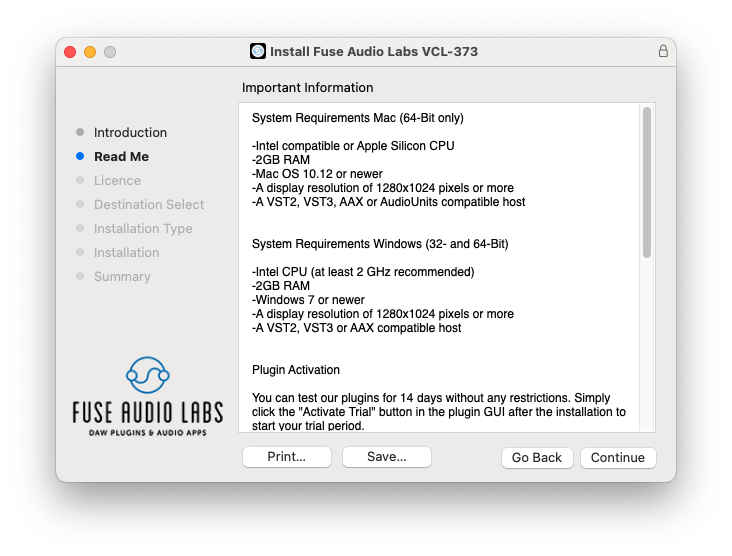
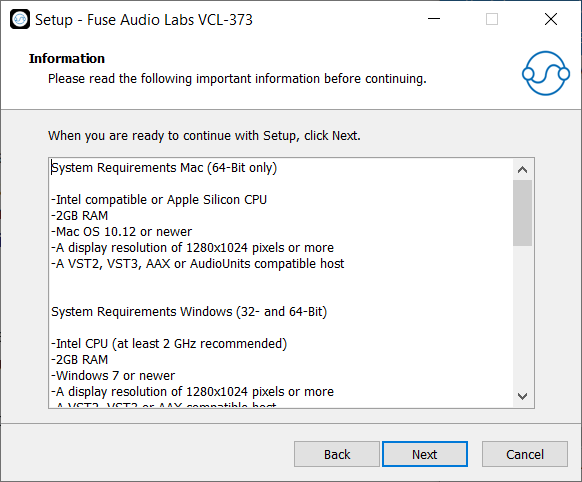
System Requirements
Mac (64-Bit only)
- Intel compatible or Apple Silicon CPU
- 2GB RAM
- Mac OS 10.12 or newer
- A display resolution of 1280x1024 pixels or more
- A VST2, VST3, AAX or AudioUnits compatible host
Windows (32- and 64-Bit)
- Intel compatible CPU (at least 2 GHz recommended)
- 2GB RAM
- Windows 7 or newer
- A display resolution of 1280x1024 pixels or more
- A VST2, VST3 or AAX compatible host




Reviews Summary
While it aims to provide a helpful overview, it may not capture every perspective or detail. We encourage you to read individual reviews to make an informed decision.
The Ocelot Limiter is highly praised as an easy, efficient, and top-tier true peak limiter that yields clean, analog-quality results. Users particularly recommend it for punchy masters using its aggressive algorithm, though one reviewer noted it is similar to other limiters on the market.


