


 Log In

Free gifts available with your purchase
World class, broadcast quality limiting is an essential requirement for any audio production, and the latest standards also demand true-peak compliance. ISL delivers both, giving you superb sound with complete confidence about meeting the standards.
No need to second guess your sample-peak limiter time and again, or deliberately increase headroom to avoid a downstream problem. Just dial in your true-peak limit and let ISL take care of the rest.
Pristine Quality True-Peak Limiting
ISL is a transparent look-ahead limiter designed to allow you to get on with creative audio production while it takes care of true-peak compliance for you.
ISL uses the standardised true-peak algorithms of ITU-R B.S. 1770 and related standards\(including Apple ‘Mastered for iTunes’ true-peak detection), and is suitable for the control of audio for Post Production and Broadcast applications. True-peak limiting can also be used to ensure that down-stream Codecs (mp3, AAC etc.) do not introduce distortion into the signal.
Powerful Processing and Visualisations
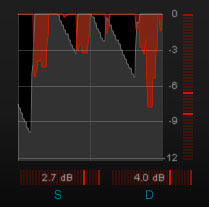
With unique Steering and Ducking meters, ISL2 guides you to the perfect settings. Whether you are preserving directional integrity, atmospheric ambience or taming a surround centre channel, ISL2 gives you the information and control you need to achieve your objective with ease. New processing enhancements assess the incoming audio for frequency content and automatically take care of those minor adjustments required when LF content drives the limiter, delivering increased transparency whilst maintaining our renowned reputation of intuitive operation.
Applications
- Post Production & Broadcast audio
- Audio Mastering
- Loudness compliance
- 'Mastered for iTunes' intersample clip monitoring
- Protection for downstream compression
- Preserving quality for streaming/podcast
- Inter-sample clip management
Transparent True Peak Limiting
- Adjust adjustable look ahead
- Two stage, non-linear adaptive algorithm
- Adjustable channel linking
- Includes iTunes True Peak option
Standard Compliant
- Compatible with ITU-R BS. 1770
- True brick-wall limited output
- Mono through 7.1 surround compatible
Clear, Intuitive Operation
- Intelligent adaptive algorithm
- Clear metering
- Multiple diagnostic listen modes
Reliable Metering
- Accurate, standard compliant I/O metering
- Precise direct numeric maxima
- Adjustable ballistics and colour splits
System Requirements
Available Formats
- AAX, VST, VST3, AU and AudioSuite in both 64-bit and 32-bit versions. RTAS is also available as 32-bit only.
- AAX DSP version supports 7.1 audio up to 48Khz and 4 channels at 96kHz.
Mac
- OSX 10.6.x, 512 MB RAM
Windows
- XP or above, 512 MB RAM





















