Sampleson

Klavee

3.7 (3 Reviews)
$49.00
Sampleson Klavee
Sampleson Klavee
Sampleson Klavee - User Interface
KLAVEE. Rare Czech Electric Piano, Restored. gallery thumbnail
KLAVEE. Rare Czech Electric Piano, Restored. DAW Test. gallery thumbnail
Buy Now

Buy Klavee, get a free gift with purchase:

Product information

Rare Czech electric piano, restored.

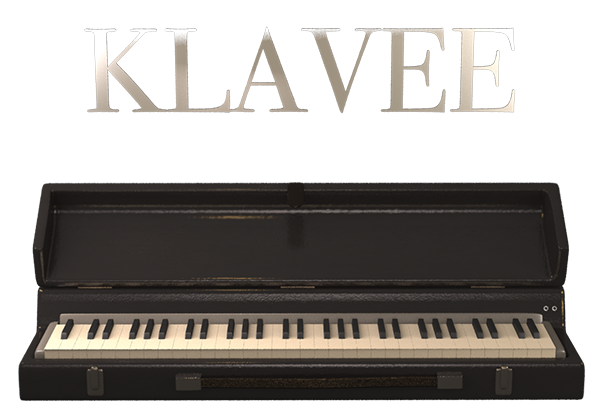
Klavee is the virtual restoration of a gem. The Czech Klaviphon. A plucked electric piano manufactured in the 60s in the Czech Republic.

There's no other Electric Piano like this one and it's never been recreated into a virtual instrument, until now. A rare-piece specially made for electric piano collectors.

Virtual restoration of an almost-extinct electric piano.

The Czech Klaviphon is almost extinct. No parts can be found online and just a few of them still alive. This is why Sampleson wanted to make a virtual version of it. To keep its unique sound for further generation of musicians.

KLAVEE was built upon spectral modelling. A technique that assures perfect tone matching with the original instrument.

The Klaviphon: A Czech Gem

The Klaviphon is a plucked electric piano created in the Czech Republic in the 60s. Sound is generated by reeds plucked by wooden hammers. Sound on lower octaves is the classical reed-based. On upper register, the timbre turns in to a Kalimba-like sound, due to the nature of the hammer-hit direction (from bottom to top on the reed-edge).

Features

  • Spectral Modeled Klaviphon Electric Piano.
  • Real-time Spectral transformations
  • Based on real samples.
  • Just 35MB.
  • No velocity-switching.
  • Ambient FX
  • Drive FX
  • Stereo Delay FX.
  • Scalable HD interface.
  • macOS Catalina Ready.
  • Easy install.
  • No extra purchases are needed (like Kontakt, UVI, etc) or any other 3rd. party player.
  • Ready to be loaded into major DAWs (Cubase, Logic Pro, GarageBand, Cakewalk, Reaper, BitWig, Nuendo, FL Studio, etc)
  • Win 32/64 bits and Mac VST/AU/Standalone versions included (No AAX version)
  • No online activation is required.

System Requirements

macOS

  • OSX 10.7 or later (Monterey compatible)
  • Host must support VSTi or AU plugins.
  • 80 MB HDD
  • 4GB RAM

Windows

  • Windows 7 or later
  • Host must support VSTi plugins.
  • 80 MB HDD
  • 4GB RAM

Important Note: Pro Tools is not supported.

Installation Instructions

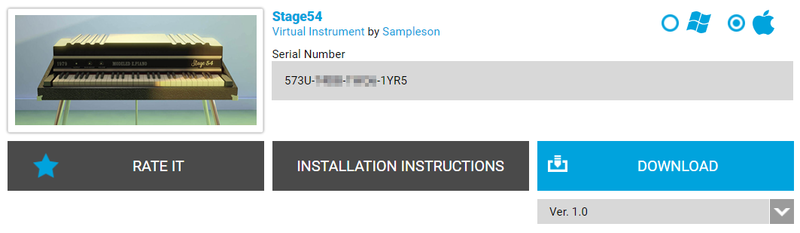
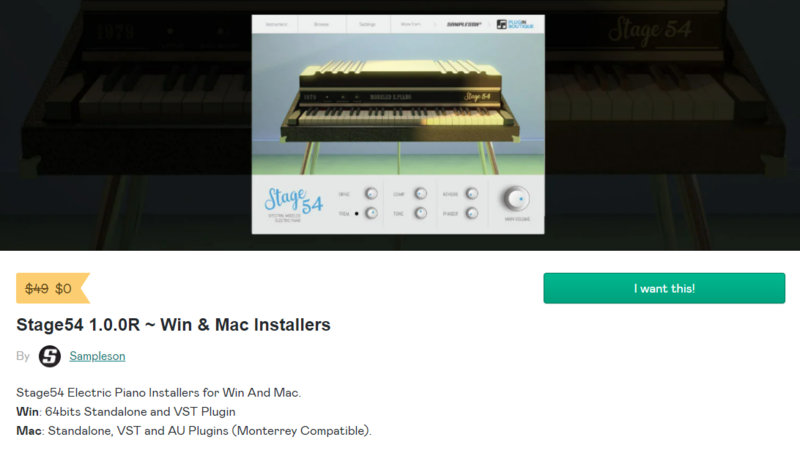
Please Note: Stage54 is used as an example.

Mac

Download Installer

1. Navigate to your Plugin Boutique User Account and locate Stage54 > Click the blue 'DOWNLOAD' button.

2. Click 'I want this!'.

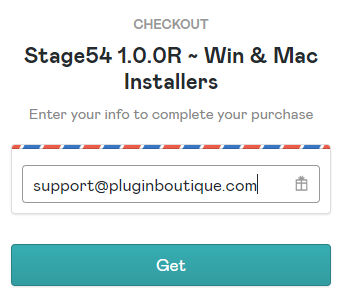
3. Enter your email address > Click 'Get'.

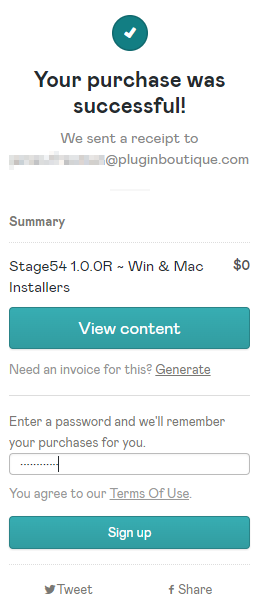
4. Click 'View content' to proceed straight to your downloads > Alternatively, enter a password to create an account for future access to your download > Click 'Sign Up'.

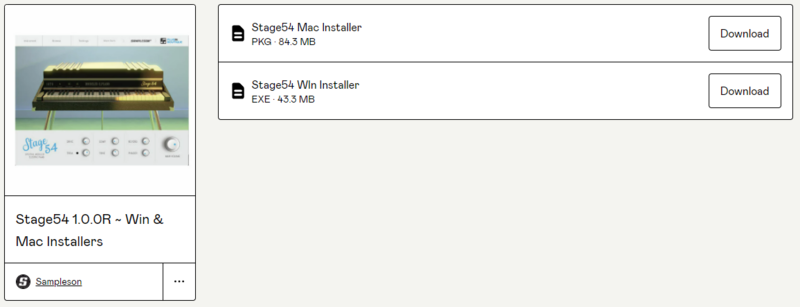
5. Locate the 'Stage54 Mac Installer' > Click 'Download'.

Installation

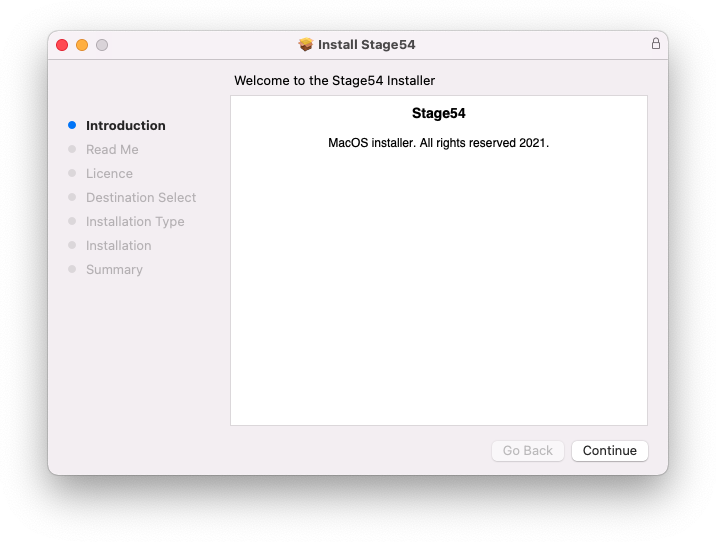
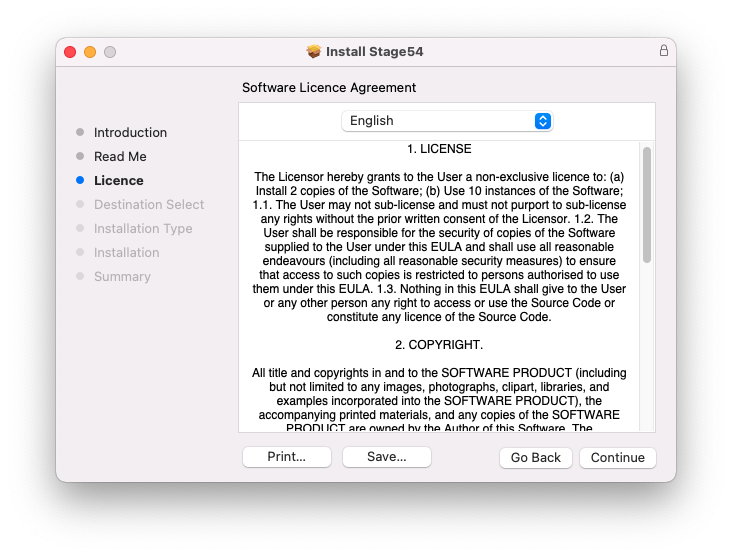
1. Navigate to your Downloads folder and locate the 'Stage54 Mac Installer.pkg' > Launch the installer.

2. Click 'Continue'.

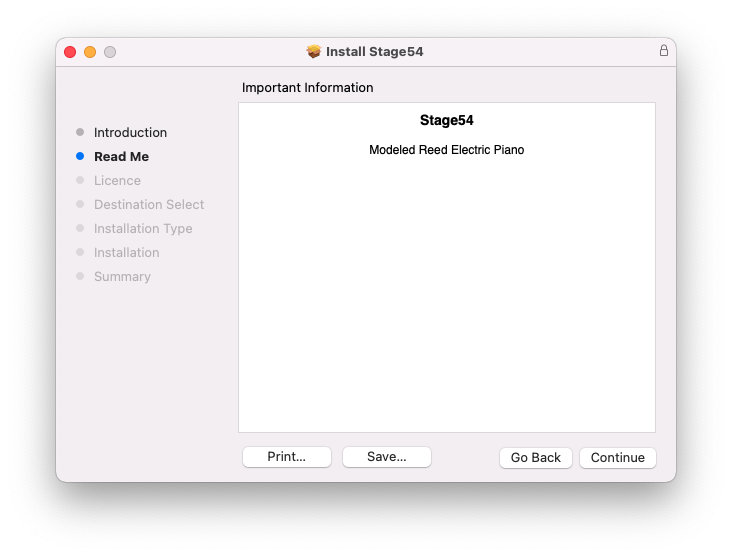
3. Click 'Continue'.

4. Click 'Continue'.

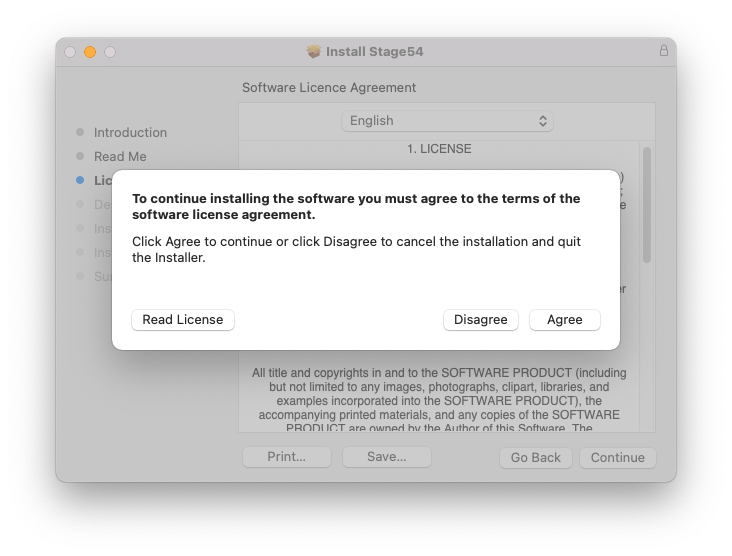
5. Click 'Agree'.

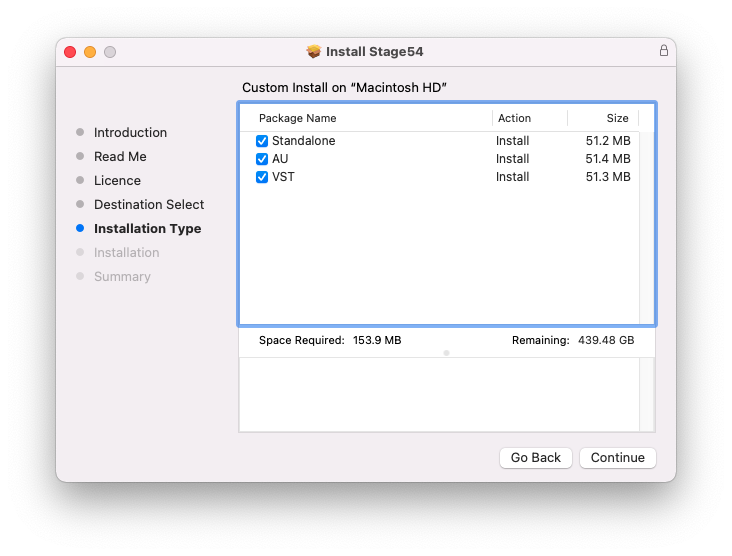
6. Click 'Continue'.

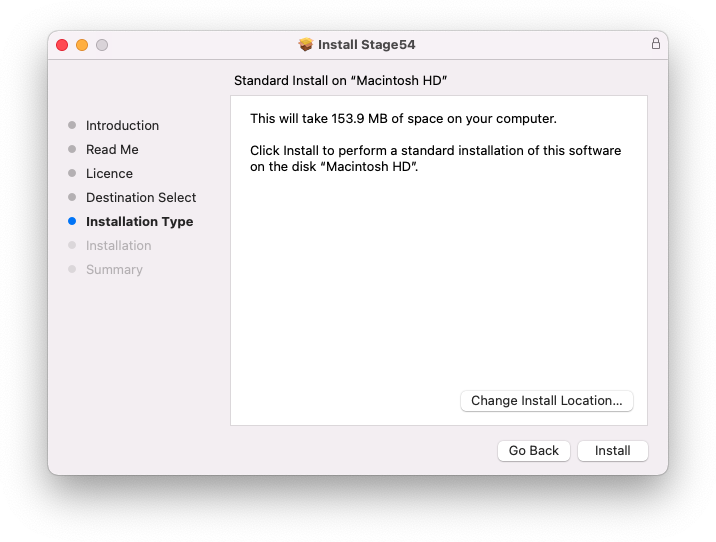
7. Click 'Install'.

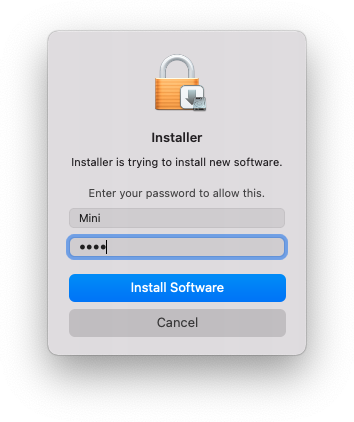
8. Enter your system password > Click 'Install Software'.

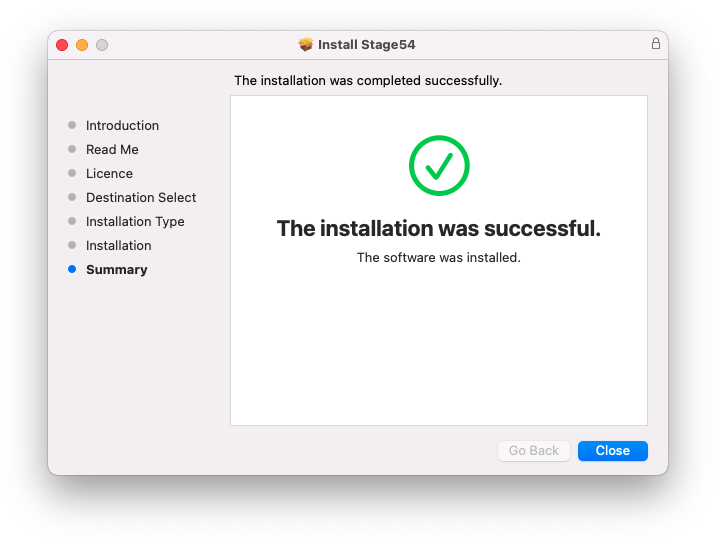
9. Click 'Close'.

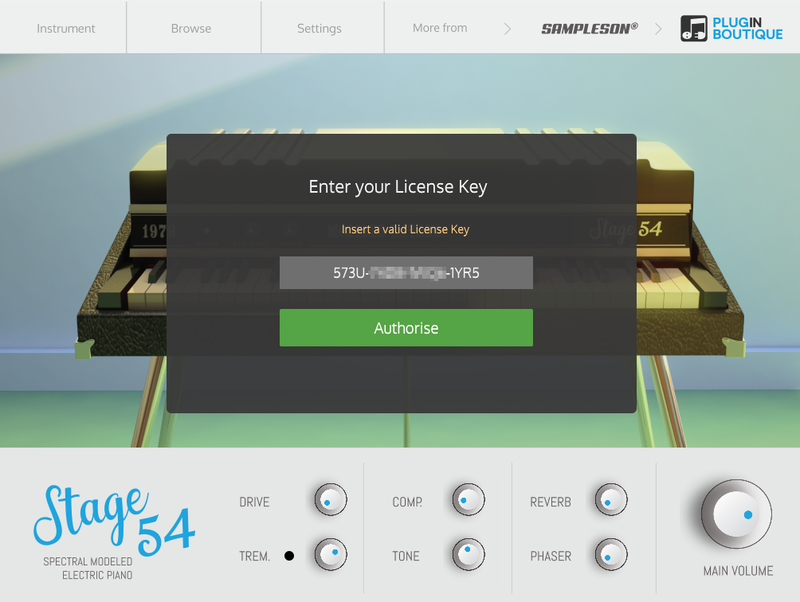
10. Launch your DAW > Create a new Virtual Instrument track > Insert Stage54 onto the channel > Paste your 16 digit serial number found within your Plugin Boutique User Account into the box > Click 'Authorise'.

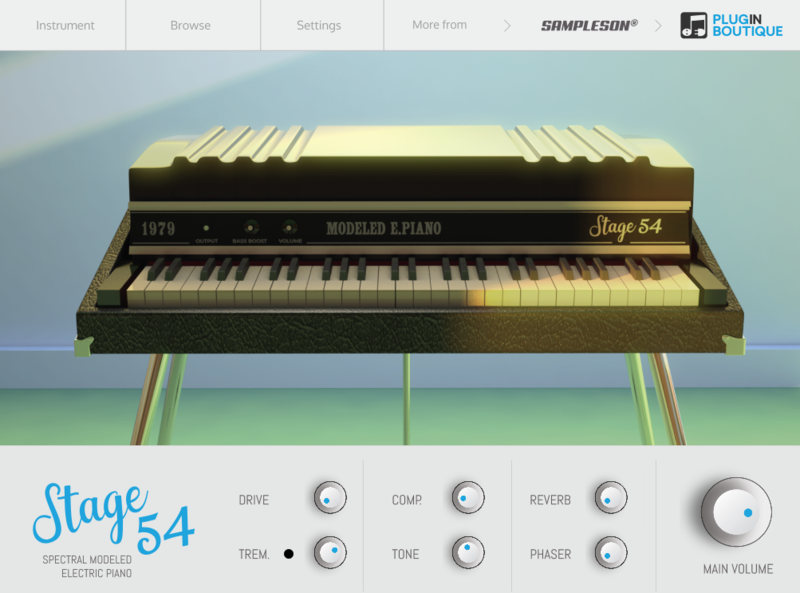
Stage54 is now installed, activated, and ready to use within your DAW.

Windows

Download Installer

1. Navigate to your Plugin Boutique User Account and locate Stage54 > Click the blue 'DOWNLOAD' button.

2. Click 'I want this!'.

3. Enter your email address > Click 'Get'.

4. Click 'View content' to proceed straight to your downloads > Alternatively, enter a password to create an account for future access to your download > Click 'Sign Up'.

5. Locate the 'Stage54 Win Installer' > Click 'Download'.

Installation

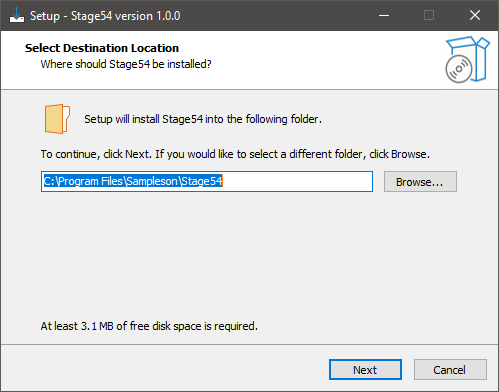
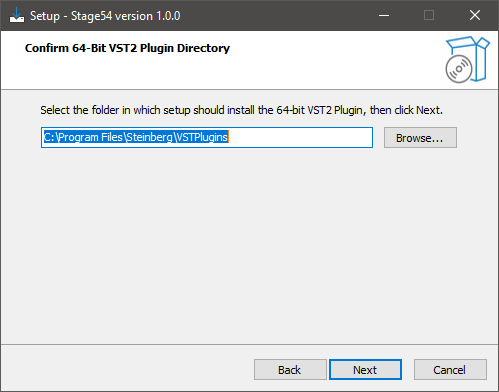
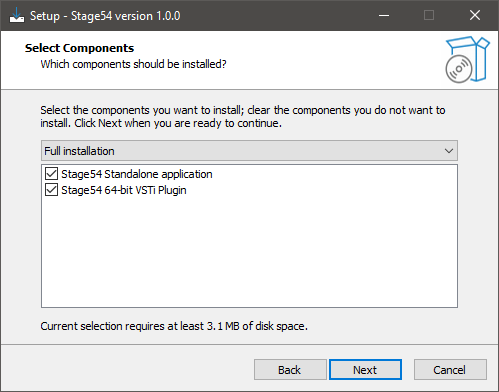
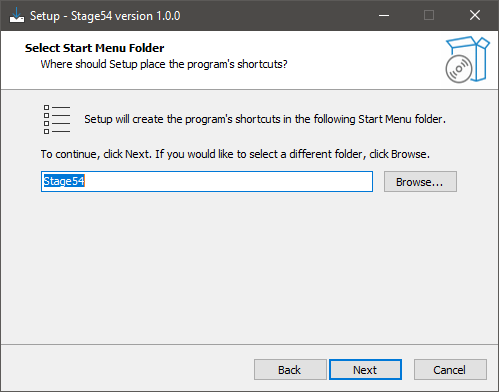
1. Navigate to your Downloads folder and locate the 'Stage54 Win Installer.exe' > Launch the installer.

2. Click 'Next'.

3. Click 'Next'.

4. Click 'Next'.

5. Click 'Next'.

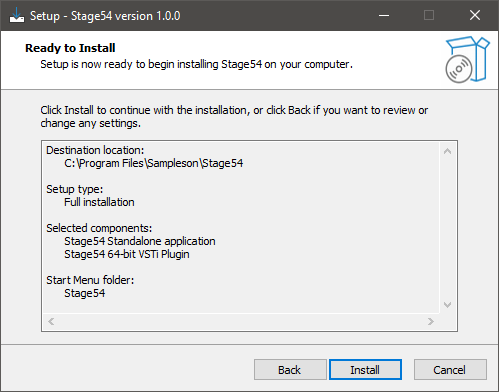
6. Click 'Install'.

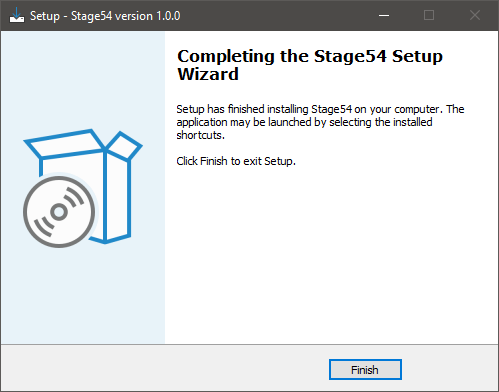
7. Click 'Finish'.

8. Launch your DAW > Create a new Virtual Instrument track > Insert Stage54 onto the channel > Paste your 16 digit serial number found within your Plugin Boutique User Account into the box > Click 'Authorise'.

Stage54 is now installed, activated, and ready to use within your DAW.

Bundle & Save

Sampleson Collection Bundle
$1,200.00

Plugin Boutique Rewards

Discover the most rewarding loyalty programme among all plugin retailers.

  • Free Loopmasters Samplepacks
  • Discounts on products and courses
  • Extra Virtual Cash claimed immediately at checkout
Find out more

Follow us:

X (Twitter) Facebook YouTube Instagram
Logo Logo

Plugin Boutique Limited, Part of the Beatport Group LLC.

Copyright © 2011-2025 Plugin Boutique. All rights reserved