


 Log In

Free gifts available with your purchase
Product information
Abbey Road J37 Tape
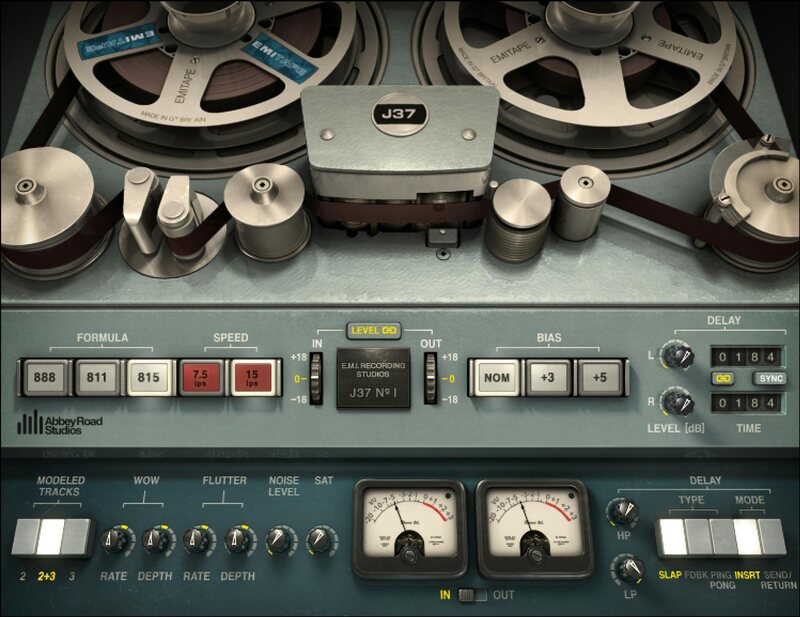
Give Your Tracks the Seductive Sound of Warm Analog Tape
Tape’s warm-sounding harmonic distortion made classic tracks come alive. J37 delivers the true sound of the all-valve analog tape machine—Abbey Road Studios’ powerhouse Studer machine, which captured legendary recordings by the Beatles and Pink Floyd.
Compare the sound of vocals, drums, synths, masters, and more with and without the J37—you’ll hear how the authentic sound of analog tape saturation makes tracks warmer, more detailed, glued together, and above all, more exciting.
Features
- Created in collaboration with Abbey Road Studios
- Models the machine that recorded countless 60s and 70s classics
- Add analog warmth, depth and width to digital recordings
- Customize the sound with 3 exclusive 60s EMI tape formulas
- Introduce wow and flutter to emulate tape’s imperfections
- Recreate authentic tape delay with 3 different delay types
- Control Bias, Tape Speed, Hiss and other original tape qualities
- Perfect for mixing individual tracks and groups or for mastering
System Requirements
Mac
- macOS Monterey 12, Ventura 13, Sonoma 14, Sequoia 15
- VST / AU / AAX
PC
- Windows 10+
- VST / AAX
Installation Instructions












Customer Reviews
(3)


