/ DAW / Serato Studio
Serato

Serato Studio

4.7 (88 Reviews)
$199.00
Serato Studio Box Image
What is Serato Studio gallery thumbnail
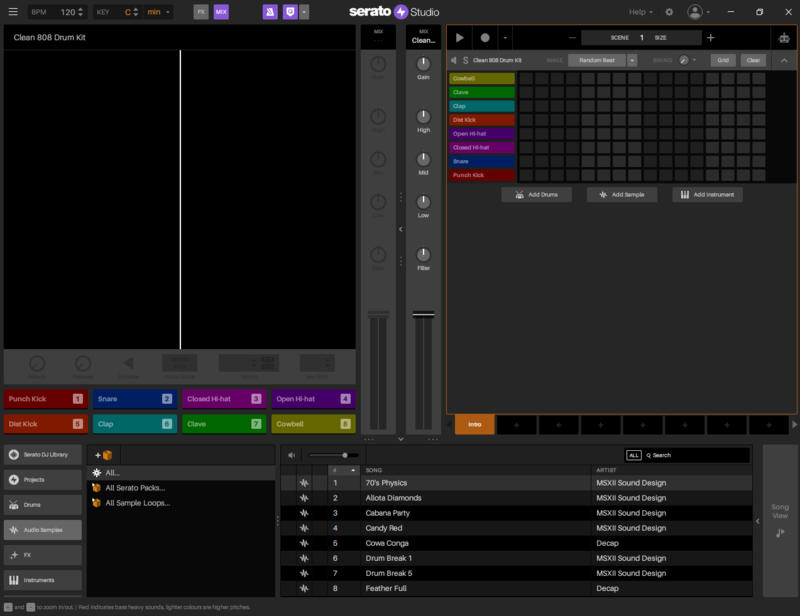
Serato Studio 2 GUI
How to Make a Beat in Serato Studio gallery thumbnail
How to Make a Remix in Serato Studio gallery thumbnail
How to Use the Drum Sequencer in Serato Studio gallery thumbnail
How to Load Samples in Serato Studio gallery thumbnail
How to Use Instruments in Serato Studio gallery thumbnail
How to Use Scenes in Serato Studio gallery thumbnail
How to Arrange Your Beat Using Song View in Serato Studio gallery thumbnail
Serato Studio 2 Hardware Image
Serato Studio 2 Inspirational Image 2
Serato Studio 2 Inspirational Image
Buy Now
Product information

Serato Studio: The Ultimate Beat Maker
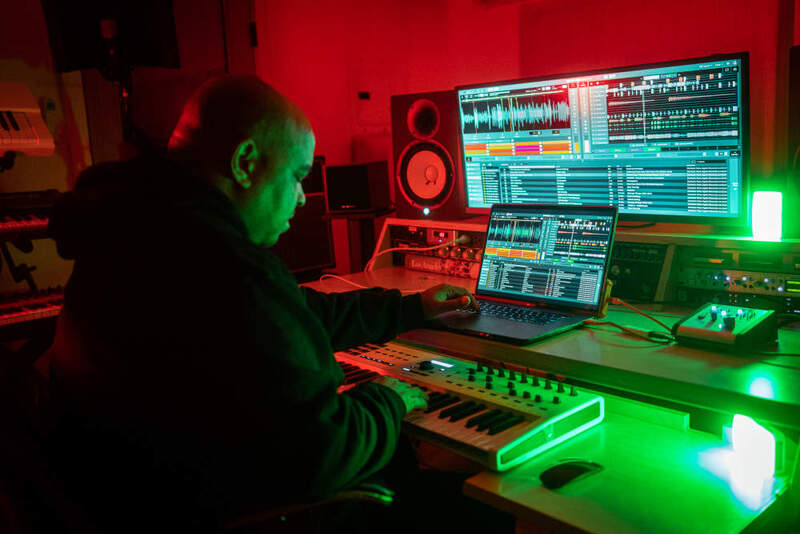
Unlock your sound with Serato Studio, the fastest and most intuitive beat maker and the only DAW with stem separation technology built-in. Powered by the world's best sampling technology, Studio is packed with creative features to help you bring your musical ideas to life in lightning speed.

It’s never been easier to craft your own unique sound thanks to Studio’s renowned, sample-focused workflow and modern music tools (including Key Detection, Key Syncing, Play In Key mode andAutochords). With the press of a button you can lay out complex drum patterns, build booming basslines, and layer multiple instruments.

The game-changing addition of Serato Stems further unlocks creativity, allowing you to instantly separate stems from your samples and experiment with them to create new masterpieces. In addition to Serato’s powerful technology like Pitch ‘n Time and Serato Stems, Studio has everything you’d expect in music production software - and more - including:

  • VST/AU plugin support
  • MIDI file support
  • Recording
  • Automation
  • FX
  • Stems exporting

Industry-Leading Support Built-In

Serato’s acclaimed audio technology features prominently within Studio’s workflow and includes:

  • Serato Pitch 'n Time - This time-stretching and pitch-shifting technology revolutionized the way producers work with audio and it is used by producers, sound designers, and even film studios across the world. Serato’s powerful Pitch 'n Time technology allows you to speed and pitch your samples up and down while working in Serato Studio without any loss in quality.
  • Serato Stems - Serato Studio offers infinite possibilities for sampling and unique sound creation. With Serato Stems, producers can separate acapella, melody, bassline and drum stems of a sample with a click. In seconds producers can flip, layer, chop and isolate sounds in ways they’ve never been able to before.
  • Serato Visualizer  - Create professional visual assets for your music with Serato Visualizer. The powerful audio-visual tool helps you to build your artistic brand and get your music seen on social media with high-quality, attention-grabbing videos.
  • Serato Sounds - Your inspiration will stay flowing with Serato’s free sound packs. Sourced from a diverse list of artists, from renowned producers through to boutique sound designers, these royalty-free sound packs are updated monthly and contain hundreds of unique instruments, drum kits, and samples.
System Requirements

Mac

  • macOS 11 Big Sur, 12 Monterey, 13 Ventura (64-bit only)
  • Year: 2017 or later
  • Intel core i5 or Apple M1/M2 or higher
  • Screen Resolution: 1280 x 720
  • Memory: 8 GB
  • 15GB or more of spare local disk space (SSD)

Windows

  • Windows 10, Windows 11 (64-bit only)
  • Processor: 6th generation Intel core i5 or AMD Ryzen 5 3000 series or higher, AVX required
  • Screen Resolution: 1280 x 720
  • Memory: 8 GB
  • Storage: 15GB or more of spare local disk space (SSD)

Note: Operating system support assumes you are using the latest point release (64-bit only) (32-bit operating systems are not supported). The more powerful your computer, the more decks, tracks, FX and plugins you can run.

Important: This is a Standalone product and will NOT work as a VST, AU, or AAX plugin.

Product Reviews
How to Make a Hip-Hop Beat with Serato Studio

Hip hop is consistently dominating the charts. Make yourself a part of it, with six easy steps to help create a fire hip hop beat. If you’re looking for an easy way to make beats, download Serato Studio. 1. Select the Right Tempo Hip hop beats sit around 75BPM - 100BPM. Old school beats (Ju...

Read More
Serato Studio review by DJ Tech Reviews

Pros Intuitive, DJ-friendly layout and workflow Automatic Key and Tempo detection Play In Key option Great sounding FX    Easy to navigate and intuitive User Interface Constantly live updating waveforms for visual mix feedback Seamless integration of existing Serato Library Ex...

Read More
Serato Studio review by zZounds.com

How does Serato's first traditional DAW stack up? What exactly is a DJ company doing making a DAW? I wager, just like me, you had this same thought running in your head when word of Serato Studio software came out. It’s the elephant in the room anyone reviewing this software (as we’re wont to ...

Read More
Serato Studio review by Magnetic Mag

Score - 4.5 / 5 Take your Deck Mastery to the Studio. From there very first product they released back in 1999, Serato has been one of the lead creators of premier audio software for music lovers across the globe. Over the years, their products have grown into a community of millions of DJs...

Read More
Installation Instructions

Mac

Registration/Download

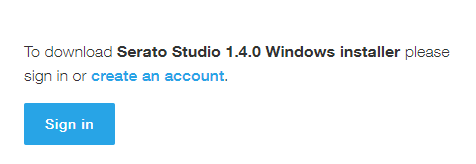
1. Visit the Serato Download Area and click the purple 'Download' button.

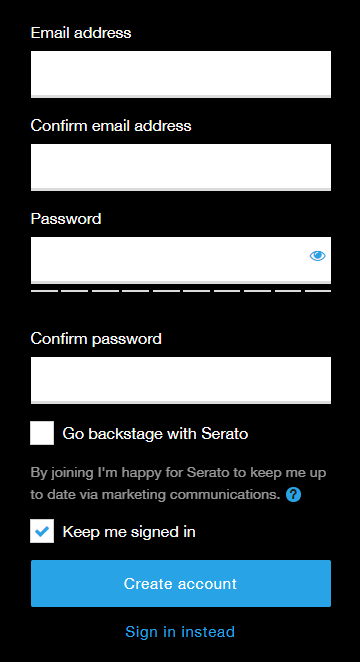
2. Click 'Create an Account'.

Note: If you already have a Serato account, sign in and skip to step 4.

3. Enter and confirm your email and chosen password before clicking 'Create account'.

4. Click the purple 'Download' button again to download your product.

Installation

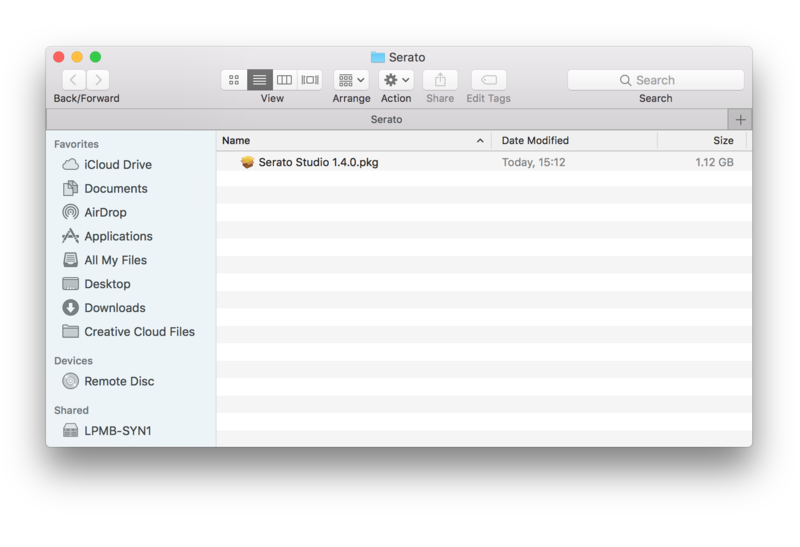
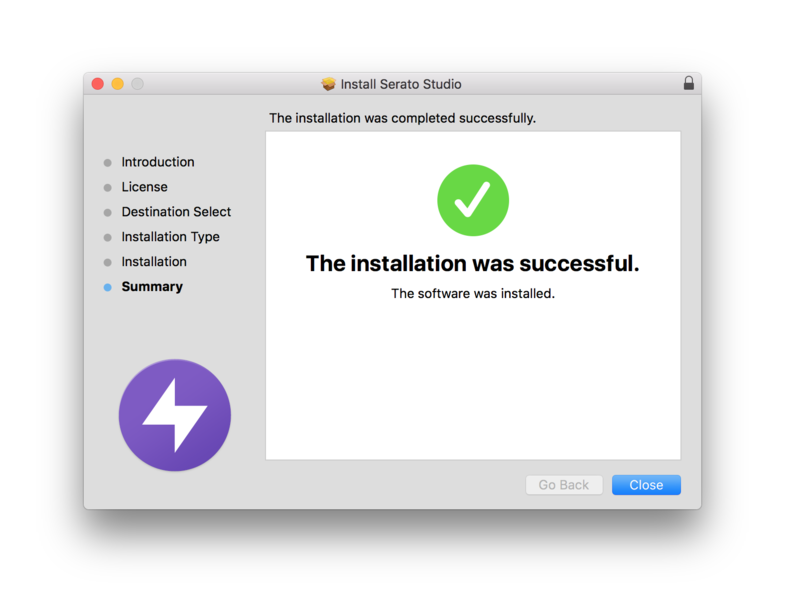
1. Once downloaded, double-click the .pkg folder to begin the installation process.

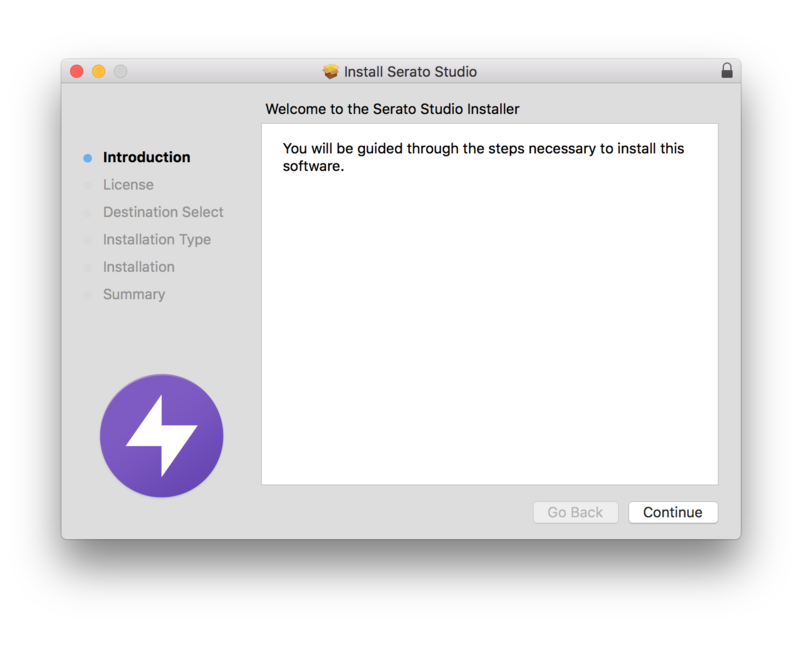
2. Click 'Continue'.

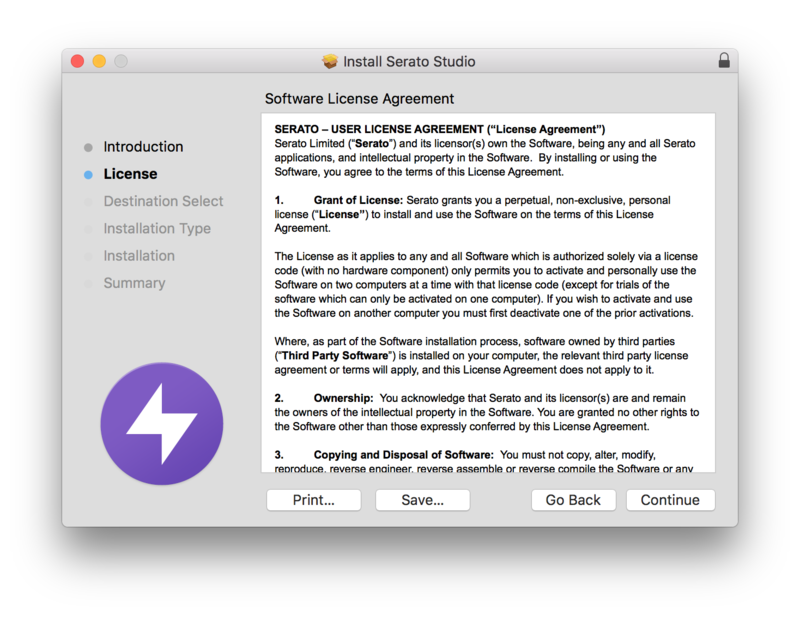
3. Read the Software License Agreement and then click 'Continue'.

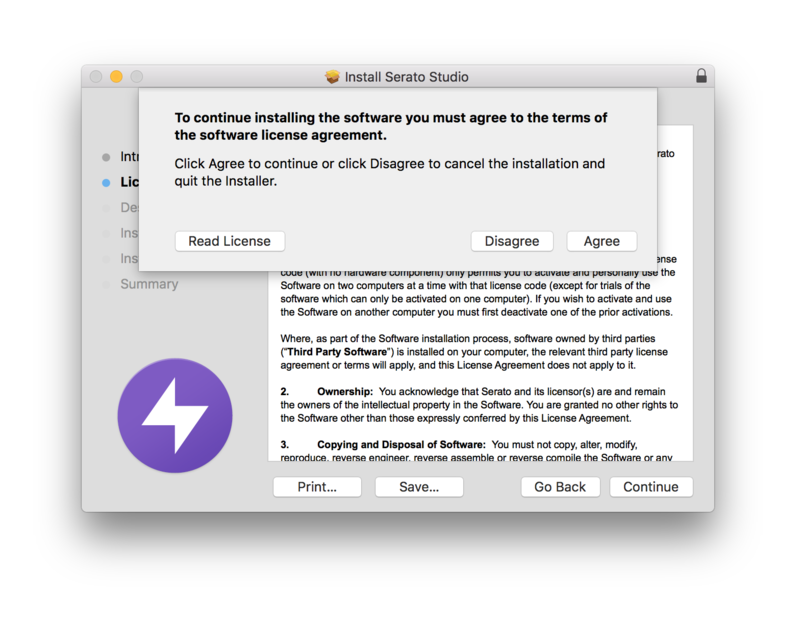
4. Click 'Agree'.

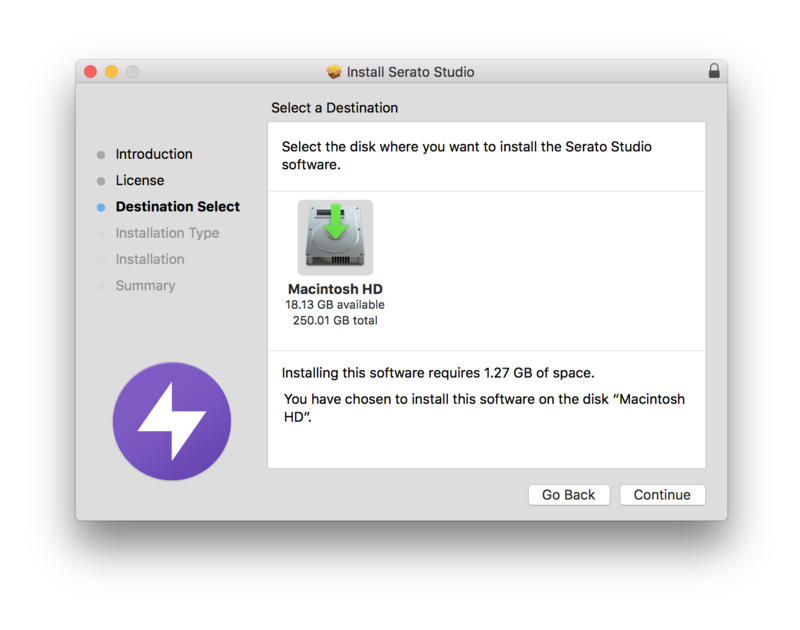
5. Click 'Continue'.

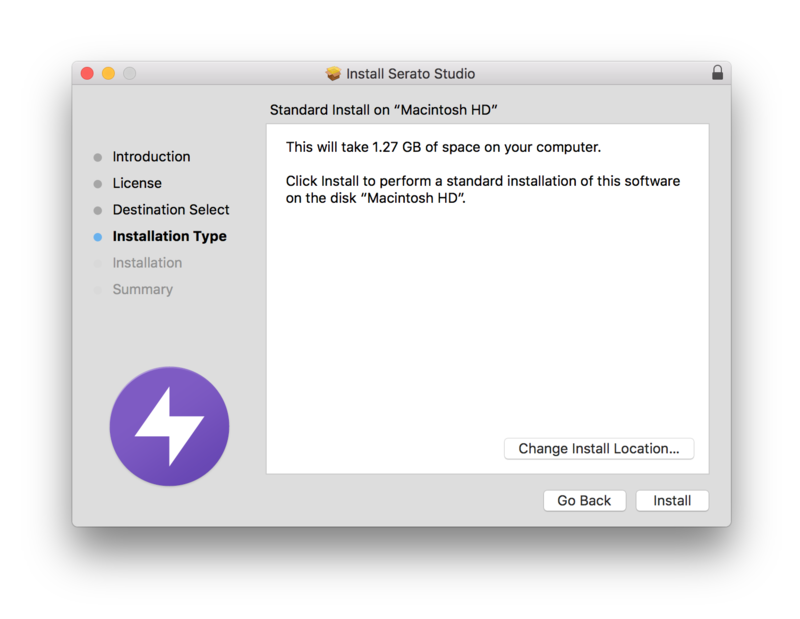
6. Click 'Install'

7. Click 'Close'.

Activation

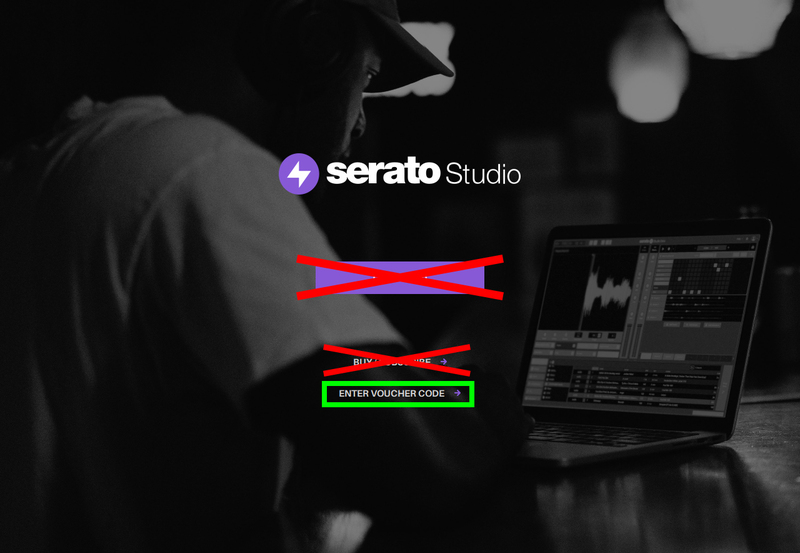
1. Open up the Serato Studio application > click 'Enter Voucher Code'.

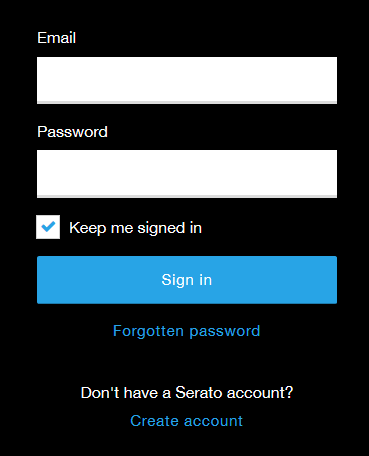
2. Once you have been directed to the Serato website, sign in to your Serato account.

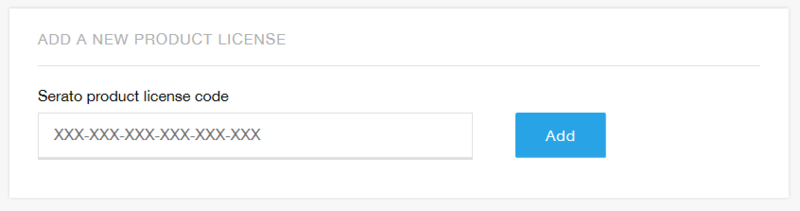
3. Enter the Serial from your Plugin Boutique User Account > click 'Add'.

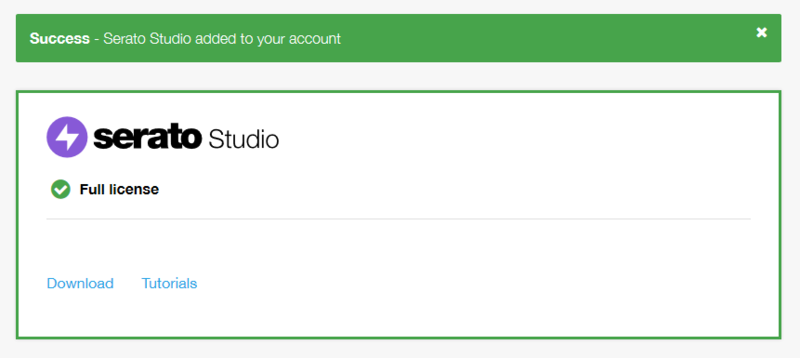
4. Your Serato Studio licence will now have been added to your account.

5. Click 'Allow'.

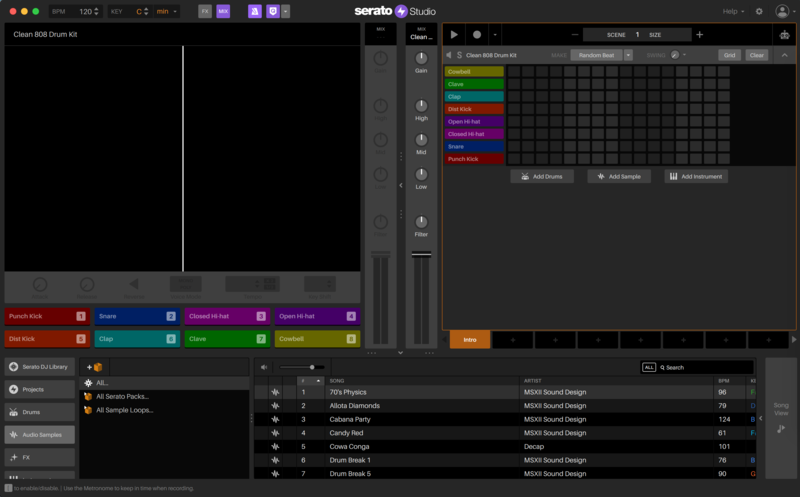
6. Return to the Serato Studio application and select which kind of project you would like to start.

Your software is now activated!

Note: You can receive your iZotope Ozone Elements license by email once you have registered your product with Serato. 

Windows

Registration/Download

1. Visit the Serato Download Area and click the purple 'Download' button.

2. Create or sign in to your Serato account.

3. Enter and confirm your email and chosen password before clicking 'Create account'/'Sign In'.

4. Click the purple 'Download' button again to download your product.

Installation

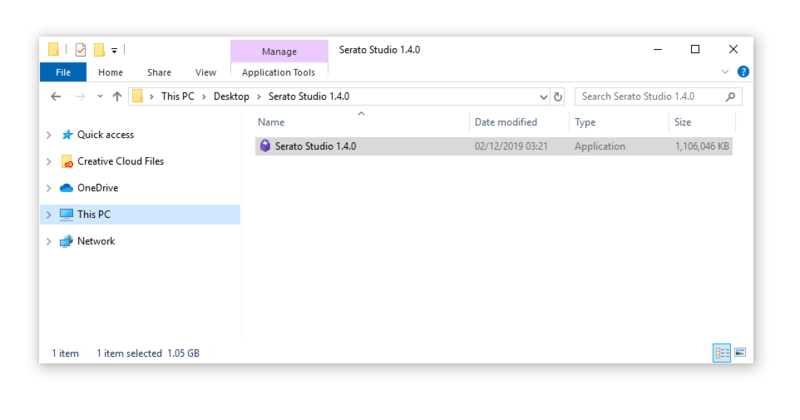
1. Once downloaded, double-click the .zip folder to locate the .exe installer > double-click the .exe file to begin the installation process.

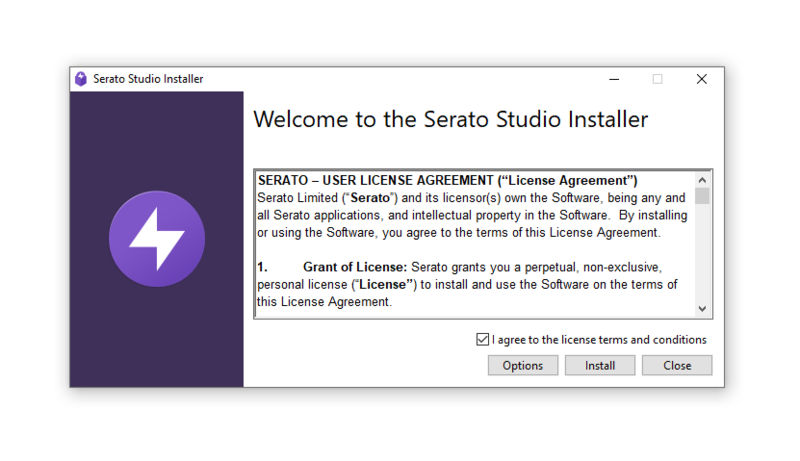
2. Read through the information and check 'I agree to the license terms and conditions' > click 'Install'.

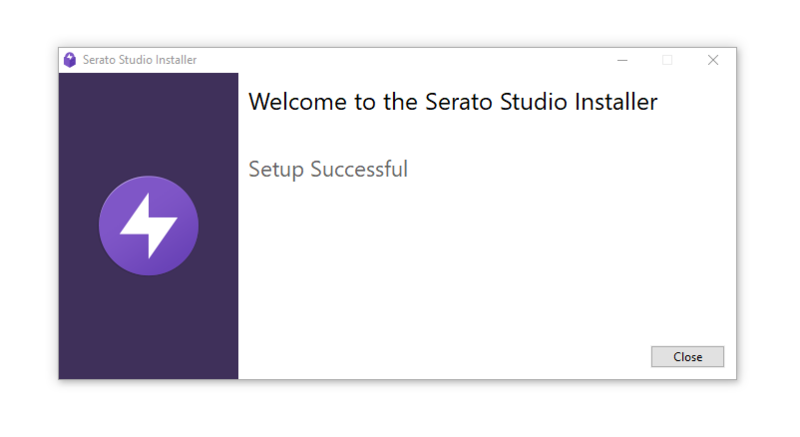
3. Wait for the install to complete > click 'Close'.

Activation

1. Open up the Serato Studio application. > click 'Enter Voucher Code'.

2. Once you have been directed to the Serato website, sign in to your Serato Account.

3. Enter the Serial from your Plugin Boutique User Account > click 'Add'.

4. Your Serato Studio licence will now have been added to your account.

5. Click 'Open Serato Studio'.

6. Return to the Serato Studio application and select which kind of project you would like to start.

Your software is now activated!

Note: You can receive your iZotope Ozone Elements license by email once you have registered your product with Serato. 

Plugin Boutique Rewards

Discover the most rewarding loyalty programme among all plugin retailers.

  • Free Loopmasters Samplepacks
  • Discounts on products and courses
  • Extra Virtual Cash claimed immediately at checkout
Find out more

Follow us:

X (Twitter) Facebook YouTube Instagram
Logo Logo

Plugin Boutique Limited, Part of the Beatport Group LLC.

Copyright © 2011-2025 Plugin Boutique. All rights reserved