Waves

X-Noise

4.0 (2 Reviews)
$29.99 $129.00

76% off until Dec 07

Waves X-Noise
Waves X-Noise
Waves X-Noise
Waves X-Noise gallery thumbnail
Buy Now
Product information

X-Noise

Precision Broadband Noise Reduction

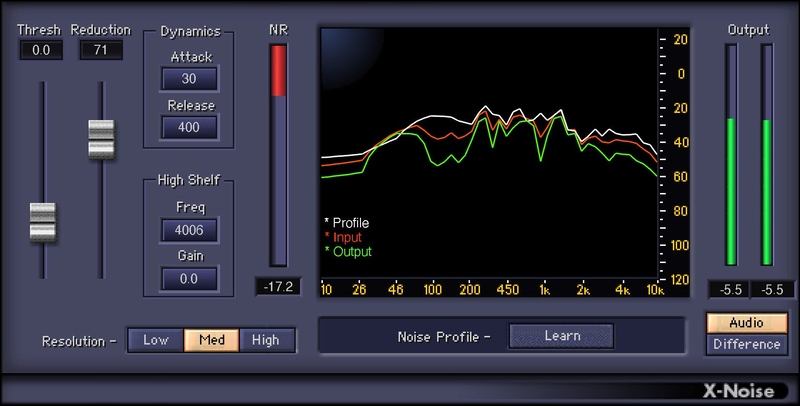
There’s preamp hiss on a vocal, and room rumble is invading your ribbon mic. The guitar is picking up weird noises from your computer—and high-gain amp sims magnify the noise. No problem: X-Noise provides a “noiseprint”-based solution that can save you from having to re-record a track.

Isolate a section of the audio with the noise you want to remove, click Learn, and X-Noise subtracts the noise where it appears in the audio. Then, make a few tweaks to optimize the sound—done.

Features

  • Simplify tweaking with familiar, dynamics processor-like controls
  • Works with individual tracks, or complete mixes
  • Focus the reduction amount with Threshold and Reduction controls
  • Obtain visual feedback from frequency-based spectral display
  • Smooth the reduction processing with Attack and Release controls
  • Add a high-frequency boost or cut with a high-shelf filter
  • Save two noise profiles for easy comparisons
  • Optimize resolution for frequency or time-domain processing
  • “Difference” mode monitors only noise—try this for sound design
  • When you can’t isolate the noise, choose from 13 factory presets

System Requirements

Mac

  • macOS Monterey 12, Ventura 13, Sonoma 14, Sequoia 15
  • VST / AU / AAX

PC

  • Windows 10+
  • VST / AAX
Installation Instructions

1. Head to https://www.waves.com/create-account

2. Enter your email and choose a password to create an account (if you already have a Waves account, choose Log in, enter your details and head to Step 5) > click 'Submit'

3. Open your email inbox > click the activation link in the email from Waves

4. Click 'Log in here' > Log in to your Waves account

5. Click 'Register New Products'

6. Enter the Serial Number found in your Plugin Boutique user account > click 'Submit'

7. Click download in your Plugin Boutique user account or head to https://www.waves.com/downloads/central > download the Waves Central app for your operating system

8. Install Waves Central > Open Waves Central

9. Click 'Log in' > enter your log in details

10. Click the 'Install Products' tab

11. Tick the blue dot on all products you wish to install or click the top dot to install all products > click 'Install & Activate'

12. Click 'OK'

13. Open your DAW > open the Waves plugin

Your Waves plugins are installed and ready to use, enjoy!

Plugin Boutique Rewards

Discover the most rewarding loyalty programme among all plugin retailers.

  • Free Loopmasters Samplepacks
  • Discounts on products and courses
  • Extra Virtual Cash claimed immediately at checkout
Find out more

Follow us:

X (Twitter) Facebook YouTube Instagram
Logo Logo

Plugin Boutique Limited, Part of the Beatport Group LLC.

Copyright © 2011-2025 Plugin Boutique. All rights reserved