


 Log In
Free gifts available with your purchase
Product information
X-Click
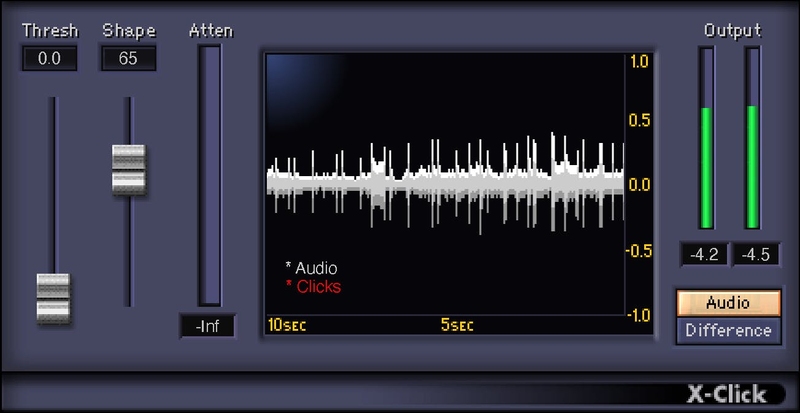
The Quick Solution for Nasty Clicks in Your Recordings
X-Click is the easy solution for strong, short, nasty clicks. It isolates, displays, and reduces clicks from analog sources (like switching noise and old vinyl records), but also minimizes clicks and pops caused by digital issues, such as clocking errors and sample rate mismatches.
Once set up properly, X-Click leaves virtually no audible artifacts—and the large, helpful display speeds up the click removal process by visually displaying the results of parameter adjustments.
Features
- Monitor only the clicks, to fine-tune parameter adjustments
- Choose the click shape, from sharp digital to wide analog transients
- Display shows the last 10 seconds of processing, with clicks in red
- Use for automatic click removal, or process individual clicks manually
- For more reduction, record parallel track of only clicks, then flip phase
- Attenuation meter indicates amount of click reduction
System Requirements
Mac
- macOS Monterey 12, Ventura 13, Sonoma 14, Sequoia 15
- VST / AU / AAX
PC
- Windows 10+
- VST / AAX
Installation Instructions














