/ Dynamics Processor / Complexer 2
Venomode

Complexer 2

4.7 (59 Reviews)
$23.00 $47.00

51% off until Dec 08

Complexer 2
Complexer 2
Complexer 2 by Venomode | Multi-Stage Dynamics Processor VST Plugin gallery thumbnail
Complexer 2 by Venomode - Review gallery thumbnail
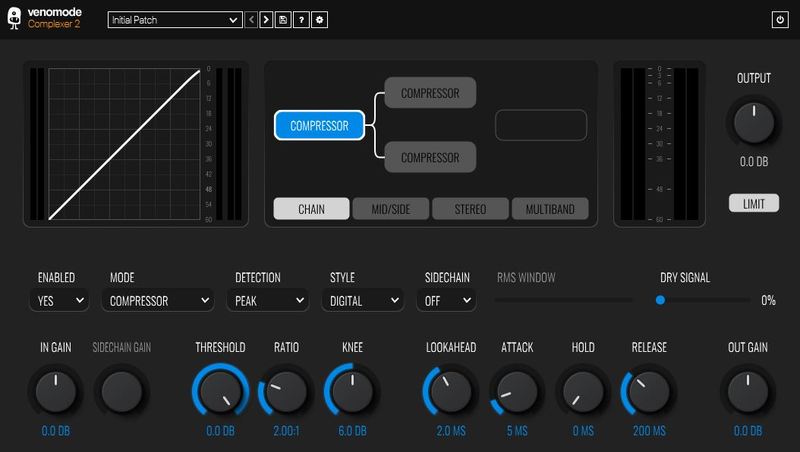
Complexer 2 - User Interface
Buy Now
Product information

Complexer 2 is a multi-stage dynamics processor, featuring three independently controlled dynamics processors, each with a choice of six different modes.

Features

Three Processors - Six Modes

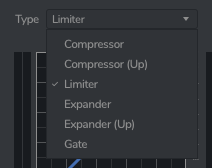
Complexer 2 features three independently controlled dynamics processors, each with a choice of six different modes: Upward and downward compressors, upward and downward expanders, a limiter, and a gate.

Each of the three stages can be processed in a variety of different configurations, including parallel chaining, stereo and mid/side, and multiband.
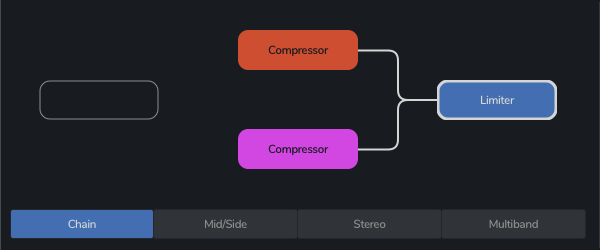
Dynamics Chaining

Complexer 2 lets you run the three dynamic processers through a configurable chain. You can have all three in series, or run two in parallel with the third either before or after.
Full Control

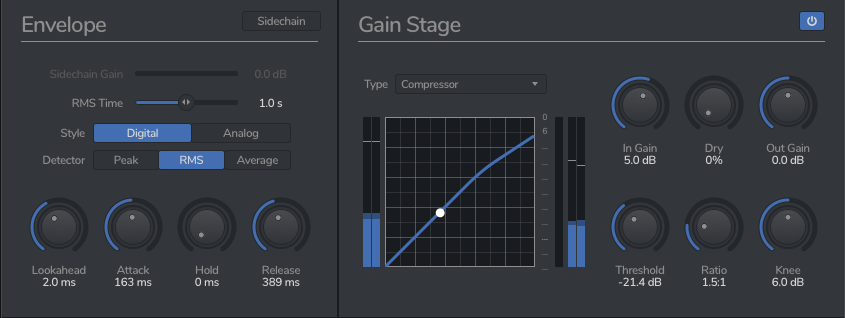
Each of the processors feature a vast amount of control. Along with the familiar attack, hold and release, each processor has an advanced lookahead section to capture peaks ahead of time.

There are also three detection modes: peak, RMS and average. Peak is perfect for limiting, and RMS allows smooth detection - great for compression.

Each processor can also be controlled via an external sidechain.
Multiband

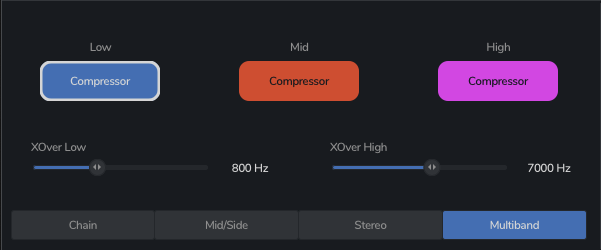
With Complexer 2, you can run each of the processors in their own adjustable frequency band. Not limited to just compression, you can also do multi-band limiting, expanding, and gating, allowing effects ranging from mixing and mastering applications, to creative effects.
Mid/Side and Stereo

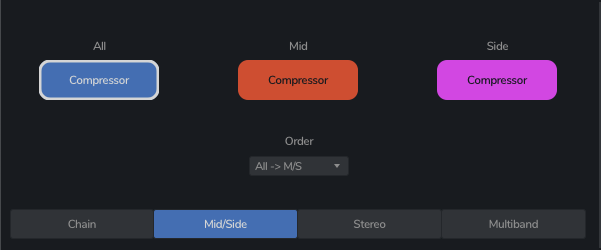
There are two seperate modes specifically for stereo dynamics processing - mid/side, and stereo.

In stereo mode, you can process the left and right channels independently, and in mid/side mode, you can apply different dynamics to the mid or side channels of the audio.
System Requirements

Complexer 2 should work in any DAW that can run VST, AU or AAX plugins, on any dual-core system with at least 1GB of RAM.

Windows

  • Windows 10 and later (64-bit only)
  • VST / VST3 / AAX compatible DAW

Mac

  • macOS 10.13 and later (M1 Apple Silicon supported) (64-bit only)
  • VST2, VST3, AU & AAX compatible DAW

Ubuntu

  • Ubuntu 18.04 and later (64-bit only)
  • VST2 & VST3 Compatible DAW

Important note: When accessing this software via a Rent to Own plan or the Beatport Studio membership, it's installed and run through the Beatport Access portal. An internet connection is required every 30 days to validate your license.

Installation Instructions

Mac

Registration

1. Go to https://venomode.com/redeem

2. Enter your Full Name, Email Address, Voucher (found in the 'Serial' section within your Plugin Boutique User Account) and Password > Click 'Register'.

Installation

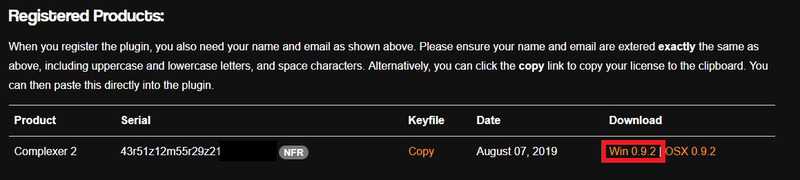
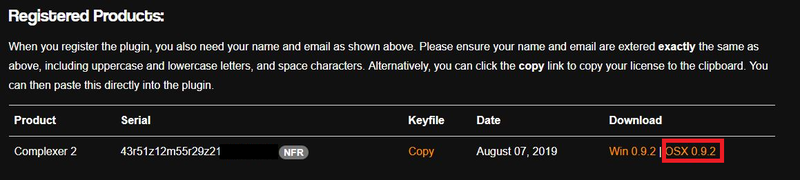
1. Within the section titled 'Registered Products', select the Mac OS X installer to download the installer file.

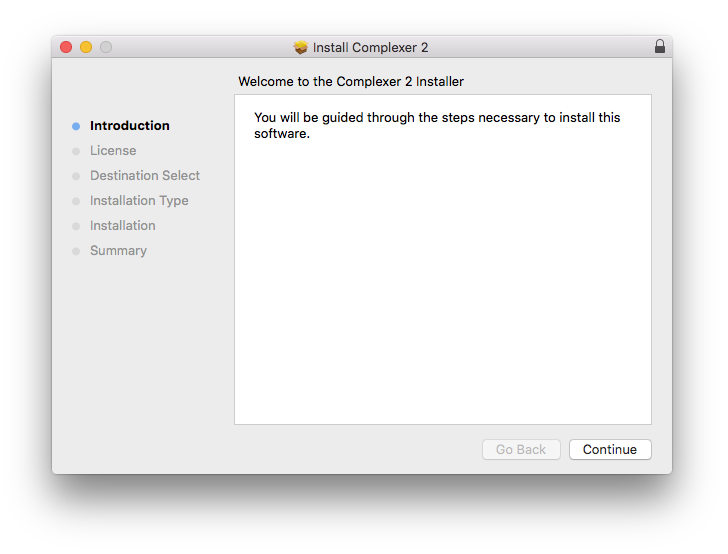
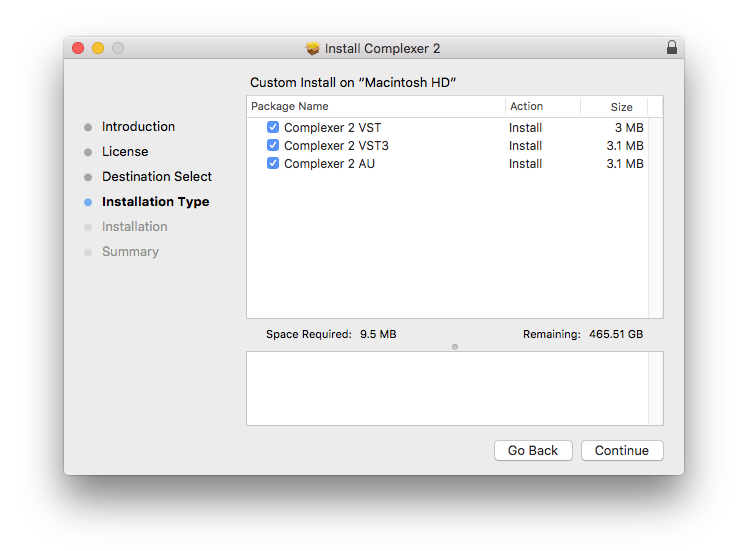
2. Open the .pkg file to begin the installation > Click 'Continue'.

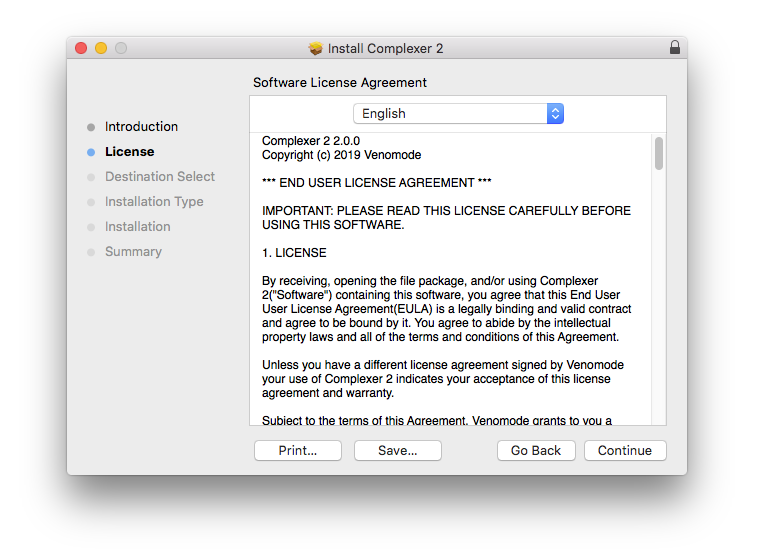
3. Click 'Continue'.

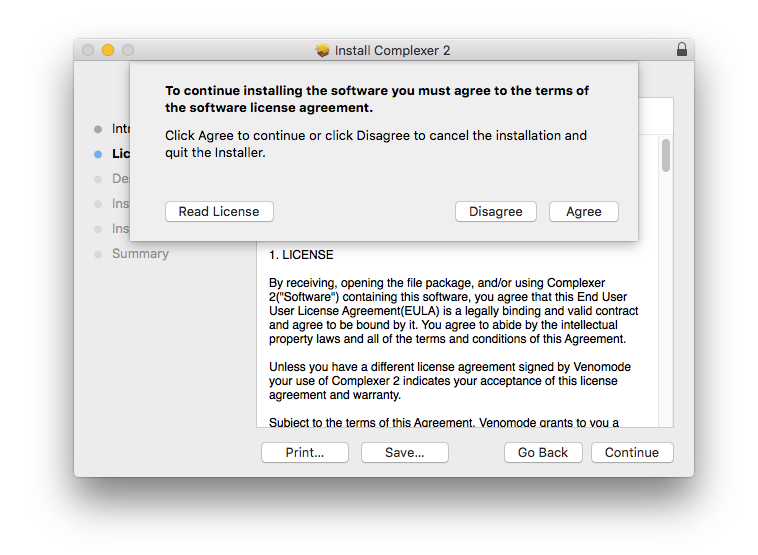
4. Click 'Agree'.

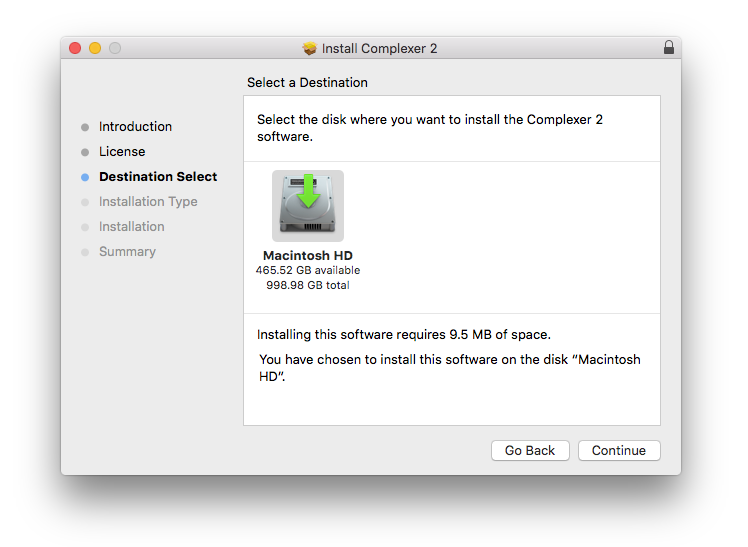
5. Click 'Continue'.

6. Click 'Continue'.

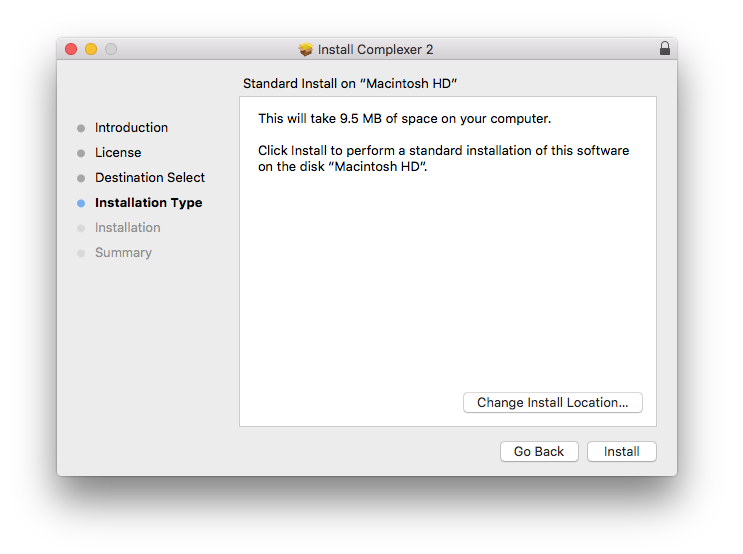
7. Click 'Install'.

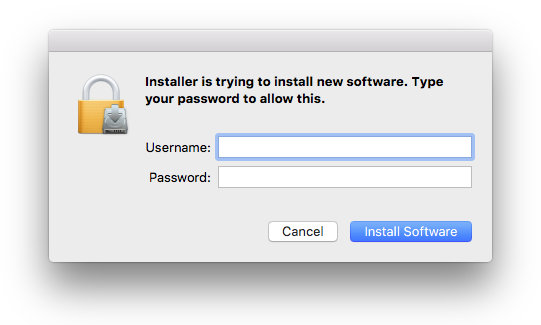
8. Enter your computer Username and Password > Click 'Install Software'.

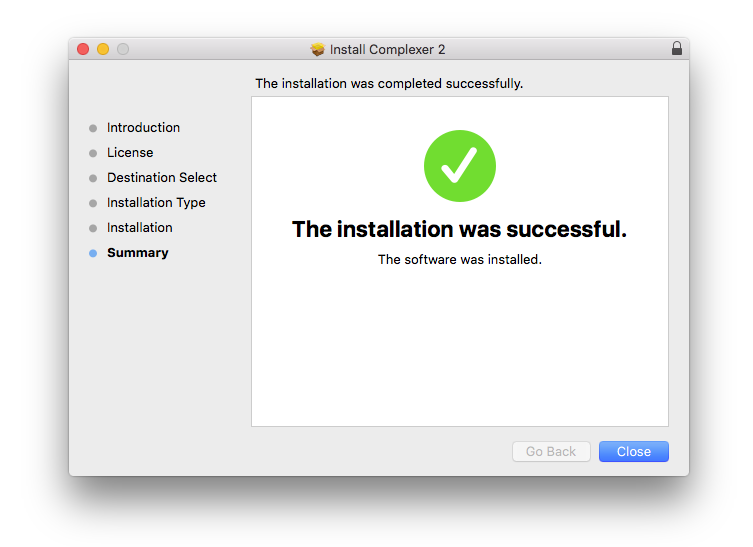
9. The installation is complete > Click 'Close'.

Activation Type 1

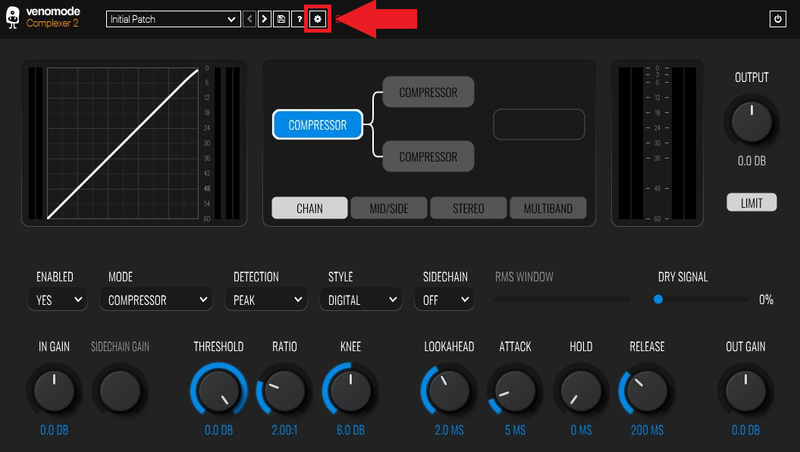
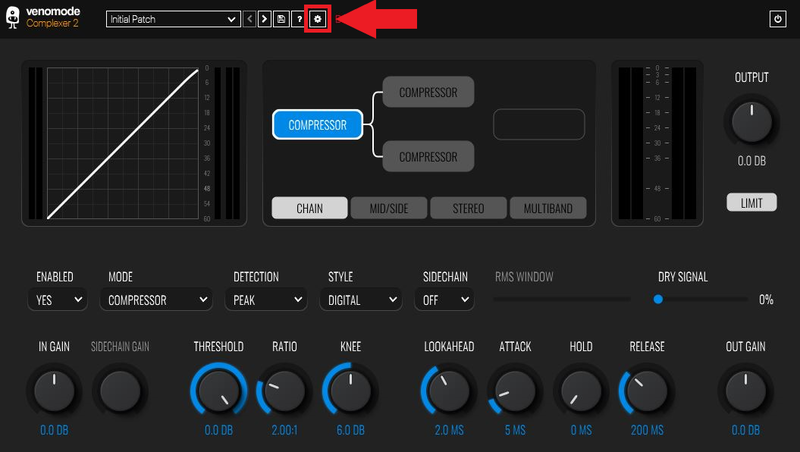
1. Open your newly-installed plugin in your DAW > Click the Gear icon at the top of the plugin window.

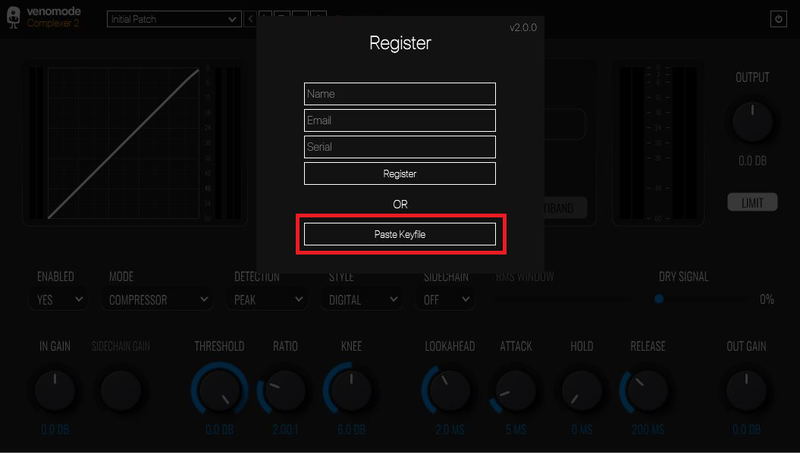
2. Enter your Name, Email Address and Serial Number found in your Venomode user account > Click 'Register'.

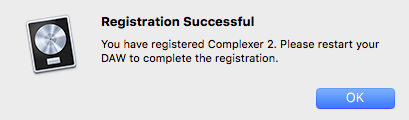
3. Click 'Ok' > Restart your DAW.

Activation Type 2

1. Open your newly-installed plugin in your DAW > Click the Gear icon at the top of the plugin window.

2. Go to your Venomode User Account > Click 'Copy' to copy your Keyfile to the clipboard.

3. Go back to the plugin in your DAW > Click 'Paste Keyfile'.

4. Click 'Ok' > Restart your DAW.

Your software is now activated and ready to use within your DAW.

Windows

Registration

1. Go to https://venomode.com/redeem

2. Enter your Full Name, Email Address, Voucher (found in the 'Serial' section within your Plugin Boutique User Account) and Password > Click 'Register'.

Installation

1. Within the section titled 'Registered Products', select the Windows installer to download the installer file.

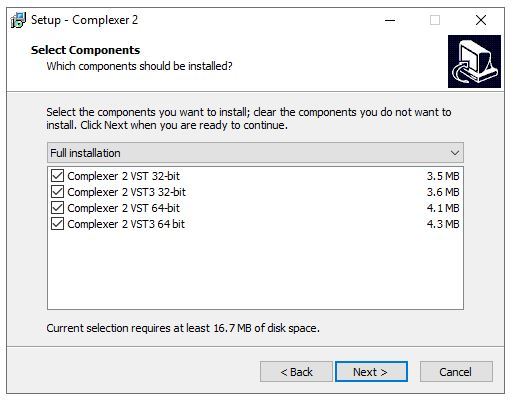
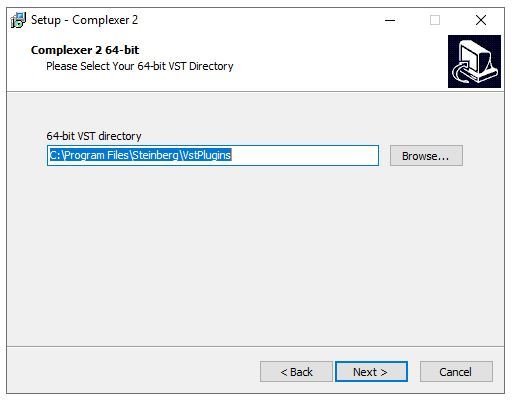
2. Open the .exe file to begin the installation > Select 'I Accept the Agreement' and click 'Next'.

3. Click 'Next'.

4. Click 'Next'.

5. Click 'Next'.

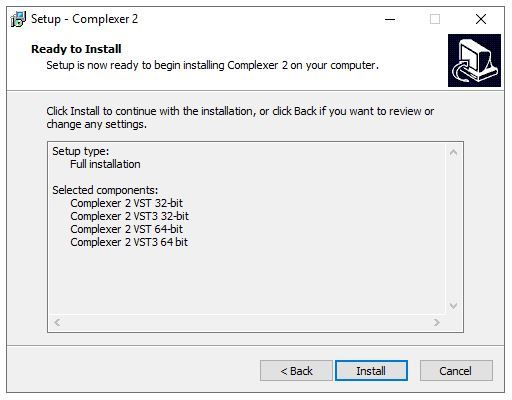
6. Click 'Install'.

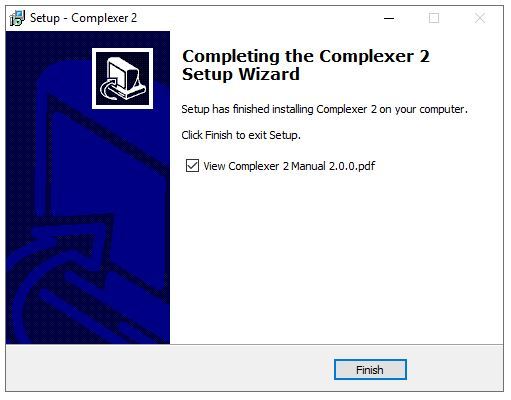
7. Click 'Finish'.

Activation Type 1

1. Open your newly-installed plugin in your DAW > Click the Gear icon at the top of the plugin window.

2. Enter your Name, Email Address and Serial Number found in your Venomode User Account > Click 'Register'.

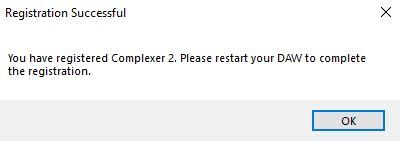
3. Click 'Ok' > Restart your DAW.

Activation Type 2

1. Open your newly-installed plugin in your DAW > Click the Gear icon at the top of the plugin window.

2. Go to your Venomode User Account > Click 'Copy' to copy your Keyfile to the clipboard.

3. Go back to the plugin in your DAW > Click 'Paste Keyfile'.

4. Click 'Ok' > Restart your DAW.

Your software is now activated and ready to use within your DAW.

Plugin Boutique Rewards

Discover the most rewarding loyalty programme among all plugin retailers.

  • Free Loopmasters Samplepacks
  • Discounts on products and courses
  • Extra Virtual Cash claimed immediately at checkout
Find out more

Follow us:

X (Twitter) Facebook YouTube Instagram
Logo Logo

Plugin Boutique Limited, Part of the Beatport Group LLC.

Copyright © 2011-2025 Plugin Boutique. All rights reserved