


 Log In

Free gifts available with your purchase
Product information
Nx Germano Studios New York
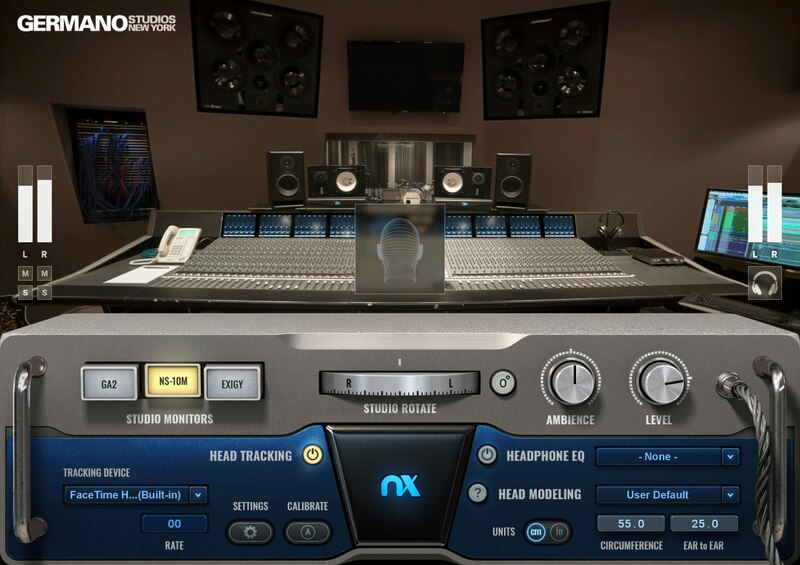
Get Reliable Reference for Your Mixes—On Any Headphones
Originally known as The Hit Factory, Germano studios in New York City have churned out hit after hit from the 1970s to this day. Serving rock, hip hop, and R&B’s elite—from David Bowie and Stevie Wonder to Kendrick Lamar and Rihanna—the Hit Factory’s big, modern sound has earned it a place of honor in the history of recording.
Now, thanks to the accuracy of Waves Nx® immersive audio technology, you can mix in the Hit Factory’s famous control room—and achieve better, more reliable mixes on headphones. All this, plus EQ correction curves for over 270 popular headphone models, make Nx the ultimate headphone reference plugin.
Features
- Mix with the assurance of working in a first-class mix room
- Better reference for mix depth, panning, reverb, low-end response
- Delivers three-dimensional spatial acoustics on any headphones
- EQ correction curves for over 270 popular headphone models
- Models every acoustic nuance of the famed Germano Studio 1 (formerly The Hit Factory)
- Choose from Germano’s 3 sets of custom reference monitors: Exigy S412G, NS10, Germano A2
- The bold, modern acoustics are ideal for hip hop and R&B
- Mix in stereo or 5.1 surround—on any stereo headphones
- Perfect for remote collaboration—mix in the same acoustic space
- Dial in your favorite mixing ambience, from dry to reflective
- Personalized head anatomy calibration
- Supports head tracking for via webcam or the Nx Head Tracker (purchased separately)
System Requirements
Mac
- macOS Monterey 12, Ventura 13, Sonoma 14, Sequoia 15
- VST / AU / AAX
PC
- Windows 10+
- VST / AAX
Installation Instructions














