Buy ppmBatch, get a free gift with purchase:
Important Note: This product will be discontinued on 31st December. Please be aware of the following conditions:
- You can continue to download, install, and authorise as normal.
- Technical support will remain available until 31st March 2026 to assist customers with existing licenses, but users can continue to use the plugins beyond this point.
- The plugins will continue to work on all currently supported systems.
Loudness Batch Processing
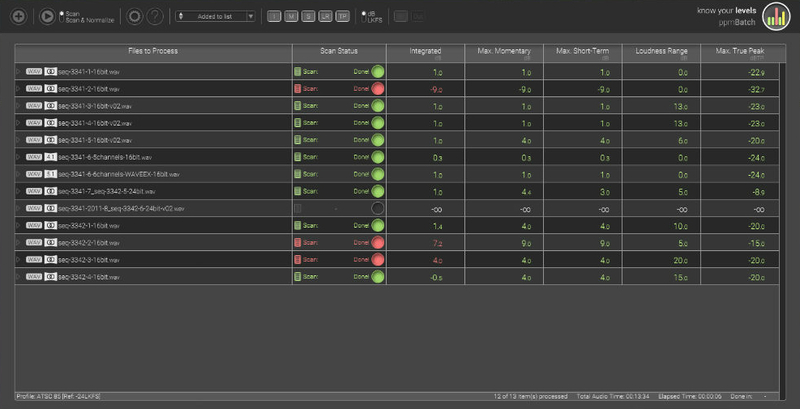
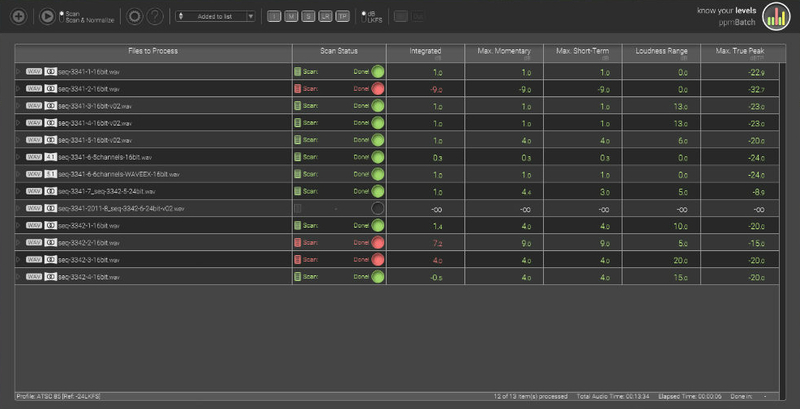
ppmBatch allows you to analyze and normalize your audio files according to various broadcasting loudness standards. It batch processes files in multiple real time and provides intuitive user feedback about each file's compliance status and processing progress. Measurement results are displayed in a clearly arranged, customizable user interface.
ppmBatch comes with presets for the most common broadcasting standards. It enables you to modify these presets and to setup your own profiles. You can create summary report files for a selection of audio files, as well as more detailed reports for each individual file
ppmBatch is the perfect tool for post production, archive converting and automatic normalizing of every-day broadcast reports.
Features
- Fast scan & normalize of multiple files
- Support for multi-channel and multi-mono files
- Default loudness presets for EBU R 128, ATSC A/85, ITU-R BS.1770, ARIB TR-B32, FreeTV OP-59
- Drag and drop
- Support for broadcast wav audio
- Single and overall status reports
System Requirements
- Supported input formats: wav, aif, mp3, ogg, wma, flac
- Min. system CPU: 2GHz
- OSX min. 10.8, Windows min. 7
Please note: deCoda is used as an example.
Registration
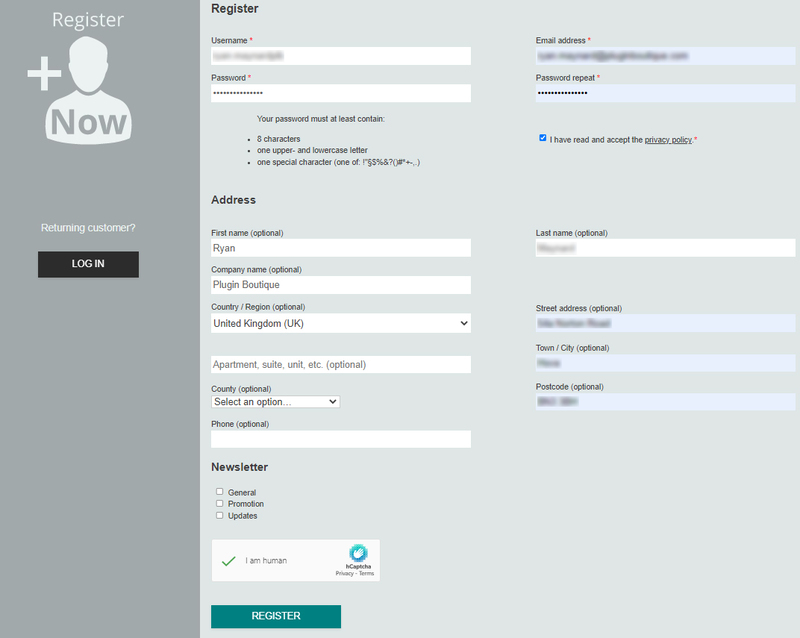
1. Go to the zplane registration page > Enter your details (make sure to select the privacy policy tick box and select 'I am human') > Click Register. If you already have an account, log in to your zplane account and skip to step 4.
2. Click the link you were sent via email from zplane to confirm your account > Click LOG IN.

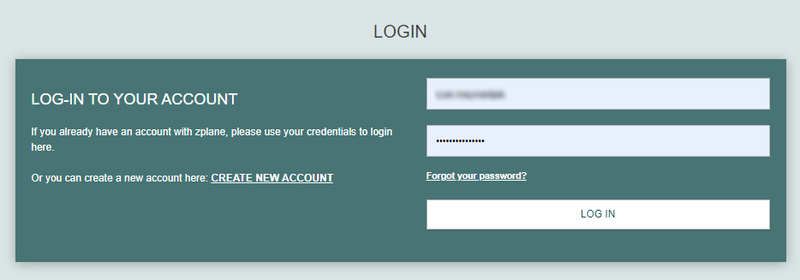
3. Enter your username and password > Click LOG IN.
4. Click Register.
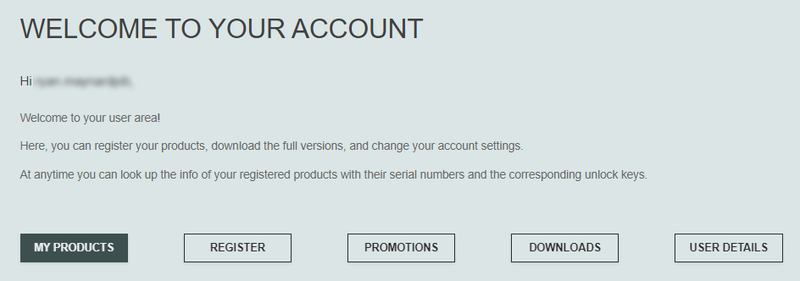
5. Copy the serial number from your Plugin Boutique account > Enter in the box on this page > Click REGISTER.
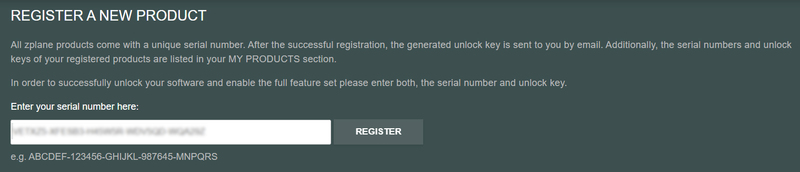
Your software is now registered.
Mac Installation
1. Download the installer .dmg file from your Plugin Boutique account > Double-click the file to open it.
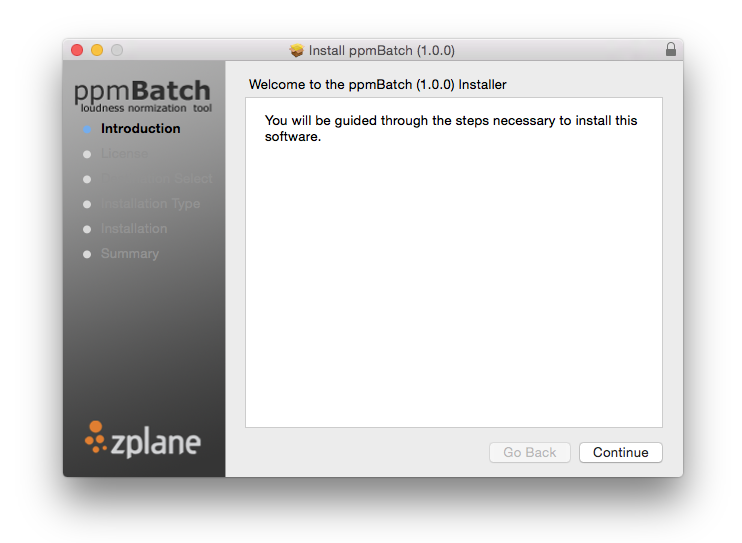
2. Double click the .pkg file to run the installer > Click 'Continue'.
3. Read the End User License Agreement > Click 'Continue'.
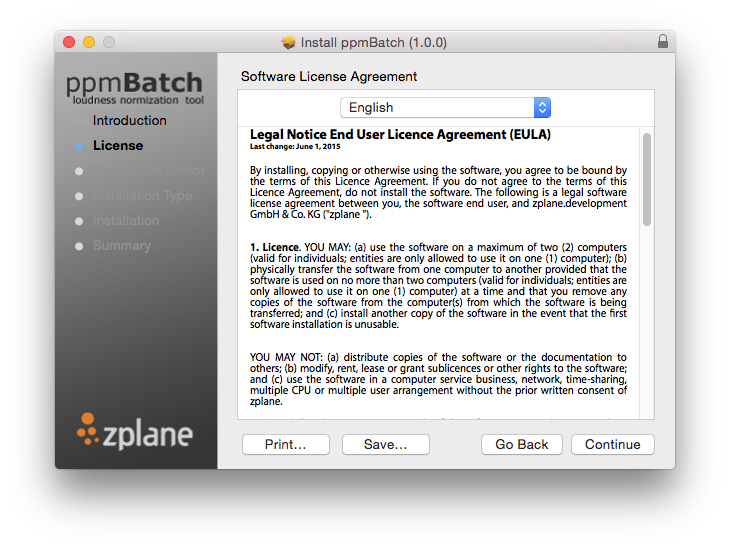
4. Click 'Agree'.
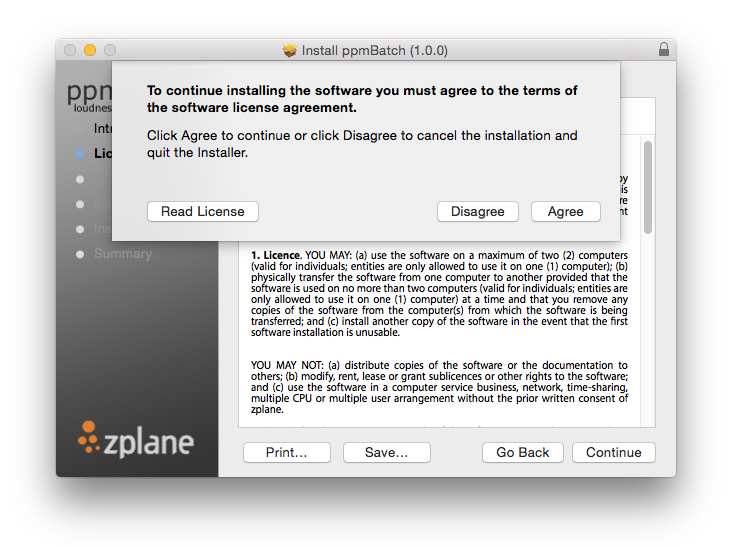
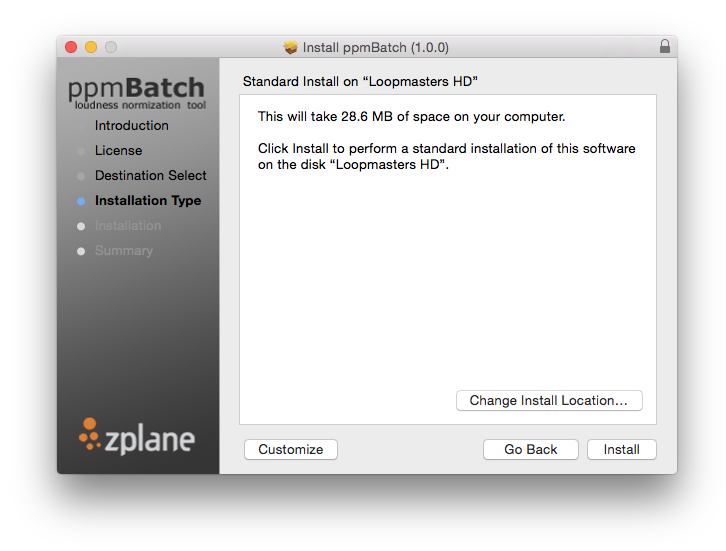
5. Check the information and install location > Click 'Install'.
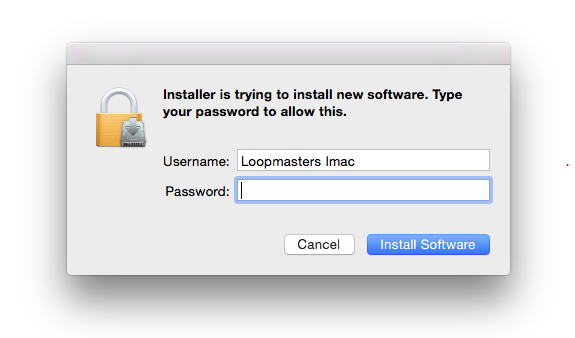
6. Enter your computer username and password > Click 'Install Software'.
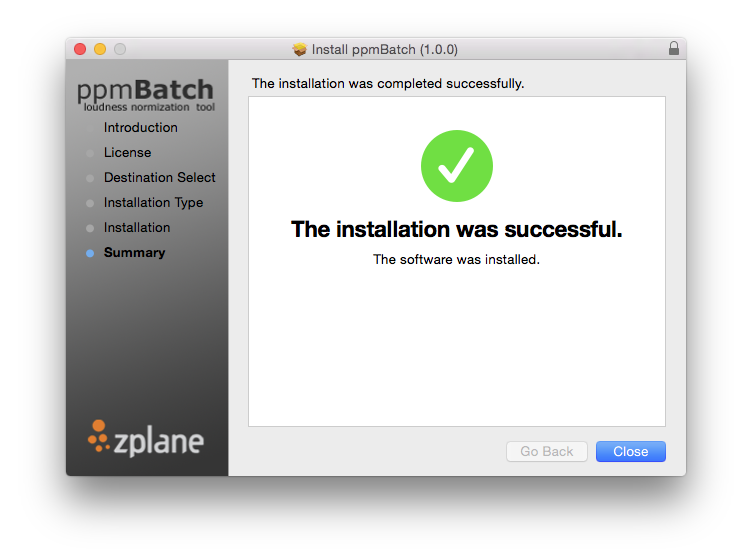
7. Your installation is complete > Click 'Close'.
Activation
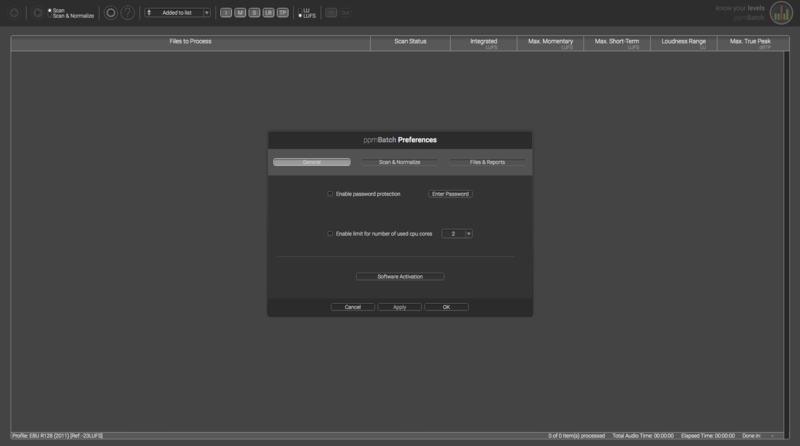
1. Open up the recently installed software > Click the gear icon and click 'Software Activation'.
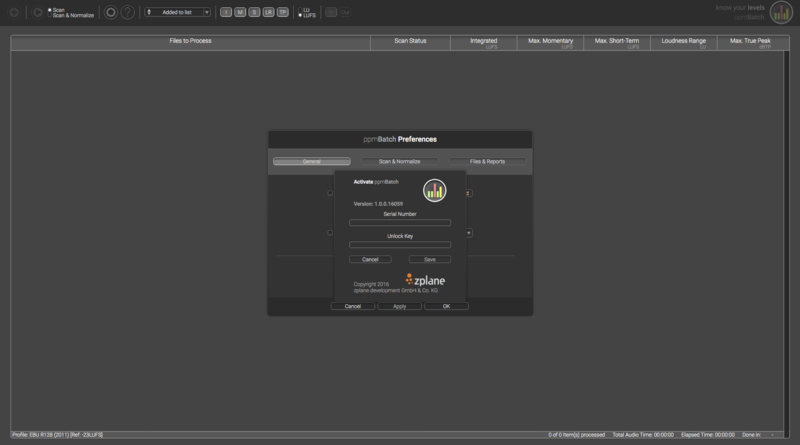
2. Enter the serial number from your Plugin Boutique account and the unlock key that was sent to you via email after registering with zplane > Click 'Save'.
Your software is now activated and ready to use!
Windows Installation
1. Download the installer .zip file from your Plugin Boutique account > Double-click to extract its contents.
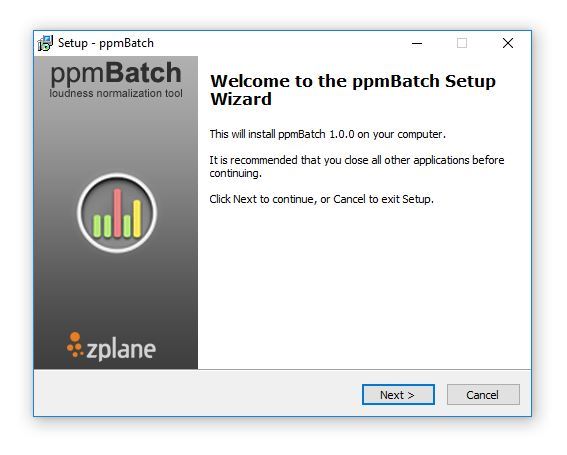
2. Double click the .exe file to run the installer > Click 'Next'.
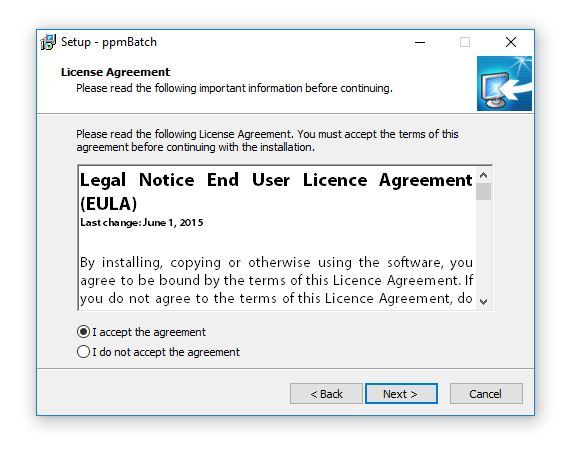
3. Read the End User License Agreement > Select 'I Accept the Agreement' > Click 'Next'.
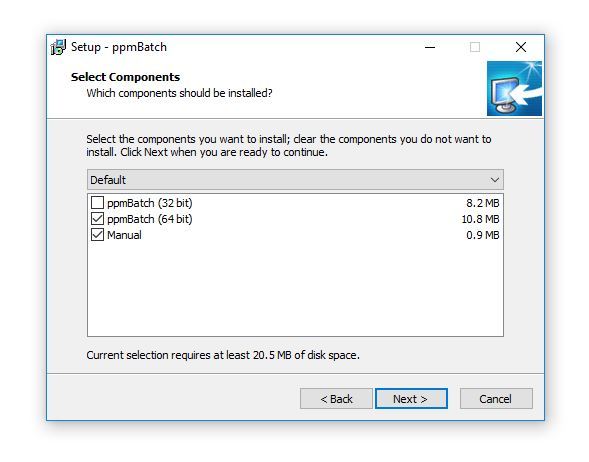
4. Choose the components you would like to install > Click 'Next'.
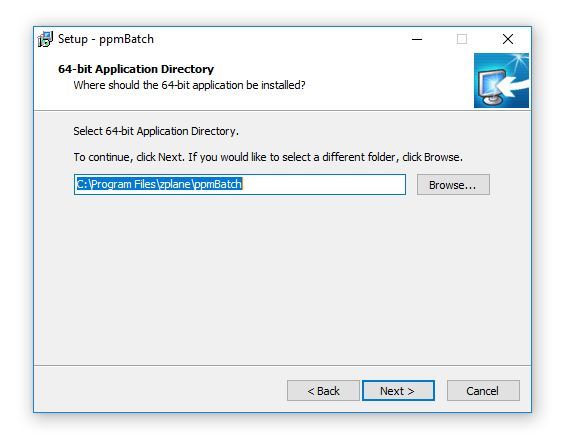
5. Check the install location > Click 'Next'.
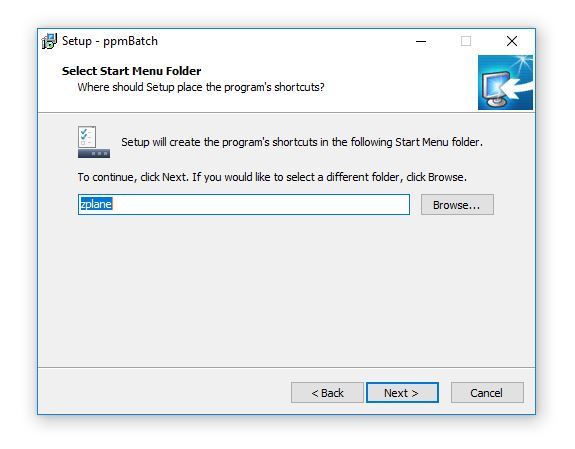
6. Select the start menu folder > Click 'Next'.
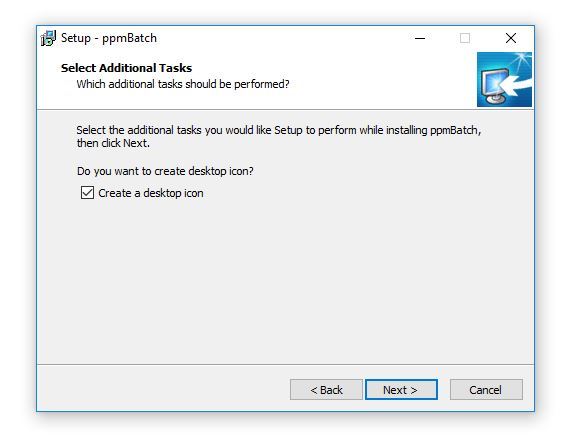
7. Ensure the box is checked if you wish to create a desktop item for the software > Click 'Next'.
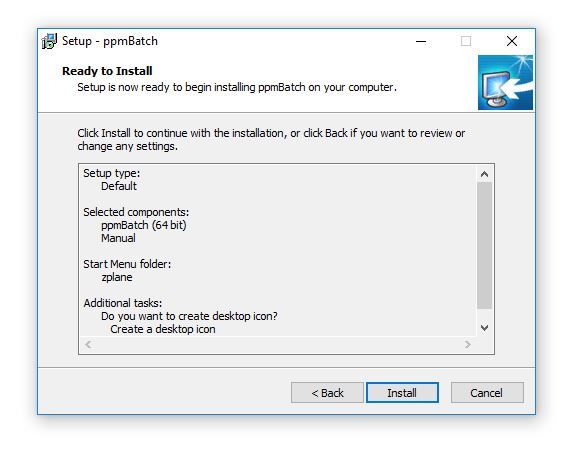
8. Check all of the information is correct > Click 'Install'.
Activation
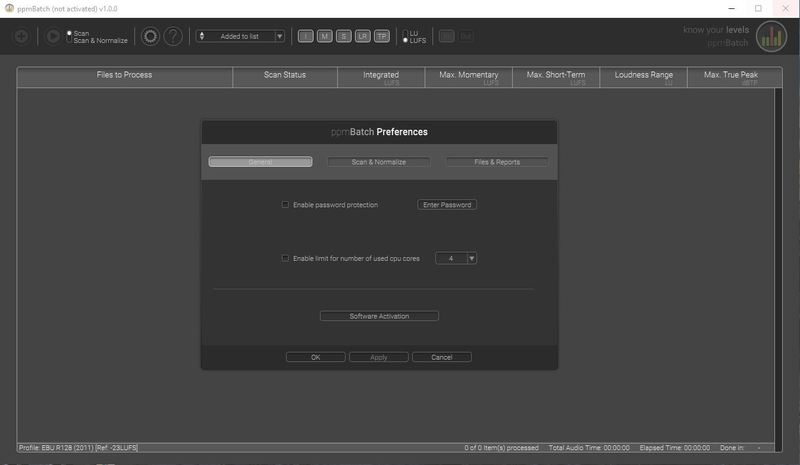
1. Open up the recently installed software > Click the gear icon and click 'Software Activation'.
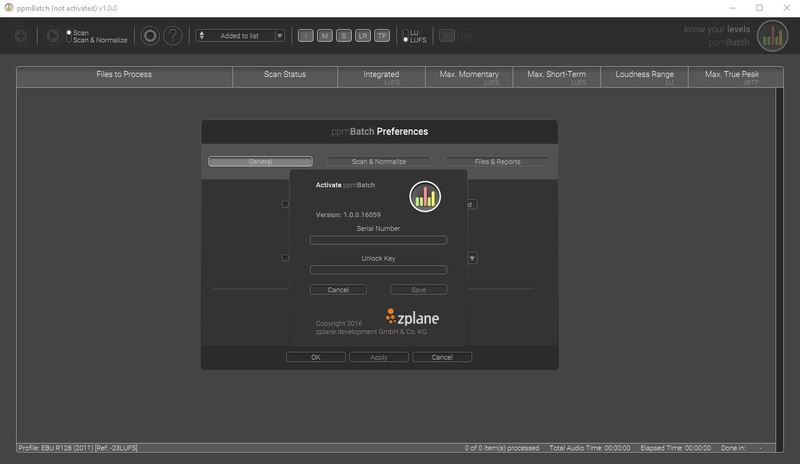
2. Enter the serial number from your Plugin Boutique account and the unlock key that was sent to you via email after registering with zplane > Click 'Save'.
Your software is now activated and ready to use!