/ Utility / GroundControl
Ginger Audio

GroundControl

4.4 (105 Reviews)
FREE
GroundControl - User Interface
Ground Control - Free Audio Router for macOS gallery thumbnail
GroundControl - User Interface 2
GroundControl - User Interface 3
Product information

GroundControl

GroundControl is a free virtual audio driver that allows applications to pass audio to other applications and record audio that's coming from your system.

There are 3 options available - 2 channels, 16 channels, and 64 channels:
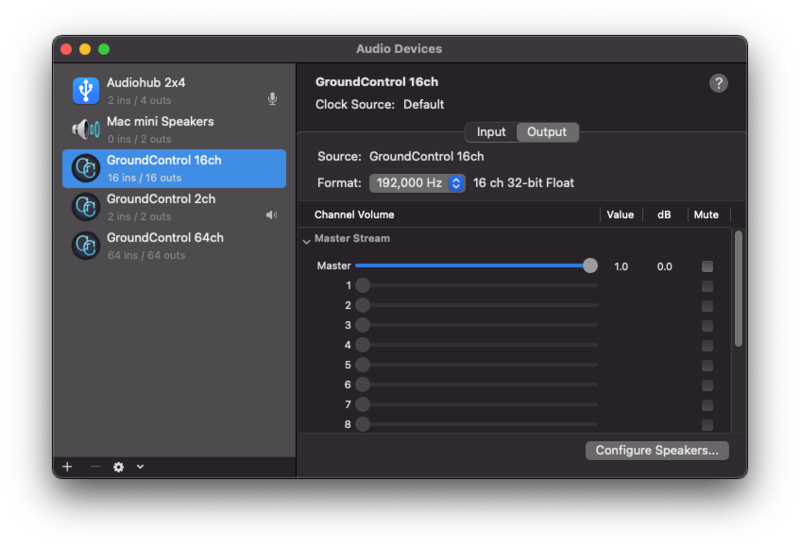
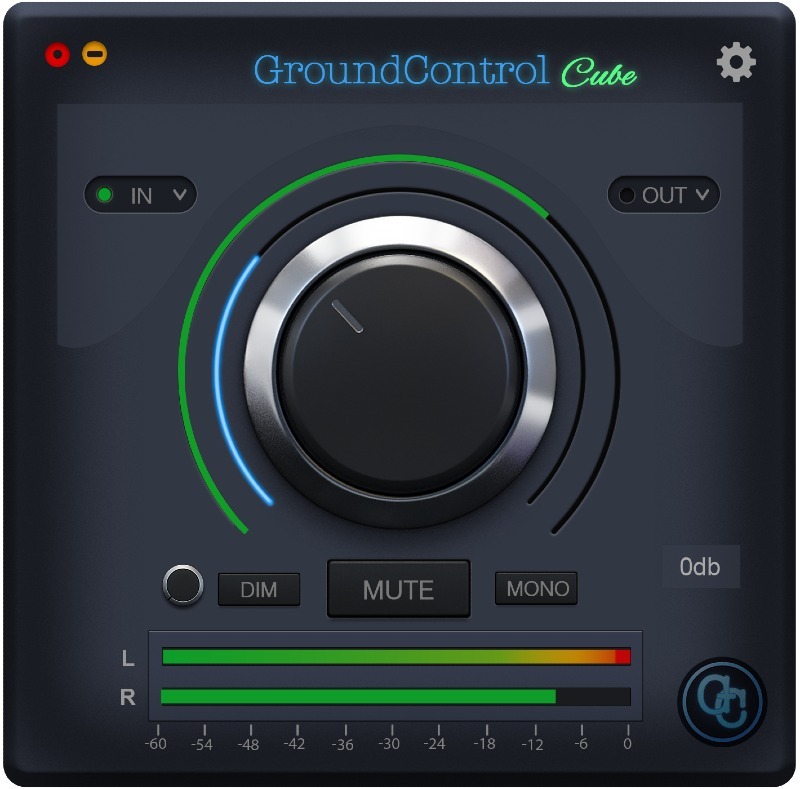
The GroundControl Cube application allows you to monitor GroundControl’s driver's output through your computer’s internal speakers or headphone output.

Features

  • Route audio between applications
  • Record your system sound
  • Monitor your virtual driver
  • Up to 192khz support with zero latency

System Requirements

  • macOS 10.13 - 11 (Big Sur/M1 compatible)

Please note: this software is not compatible with Windows.

Testimonials

Gearnews

"Ground Control makes it easy to send multi-channel audio streams from one application to another with zero latency."

Installation Instructions
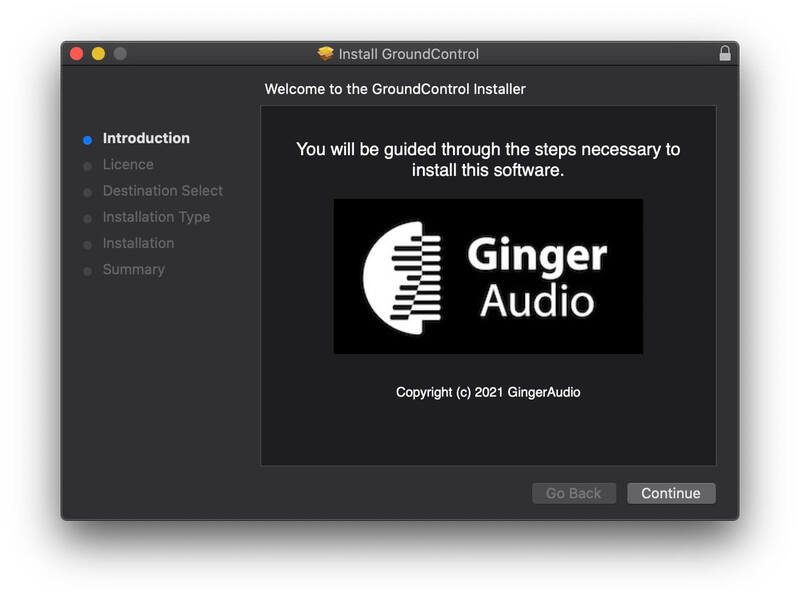
Installation

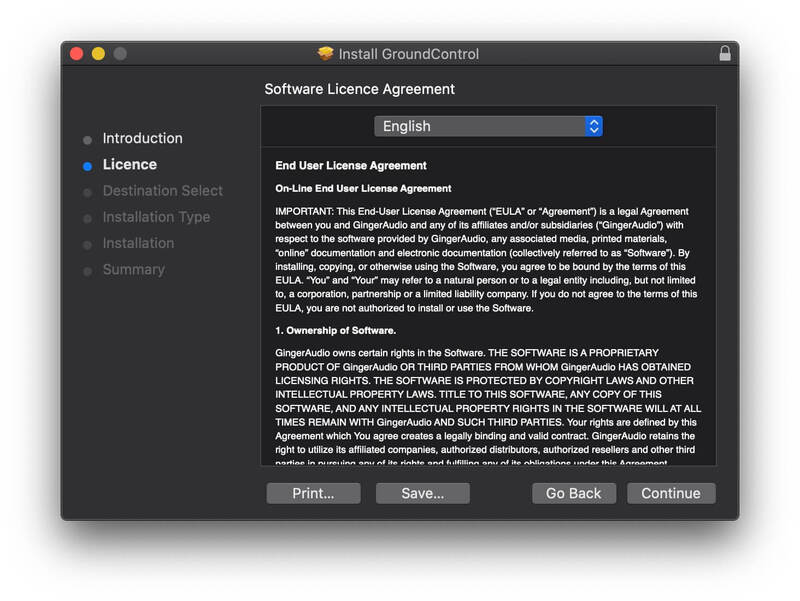
1. Download the installer from your Plugin Boutique account > Run the .pkg file > Click 'Continue'.

2. Read the Software License Agreement > Click 'Continue'.

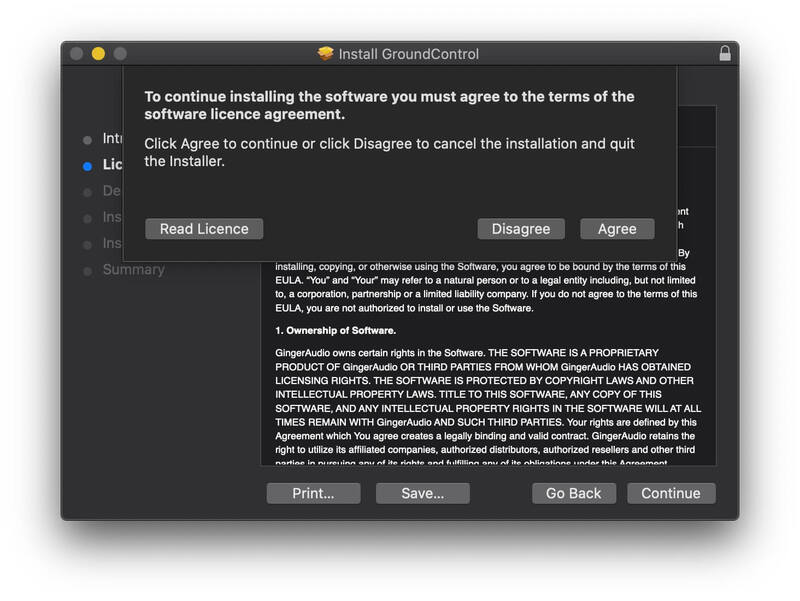
3. Click 'Agree'.

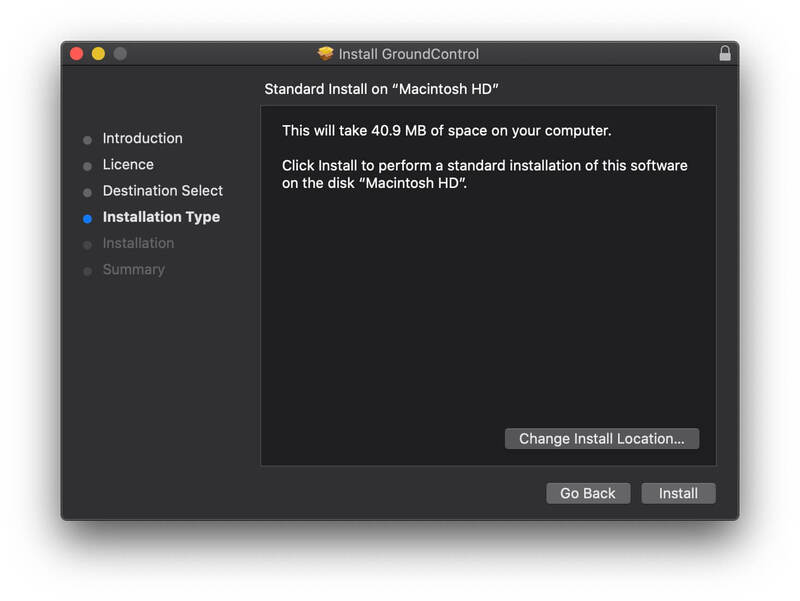
4. Click 'Install'.

GroundControl is now installed on your system.

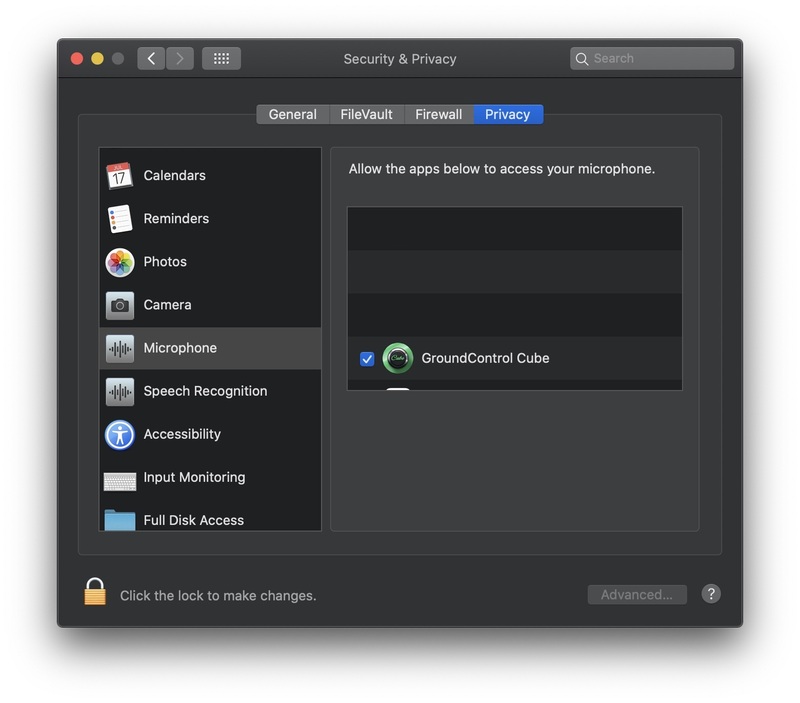
5. Once the installation is complete, open the GroundControl Cube application > Make sure to allow access to the microphone when prompted. If you don't see the pop-up message, go to System Preferences > Microphone and make sure GroundControl Cube is selected:

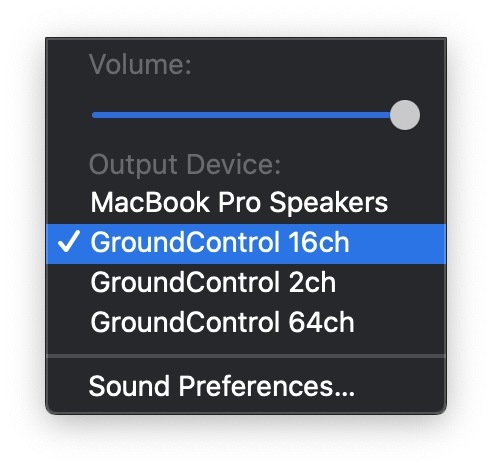
6. If you want to route your system audio into any recording application, go to your system sound preferences from the preferences menu or from the top bar and choose one of the GroundControl options as your output device:

7. To stream audio between two applications, simply choose the output of one application as GroundControl and the input of the second application as GroundControl. Some applications automatically route their 'in & out' audio the same as the system sound preferences.

Plugin Boutique Rewards

Discover the most rewarding loyalty programme among all plugin retailers.

  • Free Loopmasters Samplepacks
  • Discounts on products and courses
  • Extra Virtual Cash claimed immediately at checkout
Find out more

Follow us:

X (Twitter) Facebook YouTube Instagram
Logo Logo

Plugin Boutique Limited, Part of the Beatport Group LLC.

Copyright © 2011-2025 Plugin Boutique. All rights reserved