


Buy FENNEK, get a free gift with purchase:
Important Note: This product will be discontinued on 31st December. Please be aware of the following conditions:
- You can continue to download, install, and authorise as normal.
- Technical support will remain available until 31st March 2026 to assist customers with existing licenses, but users can continue to use the plugins beyond this point.
- The plugins will continue to work on all currently supported systems.

Know Your Levels
Check your loudness and levels with FENNEK - the evolved metering plugin from zplane development. FENNEK comes with a large selection of standards and requirements for the world’s leading broadcasters and streaming services. Pick your destination and FENNEK will check that your peaks and loudness will match the intended use for your project. With a highly customizable interface and a loudness history view, FENNEK is the professional’s choice in modern audio metering software.
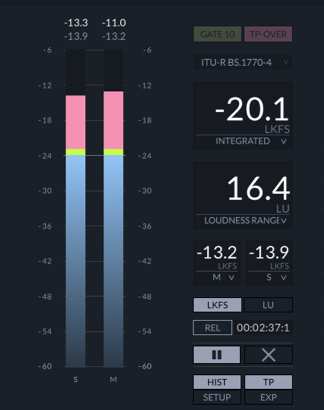
Metering One-Stop-Shop
The multi-talented FENNEK gives you all the loudness information you could possibly ask for.
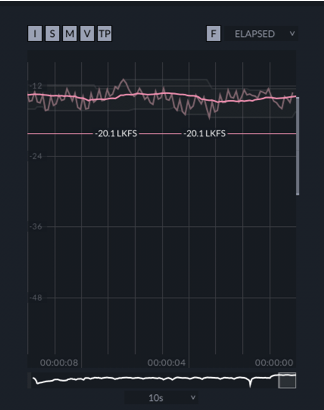
Loudness Over Time
FENNEK’s history view shows the loudness over time with several options over what information you want to track.
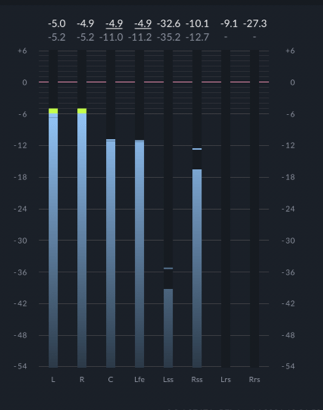
All Kind Of Mixes
Check your peaks and levels in all types of audio mixes. Stereo, 5.1, 7.1 – FENNEK can do them all.
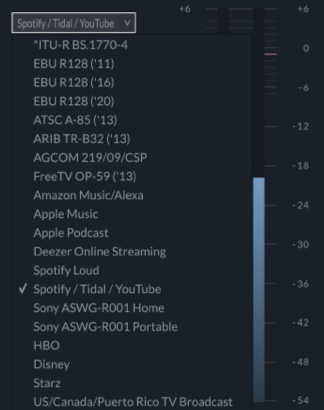
Stay Compliant
Deliver mixes you can stand for with FENNEK’s broad selection of ready-to-use presets covering all types of broadcast and streaming uses.
Presets
- ITU-R BS.1770-4
- EBU R128 ('11)
- EBU R128 ('16)
- EBU R128 ('20)
- ATSC A-85 ('13)
- ARIB TR-B32 ('13)
- AGCOM 219/09/CSP
- FreeTV OP-59
- Amazon Music
- Amazon Alexa
- Apple Music
- Apple Podcast
- Deezer Online Streaming
- Spotify Loud
- Spotify Normal
- Tidal
- YouTube
- Sony ASWG-R001 Home
- Sony ASWG-R001 Portable
- HBO
- Disney
- Starz
- US / Canada / Puerto Rico TV Broadcast
Features
- Professional-grade audio metering software.
- Accurate, industry-standard peak and loudness metering algorithms.
- Large and growing preset bank with audio standards for the world’s leading broadcast and streaming networks.
- Comprehensive loudness history view that shows levels and loudness of your entire project.
- Customizable interface - hide sections you don’t need to see.
- Flexible input options: stereo, 5.1, or 7.1 surround sound.
- Available as VST, VST3, AU, and AAX plugins for use in your DAW or video editor of choice.
- Runs natively on Apple's ARM/M1.
- Standalone application option - great for calibrating equipment or to use a computer as a dedicated loudness metering station.
System Requirements
macOS
-
macOS 10.8 - 11.4 (uses Rosetta 2 to run on M1 Macs)
-
VST2, VST3, AU, AAX, and Standalone
Windows
-
Windows 7, 8, and 10
-
VST2, VST3, AAX, and Standalone
Please note: deCoda is used as an example.
Registration
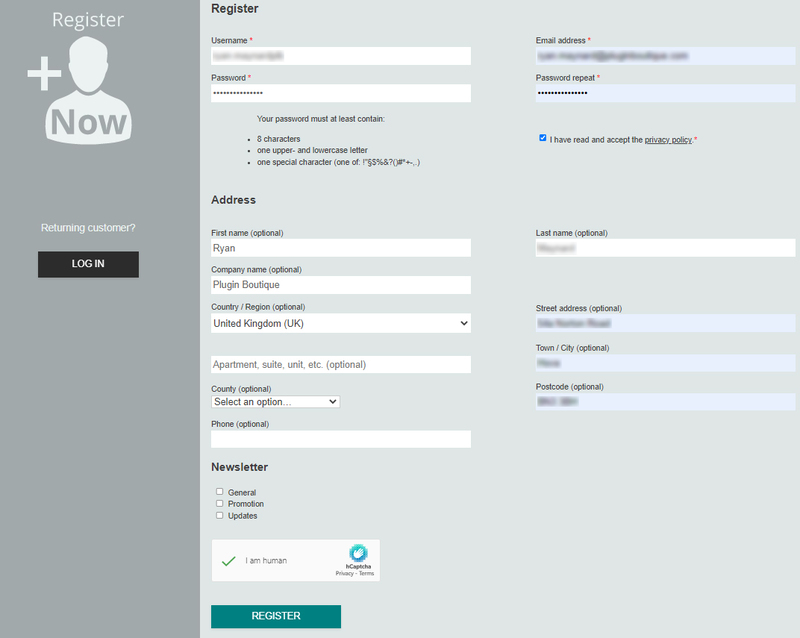
1. Go to the zplane registration page > Enter your details (make sure to select the privacy policy tick box and select 'I am human') > Click Register. If you already have an account, log in to your zplane account and skip to step 4.
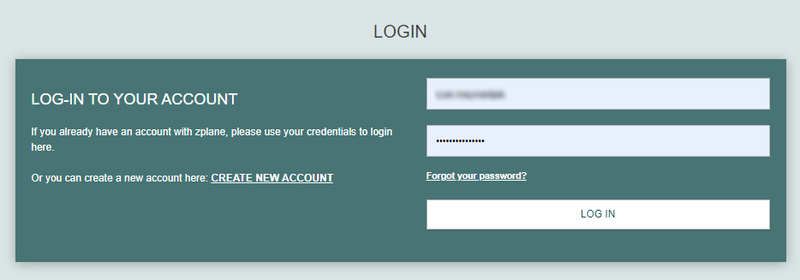
2. Click the link you were sent via email from zplane to confirm your account > Click LOG IN.

3. Enter your username and password > Click LOG IN.
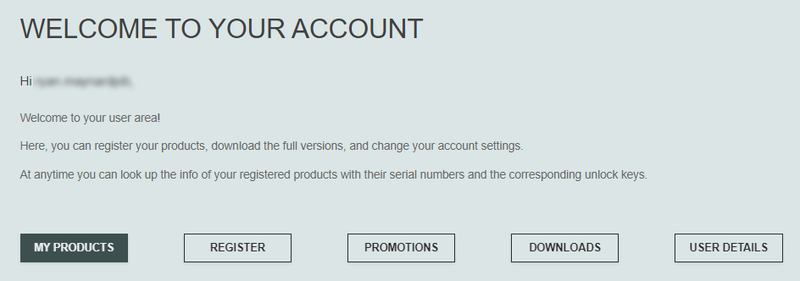
4. Click Register.
5. Copy the serial number from your Plugin Boutique account > Enter in the box on this page > Click REGISTER.
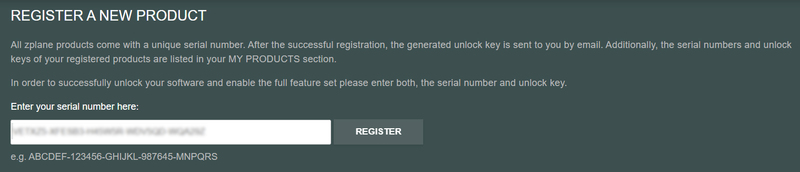
Your software is now registered.
Mac Installation
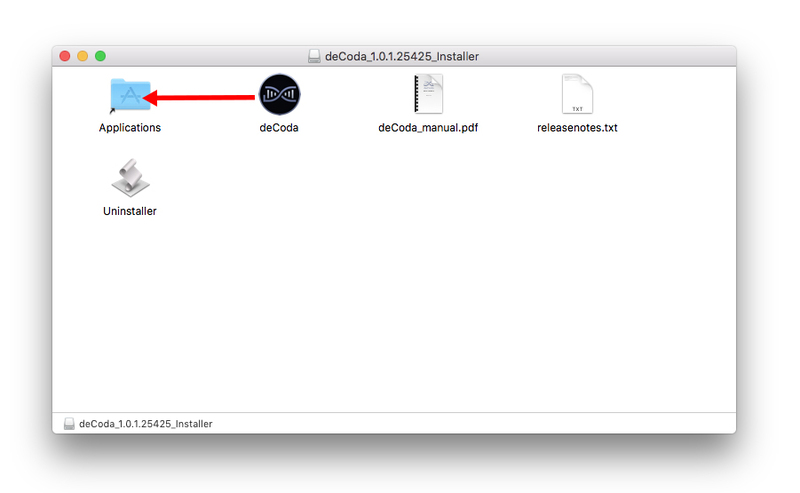
1. Download the .dmg installer file from your Plugin Boutique account > Double-click to open it.
2. Drag 'deCoda' into your Applications folder.
Activation
1. Open up the recently installed software from your Applications folder.
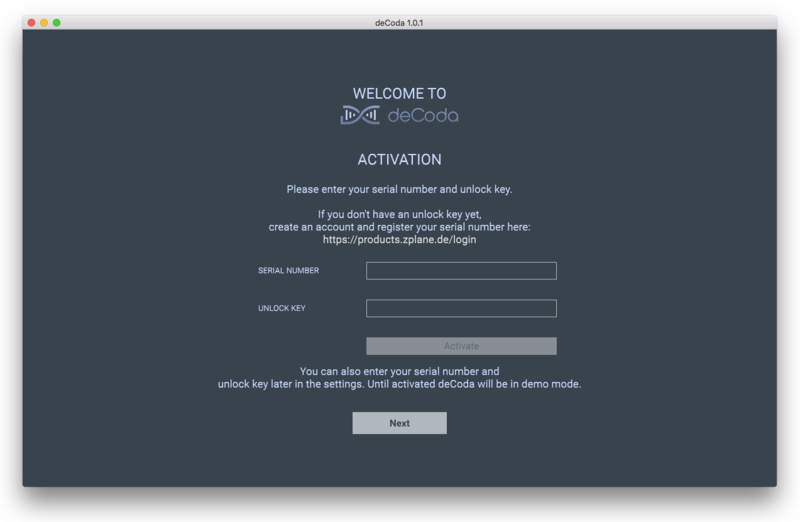
2. Enter your serial number found in your Plugin Boutique account and your Unlock Key sent to your Email > Click Activate.
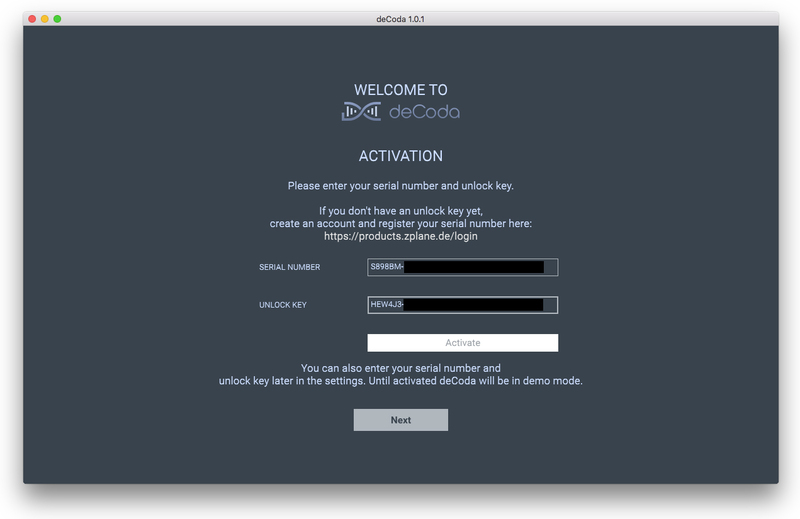
3. Click Next.
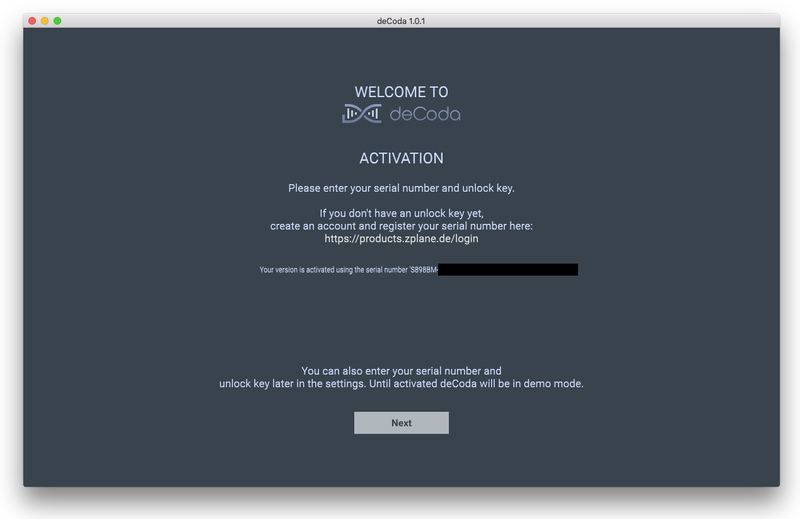
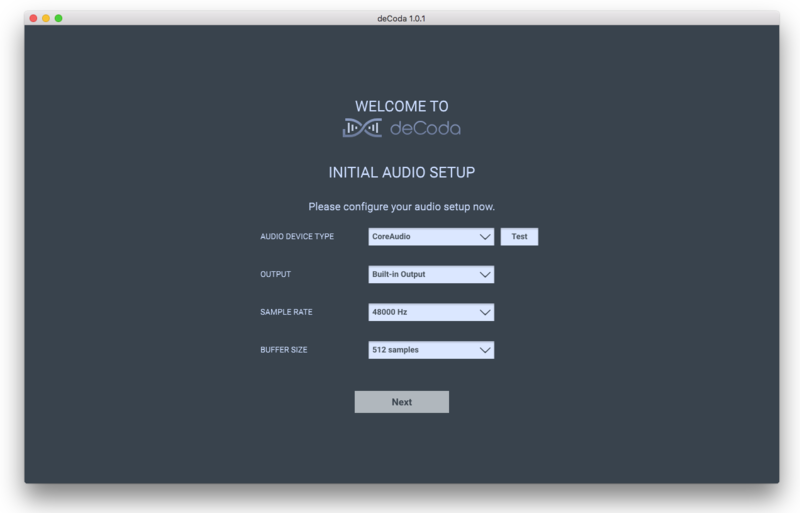
4. Confirm your audio setup is correct > Click Next.
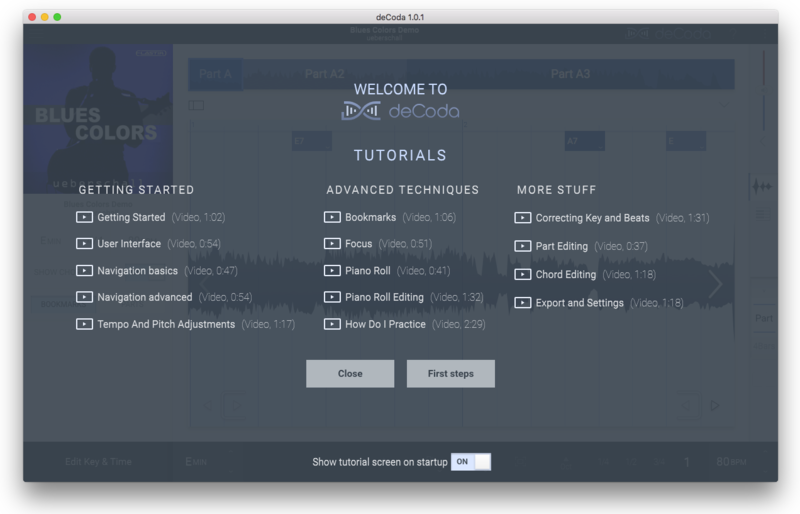
5. Start the interactive tutorial by clicking 'First steps', watch a tutorial video, or click Close.
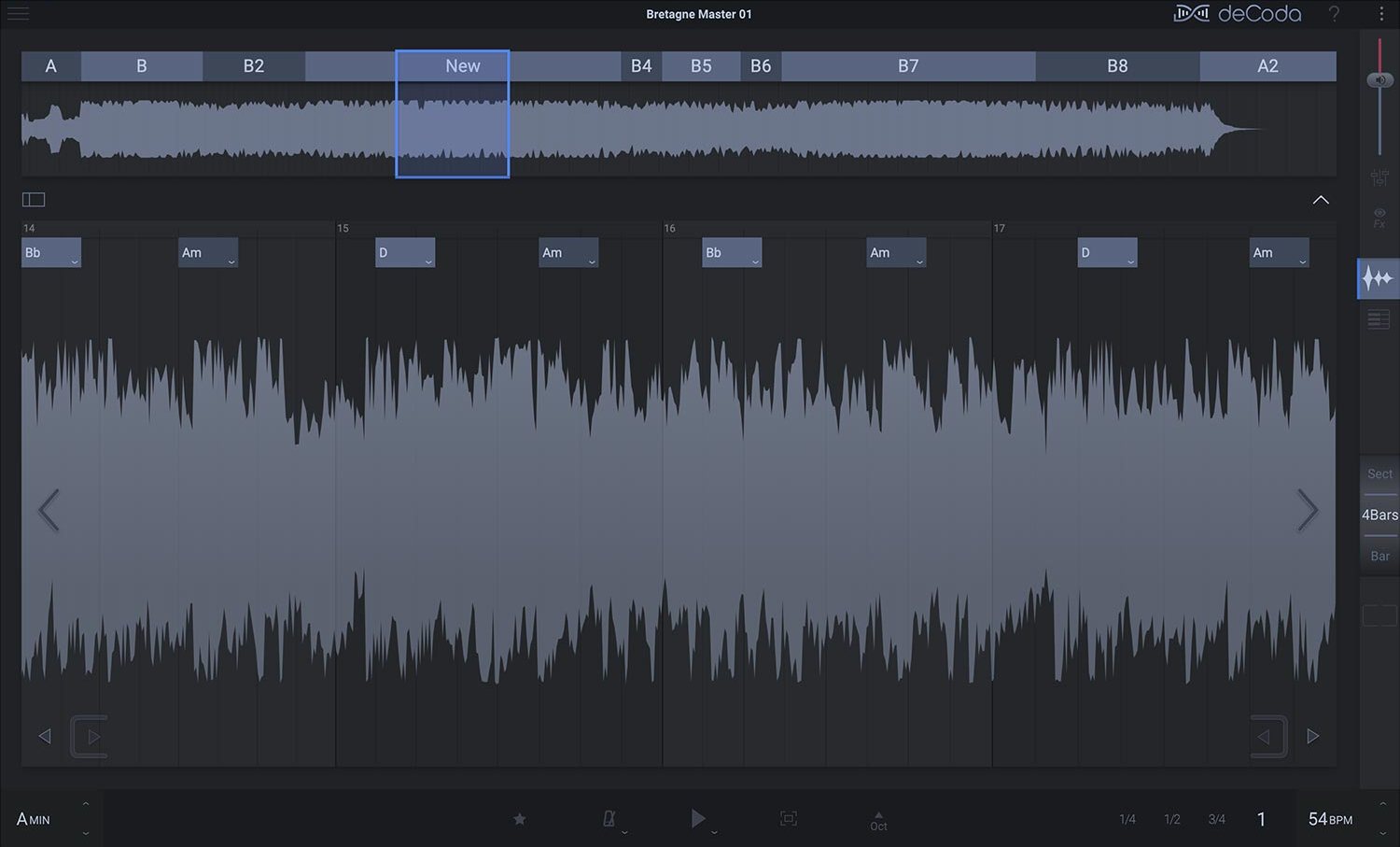
Your software is now activated and ready to use!
Windows Installation
1. Download the .zip file from your Plugin Boutique account > Double-click to extract its contents.
2. Double click the .exe file to run the installer > Click Next.
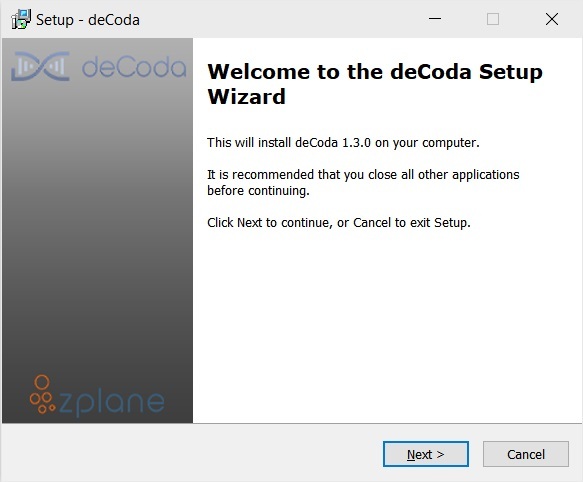
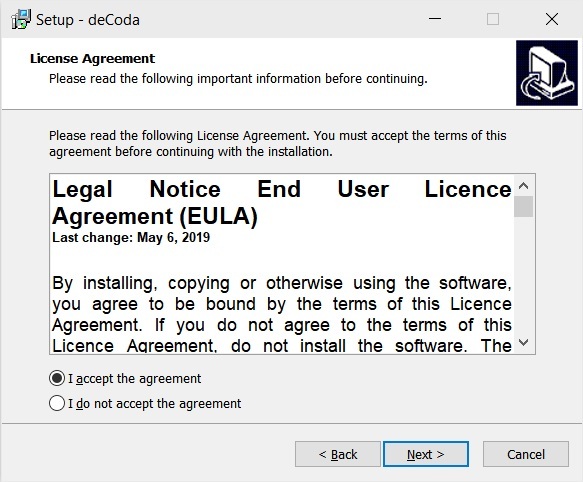
3. Read the License Agreement > Select 'I accept the agreement' > Click Next.
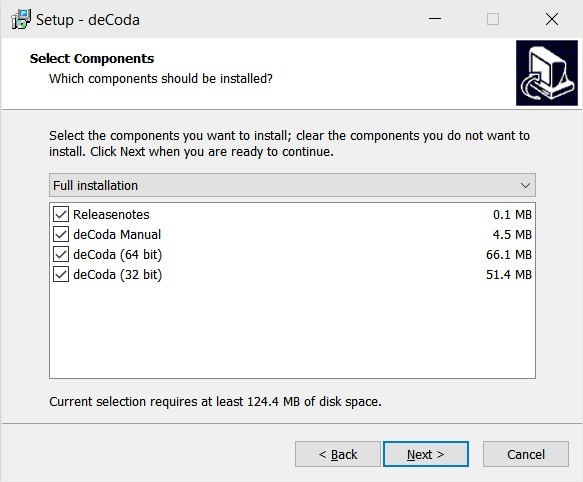
4. Select which components you would like to install > Click 'Next'.
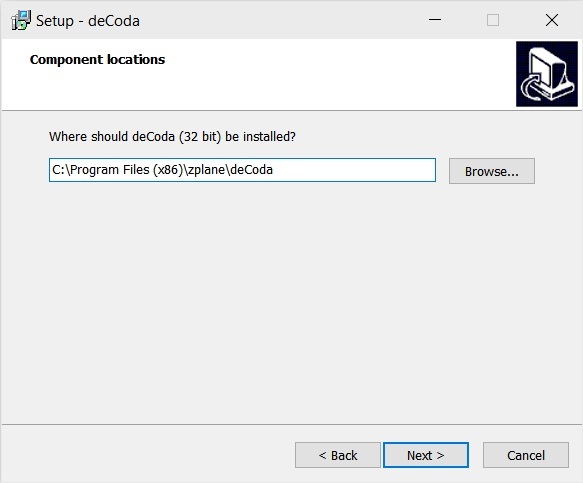
5. Select where deCoda should be installed > Click Next.
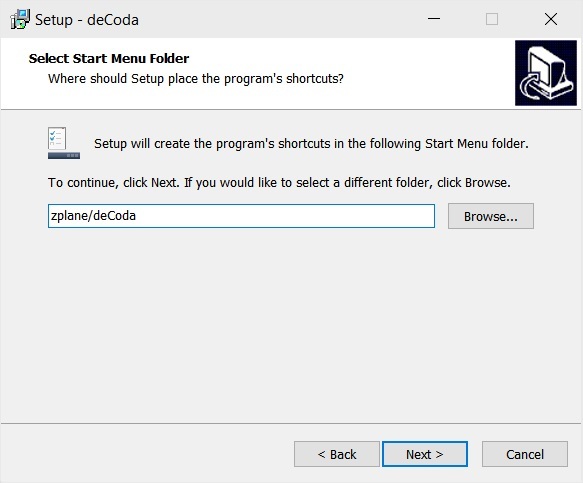
6. Select the start menu folder > Click Next.
7. Select whether you would like a desktop shortcut to be created > Click Next.
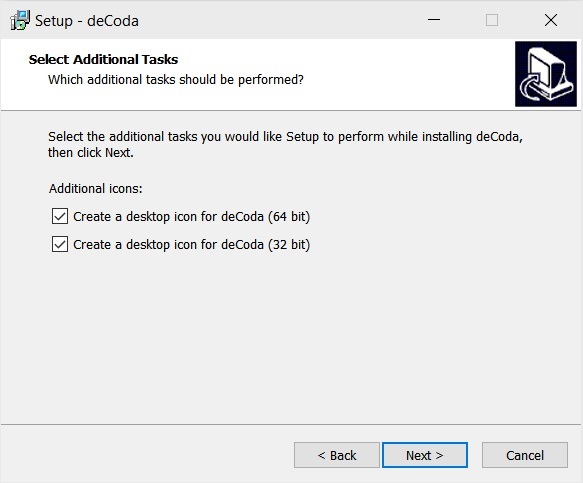
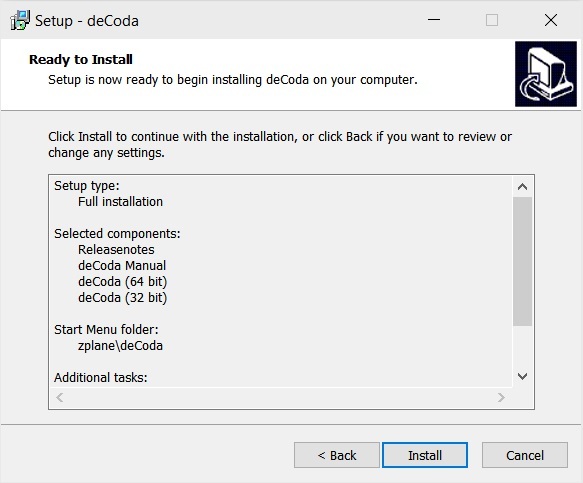
8. Check all details are correct > Click Install.
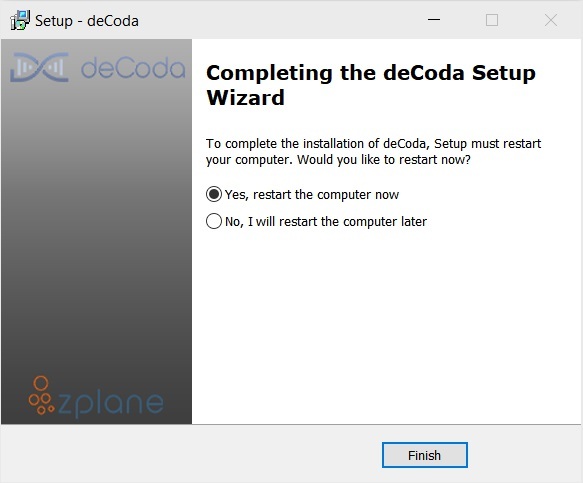
9. Your install is complete > Make sure you have saved any data > Select 'Yes, restart the computer now' > Click Finish.
Activation
1. Open up the recently installed software from your Start Menu or desktop.
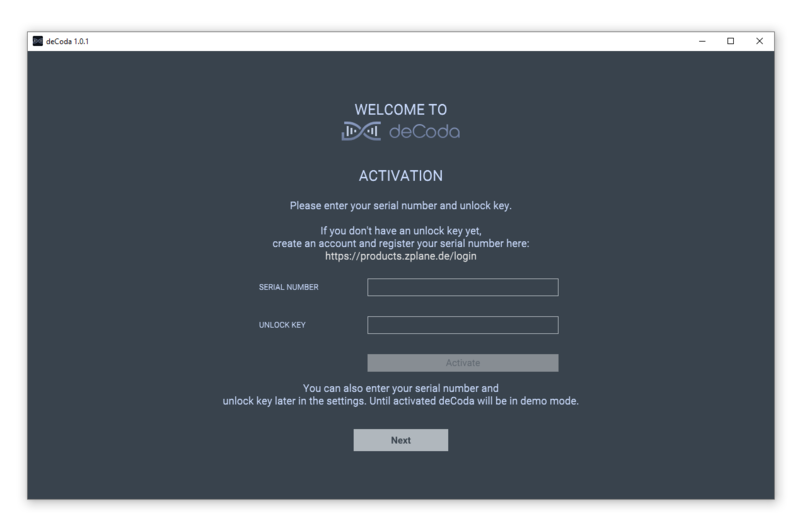
2. Enter your serial number found in your Plugin Boutique account and your Unlock Key sent to your Email > Click Activate.
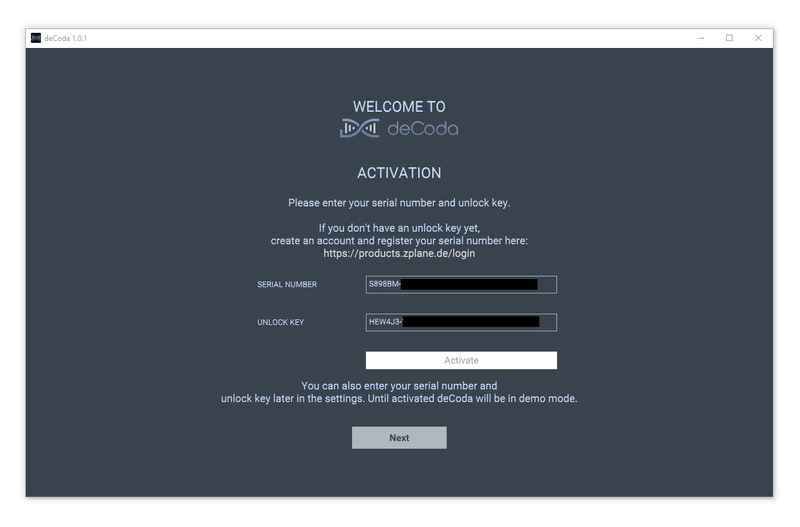
3. Click Next.
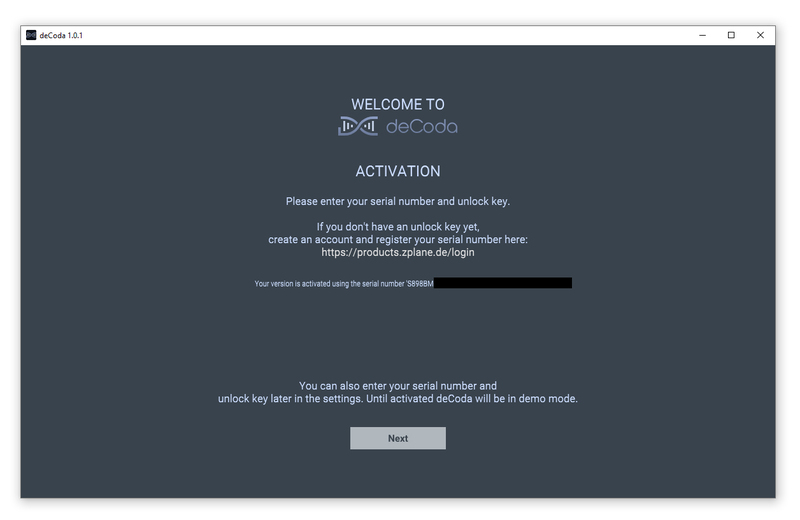
4. Confirm your audio setup is correct > Click Next.
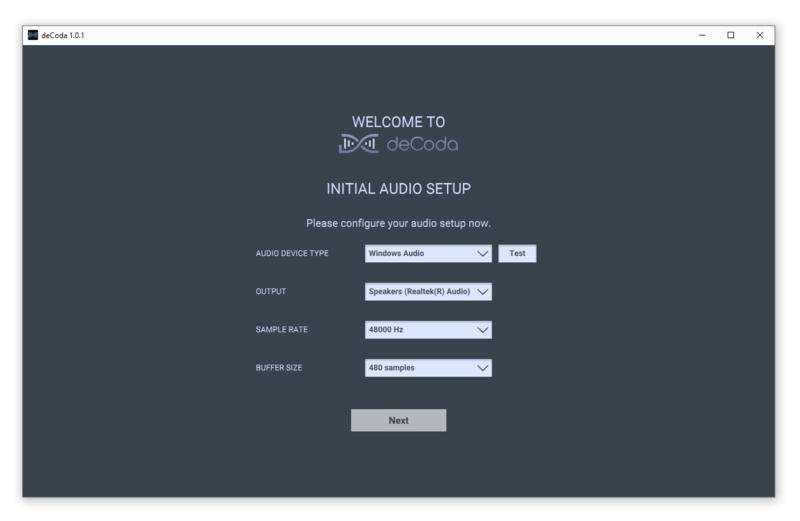
5. Start the interactive tutorial by clicking 'First steps', watch a tutorial video, or click Close.
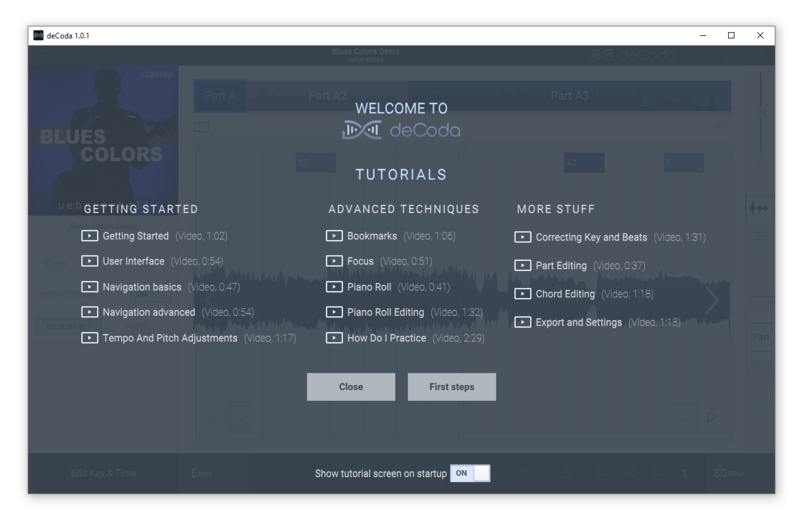
Your software is now activated and ready to use!


