


 Log In

Free gifts available with your purchase
SSL® 4000 Series Console Bundle
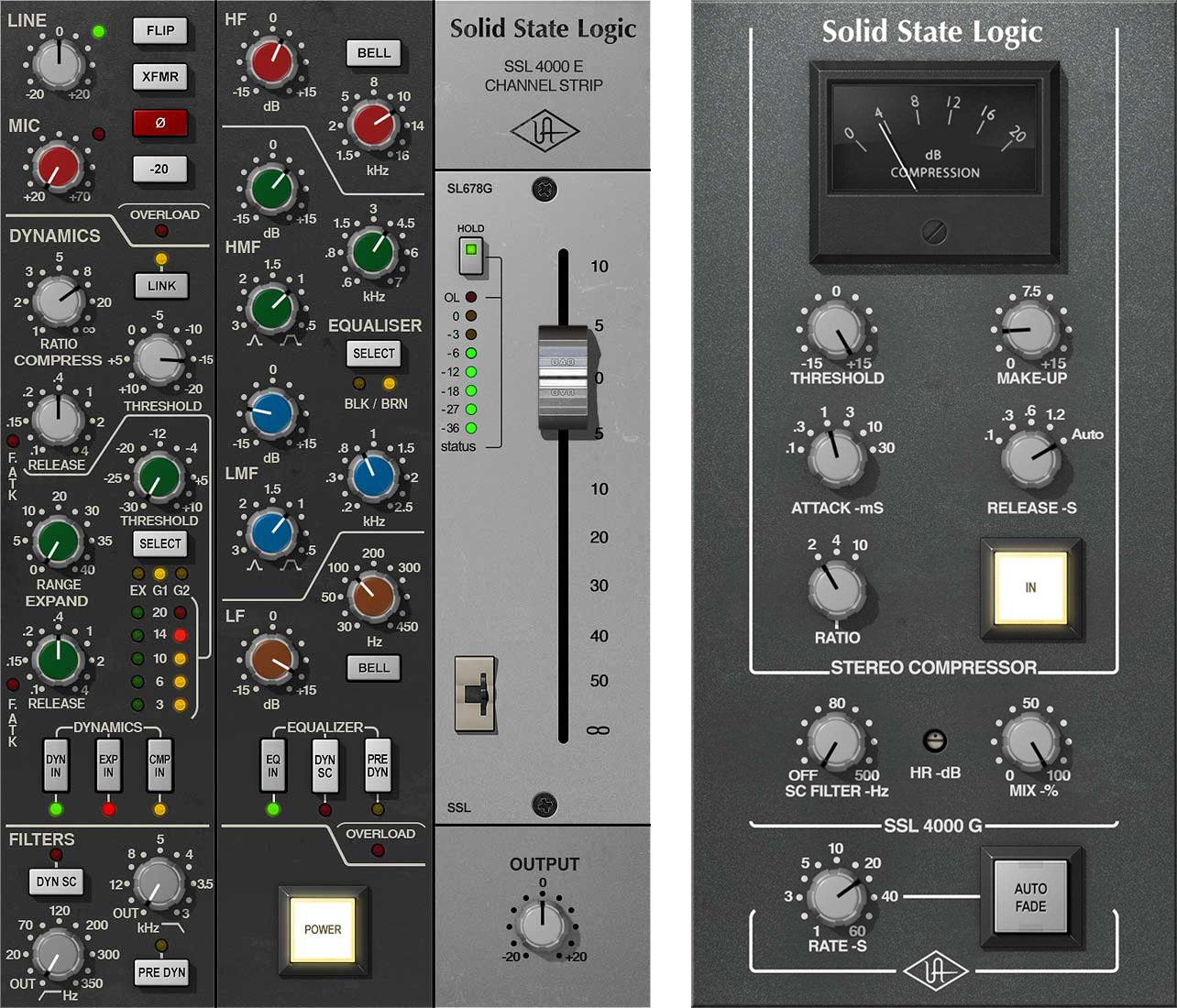
The world's finest emulations of the certified hit-making channel strip and bus compressor – now available as UAD Native plug-ins
The SSL 4000 Series is famous as the console series employed on more Platinum-selling records than any other. With its wide range of VCA compression characteristics and intuitive EQs — rich with colorful band interdependencies — it's easy to hear why.
Working in close partnership with Solid State Logic, Universal Audio proudly unveils the SSL 4000 Series Classic Console Bundle for Native and UAD-2 hardware and Apollo interfaces — a perfect match of exacting circuit emulations from these certified hit-making machines.
SSL 4000 E Series Channel Strip
The SSL E Series Channel Strip plug-in gives you everything you need to dial in professional, polished tracks with classic SSL sonics. With the inclusion of both the Type E “black knob” and “brown knob” four-band EQ and filters — hallowed in SSL lineage — you can apply refined punch to drums, presence to vocals, and heft to bass. Other features include high and low cut filters, an expander/gate, and compression.
SSL 4000 G Bus Compressor
nA faithful circuit emulation of the legendary SSL 4000 G console's bus compressor, this iconic dynamics processor delivers undeniable drive and punch that helped make the original 4000 G Series the world's most successful production console. Top engineers have come to rely on this master compressor to "glue together" mixes like nothing else, as well as patching into it for stunningly musical results on drums, pianos, and more.
Features
- NEW! UAD Native plug-ins with external side-chaining capabilities, for even more dynamic control over your mixes — no Apollo required
- Track and mix with an exacting emulation of SSL E Series Console Type E “black” and “brown” knob channel EQ and filters
- Harness famous SSL E Series VCA Compression — from transparent to “in your face”
- Harness the SSL E Series’ highly responsive Gate including “no-chatter” mode derived from later designs
- Easily add G Bus glue and cohesion to drums, strings, and background vocals
- Elevate your mix bus with legendary SSL G Bus compression
- Use the G Bus’s Auto Fade feature (1-60 seconds) as found in original console
- Mix with artist presets from Just Blaze (Beyoncé, Kendrick Lamar), Ryan Hewitt (Red Hot Chili Peppers, The Avett Brothers), Peter Mokran (The Flaming Lips, Mary J. Blige), Ian Boxill (Prince, Tupac), and more
- macOS Big Sur 11, Monterey 12, Ventura 13, Sonoma 14, Sequoia 15 and Tahoe 26
- Windows 10 or Windows 11 (64-bit editions)
- Intel, AMD, or Apple silicon processor
- Internet connection to download software and authorize UAD Native plug-ins (UADx)
- Free iLok account
- Compatible with iLok USB (2nd generation or higher) but not required
- Free UA Connect application for managing UAD Native plug-ins (UADx)
- A supported DAW compatible with VST3, AU, or AAX plug-in file formats.
Reviews Summary
While it aims to provide a helpful overview, it may not capture every perspective or detail. We encourage you to read individual reviews to make an informed decision.
Customers highly praise this plugin combo for delivering the classic SSL sound and warmth that significantly elevates mix quality. Users consider it an essential mixing tool, expressing strong love for its character and the fantastic selection of presets.


