


 Log In

Free gifts available with your purchase
Brighten up your life with these classic Abbey Road Studios equalizers! Meticulously modeled by Softube, the RS127 Rack, RS127 Box and RS135 deliver the sweetest treble equalization imaginable. With the Brilliance Pack, today's DAW-based mix engineers can add all the air and top frequencies they want, without the slightest trace of harshness—just like Abbey Road Studios' engineers have done on their recordings from the 1960s onwards.
Abbey Road Studios Brilliance Pack is a highly specialized, but indispensable, tool for mix engineers of all genres. The three included equalizers focus entirely on the presence/treble frequencies, breathing air into single tracks or entire mixes.
Abbey Road Studios engineers found the presence boxes excellent for guitars, vocals and drums, especially snare and kick drum direct to tape. The units were in constant operation throughout the studios during recording and mixing, used to define the sound of instruments, brighten up the feed to the echo chambers and patch over compressors to create de-essers. They even found their way into the cutting rooms.
The original equalizers were exclusively built in-house by the Abbey Road engineers in the 1960s and quickly became a secret weapon at the studios. Before the plug-in version was released, they had never been available outside of Abbey Road Studios. Softube has faithfully modelled the passive circuitry of the three original units, component by component.
See the manual for further background information on these truly unique units.
RS127 Rack (Grey Faceplate)
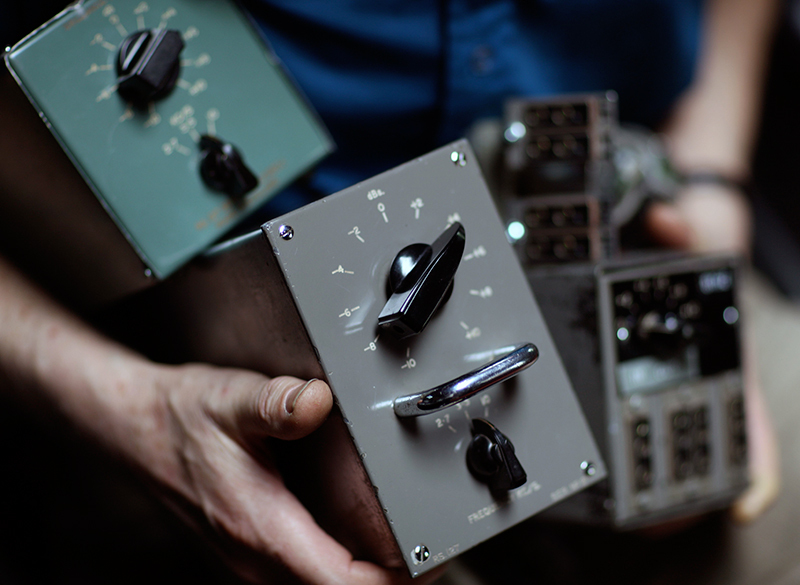
The grey RS127 Rack is the original Abbey Road Studios treble equalizer. It offers a boost or cut of up to 10 dB at 2.1, 3.5 and 10 kHz (or kilocycles per second as they used to be known).
RS127 Box (Green Faceplate)
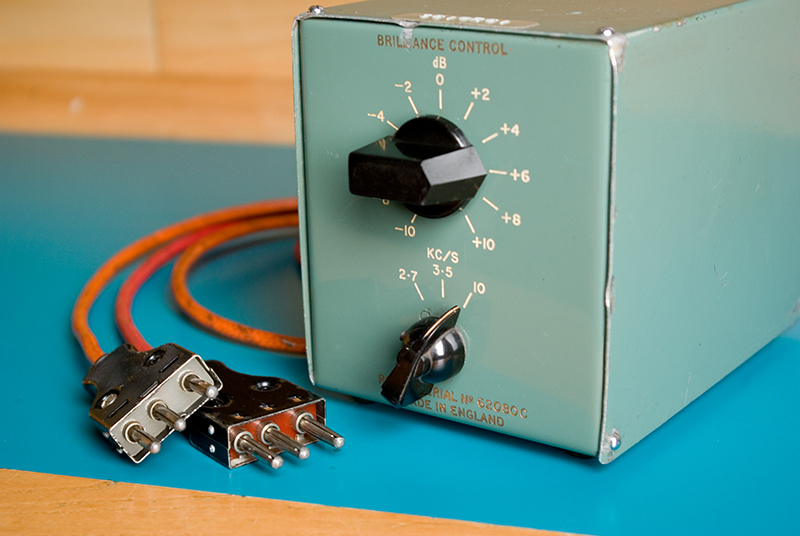
When more units were needed in the studio, the portable green RS127 Box was built. The same circuit was used as in the original RS127, but with the addition of an audio transformer. The engineers quickly discovered that the transformer dramatically altered the sound character and the operating frequencies of the RS127. The frequencies got shifted a bit higher, which is of course also holds true for the plug-in model.
RS135
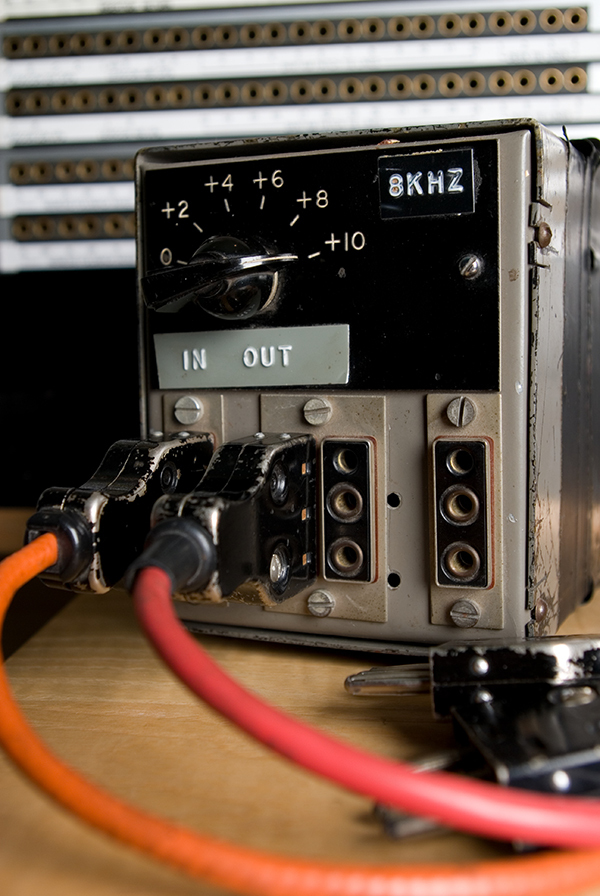
Lastly, the RS135 was created to fill in the frequency gap that the RS127 units left out. It's fixed at 8 kHz, offers boost only and is just as sweet and silky as its siblings.
So there you have it—a pack of brilliant, beautiful treble equalizers, straight out of Abbey Road Studios!
Features:
- Adds beautiful sounding treble and presence without harshness
- Three different passive treble equalizers, modeled from Abbey Road Studios' originals
- The original grey RS127, the green RS127 with added transformer and the 8 kHz only RS135
- Very low CPU usage
System Requirements
- macOS Big Sur 11, Monterey 12, Ventura 13
- Windows 10 (64-bit), Windows 11
- Softube account
- iLok account
- Computer with AU, VST, VST3, and/or AAX-compatible DAW host software
- Internet access (for downloading installers and managing licenses)
Supported CPU Families
- Apple macOS computers with Intel Core i3/i5/i7 or Apple silicon (M1 or newer) CPU. Apple silicon is supported natively.
- Windows computers with quad-core Intel Core i3/i5/i7 or AMD quad-core processors with SSE 4.2 support.
- Other Intel processors (Celeron, Pentium, and Xeon) are compatible if they support SSE 4.2 instructions.
Supported Host Software (DAW)
Any 64-bit VST, VST3, AU, or AAX (Pro Tools 11.0.2 or higher) compatible host application should work. However, due to plug-in host differences between DAWs—and our rigorous standards—Softube only officially test their plug-ins and instruments in the most recent versions of Pro Tools, Logic Pro, Cubase, Ableton Live, Studio One, and Reaper. Softube plug-ins are not tested regularly in non-listed systems. They will likely work if the system requirements are met. However, the manufacturer cannot guarantee a solution for issues in unsupported systems.
Softube strongly recommend using VST3, as some of their plug-ins have features that are not present in the older VST format. Supported sample rates: 44.1, 48, 88.2, 96, 176.4, and 192 kHz, in both mono and stereo. The most recent maintenance release of your DAW application is recommended. AAX DSP is not currently in active development. TDM/VENUE/RTAS are no longer supported. See Legacy Installers.
Important Note: Make sure that you always use the latest iLok License Manager. It is not included in the Softube installer but can be downloaded from www.ilok.com
Tony Maserati
Legendary Mixer for Jay-z, Beyonce, James Brown, etc.
"Beautiful sounding EQs! I can get all of the sweetness without the harshness. With these EQs I can have my cake and eat it too!"
Music Radar
The No.1 website for musicians, producers and DJs.
"Breathing retro air into contemporary recordings, the Brilliance Pack is a winner."


