Log In
Save $29.00 compared to buying products individually
Free gifts available with your purchase
Get these two fantastic sequencers from HY-Plugins. With multiple variations of sequencer modes, modulations, and effects to choose from, explore a new world of creative possibilities.
HY-SeqCollection2
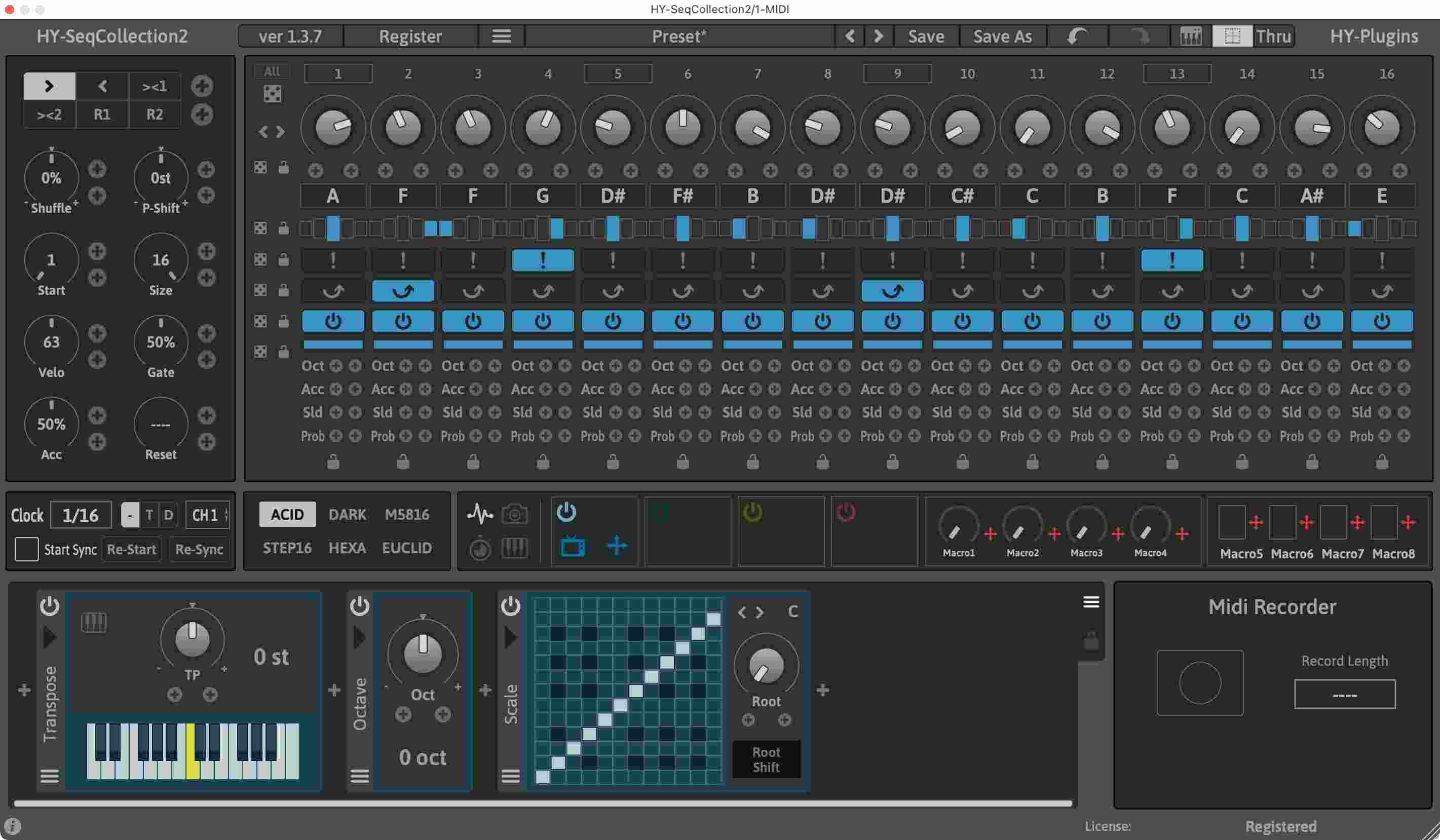
Multi-Mode Sequencer
This multi-mode sequencer plugin includes 6 sequencer modes (Acid, Dark, M5816, Step16, Hexa, Euclid). 4 modulation signal generators and 8 macro controls are available for parameter modulation as well as 9 midi effects (Octave, Transpose, Scale, Harmonizer, Velocity, Note Chance, Note Echo, Midi Ctrl, Midi CC). Once the perfect sequence has been created, the results can be exported as a midi file.
Features
- 6 sequencer engines(Acid, Dark, M5816, Step16, Hexa, Euclid)
- 4 modulation signal generators and 8 macro controls
- Drag and drop modulation assignment
- Midi FX (9 effect type)
- Midi Recorder
- Sequencer pattern snapshot
- Randomizer
- Re-scaleble interface
HY-RPE2
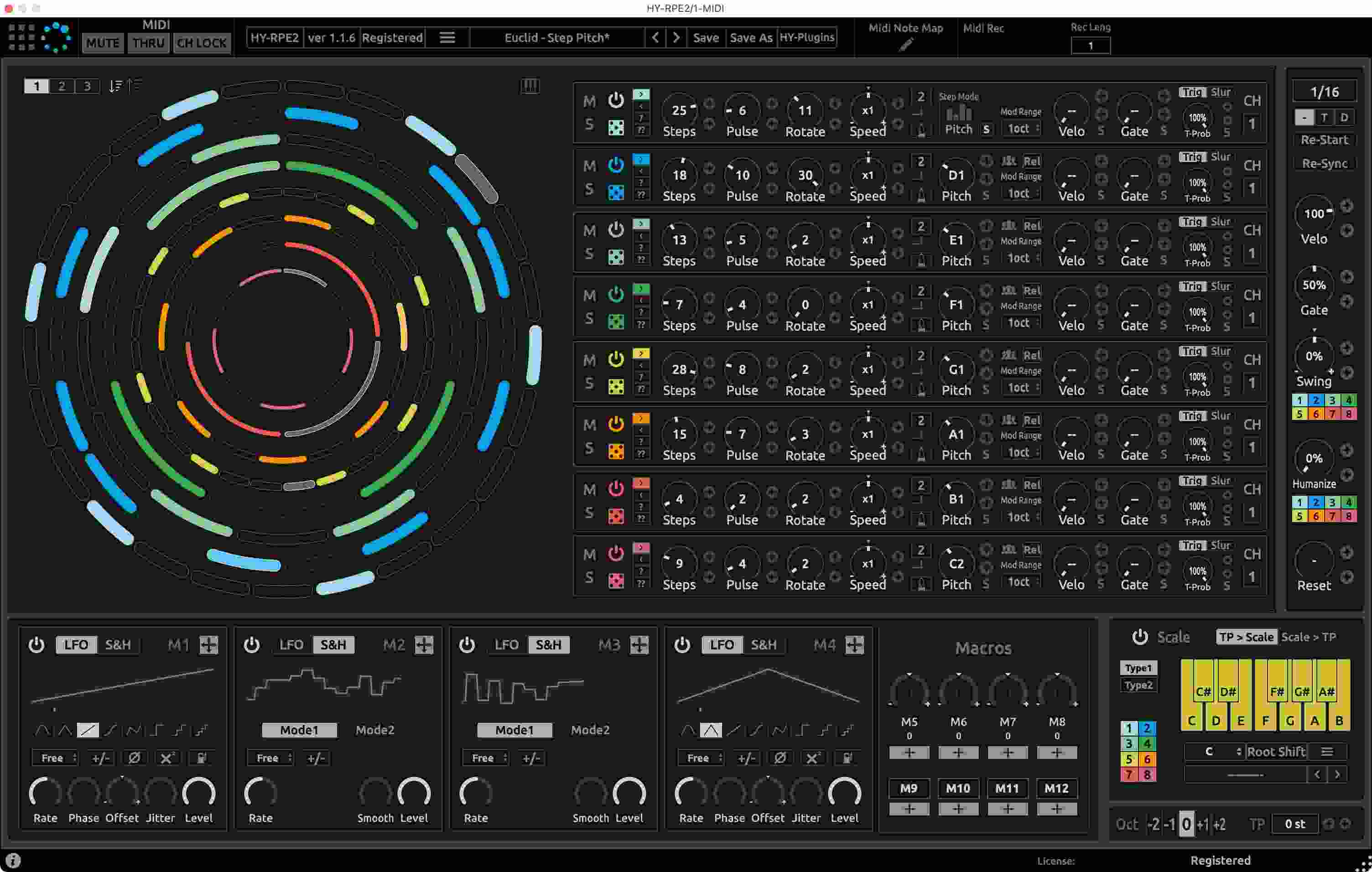
8 Track Midi Sequencer
RPE2 is an 8 track MIDI sequencer plugin that features two different sequencer engines, Grid and Euclidean.
Features
- 2 sequencer engines (Grid and Euclidean)
- Drag & drop modulation assignment(for Euclidean Sequencer)
- 4 LFO/Sample&Hold units (for Euclidean Sequencer)
- 4 Macro knobs/buttons (for Euclidean Sequencer)
- Midi Recorder
- Midi Learn
- Midi Note Map
- Resizable interface
System Requirements
PC
- Windows 7 or higher
- VST2, VST3 (32/64-bit)
Mac
- macOS 10.12 or higher (64-bit only)
- VST2, VST3, and AUv3
- Not compatible with GarageBand and Reason