


 Log In

Free gifts available with your purchase
A Modern 6 Band Visual Equalizer and Modern Visual Compressor/Limiter
The Mod EQ 6 + ModComp bundle are premium native Apogee FX plugins that offer comprehensive visual audio sculpting tools and professional sound quality. The bundle includes versions that can run natively in your favourite DAW without any Apogee hardware connected. For Ensemble and Element users, FX Rack features Apogee’s DualPath Monitoring functionality which links and mirrors the plugins in your DAW with plugins running on Apogee hardware DSP in Element Series and Ensemble Thunderbolt audio interfaces. DualPath monitoring is a unique and transformative workflow that gives you ultra-low latency while recording, simple single-window operation and optimal CPU efficiency. For Symphony Desktop users, ApogeeChannelFX features allow plugins to run on DSP in either Monitor FX mode or Print FX mode. Monitor FX mode provides the same DualPath monitoring features above, and Print FX mode commits the affected sound into your recorded audio, both with low-latency performance.
ModEQ 6
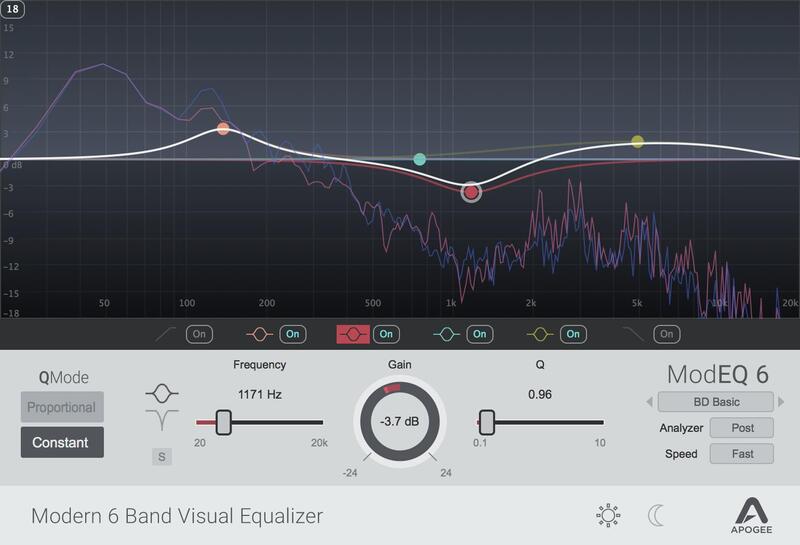
Features
- 6 Band Parametric EQ
- Lo Pass, Hi-Pass
- 2 Peak/Shelf
- 2 Peak/Notch
- Visual user interface
- Spectrum Analyzer
- Band Solo
- Proportional/Constant Q
- Includes FX and FX Rack versions
- Run natively in your favourite DAW (no Apogee hardware is required)
- Runs on Apogee hardware DSP in Element Series and Ensemble Thunderbolt audio interfaces and features DualPath Monitoring for near zero-latency recording
ModComp
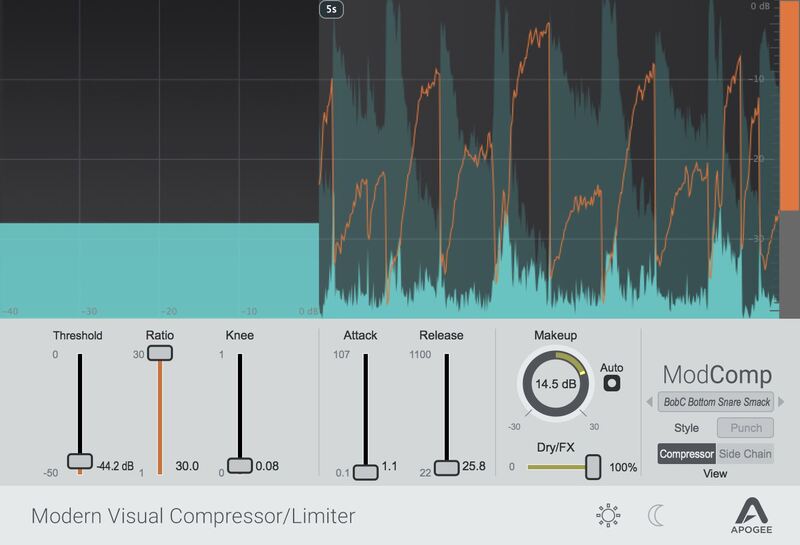
Features
- Modern Compressor/Limiter
- Visual user interface
- 3 User Selectable Styles, Punch, Easy and Level
- 2- Band Sidechain EQ
- Auto Makeup
- Dry/FX Mix
- Includes FX and FX Rack versions
- Run natively in your favourite DAW (no Apogee hardware is required)
- Runs on Apogee hardware DSP in Element Series and Ensemble Thunderbolt audio interfaces and features DualPath Monitoring for near zero-latency recording
System Requirements
Mac
- macOS 10.12.6 or higher (Intel / M1 Apple Silicon supported) (64-bit only)
- VST, VST3, AU, AAX
Windows
- Windows 10 and higher (64-bit only)
- VST, VST3, AAX
Please Note: A FREE Pace iLok account is needed in order to register this software (physical iLok Dongle is not required).
Tested & Supported DAWs:
- Pro Tools 12, Ultimate (Pro Tools 11 and lower not currently supported)
- Ableton Live 10
- Logic Pro 10
- Cubase 9.5 VST 1 & 2 (VST3 not implemented in this release).
Please Note: Any AUv2, VST or AAX fully compliant DAW should work.


