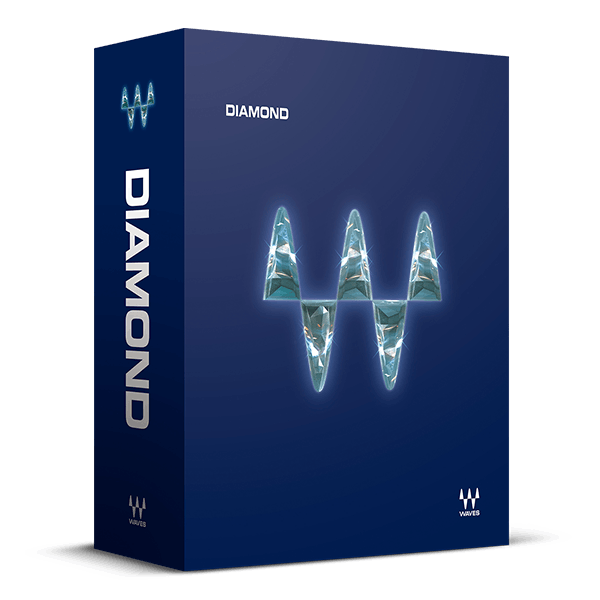
/ Mix & Master / Diamond Bundle
Waves

Diamond Bundle

4.9 (7 Reviews)
$179.99 $2,999.00

93% off until Dec 07

Waves Diamond
Waves Diamond
Mixing Beats & Vocals with Renaissance Plugins: MarioSo DeJesus gallery thumbnail
Multiband Compression for Vocals with Mixing Engineer Tony Maserati gallery thumbnail
How to De-Ess Sibilant Rap Vocals gallery thumbnail
6 Steps to a Punchy Kick Drum gallery thumbnail
Enhancing Synth Leads with Waves Center and the OneKnob Series gallery thumbnail
Waves Vitamin Sonic Enhancer: Plugin Overview gallery thumbnail
Using Waves H-Delay in Electronic Music Production: Part 2 – Bass, Synths, Pads gallery thumbnail
Waves H-Comp Hybrid Compressor Tutorial gallery thumbnail
Quick Mastering for Streaming Online gallery thumbnail
How to Use the Waves L1 and L2 Ultramaximizer Plugins gallery thumbnail
How to Use the Waves L3 and L3-LL Multimaximizer Plugins gallery thumbnail
Waves Linear Phase Multiband Compressor: Plugin Tutorial with Audio Demos gallery thumbnail
Mixing Vocals in 25 Minutes - Webinar with Yoad Nevo gallery thumbnail
Creating EDM Risers with the Waves SoundShifter Plugin gallery thumbnail
Add Punch to Drum Tracks with Waves' Trans-X Plugin gallery thumbnail
Waves Loudness Meter - Quick Start Guide gallery thumbnail
Top Mixing Engineer Tony Maserati on How to Use Waves Q-Clone gallery thumbnail
Eddie Kramer on Modeled Plugins and Waves V-Series gallery thumbnail
DeEssing Trebly Cymbals and Guitars: A Tip by Producer/Engineer Andrew Scheps gallery thumbnail
Waves Diamond
Buy Now
Product information

Over 80 Plugins for Music Production, Mixing, Mastering, and Restoration


Featuring 86 essential audio mixing and mastering plugins spanning dynamics, EQ, reverb, pitch correction, spatial imaging, and beyond, Diamond is an indispensable asset for any professional studio.

This comprehensive collection of audio processing tools elevates your studio setup with unparalleled signal processing capabilities, suitable for tracking, mixing, mastering, creative sound design, and audio restoration tasks.

In addition to all plugins found in Platinum, Diamond includes crucial additions such as the L3 multiband level maximizer, Center, and WLM Plus Loudness Meter for mastering purposes. It also features the complete X-series plugins for noise reduction and audio repair, along with premium mixing and music production tools like the NLS console summing plugin, the popular OneKnob Filter, and a variety of other effects to enhance your workflow and sonic capabilities.


Included plugins:

  • AudioTrack
  • C1 Compressor
  • C4 Multiband Compressor
  • Center
  • CLA Unplugged
  • Cobalt Saphira
  • DeEsser
  • Doppler
  • Doubler
  • Eddie Kramer Drum Channel
  • Electric Grand 80 Piano
  • eMo F2 Filter
  • eMo Generator
  • eMo Q4 Equalizer
  • Enigma
  • Greg Wells PianoCentric
  • Greg Wells ToneCentric
  • GTR3 Amps
  • GTR3 Stomps
  • GTR3 ToolRack
  • GTR3 Tuner
  • H-Comp Hybrid Compressor
  • H-Delay Hybrid Delay
  • IR-L Convolution Reverb
  • Key Detector
  • L1 Ultramaximizer
  • L2 Ultramaximizer
  • L3 Multimaximizer
  • L3 Ultramaximizer
  • L3-LL Multimaximizer
  • L3-LL Ultramaximizer
  • Linear Phase EQ
  • Linear Phase Multiband Compressor
  • LoAir
  • Lofi Space
  • Magma Springs
  • Manny Marroquin Triple D
  • MaxxBass
  • MaxxVolume
  • MetaFilter
  • MetaFlanger
  • MondoMod
  • Morphoder
  • MV2
  • NLS Non-Linear Summer
  • Nx – Virtual Mix Room over Headphones
  • OneKnob Driver
  • OneKnob Filter
  • OneKnob Pumper
  • PAZ Analyzer
  • PS22 Stereo Maker
  • PuigTec EQs
  • Q10 Equalizer
  • Q-Clone
  • Renaissance Axx
  • Renaissance Bass
  • Renaissance Channel
  • Renaissance Compressor
  • Renaissance DeEsser
  • Renaissance Equalizer
  • Renaissance Reverb
  • Renaissance Vox
  • Retro Fi
  • S1 Stereo Imager
  • Sibilance
  • Smack Attack
  • SoundShifter
  • Spherix Immersive Compressor & Limiter
  • Submarine
  • SuperTap
  • Trans-X
  • TrueVerb
  • UltraPitch
  • V-Comp
  • V-EQ3
  • V-EQ4
  • Vitamin Sonic Enhancer
  • Voltage Amps
  • VU Meter
  • Waves Tune LT
  • WLM Plus Loudness Meter
  • X-Click
  • X-Crackle
  • X-Hum
  • X-Noise
  • Z-Noise


Features

  • Plugins for mixing, production, mastering, restoration
  • 86 plugins: All 67 plugins from Waves Platinum plus 19 more
  • Compressors, EQs, reverbs, delays, effects, and much more
  • Audio repair and restoration plugins
  • Plugins for pro mastering, from multiband limiting to linear phase processing
  • Vintage analog modeling, bass enhancement, harmonic enhancers, and much more
System Requirements

Mac

  • macOS Monterey 12, Ventura 13, Sonoma 14, Sequoia 15
  • VST / AU / AAX

PC

  • Windows 10+
  • VST / AAX
Installation Instructions

1. Head to https://www.waves.com/create-account

2. Enter your email and choose a password to create an account (if you already have a Waves account, choose Log in, enter your details and head to Step 5) > click 'Submit'

3. Open your email inbox > click the activation link in the email from Waves

4. Click 'Log in here' > Log in to your Waves account

5. Click 'Register New Products'

6. Enter the Serial Number found in your Plugin Boutique user account > click 'Submit'

7. Click download in your Plugin Boutique user account or head to https://www.waves.com/downloads/central > download the Waves Central app for your operating system

8. Install Waves Central > Open Waves Central

9. Click 'Log in' > enter your log in details

10. Click the 'Install Products' tab

11. Tick the blue dot on all products you wish to install or click the top dot to install all products > click 'Install & Activate'

12. Click 'OK'

13. Open your DAW > open the Waves plugin

Your Waves plugins are installed and ready to use, enjoy!

Plugin Boutique Rewards

Discover the most rewarding loyalty programme among all plugin retailers.

  • Free Loopmasters Samplepacks
  • Discounts on products and courses
  • Extra Virtual Cash claimed immediately at checkout
Find out more

Follow us:

X (Twitter) Facebook YouTube Instagram
Logo Logo

Plugin Boutique Limited, Part of the Beatport Group LLC.

Copyright © 2011-2025 Plugin Boutique. All rights reserved