


 Log In

Free gifts available with your purchase

Softube Producer Collection (Exclusive) is a premium suite of essential production tools, combining analog warmth, classic tone, and modern flexibility. This exclusive collection features the vintage-flavored Amp Room: Vintage Suite, the unmistakable character of British Class A, and the punchy precision of FET Compressor Mk II.
Add rich harmonic detail with Harmonics Analog Saturation Processor, synth power with the Model 84 Polyphonic Synthesizer, and creative vocal textures using Vocoder. Also included are the versatile Passive-Active Pack EQs, analog-style Tape saturation, dual-band shaping with Transient Shaper, retro vibe from Tube Delay, and expansive stereo imaging via Widener.
Whether you're mixing, tracking, or sound designing, this exclusive collection delivers pro-quality sound across genres.
Amp Room: Vintage Suite
Timeless Guitar Tones For Any Production
Amp Room Vintage Suite is ideal for productions that require eternal guitar tones. The included vintage hardware sims deliver everything needed for pop or rock productions with vibes from retro to modern. Vintage Suite comes with four timeless amps from the US and the UK.
Learn more about Amp Room: Vintage Suite.
British Class A
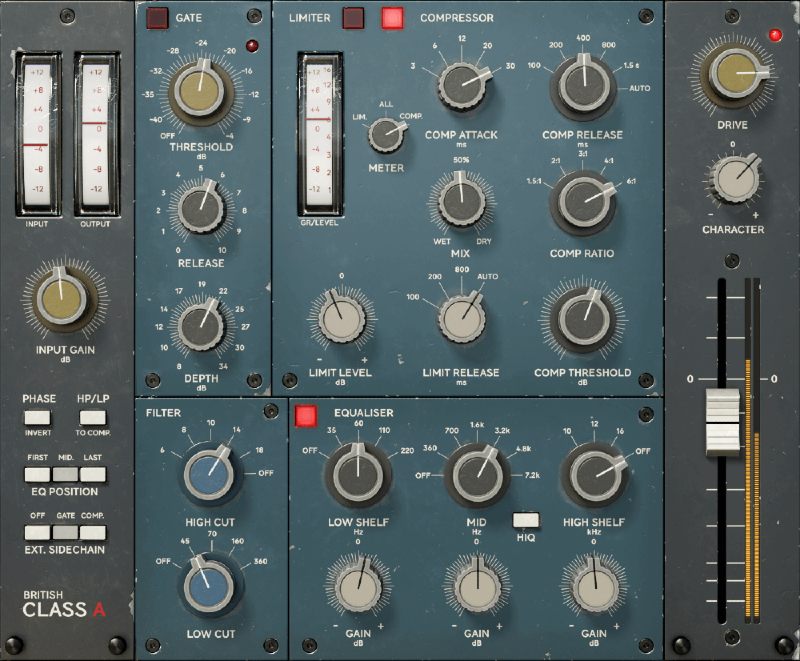
Classic British sound, unbuttoned.
The British Console Sound is famous. You can hear its sweet and musical quality on hit records spanning more than five decades from artists such as Queen, Nirvana, David Bowie, and the Red Hot Chili Peppers. When mix engineers need this unmistakable body, depth, and silky sweet top-end on individual tracks and busses, the British Class A channel strip is the one to grab.
- Authentic, unmistakable British console character
- A precisely emulated channel strip with added flexibility
- Four versions included: British Class A plug-in, British Class A for Console 1, British Class A for Amp Room, and British Class A for Modular
Learn more about British Class A.
FET Compressor MK II
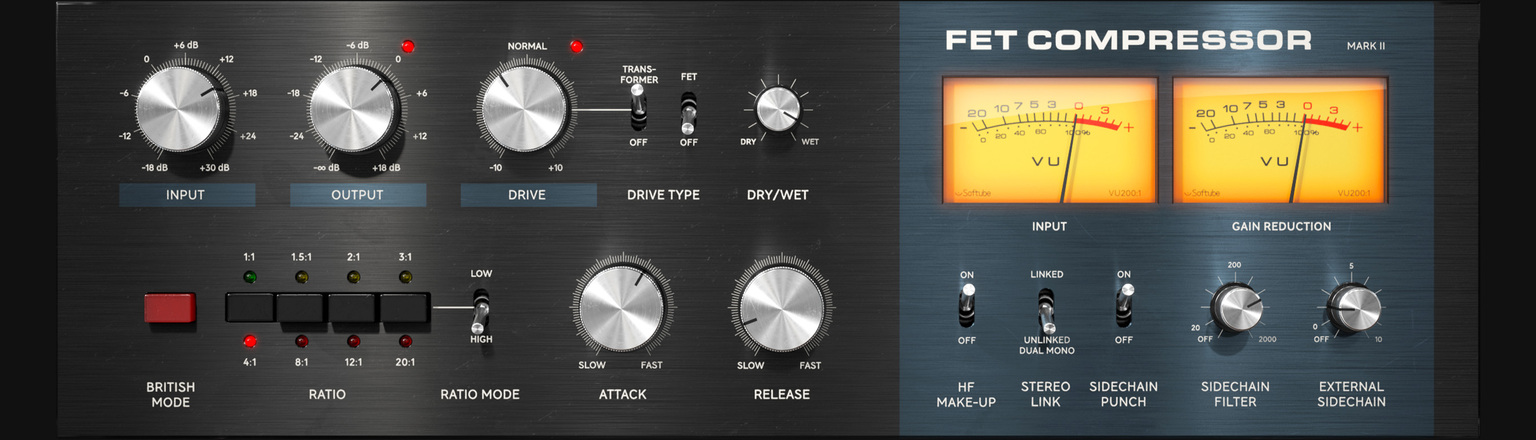
A Ground-Up Remake Of An Eternal Favorite
Launched as the "fastest compressor in the world" with a 20-microsecond attack time, the classic hardware Softube-modeled FET Compressor Mk II on is exceedingly popular and heard on countless hit recordings. With a FET gain reduction stage, Class A solid-state amplifiers, input and output transformers, beloved aggression, and tasty distortion, it's easy to see why. The FET Compressor Mk II keeps that original sound and character while supporting a DAW-based workflow. There may be more than 1176 emulations of this compressor on the market, but only their meticulously remodeled FET Compressor Mk II features Softube sound quality, extra features, and added control.
- A complete and expertly executed remodel of one of the most popular analog compressors in the world
- Perfect for vocals, drums, and other sources that require considerable compression
- Added modern features, such as Drive, Stereo Link, a Sidechain section, a High Frequency Make-up feature, and Dry/Wet
- Authentically modeled All-buttons-in mode, or British mode
Learn more about FET Compressor MK II.
Harmonics
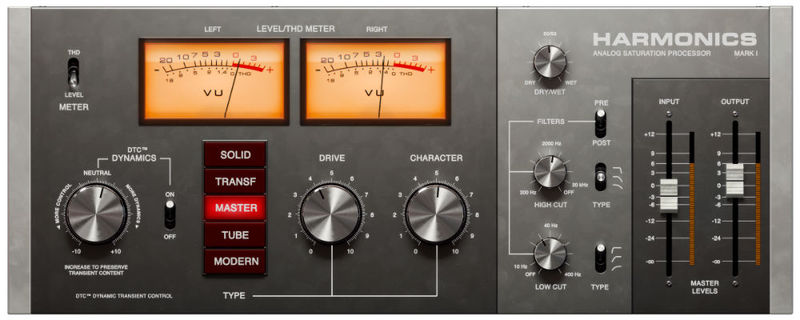
Guitars, vocals, drums, bass, even synths often need some extra grunt to push them over the edge, but distortion can destroy dynamics and cause more problems than it solves. Too little and your sound doesn’t cut through and fill its space. Too much and you lose the light and shade, the attack and decay. Transients blend into tails, and detail and definition go out the window.
- Five genuinely different component-modelled distortion sounds
- Revolutionary ‘Dynamic Transient Control’ technology
- ‘Amount’ knob to control the amount of saturation
- ‘Character’ knob controls the tone or colour of the distortion
- High and low cut filters can be placed before or after distortion
- Wet/dry blend knob for parallel processing
- THD meter allows fine control of subtle saturation
Learn more about Harmonics.
Model 84 Polyphonic Synthesizer
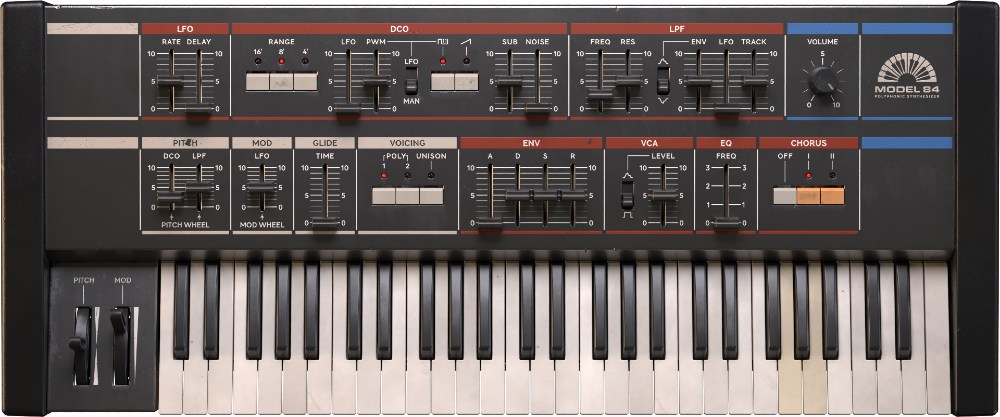
The Resurrection of a Polyphonic Icon
- An 80s-era icon of polyphonic synthesizing faithfully emulated through circuit modelling on a component level.
- The true-to-the-original sound and unique features of the revered hardware—such as two poly modes with proper voice allocation—plus fresh innovations.
- Three versions included: instrument, a chorus for Amp Room, and seven modules for Modular.
Learn more about Model 84 Polyphonic Synthesizer.
Vocoder
Softube Vocoder delivers the sensations of vintage machines with Softube sound quality and workflow. A built-in six-voice carrier synth with MIDI capability and an easy-to-use Attack Hold Decay Envelope, plus a visionary Freeze section, mean that you’re in for an array of sonic spectacle and revelry. Which is to say, you’re gonna have a real good time.
- The look and feel of vintage vocoding with Softube innovations
- High-quality Softube sound, excellent shaping tools, and an inspiring workflow
- A superb six-voice polyphonic carrier synth with four selectable waveforms and MIDI capability
- An easy-to-use Attack Hold Decay Envelope
- Transpose Chord Mode lets you create a chord with the on-screen keyboard and then transpose it via MIDI Notes
- Control of plosive and high-frequency consonant sound reproduction via the Unvoiced section
- Stereo widening that adjusts the amount of spread between even and odd bands
- Spectral Tilt to swiftly set the spectral weight of the vocoder output
- Variable band selection between 4, 8, 12, 16, and 20 bands
- Unique Freeze section that allows rhythmic hold of certain formants manually and via MIDI Notes or a DAW Sync
- Shape section that controls slop of resynthesis and Emphasis section to manage the response of each band
- Add subtle vibrato to dramatic wobble effects with the Pitch Modulation section
Learn more about Vocoder.
Passive-Active Pack
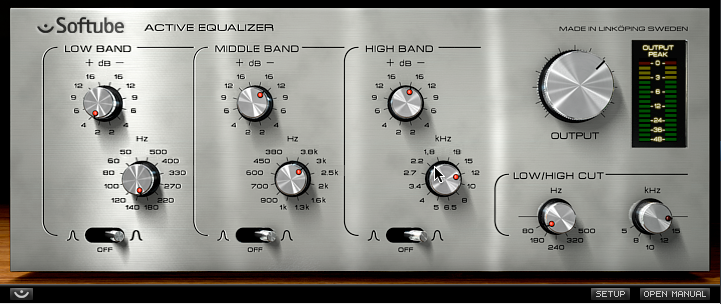
The Passive-Active Pack is a collection of three very different equalizers, each with its own character and quirks. The Passive and Active equalizers emulate real workhorse units, used on thousands of recordings from past to present. The Focusing Equalizer combines these with analogue sounding saturation and a novel workflow.
- Inspiring, untraditional and very useful workflow.
- Choose between Passive or Active EQ character.
- Three-band EQ that automatically and musically changes with Low and High Cut.
- Built-in one-knob saturation with metering and selectable saturation type.
Learn more about Passive-Active Pack.
Tape
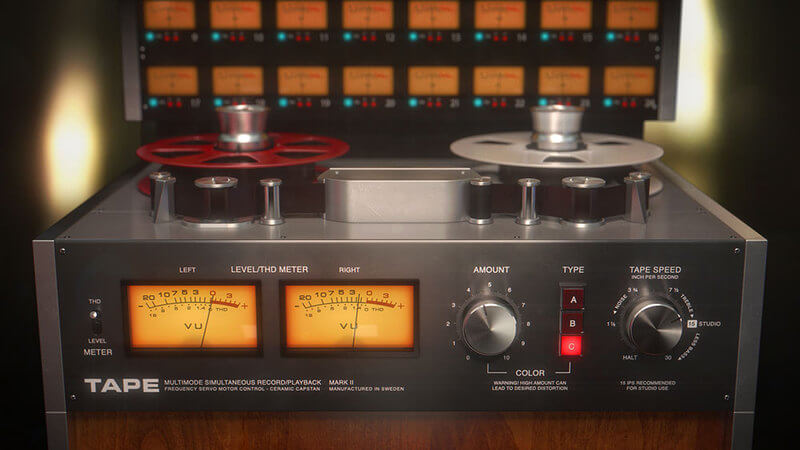
Time to get reel! Softube's Tape plug-in adds cohesion and weight to your mixes. But Tape goes far beyond your average tape machine emulation. It includes three distinctly different tape machine types, and it offers the ease of use and low CPU strain that today's music creators rightfully expect.
- Realistic analogue tape sound.
- Three tape machine types included.
- Easy to use.
- Low CPU usage.
- Includes Tape Multitrack which can be used in the MixFX slot of Presonus Studio One—adding individual channel crosstalk and single interface control of all tracks.
Learn more about Tape.
Transient Shaper
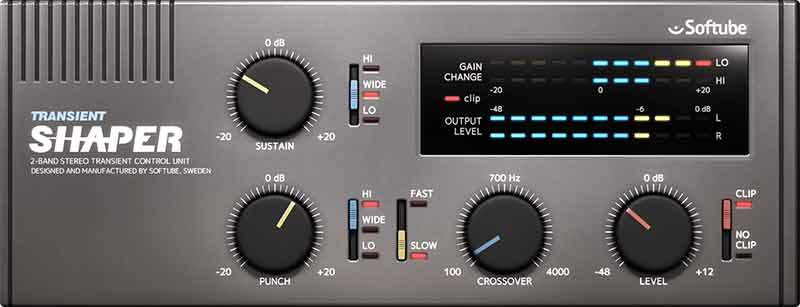
Being able to control the attack and decay of a sound is tremendously useful for anyone mixing music. But Softube's Transient Shaper goes beyond that due to the fact that it's a dual-band processor. This means that the user can set it to affect only the treble or bass portion of a sound—separately for the Sustain and Punch parameters—and leave the rest untouched. This opens up a new realm of possibilities.
- Dual-band transient processing tool.
- Add or reduce punch and/or sustain from any sound.
- Affect either the whole frequency spectrum, only the high frequencies or only the low frequencies.
- User-selectable crossover frequency.
- Clip section adds output distortion.
Learn more about Transient Shaper.
Tube Delay
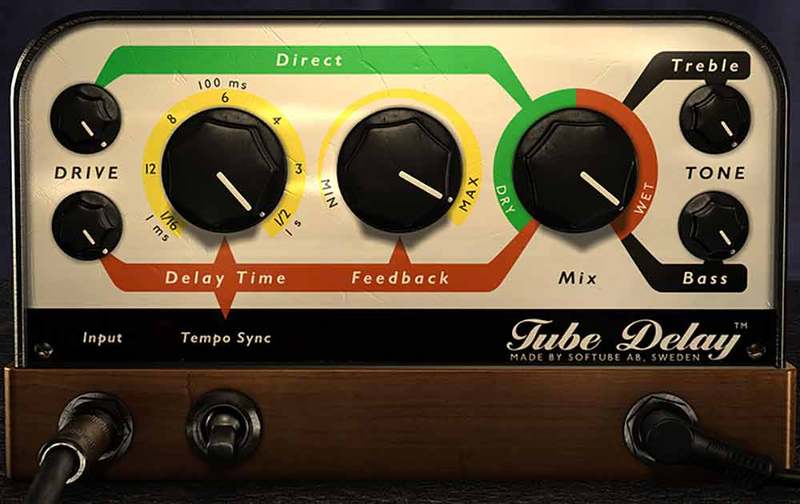
A tasty echo effect that can go from clean to rude by overdriving its three modelled tube stages. Create anything from realistic room echoes to rockabilly style slap backs, or take it all the way into dub reggae echo madness.
A slightly dark and distorted delay has a way of giving a great sense of space and size to a mix without really drawing attention to itself. So that's where Softube's Tube Delay gets in the picture.
- 1-1000 ms delay
- Sync tempo to host
- Vintage style passive EQ
- Gritty feedback feature
- Tube preamp simulation
Learn more about Tube Delay.
Widener
Widener lets you create a stereo signal from a mono track or widen an existing stereo track with five unique widening algorithms. But why use a spatial widener anyway?
Opinions may vary on the risks of using spatial wideners, but the dirty little secret is this: many producers, and even mastering engineers, use them as an easy, effective way to make their track stand out. Caution must be used, of course, to avoid ruining your sound with unwanted artifacts. If you do, you have an amazingly effective tool to produce an immersive listening experience. Nothing ventured, nothing gained. Wade into the wider world with Widener.
- Easy to use widening
- Use on mono or stereo sources
- Five different algorithms with different strengths
- Goniometer and correlation meter as visual aids
- Console 1-ready
Learn more about Widener.
System Requirements
- macOS Big Sur 11, Monterey 12, Ventura 13
- Windows 10 (64-bit), Windows 11
- Softube account
- iLok account
- Computer with AU, VST, VST3, and/or AAX-compatible DAW host software
- Internet access (for downloading installers and managing licenses)
Supported CPU Families
- Apple macOS computers with Intel Core i3/i5/i7 or Apple silicon (M1 or newer) CPU. Apple silicon is supported natively.
- Windows computers with quad-core Intel Core i3/i5/i7 or AMD quad-core processors with SSE 4.2 support.
- Other Intel processors (Celeron, Pentium, and Xeon) are compatible if they support SSE 4.2 instructions.
Important Note: Make sure that you always use the latest iLok License Manager. It is not included in the Softube installer but can be downloaded from www.ilok.com


