


 Log In

Free gifts available with your purchase
Abbey Road Collection

Bring Abbey Road’s Legendary Sound to Your Productions
Since the patenting of stereo at Abbey Road Studios in 1933, this iconic institution has been a beacon of innovation in recording technology, shaping the art of music production.
Abbey Road Studios boasts a storied history with legendary contributions from artists like The Beatles, Frank Ocean, Pink Floyd, Radiohead, Kate Bush, Lady Gaga, Oasis, Sam Smith, Amy Winehouse, Adele, and many others. Its influence extends to film scores, including Star Wars, Raiders of the Lost Ark, The Lord of the Rings, Black Panther, Thor, and Avengers: Endgame.
The Abbey Road Collection faithfully recreates the studio’s renowned signal path—from tape machines and preamps to consoles, compressors, vocal effects, reverbs, saturation, microphones, vinyl cutting gear, and complete mastering chain. Developed in collaboration with Abbey Road Studios, this meticulous collection pays homage to musical history with unparalleled attention to detail, offering a unique sonic edge that enhances today’s productions.
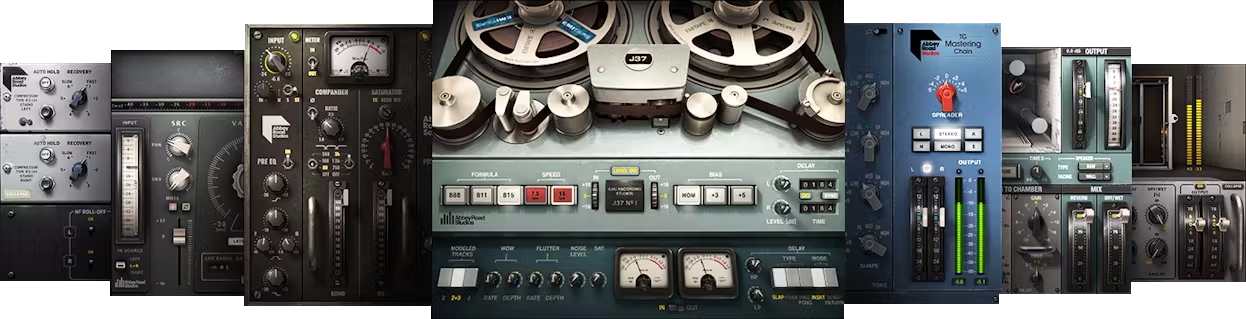
Included plugins:
- Abbey Road Chambers
- Abbey Road Reverb Plates
- Abbey Road RS124 Compressor
- Abbey Road Saturator
- Abbey Road TG Mastering Chain
- Abbey Road Vinyl
- EMI TG12345 Channel Strip
- J37 Tape
- REDD
- Reel ADT
- RS56 Passive EQ
- The King's Microphones
Features
- Created closely with Abbey Road Studios for full authenticity
- Precise modeling of ultra-rare gear not available anywhere else
- Mix with the J37 tape machine used on the Beatles’ Sgt. Pepper’s
- Master with Abbey Road’s complete mastering chain
- Experience the vintage console used on The Dark Side of the Moon
- Wrap your vocals in the ambience of classic reverb chambers & plates
- Add rare compression, saturation, and vocal doubling effects
- Capture the warm sound of vinyl production and playback
System Requirements
Mac
- macOS Monterey 12, Ventura 13, Sonoma 14, Sequoia 15
- VST / AU / AAX
PC
- Windows 10+
- VST / AAX














